
 Garick Elordi
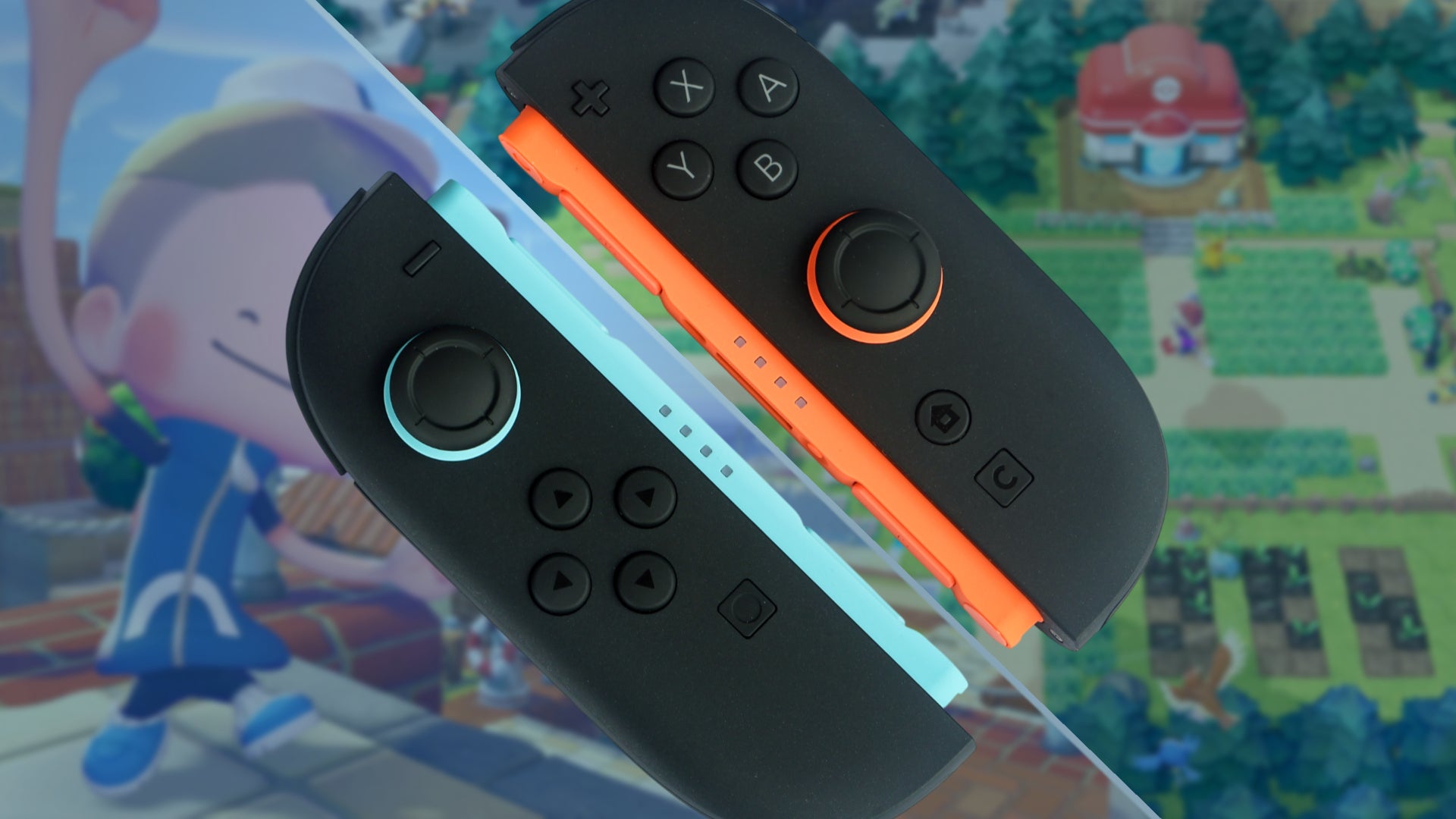
The launch of the Nintendo Switch 2 has introduced a variety of hardware innovations designed to bridge the gap between traditional console gaming and more precise input methods typically reserved for personal computers. Among these features, the integrated "Mouse Mode" within the updated Joy-Con controllers has emerged as a significant, albeit initially overlooked, secondary control scheme. While early software offerings such as Drag x Drive and the experimental control configurations in Metroid Prime 4 showcased the technology, it is the third-party breakout hit Pokopia that has provided the definitive use case for the hardware. By integrating high-precision cursor movement into its core building and restoration loops, Pokopia has transformed what was perceived as a peripheral gimmick into an essential tool for high-level play, signaling a shift in how developers may approach user interface design on the new platform.
Technical Overview of the Switch 2 Mouse Interface
The Nintendo Switch 2 hardware incorporates an advanced optical sensor located on the base of the right Joy-Con, distinct from the infrared motion camera found in its predecessor. This sensor functions similarly to a high-DPI optical mouse, allowing the controller to track movement when placed against a flat surface. In the system’s "Mouse Mode," the Joy-Con’s internal gyroscopes and the optical sensor work in tandem to provide a level of 1:1 precision that exceeds the capabilities of standard analog sticks or traditional motion-based pointing.
Initially, the utility of this feature was limited to internal Nintendo software. The Switch 2 Welcome Tour, a pre-installed software suite designed to familiarize users with the console’s capabilities, utilizes the mouse function for basic navigational tasks and simple mini-games. However, industry analysts noted that without a "killer app" to demonstrate the practical advantages of mouse input, the feature risked becoming a vestigial component of the hardware, much like the original Switch’s IR camera. The release of Pokopia, a Pokémon spin-off focused on environmental restoration and construction, has effectively countered this narrative by demonstrating how precision input can fundamentally alter the efficiency of complex gameplay mechanics.
Pokopia: A New Direction for the Pokémon Franchise
Developed as a significant departure from the traditional turn-based RPG formula, Pokopia places players in a post-cataclysmic version of the Kanto region. The narrative premise involves the total disappearance of human civilization, leaving behind a barren wasteland populated only by Pokémon and the remnants of iconic locations like Cerulean City and the Indigo Plateau. Players assume the role of a specialized restoration agent tasked with clearing debris, harvesting resources, and rebuilding the ecosystem.
The gameplay loop bears a strong resemblance to titles such as Dragon Quest Builders 2, emphasizing voxel-based construction and resource management. Players must navigate overgrown routes, restore dilapidated Pokémon Centers, and create habitats for displaced creatures. Given the precision required to place individual blocks and target specific resource nodes within a 3D environment, the limitations of dual-analog controls became a point of contention among the early player base. The discovery of the "Mouse Mode" utility within this context has been cited by the community as a transformative moment for the title’s accessibility and depth.
The Impact of Mouse Control on Gameplay Efficiency
Data gathered from user reports and technical demonstrations indicates that the Switch 2 Mouse Mode provides a measurable advantage in Pokopia’s construction and harvesting phases. Under standard analog control, players are generally limited to interacting with objects within a two-to-three-block radius of their character model. The inherent difficulty of aiming an analog stick at a specific tile in a 3D space often leads to "over-mining" or the accidental placement of materials.
In contrast, enabling the mouse interface by placing the Joy-Con on a flat surface activates a contextual cursor. This cursor allows for a significantly expanded reach, enabling players to interact with objects up to four blocks away. This increased range facilitates more complex architectural tasks, such as constructing high-altitude bridges in the "Bleak Beach" sector or clearing the interior of derelict ships without constant character repositioning.
Key benefits identified by the player community include:
- Precision Targeting: The ability to select a single glowing resource node or a specific roof tile without disturbing adjacent structures.
- Rapid Clearing: Utilizing the mouse to "drag and clear" sand and debris from seaside walkways, a process that is significantly slower when using traditional directional inputs.
- Enhanced Building: Improved accuracy when placing bricks or glass panels for windows, reducing the time required for structural "fiddling."
- Optimized Resource Gathering: Mining ore and blasting through fallen debris becomes more methodical, preventing the accidental destruction of rare environmental assets.
Chronology of the Switch 2 Input Evolution
The development of the Switch 2’s control scheme can be traced back to Nintendo’s long-standing interest in alternative input methods.
- Early Development (2021-2022): Patents filed by Nintendo suggested a move toward high-precision optical tracking, leading to rumors of a "hybrid mouse" controller.
- Hardware Announcement (Early 2024): The Switch 2 was officially unveiled, highlighting the Mouse Mode as a "supplementary feature" for developers.
- Initial Software Rollout: Titles like Metroid Prime 4 launched with optional mouse-aiming configurations, though many players found the transition from traditional controls to be non-intuitive for fast-paced action.
- The Pokopia Launch: Upon its release, Pokopia quickly became one of the best-selling Pokémon spin-offs in the brand’s history. Its success was driven by its unique "Builders-style" gameplay, which inadvertently created the perfect environment for mouse-based interaction.
- Community Discovery: Approximately two weeks post-launch, social media platforms and forums like Reddit saw a surge in "Mouse Mode" tutorials, with players highlighting the 4-block reach advantage.
Market Reception and Official Responses
While Nintendo has not released specific sales figures for the Switch 2’s peripheral sales, the popularity of Pokopia has led to a noticeable uptick in interest for third-party "gaming surfaces" and desk mats designed for the console. In a recent investor briefing, Nintendo executives noted that the success of third-party titles in utilizing "bonus" hardware features validates the company’s philosophy of providing a "flexible toolbox" for developers.
Representatives for the Pokémon Company have expressed satisfaction with the reception of Pokopia, stating that the game was designed to encourage "experimentation with the hardware’s unique capabilities." While they did not explicitly market the game as a mouse-driven experience, the developers acknowledged that the user interface was built to be "input-agnostic," allowing the most efficient control scheme to rise to the top through player discovery.
Industry analysts suggest that this "accidental" validation of hardware features is a recurring theme in Nintendo’s history. Much like how the DS’s touch screen found its stride in non-traditional genres or how the Wii Remote became the standard for light-gun style shooters, the Switch 2’s mouse functionality is finding its home in the simulation and "craft-a-thon" genres.
Broader Implications for the Console Industry
The success of mouse-controlled gameplay on a mainstream console has broader implications for the industry. For years, the divide between PC and console gaming has been defined by the "controller vs. mouse and keyboard" debate. By integrating mouse functionality directly into the standard controller, Nintendo has effectively lowered the barrier for PC-centric genres—such as real-time strategy (RTS), complex simulators, and grand strategy games—to migrate to the console space.
Furthermore, the implementation of Mouse Mode in Pokopia serves as a case study for accessibility. For players who struggle with the fine motor skills required for dual-analog aiming, the ability to use a flat surface for cursor-based interaction offers a more stable and intuitive alternative. This could lead to a new standard in console UI design, where "point-and-click" becomes a standard secondary option rather than a niche experimental feature.
As the Switch 2 lifecycle continues, the industry will likely see more developers adopting these controls. Reports indicate that several upcoming ports of PC strategy titles are currently being optimized to take advantage of the Joy-Con’s optical sensor. If the trend continues, the "Mouse Mode" may transition from a "bonus for developers" to a mandatory consideration for any title involving complex menus or environmental interaction.
Conclusion
The evolution of the Nintendo Switch 2’s Mouse Mode from a secondary hardware feature to an "essential" tool in Pokopia highlights the importance of software in defining hardware utility. While the console’s primary selling points remain its portable power and diverse library, the precision afforded by its optical tracking has opened a new frontier for console interaction. As players continue to restore the withered landscapes of Kanto with unprecedented accuracy, the broader gaming industry is taking note of how a simple change in input can redefine an entire genre. Pokopia has not only bolstered the Pokémon franchise but has also provided the Nintendo Switch 2 with a clear demonstration of its hidden potential.