Galang Taruna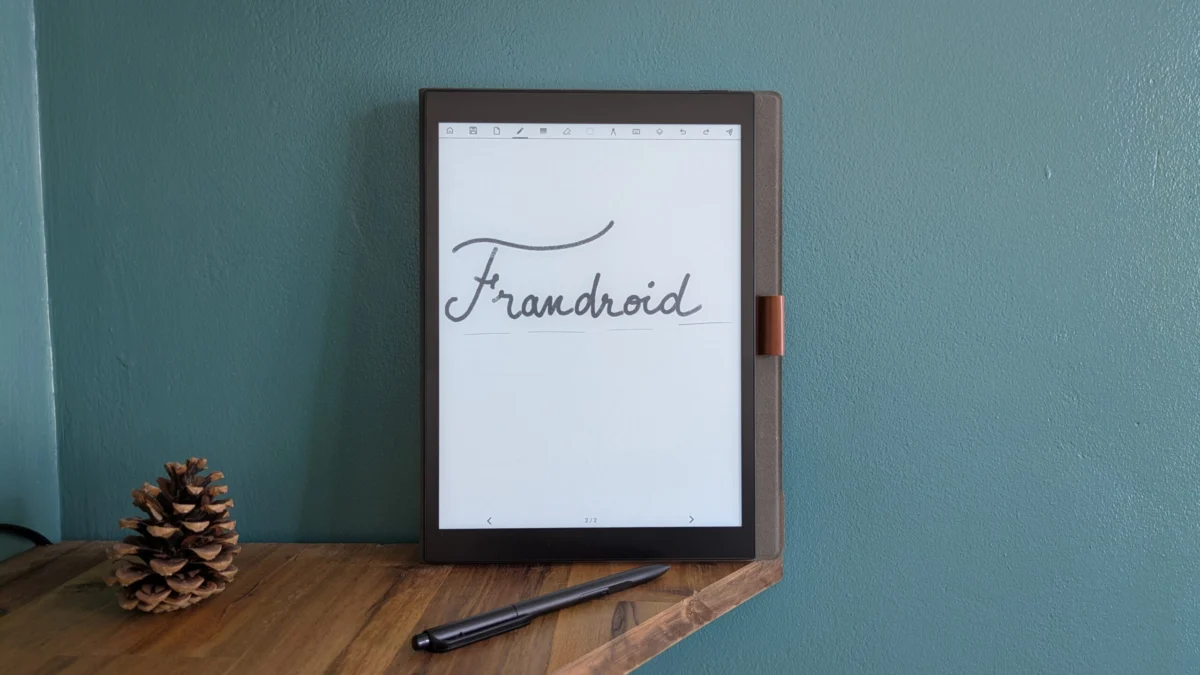
The Paperslate Pro emerges as a distinctive contender in the increasingly competitive market of digital e-ink notepads, designed to offer a focused, paper-like writing and reading experience devoid of the ubiquitous distractions associated with conventional tablets. This French-engineered device aims to carve out a niche by integrating a full Android operating system, complete with Google Play Store access, and boasting an IPX8 waterproof rating – features rarely found in its category. As consumers increasingly seek digital tools that emulate traditional stationery while offering modern conveniences, the Paperslate Pro enters a landscape largely dominated by established players like reMarkable and Amazon’s Kindle, prompting a closer examination of its value proposition and performance.
A French Challenger in the E-Ink Arena
In a market segment where the reMarkable and Kindle Scribe have largely defined user expectations for minimalist, distraction-free digital note-taking and reading, Paperslate introduces a markedly different philosophy. The Paperslate Pro distinguishes itself not merely by its French origins but by its bold decision to run on a derivative of Android 11. This strategic choice opens the device to the vast ecosystem of the Google Play Store, theoretically allowing users to install a wide array of applications beyond the natively integrated suite. This contrasts sharply with the proprietary, often closed, operating systems of its main rivals, which prioritize simplicity and battery life over app versatility. Furthermore, the Paperslate Pro sets itself apart with an IPX8 certification, rendering it waterproof – a robust characteristic that offers peace of mind for users who might utilize their device in diverse environments, from a poolside lounge to a busy cafe, providing a practical advantage over many delicate electronic counterparts.
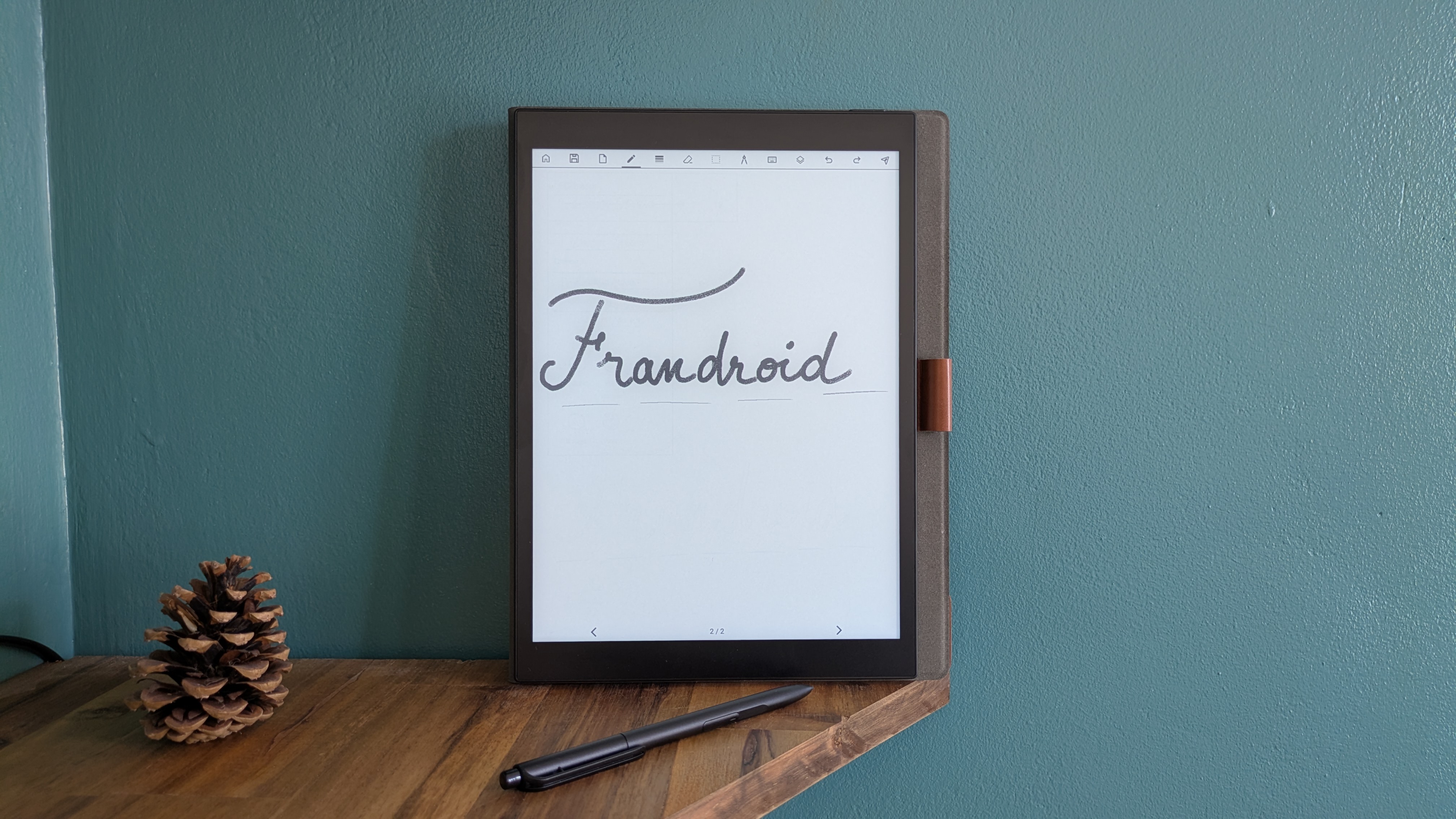
The Paperslate Pro is positioned as the premium offering in its line, priced at 429.95 euros, while a standard version, lacking waterproofing, advanced backlighting, and featuring less internal storage, is available for 349.95 euros. This pricing places it firmly in the upper mid-range of the e-ink notepad market, directly competing with devices that often boast higher display resolutions or more refined user experiences. The fundamental question for potential adopters, and the focus of this assessment, revolves around whether its unique feature set effectively translates into a superior user experience, or if the ambition of integrating a full Android OS onto an e-ink platform introduces unforeseen compromises.
Design and Ergonomics: A Study in Utility
From a physical standpoint, the Paperslate Pro presents a sober, utilitarian aesthetic. It features an entirely black aluminum chassis, lending it a premium feel that belies some of its other design choices. Weighing in at 430 grams, the device is noticeably substantial in hand for a 10-inch e-ink tablet. While its 6mm thickness contributes to a sleek profile, its overall dimensions of 23.3 mm in length and 16.2 mm in width, coupled with comparatively wide bezels surrounding the display, contribute to an impression of robustness rather than sleek elegance. The finishes are generally well-executed, and the design, while perhaps not groundbreaking, is functionally sound for a device of its type.
The physical controls and ports are thoughtfully arranged along the top edge of the tablet. Here, users will find the USB-C port for charging and data transfer, a crucial microSD card slot for expandable storage (complementing the 64 GB internal memory), a speaker, and the power/unlock button. This placement ensures easy access, maintaining the tablet’s clean lines on other edges. The inclusion of a speaker is a noteworthy, albeit somewhat perplexing, addition for an e-ink device, as audio playback is typically a secondary concern for such products.

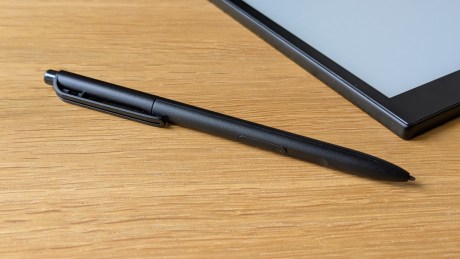
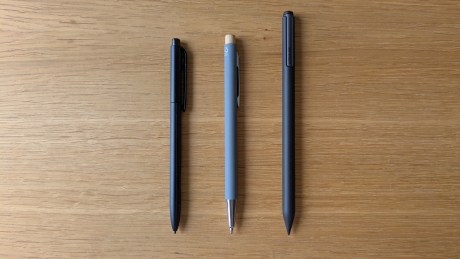
Perhaps the most polarizing aspect of the Paperslate Pro’s design is its accompanying stylus. While functionally capable, supporting 4096 levels of pressure sensitivity, its tactile quality falls short of expectations for a premium device. Constructed from what feels like low-grade plastic, its reduced size and considerable lightness contribute to a perception of fragility or "cheapness," as noted by early reviewers. This stands in contrast to the more substantial and ergonomically refined styluses offered by competitors. Despite its perceived material shortcomings, the stylus offers practical features: an "indestructible" nib and a softer, replaceable nib (estimated for three months of use), a dedicated eraser button at its apex, a highlighter button on its barrel, and a clip. The absence of a battery and magnetic attachment to the tablet means the stylus relies on its clip or a protective case for secure storage, which is a minor inconvenience in an era of seamlessly integrated accessories.
The IPX8 waterproofing, however, remains a significant differentiator. This certification means the Paperslate Pro can withstand immersion in water, a rarity among e-ink devices. This feature enhances its versatility and durability, making it suitable for use in environments where other tablets would be vulnerable, such as kitchens, bathrooms, or outdoor settings, truly setting it apart in the market.
The E-Ink Display: Clarity and Compromises
The Paperslate Pro features a 10-inch monochrome e-ink display with a resolution of 1600 x 1200 pixels. While the screen presents a pleasingly white background and offers respectable contrast, making for an agreeable reading experience, its technical specifications reveal some limitations. The device operates at a resolution of 200 DPI (dots per inch). This figure is notably lower than the 300 DPI commonly found in many premium e-readers and digital notepads, such as the Kindle Scribe or reMarkable 2, which typically offer sharper text and finer line rendering.

The consequence of this lower DPI is immediately apparent in certain use cases. Handwriting and straight lines drawn with the stylus exhibit visible pixelation, or "crenelation," detracting from the natural writing feel. Similarly, text, when magnified even slightly, appears less defined and can lose some of its crispness. For a device designed to mimic paper, where sharp lines and clear text are paramount, this is a notable drawback that impacts the visual fidelity of both notes and digital documents.
Another significant issue identified in testing is the screen’s pronounced ghosting, or "remnance." This phenomenon, where faint traces of previous content remain visible beneath the current display, can be distracting. To mitigate this, users can adjust the screen refresh rate, with options ranging from deactivation to refreshing every 1, 5, 10, 15, or 20 actions. However, setting the refresh to every single action, while reducing ghosting, causes the screen to flash in negative mode with each interaction, which can be visually fatiguing and disruptive to a fluid user experience. This trade-off between ghosting and screen flickering presents a usability challenge that requires users to find a personal balance.
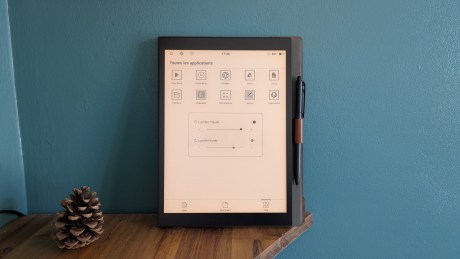
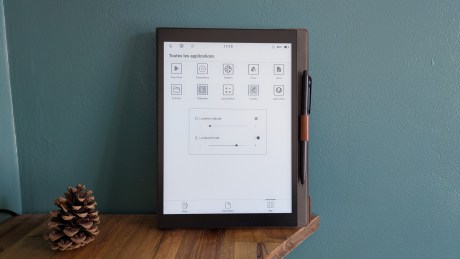
Despite these shortcomings, the display does feature a commendable aspect: its sophisticated backlighting system. The Paperslate Pro offers a highly precise and effective adjustable backlight, allowing users to fine-tune both the warmth and coolness of the illumination via two distinct sliders. This granular control over the lighting temperature ensures comfortable reading and writing in various ambient light conditions, from bright daylight to complete darkness, without straining the eyes—a feature that is both well-implemented and highly appreciated.
Under the Hood: Performance and Connectivity

The internal architecture of the Paperslate Pro includes 2GB of DDR4 RAM and an RK3566 processor clocked at 1.8 GHz. While 64GB of internal storage is provided, it is reassuringly expandable via a microSD card slot, offering flexibility for users with extensive digital libraries or large volumes of notes. In terms of wireless connectivity, the device is well-equipped, supporting both 2.4 GHz and 5 GHz Wi-Fi bands, alongside Bluetooth 5.0, ensuring robust connections for network access and peripheral devices.
However, the performance metrics reveal a fundamental challenge in integrating a full Android OS with e-ink hardware. The chosen processor and RAM configuration, while standard for some entry-level tablets, often proves insufficient for smoothly running a feature-rich operating system like Android 11 on an e-ink display, which inherently has slower refresh rates than LCD or OLED panels. This results in a user experience characterized by noticeable lag and occasional system slowdowns, particularly when navigating the interface or switching between applications.
The integrated speaker, a unique feature for an e-ink device, unfortunately suffers from severe usability limitations. While it functions, its audio output is remarkably low, making it exceedingly difficult to discern any sound. Crucially, the absence of any physical volume controls or even a software-based volume slider within the quick settings menu renders the speaker practically unusable for purposes such as listening to audiobooks. Users are therefore advised to rely on Bluetooth headphones for any audio playback, effectively negating the speaker’s potential utility. This oversight suggests a feature included without full consideration for its practical implementation.
Android Integration: A Vision with Caveats
The most significant differentiating factor of the Paperslate Pro is its adoption of Android 11, which grants full access to the Google Play Store. This opens a world of possibilities for an e-ink device, theoretically transforming it from a mere notepad into a versatile productivity tool. Users can download and utilize familiar Google applications such as Google Docs, Drive, and Calendar, facilitating seamless integration with their existing digital workflows. Basic web browsing is also functional, albeit slow, allowing for the consumption of online content like news articles, which is a definite advantage over more restricted e-ink platforms.
However, the practical application of Android on the Paperslate Pro is fraught with limitations. The promise of "installing any app" from the Play Store often clashes with the reality of performance and compatibility. Many applications, especially those designed for richer graphical environments, struggle to run effectively on the e-ink display and the device’s hardware. For instance, popular streaming services like YouTube and Spotify were reported to crash after mere seconds of use, rendering them unusable for their intended purpose. Even the Play Store itself experienced occasional crashes.
The general system sluggishness and frequent bugs are significant impediments. Basic navigation within the tablet is often far from fluid, and the performance deteriorates further when attempting to run third-party applications. This lack of responsiveness is particularly problematic for core note-taking and drawing functionalities. Testing revealed a substantial delay, often exceeding a full second, between the stylus making contact with the screen and the corresponding stroke appearing. This makes popular third-party note-taking apps like JNotes or drawing applications like Sketchbook virtually unusable, severely undermining one of the key benefits of Android integration – the choice of diverse creative and productivity tools. The ambition to offer a full Android experience on an e-ink device is commendable, but the execution is clearly hampered by hardware limitations and a lack of specific optimization for the e-ink display technology.
Core Functionality: Note-Taking and AI Transcription
Despite the broader performance issues with third-party apps, the Paperslate Pro’s native note-taking application, accessible via a "Note" tab in the bottom menu, offers a more stable and functional experience. Users can effortlessly create and organize digital notebooks. Within a new note, a variety of writing tools are available, including felt-tip pens, regular pens, pencils, and highlighters. While the e-ink display is monochrome, the application allows users to select from a palette of colors (yellow, green, blue, red, and black), with these colors becoming visible only upon export of the document. The thickness of the pen stroke is precisely adjustable via a dedicated slider, providing a good degree of control over the writing output.
A standout feature of the Paperslate Pro is its highly effective AI-powered transcription service. This functionality allows users to export their handwritten notes into digital text, either as a searchable PDF or a Word document. The AI’s accuracy in converting handwritten script to typed text is impressive, with testing revealing virtually no errors, even with varying handwriting styles. Beyond basic text, the AI can also accurately transcribe mathematical formulas and diagrams, making it an invaluable tool for students, academics, and professionals who frequently work with complex notations. This advanced AI transcription capability significantly enhances the utility of the Paperslate Pro as a serious note-taking and document creation device, offering a streamlined workflow from analog input to digital output.
E-Reader Capabilities
As an e-ink device, the Paperslate Pro naturally excels in its role as a digital reader. It supports common e-book formats such as PDF and ePub, ensuring compatibility with a wide range of digital content. The pre-installed FBReader application provides a competent platform for reading various files, and the integration of Google Docs allows users to access and synchronize their text files across multiple devices, which is particularly convenient for collaborative work or accessing personal documents on the go. Navigation between pages in e-books is generally smooth and responsive, without the significant delays encountered in other applications, making for a pleasant reading experience. The excellent adjustable backlighting further enhances this, allowing for comfortable reading in all lighting conditions.

Battery Life: The Android Trade-Off
The Paperslate Pro is equipped with a 3,200 mAh battery. The manufacturer claims an autonomy of approximately one week, a figure that is generally met in real-world usage, with battery life ranging between 5 and 7 days depending on usage patterns. While this is a respectable duration for many portable devices, it falls short of the multi-week battery life typically offered by competitors like reMarkable or Kindle, which benefit from highly optimized, lightweight proprietary operating systems. The reason for this reduced autonomy is directly attributable to the Paperslate Pro’s use of Android, a more resource-intensive OS that demands more power from the processor and other components, even when idle.
A significant issue identified during testing is the device’s substantial battery drain in standby mode. If left unused for an extended period, such as one to two weeks, there is a high probability of finding the device completely discharged. This necessitates more frequent charging or a habit of powering the device down fully when not in active use, which can be inconvenient for users accustomed to the "always-on" nature of other e-ink devices.
Regarding charging, the Paperslate Pro takes approximately 2.5 hours to fully recharge from 0 to 100% when connected to a 20W charger. This charging time is relatively standard for a battery of its capacity.
Market Positioning and Value Proposition
The Paperslate Pro is positioned in the market at 429.95 euros, exclusively in a black finish. Its standard sibling, the Paperslate, which lacks the IPX8 waterproofing, advanced backlighting, and has a smaller 32GB internal memory, is available for 349.95 euros. This pricing strategy places the Pro version at a premium, aiming to justify its cost through its unique combination of Android versatility and robust build quality.
The Paperslate Pro attempts to carve out a distinct niche by targeting users who prioritize specific features that are absent in its main competitors. The full Android OS with Google Play Store access is undoubtedly its most ambitious feature, promising unparalleled application flexibility on an e-ink screen. For users who absolutely require access to specific Android applications (beyond just reading and note-taking) within a distraction-free e-ink environment, and are willing to tolerate the associated performance compromises, this could be a compelling factor. Similarly, the IPX8 waterproofing is a significant advantage for a demographic that needs a resilient device for diverse environments, offering protection against accidental spills or use in humid conditions.
However, the device’s value proposition is hampered by several critical areas. The lower-than-average 200 DPI display, coupled with noticeable ghosting and refresh issues, detracts from the core e-ink experience of crisp text and smooth handwriting. The underpowered hardware struggles to deliver a fluid Android experience, leading to frustrating lag, app crashes, and rendering many third-party apps unusable. The poor quality and non-adjustable audio from the speaker, and the significant standby battery drain, further chip away at its overall appeal. The stylus, while functionally adequate, fails to inspire confidence in its build quality, which is crucial for a primary input device.
Conclusion
The Paperslate Pro represents an intriguing, albeit flawed, attempt to redefine the e-ink notepad. Its core strengths lie in its groundbreaking integration of a full Android 11 OS with Google Play Store access, its robust IPX8 waterproofing, its highly effective AI handwriting transcription, and its excellent, finely adjustable backlight. These features address specific needs that are largely unmet by its competitors, offering a level of versatility and durability that stands out.
However, these innovations come at a cost. The device struggles with significant performance bottlenecks, resulting in a sluggish user interface, frequent app crashes, and an unacceptable lag when using third-party note-taking or drawing applications. The 200 DPI display, while functional, falls short of industry standards for clarity and crispness, and the screen ghosting issues, along with the visually disruptive refresh cycles, detract from the reading and writing experience. The poorly implemented speaker and the considerable battery drain in standby mode are further points of concern.
Ultimately, the Paperslate Pro is a device of ambitious vision marred by execution challenges. It is best suited for a very specific user profile: individuals who absolutely require the flexibility of Android applications on an e-ink screen, prioritize waterproofing for their usage environment, and value the highly accurate AI transcription, all while being prepared to tolerate the compromises in performance, display resolution, and overall fluidity. For those seeking a purely distraction-free, high-performance e-ink note-taking and reading experience with crisp displays and long battery life, the Paperslate Pro may not yet offer a compelling alternative to its more established, albeit less versatile, rivals. The Paperslate Pro demonstrates the potential for Android on e-ink, but also highlights the significant optimization and hardware power required to fully realize that potential without compromising the core e-ink experience.