
 George Chandra Eka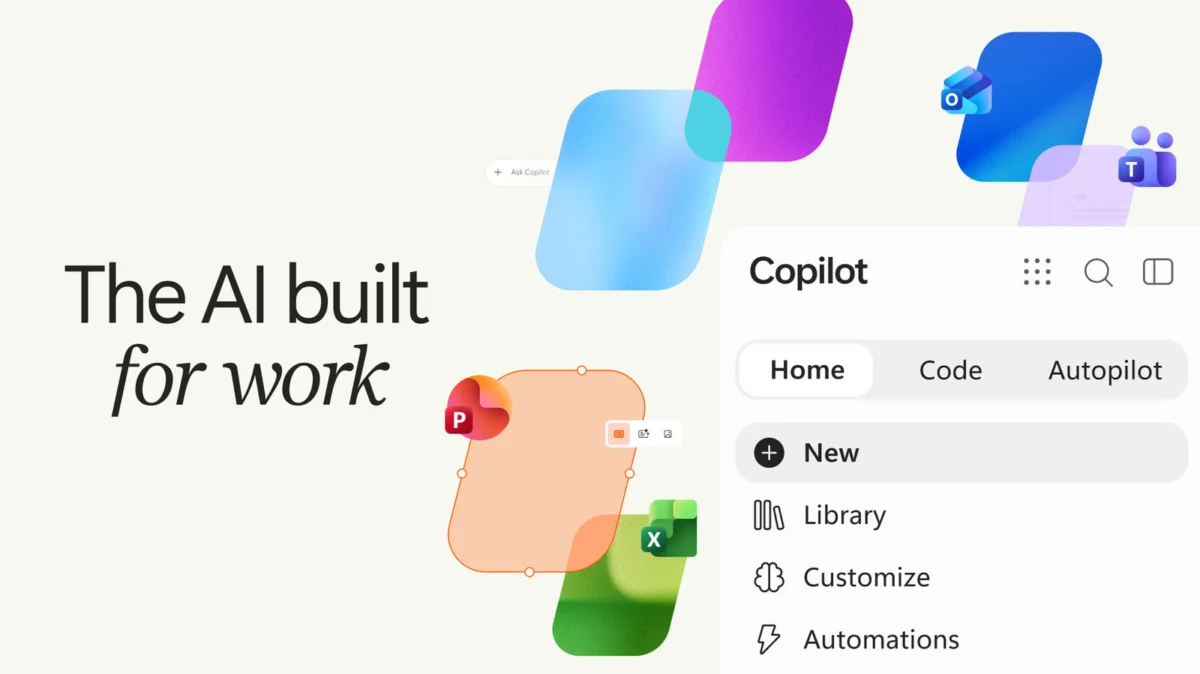
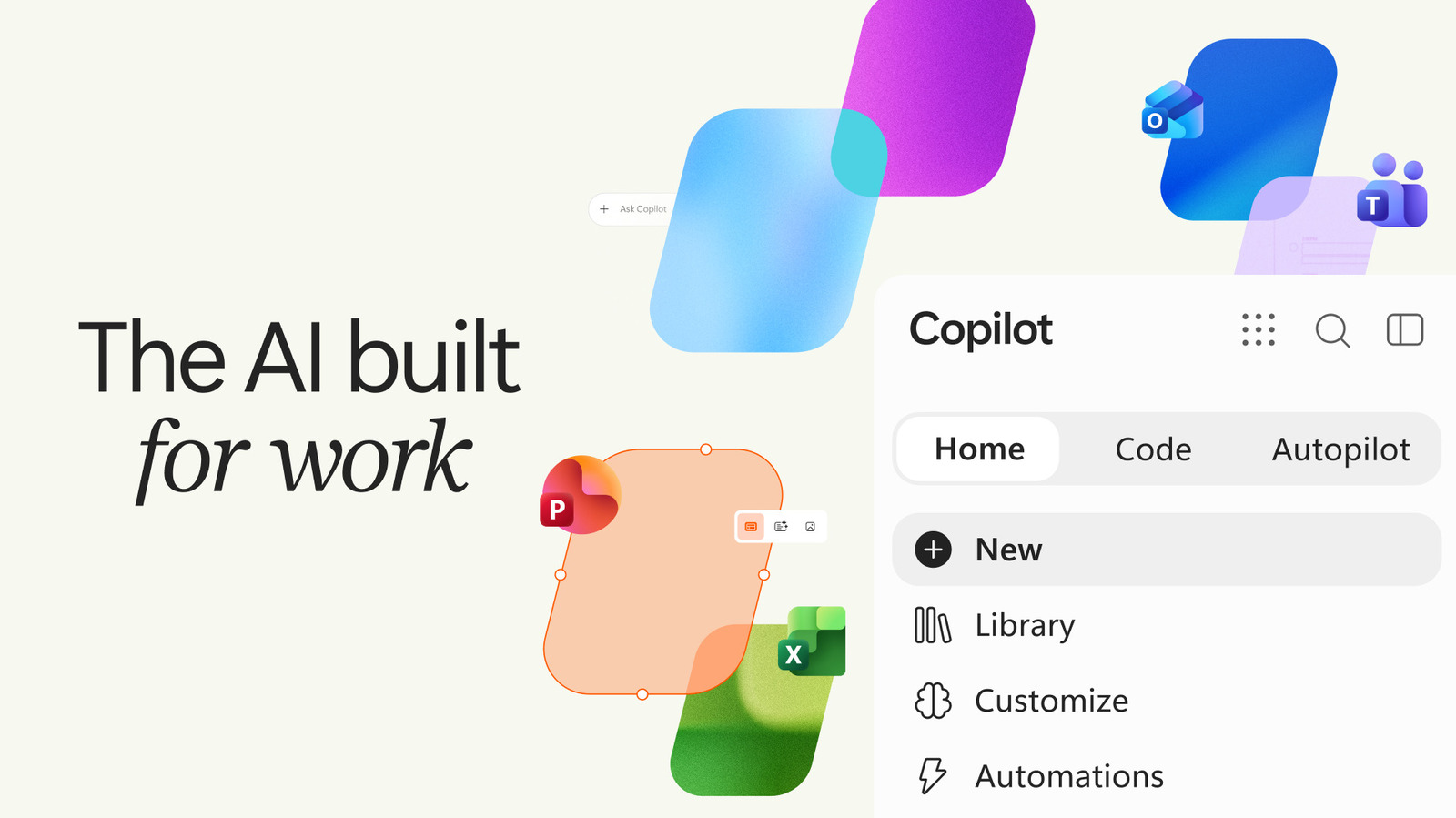
Microsoft has unveiled a comprehensive overhaul of its dedicated Copilot application, introducing a sophisticated tabbed interface alongside deep integration with Microsoft Office applications, natural language coding capabilities, and advanced agentic automation features. This latest iteration marks a strategic evolution for Microsoft’s AI initiatives, signaling a concentrated effort to enhance productivity for both individual consumers and, more emphatically, enterprise users. The update arrives amidst a broader re-evaluation of AI integration across Microsoft’s product portfolio, highlighting a refined approach to deploying its intelligent assistant technologies.
The refreshed Copilot app, which builds upon a minor visual and functional refresh earlier this year, is designed to be a more cohesive and powerful hub for AI-driven tasks. The introduction of distinct "Home," "Code," and "Autopilot" tabs aims to streamline user interaction, directing specific types of requests to specialized AI functionalities. This structural change underscores Microsoft’s ambition to transform Copilot from a conversational AI tool into a multi-faceted digital assistant capable of complex task execution and autonomous workflow management. While the company continues to explore compelling use cases for widespread consumer adoption, the immediate and tangible benefits for businesses grappling with data processing, report generation, and presentation creation are clear.
A Strategic Pivot in AI Integration
This significant update to the Copilot app comes at a fascinating juncture for Microsoft’s AI strategy. Earlier reports indicated a slight recalibration of the company’s approach to embedding Copilot directly into various Windows applications, with some features being pulled back or made optional. This move suggested a response to user feedback regarding potential feature overload or performance concerns within the operating system itself. However, far from signaling a retreat from AI, the robust enhancements to the standalone Copilot app demonstrate a strategic pivot: rather than universal, sometimes intrusive, integration, Microsoft appears to be concentrating its most advanced AI capabilities within a dedicated, powerful application. This allows for greater control over user experience, performance optimization, and the delivery of highly specialized AI functions without bogging down core system operations.
The decision to further invest in a dedicated Copilot application reinforces Microsoft’s commitment to leading the generative AI race. Following its substantial investment in OpenAI and the subsequent integration of GPT models across its product suite, Microsoft has been at the forefront of bringing AI-powered tools to the mainstream. The company’s vision for Copilot has always been ambitious, aiming to make AI an integral part of how people work, learn, and create. This latest facelift is not merely cosmetic; it represents a significant leap forward in realizing that vision, particularly for professional environments where efficiency and automation are paramount.
The Evolution of Microsoft Copilot: A Brief History
Microsoft’s journey with AI assistants predates the current generative AI boom, with earlier iterations like Cortana serving as personal assistants. However, the modern Copilot era truly began with GitHub Copilot in 2021, an AI pair programmer designed to assist developers by suggesting code and entire functions in real-time. This groundbreaking application demonstrated the immense potential of large language models (LLMs) in practical, professional contexts.
Building on this success, Microsoft rapidly expanded the Copilot brand and capabilities. In late 2022 and early 2023, following the widespread public debut of OpenAI’s ChatGPT, Microsoft accelerated its integration of similar generative AI models into its broader ecosystem. This led to the introduction of Copilot within Microsoft 365, bringing AI capabilities to Word, Excel, PowerPoint, Outlook, and Teams, allowing users to draft documents, analyze data, create presentations, and summarize communications with unprecedented ease. Concurrently, Copilot began appearing as a core feature within Windows 11, designed to assist with system tasks and general queries, though this integration has seen some adjustments based on user experience data.
The dedicated Copilot app emerged as a distinct platform, offering a more focused AI experience independent of the operating system or specific M365 applications. Its initial versions provided a conversational interface, allowing users to ask questions, generate text, and perform basic tasks. The "minor refresh earlier this year" likely involved interface tweaks, performance improvements, and perhaps initial explorations into multimodal capabilities. This latest, more substantial update is a culmination of these evolutionary steps, pushing the boundaries of what a standalone AI assistant can achieve by introducing structured workflows and autonomous agentic functions. This chronology illustrates Microsoft’s iterative and aggressive strategy in deploying AI, constantly refining its offerings based on technological advancements and user feedback.
Unpacking the New Tabbed Interface: Home, Code, and Autopilot
The cornerstone of the latest Copilot app update is its new tabbed interface, meticulously designed to categorize and streamline AI interactions. This departure from a single, undifferentiated chat window signifies a maturity in Copilot’s capabilities, acknowledging that users engage with AI for a diverse range of purposes requiring specialized tools.
The Home Tab: Intelligent Orchestration
The "Home" tab serves as the central hub for general AI interactions, akin to the traditional chat interface users have grown accustomed to. Here, users can engage in typical AI chats, ask questions, brainstorm ideas, and generate various forms of content. The key innovation within the Home tab, however, is its promise of "intelligent routing." Microsoft states that this tab will eventually be able to intelligently direct user requests between Copilot’s different operational modes.
For instance, a simple factual query or a request for creative writing might remain within a "Chat mode," leveraging Copilot’s conversational prowess. In contrast, a more complex request, such as "Draft a project proposal based on these bullet points and integrate data from my last sales report," could automatically trigger a more advanced "Copilot mode." In this delegated mode, Copilot acts less like a chat partner and more like a project manager, actively executing tasks, drawing upon integrated Office apps, and potentially even initiating sub-processes that involve other tabs or functionalities. This intelligent routing aims to reduce user friction, eliminating the need for users to manually select the correct AI tool for their task. It represents a significant step towards a more intuitive and adaptive AI assistant, learning from user intent and optimizing the AI’s response mechanism.
The Code Tab: Democratizing Development with Natural Language
Perhaps one of the most transformative additions is the "Code" tab, a feature that democratizes software development by allowing users to create small tasks through natural language requests, entirely circumventing the need for traditional programming skills. Jared Spataro, Microsoft’s Chief Marketing Officer of AI at Work, articulated this vision in a blog post, stating, "Describe an app, tracker, dashboard, automation, or workflow in natural language, and Copilot chooses an approach and builds it."
This capability is a direct extension of the low-code/no-code movement, supercharged by generative AI. Users can simply describe their desired functionality—for example, "Create a simple desktop widget that tracks my daily water intake," or "Build a dashboard to visualize monthly sales data from this Excel sheet"—and Copilot, leveraging sophisticated LLMs trained on vast code repositories, will generate the necessary code or configure the application logic. This could manifest as simple desktop utilities, robust data management dashboards, or even custom automation scripts. The implications are profound:
- For business users: It empowers individuals without a technical background to build custom tools that solve specific operational challenges, fostering innovation at all levels of an organization.
- For developers: It can accelerate prototyping, automate boilerplate code generation, and free up valuable time for more complex, strategic development tasks.
- For organizations: It significantly lowers the barrier to entry for digital transformation initiatives, enabling rapid creation of custom solutions and increasing agility.
The Code tab leverages the underlying power of models akin to those found in GitHub Copilot but applies them to a broader range of user-facing applications beyond just raw code generation. This functionality positions Copilot as a powerful tool for "citizen developers," bridging the gap between business needs and technical implementation.
The Autopilot Tab: Embracing Agentic AI for Autonomous Tasks
The "Autopilot" tab introduces perhaps the most cutting-edge functionality: agentic capabilities. This feature moves beyond simple task execution and delves into autonomous workflow management, where Copilot can act as an independent agent, initiating and completing multi-step processes without continuous human intervention. As Spataro detailed, "It can do things like set up and manage a full supplier review process: building the schedule and workback plan, then handling prep, meetings, and follow-ups on its own, right down to reaching out to stakeholders for updates."
Agentic AI represents a significant leap from reactive AI (responding to prompts) to proactive AI (initiating actions to achieve a defined goal). In the context of the Autopilot tab, this means Copilot can:
- Respond to threads automatically: For example, processing routine customer service inquiries or triaging internal communications.
- Manage recurring tasks: Setting reminders, collecting data, generating periodic reports.
- Orchestrate complex workflows: Like the supplier review process, which involves multiple stakeholders, deadlines, document generation, and communication loops. Copilot can autonomously schedule meetings, draft agendas, send follow-up emails, track progress, and even nudge participants for necessary information.
The potential applications for agentic AI are vast, spanning project management, human resources, finance, and operations. By delegating entire processes to Copilot, organizations can achieve unprecedented levels of efficiency, allowing human employees to focus on strategic thinking, creative problem-solving, and tasks that require uniquely human judgment. This shift represents a fundamental change in the human-AI partnership, moving towards a model where AI acts as a collaborative agent rather than merely a tool.
However, the implementation of agentic AI also raises important considerations regarding oversight, ethical guidelines, and error handling. Clear protocols for human review and intervention will be crucial to ensure accuracy, compliance, and accountability as AI agents take on more autonomous responsibilities.
Seamless Synergy: Office Integration at the Core
A critical component of this Copilot app update is its direct and deep integration with Microsoft Office applications. This integration transforms Copilot into a central control panel for the entire Microsoft 365 ecosystem, enabling users to leverage AI across their most frequently used productivity tools. This means Copilot can now seamlessly interact with documents in Word, spreadsheets in Excel, presentations in PowerPoint, and communications in Outlook and Teams.
The benefits of this integration are multifaceted:
- Document Summarization and Drafting: Copilot can quickly summarize lengthy reports or research papers in Word, or draft new documents based on user prompts and existing company data.
- Data Analysis and Visualization: In Excel, Copilot can assist with complex data analysis, identify trends, generate charts, and even create custom dashboards, all through natural language commands.
- Presentation Creation: For PowerPoint, Copilot can transform outlines or text documents into visually appealing presentations, suggesting layouts, images, and content.
- Email and Communication Management: In Outlook, Copilot can draft emails, summarize long threads, and prioritize important messages. In Teams, it can summarize meeting discussions, identify action items, and generate follow-up communications.
This seamless interaction across the Office suite ensures that Copilot is not an isolated AI tool but an embedded, intelligent layer across the digital workspace. For enterprises, this means a unified and highly efficient workflow, reducing context-switching and maximizing the value of their existing Microsoft 365 investments. Furthermore, Microsoft has consistently emphasized its commitment to enterprise-grade security and data privacy within Copilot for Microsoft 365, ensuring that sensitive organizational data remains protected and compliant with regulatory standards.
Statements from Leadership and Market Outlook
Jared Spataro’s statements underscore Microsoft’s strategic intent with these updates: to create an AI assistant that is not just a reactive tool but an active participant in the workflow, capable of understanding context, anticipating needs, and autonomously executing complex tasks. "Our goal is to make AI not just an assistant, but an active participant in your workflow, capable of understanding context, anticipating needs, and autonomously executing complex tasks," Spataro emphasized, highlighting the shift towards a more proactive and integrated AI experience.
Market analysts are likely to view this update as a significant step forward for Microsoft in the highly competitive AI landscape. The focus on agentic capabilities, in particular, could be a key differentiator. While many AI assistants excel at conversational tasks, the ability to delegate entire processes to an AI agent positions Microsoft at the cutting edge of AI automation. "This move solidifies Microsoft’s position as a leader in enterprise AI," noted one hypothetical industry observer. "By integrating deep Office capabilities with advanced agentic features, Copilot becomes an indispensable tool for businesses seeking to unlock new levels of productivity and innovation."
The emphasis on enterprise utility is also a shrewd move. While consumer adoption of dedicated AI apps is still evolving, businesses have a clear and immediate need for tools that can enhance efficiency, automate routine tasks, and provide data-driven insights. This clear value proposition makes enterprise adoption a more straightforward path for widespread integration and revenue generation in the short to medium term.
Broader Implications for the Future of Work
The advancements in Microsoft’s Copilot app carry profound implications for the future of work, extending far beyond simple productivity gains.
Firstly, these features contribute significantly to the democratization of technology. The Code tab, by enabling non-programmers to create functional applications and workflows using natural language, empowers a much broader segment of the workforce to innovate and solve problems directly. This fosters a culture of "citizen developers" and reduces reliance on specialized IT departments for every custom tool or automation need, potentially accelerating digital transformation across industries.
Secondly, the agentic capabilities of the Autopilot tab herald a new era of human-AI collaboration. Instead of merely assisting, AI can now take on supervisory and executive roles for defined processes, managing schedules, coordinating stakeholders, and ensuring task completion. This paradigm shift means human workers can offload monotonous, repetitive, and administrative burdens, allowing them to focus on tasks requiring critical thinking, creativity, strategic planning, and interpersonal skills—areas where human intelligence still holds a distinct advantage. This could lead to a redefinition of job roles and a focus on higher-value activities for employees.
Thirdly, the deep integration with the Microsoft 365 ecosystem reinforces the concept of ambient intelligence within the digital workspace. Copilot is not just an app; it’s an intelligent layer that pervades the tools workers use daily, offering contextual assistance and proactive automation without requiring users to constantly switch applications or manually initiate AI functions. This seamless experience aims to make AI an invisible yet powerful co-worker, enhancing efficiency without adding cognitive load.
However, these advancements also bring forth ethical and societal considerations. The increasing autonomy of AI agents necessitates robust frameworks for oversight, accountability, and transparency. Questions about data privacy, algorithmic bias, and the potential impact on employment levels—as AI takes over more tasks—will become increasingly pertinent. Microsoft, along with the broader tech industry, will need to navigate these challenges carefully, ensuring that AI development is guided by principles of responsibility and human-centric design. The emphasis on enterprise-grade security and compliance is a step in this direction, but public discourse and regulatory frameworks will need to evolve in tandem with technological progress.
Challenges and the Path Forward
Despite the transformative potential, the widespread adoption and optimal utilization of the new Copilot features will not be without challenges. Users will require training and support to fully understand and leverage these sophisticated capabilities. The learning curve for effectively delegating complex workflows to an AI agent, or for accurately describing a custom application in natural language, will be a significant factor. Microsoft will need to invest in intuitive user interfaces, comprehensive documentation, and perhaps even AI-guided onboarding processes to facilitate this transition.
Furthermore, ensuring the reliability and accuracy of agentic AI, particularly in sensitive business processes, is paramount. While Copilot is designed to be highly capable, the potential for errors or misinterpretations in autonomous actions necessitates robust human oversight and clear feedback loops. Establishing trust in AI’s ability to act independently will be crucial for widespread enterprise adoption.
In conclusion, Microsoft’s latest overhaul of its Copilot app is a bold declaration of its vision for the future of productivity. By introducing a tabbed interface that intelligently routes requests, democratizing development through natural language coding, and empowering autonomous workflow management with agentic AI, Microsoft is not just updating a product; it is reshaping the digital workplace. This strategic move, underpinned by deep Office integration, positions Copilot as a central, indispensable tool for businesses navigating the complexities of the modern economy, promising a future where AI is not merely an assistant, but a true partner in achieving organizational goals.







