Galang Taruna
The quest for a compact, efficient, and cost-effective desktop computer often leads consumers to the burgeoning market of mini PCs. These small, ready-to-use devices are rapidly transforming workspace optimization and home multimedia setups, offering a compelling alternative to traditional desktops and even high-end laptops. Their discreet form factor, combined with surprising capabilities, positions them as a versatile solution for a wide range of users, from casual browsers to demanding professionals.
The Rise of Mini PCs: A Market Overview
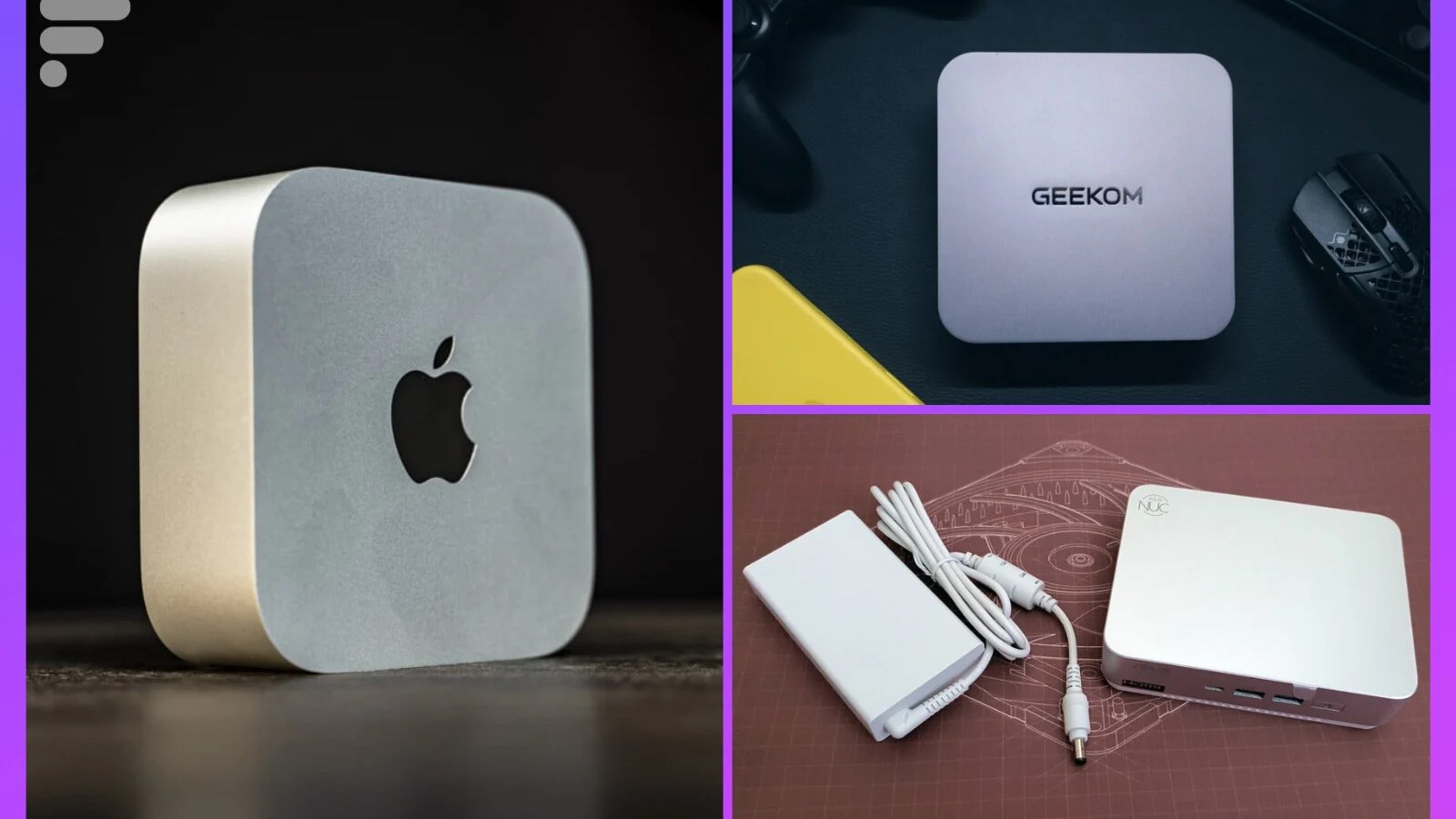
Once considered niche products, mini PCs have experienced a significant surge in popularity over the past few years, driven by advancements in miniaturization technology and increasing demand for flexible computing solutions. The market, which includes diverse offerings from established giants like Apple and Asus to specialized players like Minisforum and Geekom, has become a hotbed of innovation. These devices are particularly appealing for those looking to declutter their desks, establish a silent home theatre PC (HTPC), or build a dedicated server without the footprint of a full-sized tower.
Beyond their physical advantages, mini PCs are lauded for their energy efficiency, typically consuming far less power than conventional desktops. This attribute not only contributes to lower electricity bills but also aligns with growing environmental consciousness. Their inherent portability also opens up possibilities for users who need to move their computing environment between different locations, such as home and office, or even integrate them into specialized industrial or educational settings. The spectrum of use cases is broad, encompassing everything from basic office tasks and web browsing to sophisticated creative work, local AI processing, and even moderate gaming.
Navigating the Mini PC Landscape: Key Selection Criteria

Choosing the right mini PC requires careful consideration of several factors to ensure it aligns with specific needs and budget constraints. The market’s diversity means that a well-informed decision can significantly enhance the user experience.
- Processor (CPU): This is the brain of the mini PC. Options range from energy-efficient Intel Core i3/i5 or AMD Ryzen 3/5 for basic tasks, to powerful Intel Core Ultra 7/9, AMD Ryzen AI 9 HX, or Apple M-series chips for demanding applications like video editing, 3D rendering, or running local AI models. The inclusion of Neural Processing Units (NPUs) in newer chips (e.g., AMD Ryzen AI, Intel Core Ultra) is becoming a crucial factor for AI acceleration.
- Graphics Processing Unit (GPU): Most mini PCs rely on integrated graphics (iGPUs) like Intel Arc, AMD Radeon Graphics, or Apple’s integrated GPU. While these are sufficient for everyday tasks, multimedia consumption, and light gaming, they generally cannot compete with dedicated desktop graphics cards. Some high-end mini PCs, or those designed for gaming, may feature more robust integrated solutions or offer external GPU (eGPU) connectivity via ports like OCuLink or Thunderbolt.
- RAM and Storage: The amount and type of RAM (DDR4, DDR5, LPDDR5X) directly impact multitasking capabilities and overall system responsiveness. Pay attention to whether the RAM is configured in single or dual-channel mode; dual-channel significantly boosts integrated GPU performance. Storage typically involves NVMe SSDs for speed, with capacities ranging from 256GB to 8TB. Upgradability is a key consideration; some mini PCs allow easy access to RAM and SSD slots, while others (like Apple’s Mac mini) have soldered components, making post-purchase upgrades impossible and expensive.
- Connectivity: A rich selection of ports is essential for peripherals and external displays. Look for modern standards like USB4, Thunderbolt 4, multiple USB-A ports (various generations), HDMI 2.1, and high-speed Ethernet (2.5 GbE or even 10 GbE). Wireless connectivity, including Wi-Fi 6E or Wi-Fi 7 and Bluetooth 5.3, also enhances versatility.
- Form Factor and Cooling: While all mini PCs are compact, their exact dimensions and chassis materials vary. Aluminum builds often provide better heat dissipation and a premium feel. Effective cooling systems are paramount, especially in powerful models, to prevent thermal throttling and maintain quiet operation.
- Price and Value Proposition: Mini PC prices range from under €300 for basic models to over €2000 for high-end, specialized configurations. Evaluating the price-to-performance ratio, upgradability, and included components (e.g., barebone vs. fully configured) is crucial for determining overall value.
Spotlight on Leading Models: Our In-Depth Analysis
The mini PC market is dynamic, with manufacturers constantly pushing boundaries in performance and design. Here, we delve into some of the most recommended models, highlighting their strengths, weaknesses, and ideal use cases.

High-Performance Powerhouses (AI & Creative Focus)
These mini PCs are designed for users who demand significant processing power in a compact form, often leveraging the latest advancements in AI acceleration and robust integrated graphics.
-
Minisforum AI X1 Pro-470 (2026 Vintage): The Mac mini Challenger
Minisforum’s AI X1 Pro-470, released in 2026, explicitly targets Apple’s Mac mini with its ambitious design and cutting-edge hardware. This model represents a significant evolution, featuring an integrated power supply and the formidable AMD Ryzen AI 9 HX 470 chip, based on the advanced "Strix Point" architecture. This processor is a beast of computation, designed to handle intensive tasks with ease, particularly those involving artificial intelligence.
The chassis, crafted from sandblasted aluminum, exudes elegance and slightly increases in volume to accommodate internal components and improved thermal solutions, including a practical vertical dock. Connectivity is robust, offering Wi-Fi 7, three SSD slots for extensive storage, and an OCuLink port for those who wish to connect an external graphics card, providing future-proofing for graphically intensive applications.
Despite its impressive specifications, the AI X1 Pro-470 has a notable drawback: the tested model came with a single stick of RAM, operating in "Single Channel" mode. This configuration significantly bottlenecks the performance of the integrated Radeon 890M graphics chip, a curious choice for a machine priced at €1399 in its fully configured version. While CPU performance is exceptional and the device operates remarkably quietly (only 32.7 dB under load), this RAM limitation means users might not fully exploit the GPU’s potential without an additional investment.
Ideal User: Professionals needing raw computational power and AI capabilities in a minimalist format, without sacrificing connectivity, and willing to invest in potential RAM upgrades.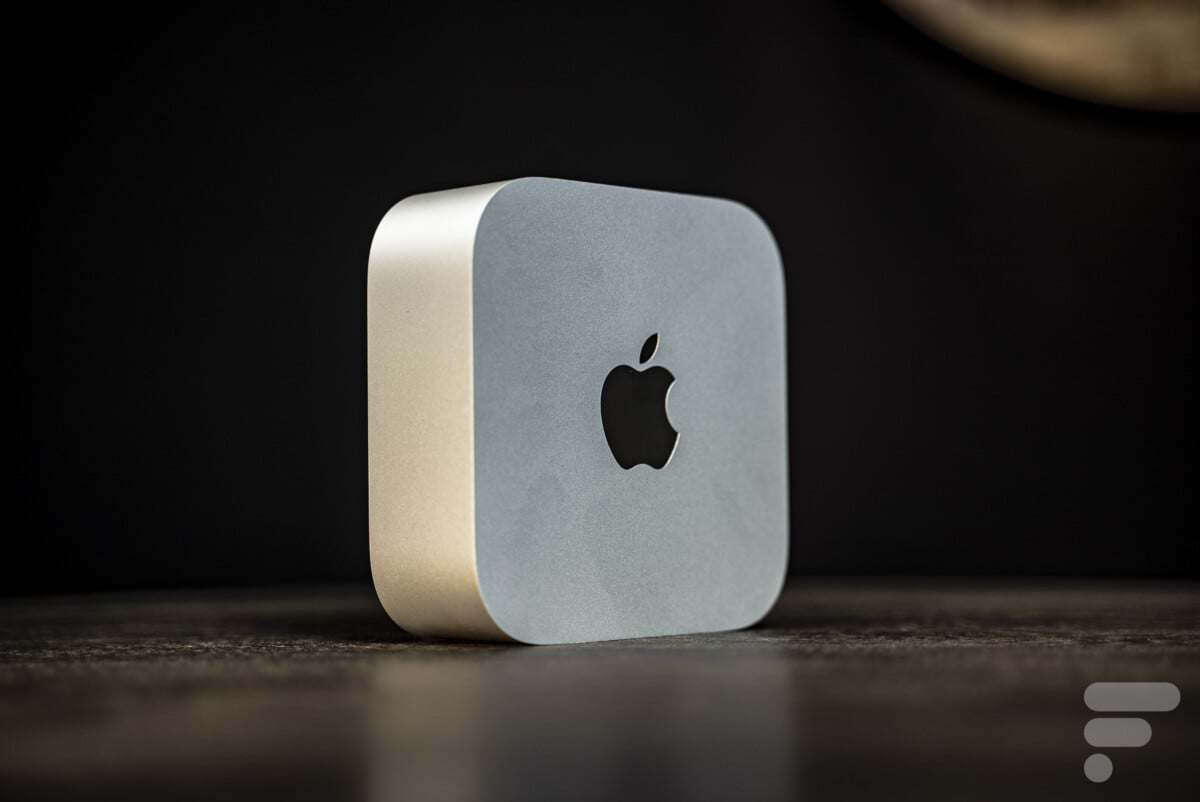
-
GMKtec EVO-T2S: A Premium Intel-Based Powerhouse
The GMKtec EVO-T2S stands out as one of the most sophisticated mini PCs built on Intel’s Panther Lake architecture. Equipped with the Core Ultra X7 358H processor, its defining feature is the integrated Arc B390 graphics chip with 12 Xe3 cores. This configuration offers a substantial generational leap in graphics performance, enabling smooth gaming at 1080p and 1440p resolutions, as well as handling demanding creative workloads.
Further bolstering its capabilities is 64GB of LPDDR5X RAM, delivering a massive 153 GB/s bandwidth. This is particularly beneficial for graphics-intensive tasks and the efficient execution of local AI models. The SSD also provides top-tier speeds, ensuring rapid boot times and application loading.
The aluminum chassis boasts a refined finish and an exceptionally simple disassembly process, facilitating easy access to internal components for maintenance or upgrades. Connectivity is comprehensive, featuring Wi-Fi 7, two USB4 ports, an OCuLink port for eGPU expansion, and two Ethernet ports, one of which is an impressive 10 GbE, ideal for high-speed network attached storage (NAS) or server applications. Thermal management is highly effective, ensuring the machine remains remarkably quiet and energy-efficient.
Priced at €1699.99, the EVO-T2S occupies the premium segment. However, for creators, local AI enthusiasts, or gamers seeking a highly compact system, its performance-to-price ratio remains highly competitive.
Ideal User: Creative professionals, AI developers, and discerning gamers who prioritize top-tier performance, advanced connectivity, and a premium compact design, regardless of cost. -
Geekom A9 Max (2026 Edition): Unlocking AMD’s AI Potential
The Geekom A9 Max (2026 Edition) presents itself as a compelling solution for users seeking a blend of compactness and high-flying performance. Its aluminum unibody chassis, clearly inspired by the Mac mini, projects a sleek and modern aesthetic.
Under the hood, the A9 Max is powered by the AMD Ryzen AI 9 HX 470 processor, making it a formidable contender for intensive tasks. Connectivity at the rear is impressive, featuring two HDMI 2.1 ports, two USB4 ports, two 2.5 GbE Ethernet ports, and an SD card reader, offering extensive options for multi-monitor setups and high-speed data transfer. The absence of a front-facing USB-C port is a minor oversight in an otherwise excellent port selection.
While internal component access is straightforward, a significant design choice hampers its full potential: Geekom ships the machine with a single 32GB RAM stick. This single-channel configuration halves the memory bandwidth, severely impacting the performance of the integrated Radeon 890M graphics circuit in games, almost necessitating the purchase of a second RAM module to unlock its true capabilities.
Despite the RAM configuration issue, the 12-core processor delivers excellent performance in demanding office tasks and creative applications, often surpassing Intel’s offerings in raw CPU power. The true value addition lies in the NPU XDNA 2, which boasts 55 TOPS, making it ideal for running local AI tools efficiently on Windows 11. The 2TB SSD provides impeccable and consistent transfer speeds. The cooling system is another strong point, maintaining optimal temperatures even under heavy load.
Initially priced at €1699, the A9 Max becomes significantly more attractive with promotional codes, bringing it closer to €1400.
Ideal User: AI developers, content creators, and power users who value raw CPU and NPU performance in a compact form factor, and are prepared to invest in a secondary RAM module to maximize graphics capabilities.
Apple’s Compact Contender
Apple’s entry into the mini PC space has consistently set benchmarks for design and efficiency, though its pricing strategy can be a point of contention.
- Mac Mini M4 (2024): The Apple Ecosystem in Miniature
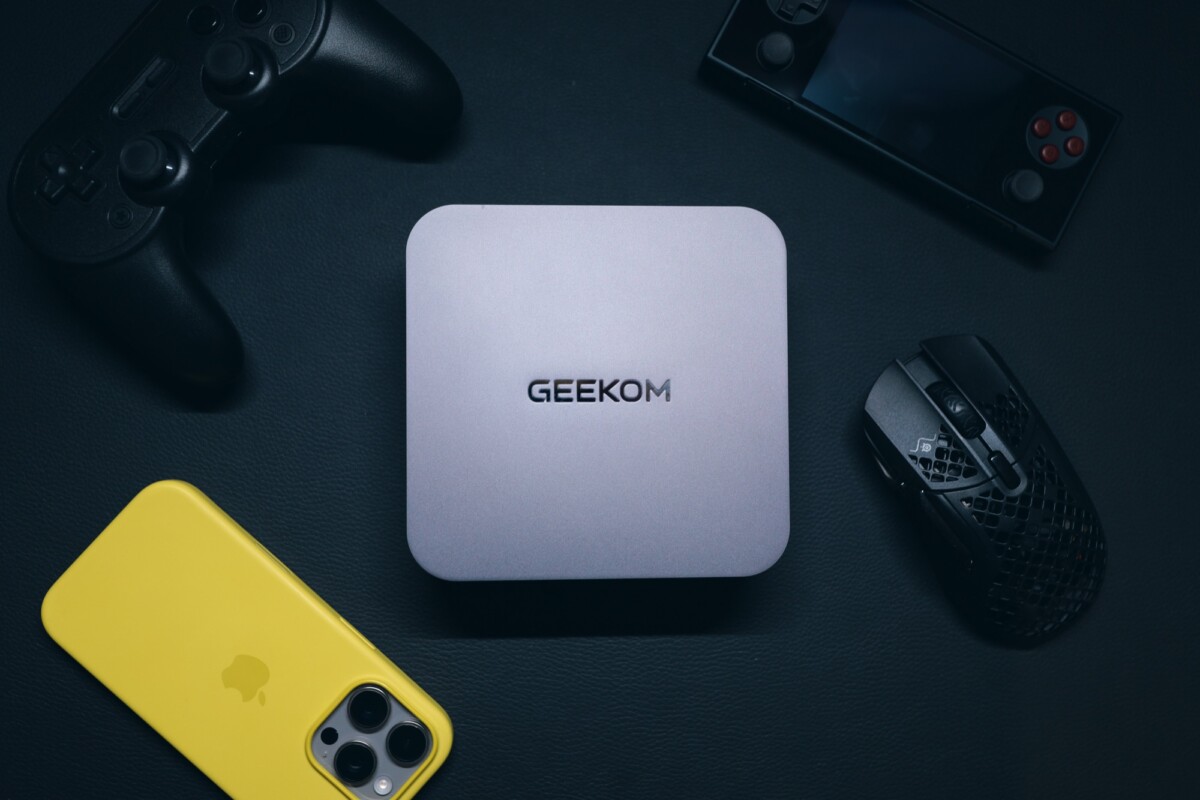
It’s impossible to discuss mini PCs without acknowledging the Apple Mac mini M4. Upon its release in 2024, Apple managed to offer a surprisingly strong quality-to-price ratio, with the M4 chip proving exceptionally potent and the base model initially priced under €700. However, by 2026, market dynamics and component costs led to a significant price hike of €300, bringing the base model to €950, which has unfortunately diminished its overall appeal. Furthermore, stock levels are often constrained, making it primarily available directly from Apple.
Compact, lightweight, and elegantly designed, the Mac mini M4 can be prominently displayed on a desk or discreetly hidden. It takes the form of a small, square brick measuring 12.7 x 12.7 cm and weighing only 670 grams, establishing it as one of the most compact mini PCs on the market.
In terms of performance, the M4 chip excels in office productivity, leisure activities, and creative endeavors such as photo editing and video montage, offering performance comparable to laptops with an RTX 30-series GPU. Its single-core performance is particularly impressive. RAM configurations range from 16GB to 64GB, and SSD storage from 256GB up to 8TB. A significant drawback, typical of Apple, is the prohibitive cost of these upgrades and the impossibility of user-performed post-purchase expansions.
For gaming, while not designed as a dedicated gaming machine, the Mac mini M4 is capable of running certain titles, provided graphical settings are adjusted.
Connectivity is respectable, including one HDMI port, an RJ45 Ethernet port, a 3.5mm jack, and three USB-C ports (40 Gbps). Two additional USB-C ports (10 Gbps) are conveniently located on the front. The Mac mini also integrates a small speaker, Wi-Fi 6E, and Bluetooth 5.3. However, the absence of USB-A ports, while characteristic of Apple, might require adapters for some users.
Ideal User: Apple ecosystem users, creative professionals, and general users seeking a highly integrated, aesthetically pleasing, and silent machine for productivity and light creative work, provided they can accept the premium pricing and limited upgradability.
Versatile Workhorses (Productivity & Light Gaming)
These models strike a balance between performance and affordability, making them suitable for everyday use, demanding productivity tasks, and even some casual gaming.
-
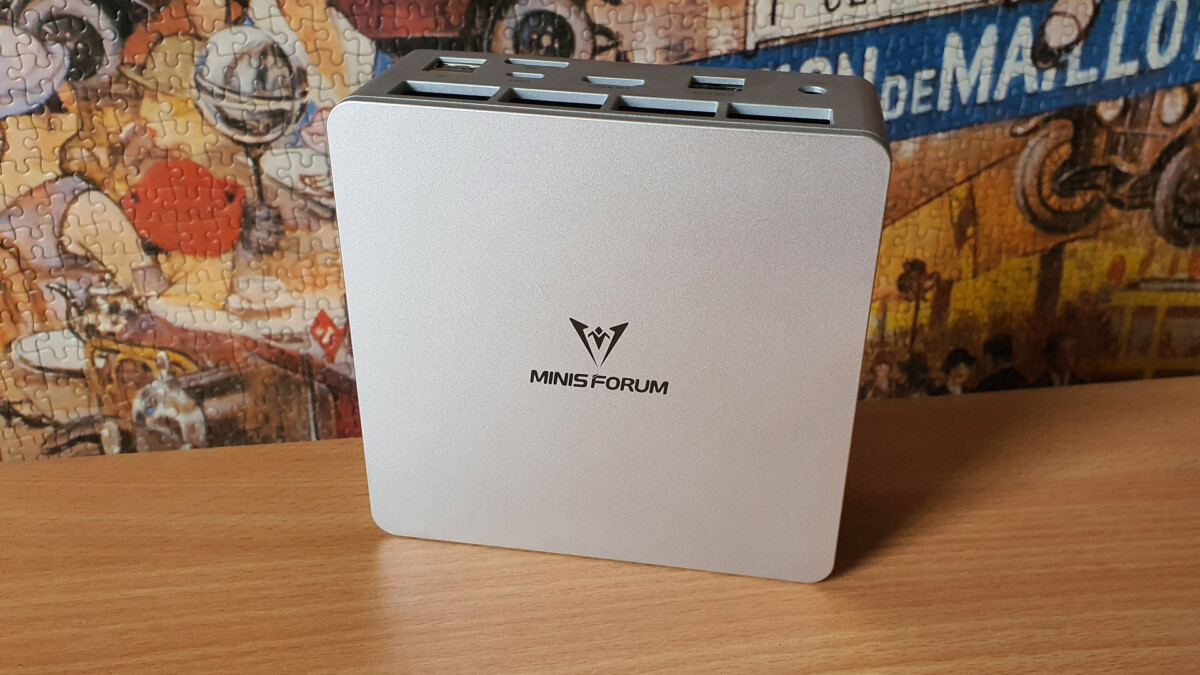
Geekom GT1 Mega: The Mac mini Competitor with Superior Connectivity
The Geekom GT1 Mega offers a compelling combination of power and impeccable connectivity, with impressive expansion capabilities. Its chassis shares similar dimensions with the Mac mini, but distinguishes itself with a far more generous array of ports.
Users will appreciate the inclusion of two HDMI ports and three USB-C 4 ports, enabling connections for up to four screens simultaneously. Four USB-A ports are also conveniently located on the front panel. Modern connectivity standards such as Wi-Fi 7, USB4, and dual 2.5 Gb/s Ethernet further enhance its versatility for high-speed data transfer and networking.
A significant advantage of the GT1 Mega is its ease of access to internal components. By simply removing four screws hidden under the rubber feet, users can effortlessly access RAM and SSD slots for future upgrades, a flexibility often lacking in competitors.
Performance is robust, driven by an Intel Core Ultra 9 185H processor, which excels in multi-core benchmarks. It is paired with 32GB of DDR5 5600 MHz RAM and a 2TB SSD. The integrated Intel Arc graphics deliver respectable results for an iGPU, allowing for 1080p gaming with low to medium settings on recent titles, though it cannot rival dedicated graphics cards.
While powerful, the GT1 Mega’s thermal management and noise levels under full load could be more efficient.
Ideal User: Users who require extensive connectivity, easy upgradability, and strong multi-core performance for productivity and light creative tasks, and who appreciate a compact form factor similar to the Mac mini. -
Minisforum UM870 Slim: Balanced Performance for Office and Gaming
Minisforum, a prominent player in the mini PC segment, offers the UM870 Slim as a versatile solution. Equipped with a Ryzen 7 8745H processor and a Radeon 780M graphics chip, this compact machine excels in both office applications and light gaming.
Adhering to the compact form factor (130 x 126 x 50 mm), its design is classic, if a bit understated, but the build quality is impeccable. A point of criticism, however, is the somewhat sparse connectivity, featuring only one USB-C port, one HDMI port, and two USB-A ports, which might be limiting for some users.
Fortunately, the UM870 Slim compensates with excellent performance. Thanks to its 8 Zen 4 cores and the powerful Radeon 780M iGPU, it delivers impressive general performance and surprisingly capable gaming experiences. It can handle demanding titles like Cyberpunk 2077 or Forza Horizon 5 with adapted settings. Its PCIe 4.0 SSD and 32GB of RAM ensure seamless responsiveness.
A notable feature is Minisforum’s advanced "phase change" cooling system, which effectively keeps the CPU below 81°C under load. The fan remains discreet for most tasks, though it becomes audible during peak activity.
Available as a barebone version at €379 or with 32GB RAM and 1TB SSD at €529, the UM870 Slim positions itself as one of the most performance-oriented mini PCs in its category. Its combination of compactness, power, and thoughtful design makes it a highly attractive option, despite its imperfect connectivity.
Ideal User: Budget-conscious users seeking a strong balance of productivity and light to moderate gaming performance in a very compact and well-cooled package.
Specialized NUCs (Productivity & Gaming)

The NUC (Next Unit of Computing) line, originally pioneered by Intel, has been adopted by Asus, offering a range of specialized mini PCs for various applications.
-
Asus NUC 14 Pro Plus: The Productivity Workhorse
The NUC line, initially conceived and developed by Intel, has found a new home with Asus, which continues to produce these highly functional, albeit somewhat less promoted, mini PCs. This particular NUC model is unequivocally geared towards office productivity, making no pretense of serious gaming capabilities.
Its design is traditional, perhaps less aesthetically striking than a Mac Mini or a Geekom, with a plastic base chassis. However, its practicality is undeniable, offering easy access to internal components for adding RAM or storage – an essential feature given that it often ships as a barebone unit.
Connectivity is solid, featuring two Thunderbolt 4 USB-C ports and several USB-A ports, though the absence of a 3.5mm audio jack is a curious omission. It also includes two HDMI 2.1 ports and an Ethernet port. Like many mini PCs, the NUC 14 Pro Plus is VESA mountable, allowing it to be neatly tucked behind a monitor.
Internally, the top-tier configuration, as seen in our test unit, features an Intel Core Ultra 9 185H, a highly sought-after SoC for mini PCs. Less powerful variants with Ultra 7 or 5 chips are also available, offering cost-effective options. An integrated Intel Arc chip handles graphics. While the Core Ultra 9 is highly efficient, users should be mindful that temperatures can rise quickly under sustained load.
Priced at €980 for the Core Ultra 9 version (without RAM or SSD), the cost is somewhat steep, especially when compared to the Geekom GT1 Mega, which offers similar performance with 2TB of storage and 32GB of RAM for only €1150. This pricing requires careful consideration of individual needs and budget.
Ideal User: Business users, developers, and power users focused on productivity who require robust processing power, Thunderbolt connectivity, and VESA mounting, and are comfortable with a barebone configuration. -
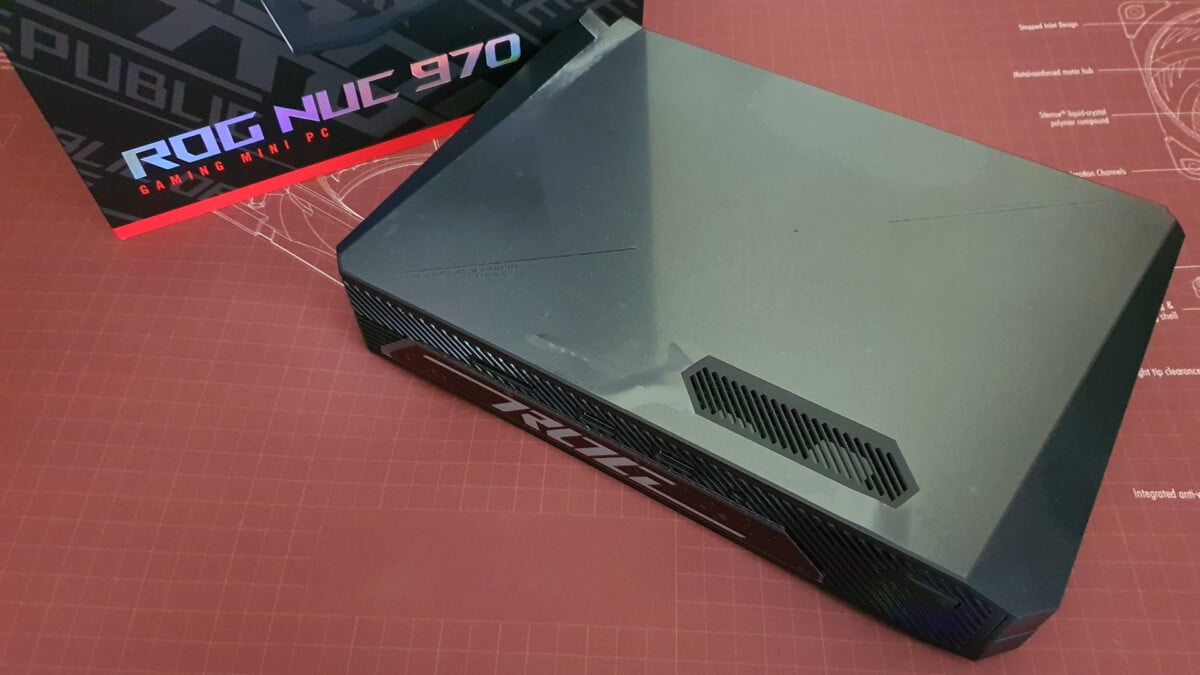
Asus ROG NUC 970: A Compact Gaming Compromise
Asus also extends its NUC range to cater to gamers with models like the ROG NUC 970, which integrates a dedicated GPU – albeit a laptop version. The ROG NUC 970 houses an RTX 4070, a very capable graphics card, alongside a Core Ultra 9 185H CPU.
However, the compact nature of mini PCs inherently presents challenges for efficient ventilation, a critical requirement for high-performance GPUs and CPUs. This often leads to thermal limitations and reduced sustained performance compared to larger gaming desktops.
Given its price point, hovering around €2000, the value proposition of the ROG NUC 970 is debatable. For the same investment, consumers could acquire a superior traditional gaming desktop or a high-performance gaming laptop, both of which typically offer better thermal management and a higher performance-to-price ratio. Nevertheless, for users with an absolute requirement for a compact gaming machine, the ROG NUC 970 stands out as a viable, albeit compromised, option.
Ideal User: Niche gamers or enthusiasts who prioritize an extremely compact form factor above all else, and are willing to accept the performance and thermal trade-offs inherent in a mini PC with a dedicated GPU.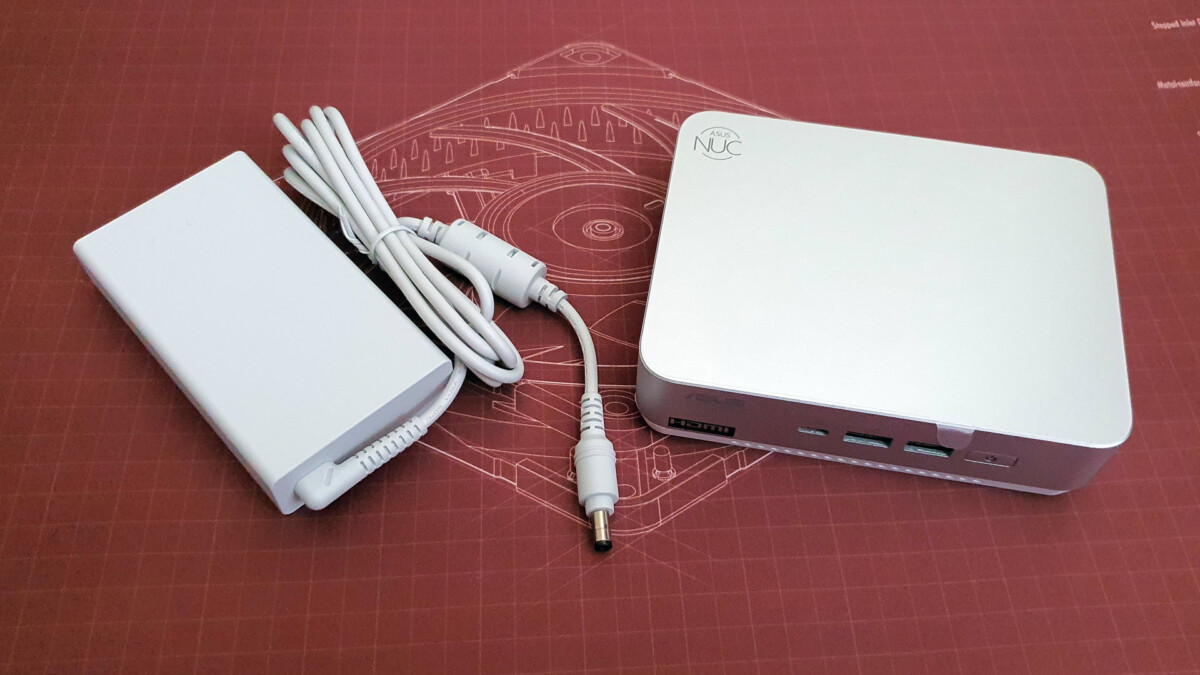
Budget-Friendly Options
Not everyone needs cutting-edge performance or premium features. For essential computing tasks, several mini PCs offer excellent value without breaking the bank.
- NiPoGi (e.g., AM16): The Affordable All-Rounder
The NiPoGi mini PC, measuring less than 13 cm on each side and 4 cm thick, literally fits in the palm of your hand. While it opts for a plastic chassis over premium aluminum, the build quality is good, and the device weighs less than 500 grams. Crucially, its price point, typically under €300, makes it an incredibly attractive budget option.
Despite its modest price, the connectivity is surprisingly robust. It features two USB 3.2 Gen 2 Type-A ports, two USB A 2.0 ports, an RJ45 Ethernet port, a 3.5mm jack, one USB-C port, and two HDMI ports. Wi-Fi 6 support ensures decent wireless speeds. Impressively, it can connect up to three screens simultaneously (two via HDMI, one via USB-C).
Under the hood, the NiPoGi delivers satisfying performance for its price. Previously tested with a Ryzen 5 Pro 5675U SoC, it is now available with a Ryzen 5 7430U, offering comparable performance. It typically includes 16GB of DDR4 RAM – a sensible choice given the price point, though not the latest standard. The integrated Radeon Graphics 7 GPU is capable of running less demanding games at 720p/1080p with low graphical settings.
Its ideal use cases include a reliable office workstation, a home NAS (Network Attached Storage) server, or a Plex media server. Considering its comprehensive features and performance for the cost, the NiPoGi offers an almost unparalleled quality-to-price ratio in the budget segment.
Ideal User: Students, home users, or small businesses needing an ultra-affordable, compact, and functional PC for basic office tasks, web browsing, multimedia, or as a dedicated home server.
Broader Implications and Future Outlook
The trajectory