
 George Chandra Eka
The landscape of digital communication has undergone a profound transformation, moving beyond mere text to embrace a rich tapestry of visual expressions. While emojis and GIFs have long served as the ubiquitous shorthand for conveying emotion and reaction, their standardized nature often leaves a void for truly personalized sentiment. With the release of iOS 17 in September 2023, Apple significantly elevated this paradigm, introducing a robust and intuitive system for creating, managing, and deploying custom stickers directly from a user’s own photo library. This innovation represents a pivotal step in democratizing creative expression, allowing iPhone users to inject unprecedented levels of personality and nuance into their digital interactions.
The core appeal of these new iPhone stickers lies in their bespoke nature. Unlike the pre-defined sets of emojis or the vast but generic libraries of GIFs, these stickers are crafted from personal photos and videos, transforming ordinary moments into unique communicative assets. This capability empowers users to capture inside jokes, iconic expressions, beloved pets, or any visually distinctive element from their own lives, converting them into dynamic "stickable" images. The seamless integration across the iOS ecosystem, coupled with an impressively simple creation process that requires no prior photo editing expertise, underscores Apple’s commitment to enhancing user experience and fostering deeper, more engaging conversations. The ability to save these custom creations for quick reuse further streamlines the process, ensuring that favorite reactions are always at one’s fingertips. This move reflects a broader trend in digital platforms towards user-generated content (UGC) as a primary driver of engagement and authenticity.
The Evolution of Digital Expression: A Chronology Leading to Personalized Stickers
Apple’s journey towards richer visual communication has been incremental, yet deliberate. Initially, iMessage revolutionized mobile messaging by offering a more feature-rich alternative to traditional SMS, laying the groundwork for interactive elements. The introduction of emojis, while not an Apple-exclusive innovation, was deeply integrated into the iOS keyboard, making visual shorthand universally accessible. This was followed by the robust integration of GIFs, allowing users to search and embed short animated clips directly within conversations.
A significant precursor to personalized stickers was the debut of Memoji and Animoji. These features, launched with Face ID-equipped iPhones, allowed users to create animated avatars that mirrored their facial expressions and movements. While highly personalized, Memoji still operated within a predefined character framework. The leap to creating stickers from any photo or Live Photo marks a fundamental shift, moving beyond avatar-based personalization to direct image manipulation, powered by advanced on-device machine learning.
The official unveiling of this sticker functionality occurred during Apple’s Worldwide Developers Conference (WWDC) in June 2023, with its public release coinciding with the general availability of iOS 17 in September 2023. This timeline highlights Apple’s strategic deployment of features that progressively empower users with more expressive communication tools, building upon existing capabilities and leveraging advancements in computational photography and artificial intelligence. The immediate enthusiastic adoption by users worldwide underscored the pent-up demand for such a personalized form of digital interaction.
Democratizing Creativity: Two Pathways to Sticker Generation
Apple has ingeniously provided two distinct, yet equally intuitive, routes for users to transform their photographic memories into custom stickers, ensuring accessibility regardless of where inspiration strikes.
-
Creation via the Photos App: This method leverages the iPhone’s sophisticated image recognition capabilities. Users begin by navigating to their Photos app and selecting an image ripe for sticker conversion. The ideal candidates are photographs featuring a clear, well-defined subject – be it a person, an animal, a distinctive object, or even a hand gesture – with sufficient contrast against its background. Once the desired photo is open, the user performs a sustained press-and-hold gesture directly on the subject intended for the sticker. The iPhone’s neural engine swiftly processes the image, intelligently identifying and isolating the foreground element. A subtle visual "shine" effect confirms successful object recognition, immediately followed by the appearance of a contextual tooltip menu. From this menu, selecting "Add Sticker" instantly saves the newly created sticker to the user’s personal library.
A particularly engaging aspect of this method is its compatibility with Live Photos. If the selected image is a Live Photo, the system automatically generates an animated sticker, preserving the brief motion sequence captured around the moment the photo was taken. This adds an extra layer of dynamism and humor, allowing for expressive, short-loop animations that far surpass static images. Should a user prefer a static version from a Live Photo, a simple toggle labeled "Live" in the top-left corner allows them to disable the animation. Furthermore, the intelligent segmentation can often identify multiple distinct subjects within a single image, offering the potential to create several unique stickers from one photograph, maximizing creative output.
-
Creation within the Messages App Interface: Recognizing that inspiration often strikes mid-conversation, Apple has integrated a streamlined sticker creation pathway directly within the Messages app. To access this, users open any conversation in Messages, tap the prominent "+" (Plus) icon situated to the left of the text input field, and then select "Stickers" from the ensuing menu. Within the sticker library interface, another "+" (Plus) icon is presented, which, when tapped, opens the user’s entire photo collection. Crucially, in this mode, the iPhone proactively highlights elements within each photo that are suitable for sticker conversion, removing any guesswork. Users simply tap on a highlighted element, and then tap the "+" (Plus) button at the bottom of the screen to instantaneously add it to their sticker library. This method is particularly efficient for rapid sticker generation during active communication, emphasizing convenience and spontaneity.
Both methods underscore Apple’s commitment to making advanced computational photography features accessible to the everyday user, transforming complex image processing into a simple, intuitive gesture.
Mastering the Art of Digital Adornment: Sending, Enhancing, and Curating Your Sticker Collection
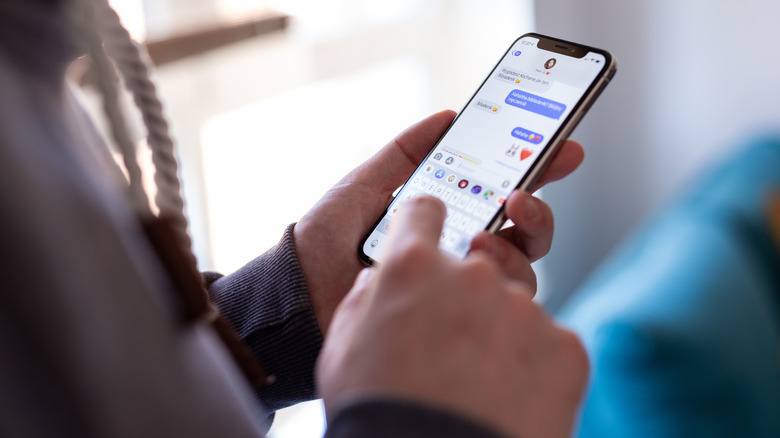
Once a personalized sticker library has been amassed, the next step is to deploy and manage these expressive assets effectively. The Messages app remains the primary arena for their use, offering a range of functionalities that extend beyond simple sending.
-
Deployment Strategies: To send a sticker, users simply access their sticker library via the "+" (Plus) icon in the Messages app and tap the desired sticker. This action places the sticker directly into the message draft, akin to attaching a photo, ready to be sent as a standalone reaction. However, the true innovation lies in the "peel and stick" functionality exclusive to iMessage conversations (distinguished by their characteristic blue bubbles). By pressing and holding a sticker within the library, users can "peel" it off the shelf, then drag it anywhere onto the ongoing conversation thread. This allows for dynamic placement directly on top of previous messages, photos, or even other stickers. This interactive feature unlocks a new dimension of creative expression, enabling users to playfully photobomb images, accentuate specific words, or add humorous overlays, fostering highly engaging and often hilarious exchanges. Imagine adorning a friend’s landscape photo with a sticker of your pet’s goofy face, or slapping a custom reaction sticker directly onto their latest text message.
-
Enhancement and Customization: Beyond mere creation, Apple provides tools to further personalize stickers. By pressing and holding a sticker in the library, a contextual tooltip menu appears, offering options such as "Add Effect." This menu presents a selection of visual enhancements, including "Outline" and "Shiny." The "Outline" effect adds a distinct border around the sticker, making it stand out more prominently. The "Shiny" effect, however, is particularly noteworthy; it imbues the sticker with a dynamic, almost holographic sheen that subtly reacts to the iPhone’s physical orientation, mimicking the appearance of a collectible trading card. These effects allow users to add an extra layer of polish and visual flair to their creations.
-
Management and Curation: A robust sticker library necessitates efficient management. The same press-and-hold gesture on a sticker in the library reveals the "Rearrange" option. Activating this puts the entire sticker collection into a "jiggle mode," reminiscent of customizing the iPhone’s Home screen. In this mode, users can intuitively drag stickers to reorder them according to preference or frequency of use. Crucially, a "-" (Minus) button appears on each sticker, allowing for quick and bulk deletion of unwanted or outdated creations. This level of control ensures that a user’s sticker collection remains curated, relevant, and free of clutter.
-
Interoperability and Limitations: While stickers are designed for optimal performance within iMessage, their compatibility extends to other messaging standards with some caveats. In conversations utilizing Rich Communication Services (RCS) – which offers an enhanced messaging experience with Android users – stickers should generally send successfully. However, the unique "peel and stick" interactive placement functionality is typically limited to iMessage, meaning stickers will likely appear as standalone images rather than dynamic overlays for Android recipients. For traditional SMS conversations, which are characterized by strict size limitations and older protocols, stickers may experience quality degradation, potentially appearing blurry or compressed. This underscores the technical advantages and richer feature set inherent to Apple’s proprietary iMessage platform.
Beyond iMessage: Expanding the Reach of Personalized Stickers
The utility of iPhone stickers extends beyond the confines of Apple’s native messaging application, showcasing their versatile integration across the iOS ecosystem.
-
Integration with Third-Party Messaging Apps: For users of other popular messaging platforms like WhatsApp, personalized iPhone stickers remain accessible. By tapping the Emoji button (often represented by a smiley face icon) at the bottom-left of the keyboard, users can navigate to the "Stickers" tab to find and send their custom creations. While the interactive "peel and stick" functionality unique to iMessage is not typically supported in these external applications, the ability to send personalized images still significantly enhances expressive capabilities, offering a unique visual flair distinct from standard emoji sets.
-
System-Wide Utility with Markup Mode: One of the most powerful, yet perhaps less obvious, integrations of custom stickers is within iOS’s Markup mode. This feature, available in various native apps such as Photos, Mail, and Notes, allows users to annotate and draw on images or documents. To utilize stickers in this context, users open an image in the Photos app, tap the "Edit" (sliders) icon, and then select the "Markup" (marker) icon. Within Markup mode, tapping the "+" (Plus) icon on the bottom toolbar reveals the "Add Sticker" option. From here, users can select any of their custom stickers and place them directly onto the image. These stickers can then be freely moved, resized, and even duplicated, providing a dynamic tool for annotation, creative expression, or even humorous embellishment of visual content. For instance, one could add a personalized reaction sticker to a shared document in Notes or place a funny cutout of a friend onto a vacation photo before sharing it via Mail. This broadens the scope of stickers from mere communication enhancers to versatile creative assets.
-
The Ecosystem of Sticker Packs: Beyond user-generated content, the iPhone’s sticker menu serves as a hub for a diverse array of pre-made sticker packs. This includes Apple’s own offerings:
- Emoji: Any standard emoji can effectively double as a sticker, offering a larger, more prominent display.
- Genmoji: A groundbreaking feature introduced later, Genmoji allows users to generate entirely new, custom emojis using descriptive text prompts, leveraging generative AI to create truly unique expressive symbols. These Genmoji seamlessly integrate into the sticker library.
- Memoji: The personalized animated avatars continue to be a staple, offering a curated set of expressions and poses.
The sticker menu also integrates compatible installed third-party applications. Many apps, ranging from social media platforms to brand-specific utilities, offer their own branded sticker packs. Users can tap "Edit" at the far right of the sticker menu to rearrange their installed packs or discover new ones via "Get Sticker Apps on the App Store." This open ecosystem provides developers and brands with a new avenue for engaging users and promoting their identity through custom digital assets.
Crucially, all user-created stickers are automatically synced across all devices associated with the user’s Apple ID – including iPads and Macs. This ensures a consistent and seamless expressive experience, allowing users to access their personalized sticker library regardless of the Apple device they are currently using.
The Broader Implications: Data, Engagement, and the Future of Visual Communication
The introduction of advanced sticker creation and management on iPhones is more than just a novelty; it carries significant implications for user engagement, digital culture, and the future trajectory of visual communication.
-
Enhanced User Engagement and Personalization: In an increasingly saturated digital environment, personalization is key to fostering deeper connections and maintaining user interest. Custom stickers provide an unparalleled level of self-expression, allowing users to communicate not just with words, but with elements of their own personal world. This fosters a sense of authenticity and intimacy in conversations, leading to higher engagement and a more enjoyable user experience. Apple’s implied goal is to move beyond generic reactions to truly unique and emotionally resonant interactions. The psychological impact of seeing a familiar face, pet, or inside joke transformed into a reactive sticker is significantly higher than that of a standard emoji.
-
Cultural Impact and Meme Generation: The ease of creating and sharing custom visual content has a direct impact on digital culture. Personalized stickers are ripe for spontaneous meme generation within friend groups and communities. A funny expression, a peculiar object, or a recurring joke can instantly be immortalized as a sticker, rapidly propagating new forms of digital language and shared humor. This contributes to the organic evolution of online communication, making it more dynamic and culturally responsive.
-
Technological Underpinnings and Accessibility: The seamless nature of sticker creation relies heavily on sophisticated on-device machine learning and advanced image segmentation algorithms. These technologies, often found in professional photo editing software, have been democratized by Apple, making them accessible to millions without any technical expertise. This highlights Apple’s prowess in integrating complex AI functionalities into intuitive user interfaces, raising the bar for mobile operating systems.
-
Market Context and Apple’s Ecosystem Advantage: With Apple consistently holding a significant share of the global smartphone market (e.g., IDC reported Apple’s global smartphone market share at 20.1% in Q4 2023, making it the top vendor for the quarter), the widespread adoption of such features has a massive impact. Billions of digital messages are exchanged daily across various platforms, and Apple’s enhancement of iMessage and its broader iOS ecosystem reinforces its appeal. By offering unique, personalized communication tools, Apple strengthens its ecosystem lock-in, providing compelling reasons for users to remain within the Apple sphere and attracting new users seeking cutting-edge personalization features.
-
Economic and Developer Opportunities: The open ecosystem for third-party sticker packs presents new avenues for content creators, artists, and brands. Developers can leverage this feature to create engaging branded content, fostering loyalty and providing new monetization opportunities. This expands the App Store’s utility beyond traditional applications, creating a marketplace for expressive digital assets.
-
Considerations and Future Outlook: While predominantly positive, the proliferation of user-generated content always brings considerations. Potential for misuse, though less of a concern with personal stickers shared among trusted circles, is a broad digital challenge. Storage implications for vast sticker libraries are also a minor technical consideration. Looking ahead, the evolution of these features will likely involve even more advanced AI capabilities, potentially allowing for real-time sticker generation or dynamic effects that respond to conversational context. The integration of Genmoji signals a future where AI-powered creativity plays an even larger role in personal digital expression.
In conclusion, Apple’s comprehensive integration of custom sticker creation and management in iOS 17 marks a significant milestone in personalized digital communication. By empowering users to transform their own photographic content into expressive, dynamic communication tools, Apple has not only enriched the user experience but also contributed to the ongoing evolution of how we connect and share in the digital age. This feature, rooted in advanced technology yet presented with unparalleled simplicity, stands as a testament to Apple’s vision of a more personal, engaging, and creatively liberated digital world.







