George Chandra Eka
Google has introduced a new Bluetooth Diagnostics feature for its Pixel smartphone lineup, offering a more structured approach to troubleshooting the notoriously finicky wireless technology. This internal tool aims to provide Pixel owners with a clearer direction when confronting common Bluetooth connectivity issues, potentially saving users from the often-futile cycle of forgetting devices, rebooting systems, and re-pairing accessories. Available exclusively on Pixel 6 devices and newer, including the Pixel Fold, this diagnostic utility represents a significant step towards demystifying Bluetooth problems that frequently present without clear error messages or obvious causes.
The Persistent Enigma of Bluetooth Connectivity
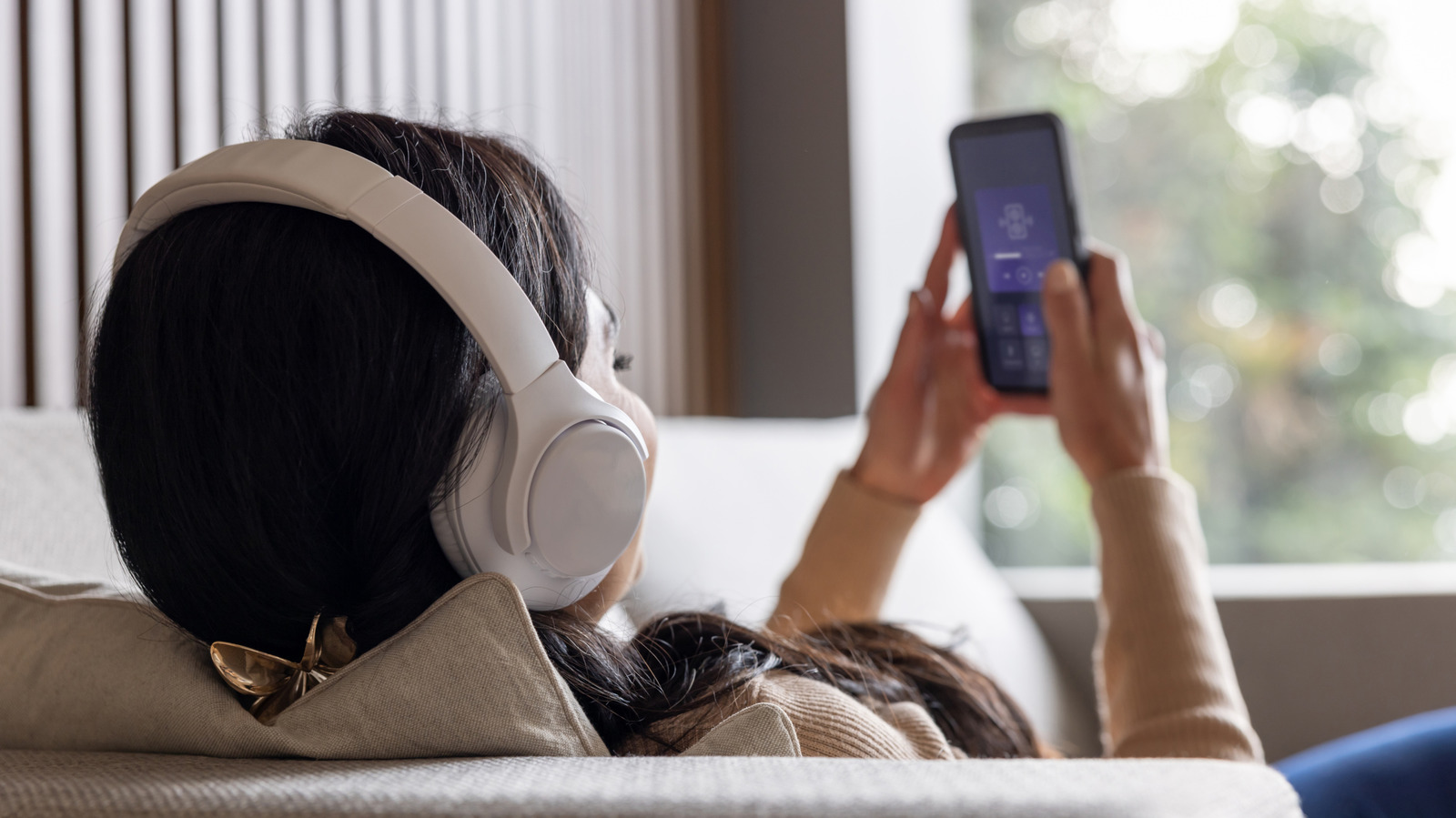
Bluetooth, while ubiquitous and essential for modern mobile computing, has long been a source of frustration for users. Its promise of seamless wireless connection to headphones, smartwatches, car systems, and other peripherals is often marred by inconsistent performance, intermittent dropouts, and enigmatic connection failures. A common scenario involves earbuds showing as "connected" yet failing to play audio, or a car infotainment system handling music playback perfectly but refusing to process hands-free calls. Wearables might inexplicably disconnect, requiring repeated manual intervention. These issues are particularly vexing because the system rarely provides specific error codes or actionable insights, leaving users to resort to generic, time-consuming troubleshooting methods that often involve a shotgun approach rather than targeted solutions.
Historically, the default user response to Bluetooth problems has been a trial-and-error sequence: toggling Bluetooth on and off, restarting both the phone and the accessory, deleting and re-pairing the device, and in extreme cases, performing a factory reset of the smartphone itself. This process is not only inconvenient but also inefficient, as it rarely pinpoints the root cause of the problem. The underlying complexity of Bluetooth, involving various profiles (such as A2DP for high-quality audio, HFP for hands-free telephony, GATT for low-energy devices, and many more), means that a failure in one specific profile might not affect others, leading to the confusing "partially working" scenarios that plague users. A dedicated diagnostic tool capable of testing these individual facets of a Bluetooth connection has thus been a long-awaited enhancement.
Diving Deeper into Pixel’s Bluetooth Diagnostics: Functionality and Access
Google’s new Bluetooth Diagnostics feature is designed to cut through this ambiguity by offering targeted tests for specific functions. The tool is conveniently located within the Pixel’s system settings, making it easily accessible without requiring external applications or complex procedures. On a Pixel 8 Pro, for instance, users can navigate to Settings > Connected devices, where the Bluetooth Diagnostics option is presented. From there, the phone provides a menu of specific tests tailored to different aspects of Bluetooth functionality.
These tests are pragmatic and user-centric. For media audio, the diagnostic will typically play a sound and prompt the user to confirm whether it can be heard through the connected accessory. This direct feedback mechanism immediately verifies the integrity of the media audio pathway. Similarly, tests for call functionality would likely involve simulating a call or checking microphone/speaker performance through the Bluetooth device. By breaking down the complex Bluetooth connection into these discrete components, the diagnostic tool can quickly identify whether the problem lies with media playback, call audio, or other connection types. This targeted approach is invaluable, preventing users from wasting time troubleshooting a media playback issue when the core problem might be with the phone’s ability to establish a hands-free profile for calls, or vice versa. The tool does not perform repairs but offers crucial data points to guide the user’s next troubleshooting steps, informing them whether to focus on the accessory, the phone settings, or external factors.
The Nuances of In-Car Connectivity: Bluetooth, Wi-Fi, and Android Auto
One of the most common and often exasperating scenarios for Bluetooth troubleshooting involves in-car infotainment systems, particularly when using features like Wireless Android Auto. The complexity arises because Wireless Android Auto does not rely solely on Bluetooth; it employs a hybrid approach, leveraging both Bluetooth and Wi-Fi for its operation. This duality means that a problem with Android Auto might not necessarily be a Bluetooth issue at all, even though Bluetooth is involved in the initial connection handshake.
Specifically, Bluetooth is responsible for establishing the initial connection between the Pixel phone and the car’s infotainment system. It handles the pairing process and manages essential functions like hands-free calls. However, for the bulk of data transfer required to mirror the Android Auto interface, stream navigation, and relay app information, the system switches to Wi-Fi Direct. This high-bandwidth connection is necessary to maintain a smooth and responsive user experience. Consequently, a user might find that their phone successfully pairs with the car via Bluetooth, allowing for calls, but Android Auto itself fails to launch or function correctly. In such cases, the problem could reside with the Wi-Fi connection, the Android Auto application itself, or even the car’s head unit software, rather than the Bluetooth module.
The Pixel’s Bluetooth Diagnostics tool becomes particularly valuable here. By isolating and testing the Bluetooth components separately, it can confirm whether the Bluetooth link for calls and initial connection is sound. If these tests pass, users can then confidently shift their troubleshooting efforts towards the Wi-Fi connection, Android Auto app settings, or the vehicle’s system, thereby avoiding unnecessary and often fruitless attempts to fix a "Bluetooth problem" that doesn’t exist. This level of clarity is critical in the increasingly connected automotive environment, where smartphones are deeply integrated into driving experiences.
A Broader Landscape: Device Diagnostics Across Android
While Google’s introduction of Bluetooth Diagnostics is a welcome development for Pixel owners, it is not an entirely novel concept within the broader Android ecosystem. Other manufacturers have already integrated comprehensive diagnostic tools into their devices. Samsung, for example, offers the "Samsung Members" app, which provides robust diagnostic capabilities for Galaxy smartphones. This app allows users to perform individual component tests, checking everything from the touchscreen and buttons to sensors, battery health, and network connectivity, including Bluetooth. It also offers broader device-wide diagnostic sweeps, giving users a holistic view of their device’s health.
The presence of such tools from other major players like Samsung indicates a growing trend among smartphone manufacturers to empower users with self-help resources. As devices become more sophisticated and repair costs potentially higher, providing built-in diagnostics can reduce the burden on customer support channels and improve user satisfaction by enabling quicker resolution of common issues. Google’s move to integrate Bluetooth Diagnostics directly into the Pixel’s OS, rather than as a separate application, might signal a future direction for Android as a whole. While currently Pixel-exclusive, the utility and effectiveness of such a feature could logically lead to its broader adoption across the Android platform, potentially becoming a standard offering in future Android versions, thereby addressing a universal pain point for millions of users regardless of their device manufacturer. This would represent a significant step towards standardizing troubleshooting processes and reducing the fragmentation in user experience.
How to Utilize the Feature and Its Inherent Limitations
Using the Bluetooth Diagnostics feature on a Google Pixel device is designed to be straightforward:
- Access Settings: Open the
Settingsapplication on your Pixel phone. - Navigate to Connected Devices: Tap on
Connected devices. - Initiate Diagnostics: Locate and select
Bluetooth Diagnostics. - Perform Tests: Choose the specific test relevant to your issue (e.g., "Media audio test," "Call audio test").
- Follow Prompts: Respond to the on-screen prompts, such as confirming if you hear a test sound.
While the Bluetooth Diagnostics tool is an excellent step forward for identifying the source of a problem, it is crucial to understand its limitations. This feature is a diagnostic aid, not a repair tool. It cannot physically mend a dead earbud, update faulty accessory firmware, or magically persuade incompatible hardware to function together. Its purpose is to provide information about the health and functionality of the Bluetooth connection from the phone’s perspective.
Therefore, Google’s official Bluetooth support guidance still emphasizes the importance of traditional troubleshooting steps when the diagnostic tool identifies a problem or if the issue persists despite passing the diagnostic tests. These fundamental fixes include:
- Toggling Bluetooth: Turning Bluetooth off and then back on on both the phone and the accessory.
- Checking Pairing: Ensuring the devices are correctly paired and not connected to another device.
- Restarting Devices: Power cycling both the Pixel phone and the Bluetooth accessory.
- Forgetting and Re-pairing: Removing the accessory from the phone’s saved Bluetooth devices and then re-establishing the connection.
These basic steps remain the frontline defense against many common Bluetooth issues, such as temporary software glitches, minor interference, or corrupted pairing data. If the diagnostic tool indicates a problem, these tried-and-true methods are often the next logical steps. Furthermore, external factors like physical distance from the phone, obstacles between devices, low battery levels in the accessory, or interference from other wireless signals (Wi-Fi, other Bluetooth devices, microwaves) can also disrupt Bluetooth connectivity and are beyond the scope of any software diagnostic tool. Users should always rule out these environmental factors before delving into more complex software-based troubleshooting.
Data Privacy and Diagnostic Reporting
Google has also addressed the privacy implications associated with using the Bluetooth Diagnostics feature, particularly when users opt to share diagnostic data. If a user chooses to share device and Bluetooth diagnostics with Google, the company states that this information can include specific accessory details, the results of connection tests, and the general hardware status of the Bluetooth module. This aggregated data is invaluable for Google in understanding common failure points, identifying software bugs, and improving the overall stability and performance of Bluetooth on Pixel devices and potentially future Android versions.
For more advanced troubleshooting or bug reporting, an optional bug report can be generated. This report is more comprehensive and may contain a "Bluetooth HCI snoop log." This log is a detailed record of Bluetooth interactions and can include sensitive interaction data such as device names, MAC addresses (unique hardware identifiers), and LE Audio reports (related to Bluetooth Low Energy audio functionalities). Users are given a clear choice regarding whether to share this potentially more sensitive data, underscoring Google’s commitment to user control over their diagnostic information. The trade-off is between enhanced privacy and the potential for Google engineers to gain deeper insights into complex or intermittent issues, which can ultimately lead to more robust and reliable Bluetooth experiences for all users. Transparency regarding what data is collected and how it is used is crucial for maintaining user trust in such diagnostic tools.
Implications and Future Outlook
The introduction of Bluetooth Diagnostics on Pixel phones carries several significant implications for users, developers, and the broader Android ecosystem. For users, it represents a substantial step towards empowerment. By providing a clear, systematic way to diagnose Bluetooth problems, Google is enabling Pixel owners to take control of basic troubleshooting, reducing reliance on potentially frustrating and time-consuming customer support interactions. This self-service capability enhances the overall user experience by minimizing downtime and frustration associated with connectivity issues.
From a developer’s perspective, the aggregated diagnostic data, collected with user consent, can offer Google invaluable insights into the real-world performance of its Bluetooth stack. This data can pinpoint common failure modes, identify specific accessory incompatibilities, and highlight areas where Android’s Bluetooth implementation might need refinement. Such insights are crucial for driving future improvements, leading to more robust, reliable, and efficient Bluetooth connectivity across the Android platform.
The feature also plays a role in the competitive landscape. By offering a refined troubleshooting tool, Google enhances the value proposition of its Pixel devices for users who prioritize reliable connectivity and proactive problem-solving. It aligns with a broader industry trend of integrating more intelligent diagnostic capabilities directly into operating systems.
Looking ahead, the success and utility of this Pixel-exclusive feature could pave the way for its wider adoption across the entire Android ecosystem. As a key contributor to Android’s development, Google has the capacity to standardize such diagnostic tools, making them available to a broader array of Android devices. This would be a significant victory for addressing the long-standing fragmentation challenges in Android’s user experience, ensuring that more users have access to effective self-help resources for a universally problematic technology.
In conclusion, Google’s new Bluetooth Diagnostics feature for Pixel phones is a highly valuable addition, offering a much-needed structured approach to resolving persistent Bluetooth connectivity issues. While it doesn’t replace fundamental troubleshooting steps or fix hardware failures, it empowers users with critical information to identify the specific nature of their problem. This targeted diagnostic capability, currently available for Pixel 6 and newer devices, marks a significant improvement in managing a perennially frustrating aspect of smartphone usage and sets a positive precedent for future diagnostic integrations across the Android platform.