
 George Chandra Eka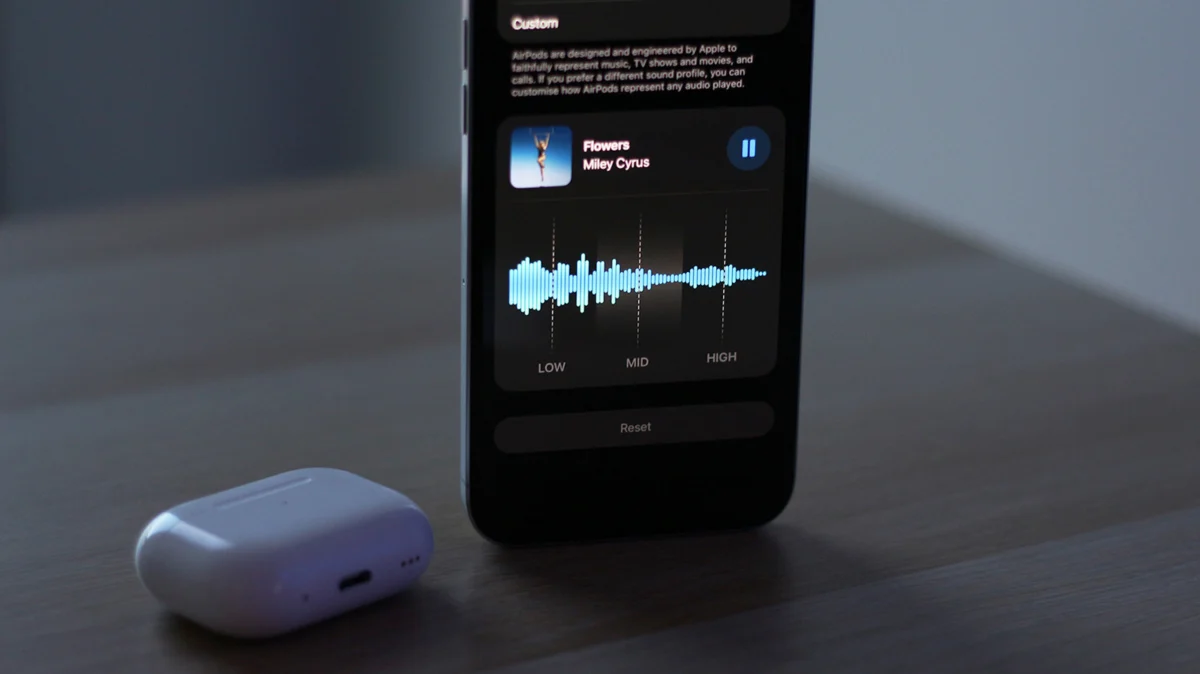
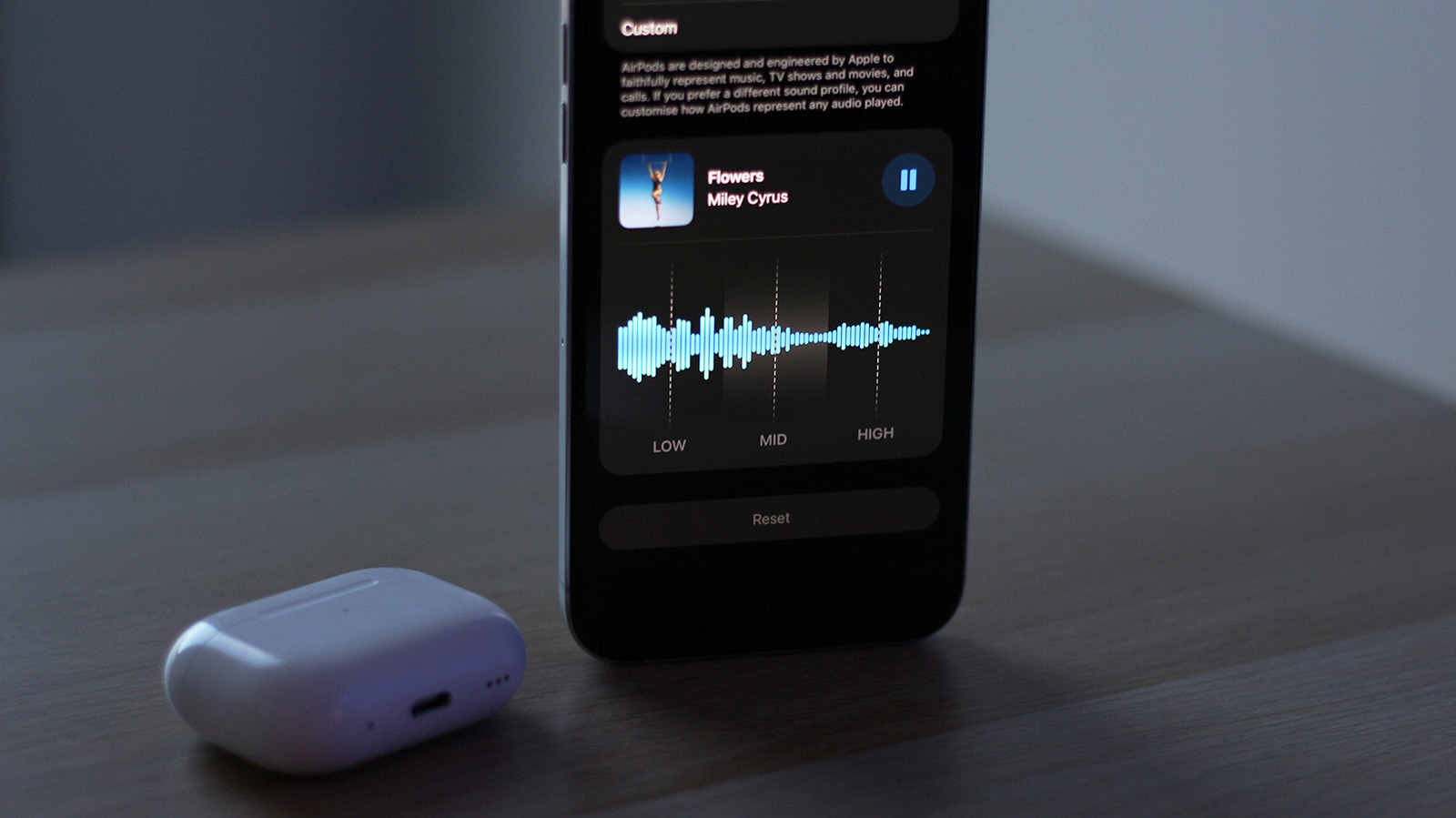
Apple’s commitment to refining the user experience within its ecosystem has taken a significant step forward with the introduction of a custom Equalizer (EQ) feature for AirPods in the latest beta builds of iOS 27. This long-anticipated development finally grants users the ability to fine-tune the audio output of their premium wireless earbuds, moving beyond Apple’s previously curated sound profiles to offer a personalized listening experience. The update, currently accessible to developers and public beta testers, marks a pivotal shift in Apple’s approach to audio customization, catering to a diverse user base with varying sonic preferences.
The Evolution of AirPods and Apple’s Audio Philosophy
Since their debut in 2016, AirPods have rapidly ascended to dominate the wireless earbud market, becoming a cultural phenomenon as much as a technological marvel. Apple’s initial strategy for AirPods audio, much like many of its products, focused on a "one-size-fits-all" approach, delivering a balanced sound profile designed to appeal to the widest possible audience. While this philosophy ensured a consistent and generally pleasing listening experience for most casual users, it often left audiophiles and those with specific sound preferences desiring more control. Competitors in the wireless audio space, such as Sony, Bose, and Samsung, have long offered robust companion apps with multi-band EQs and various sound presets, giving their users granular control over their audio. This disparity often placed AirPods at a disadvantage in terms of customization, despite their seamless integration within the Apple ecosystem, superior active noise cancellation (ANC), spatial audio capabilities, and impressive battery life.
The iterative development of AirPods has seen continuous improvements, from the introduction of ANC and transparency modes in the AirPods Pro line to enhanced spatial audio and adaptive sound features. Models like the AirPods 4 with ANC, for instance, have successfully brought many of the Pro-level features to a broader segment of the market, offering a compelling blend of performance and value. However, the core sound signature, while lauded for its clarity and balance, remained largely unalterable by the end-user. The introduction of custom EQ in iOS 27 therefore represents a significant philosophical evolution for Apple, acknowledging the growing demand for personalization in consumer electronics and addressing a long-standing request from its dedicated user base. This move aligns Apple more closely with industry trends where user control over media consumption, particularly audio, is increasingly paramount.
The Technical Leap: The H2 Chip and Enhanced Audio Processing
The new custom EQ feature is not universally available across all AirPods models, indicating a strong tie to the underlying hardware capabilities. Reports from beta testers and industry analyses suggest that the feature is primarily supported by newer AirPods models equipped with Apple’s advanced H2 chip. This includes the AirPods Pro 2, the anticipated AirPods Pro 3, the AirPods 4, and the second-generation AirPods Max (AirPods Max 2). The H2 chip, a successor to the H1 chip, is instrumental in delivering enhanced audio processing capabilities, superior active noise cancellation, and improved computational audio features.
The processing power of the H2 chip likely enables the real-time audio adjustments required for a custom EQ without introducing noticeable latency or degrading sound quality. Previous generations of AirPods, while powerful in their own right, may lack the necessary overhead to perform these complex frequency manipulations dynamically. This hardware dependency underscores Apple’s strategy of tying advanced software features to its latest silicon, ensuring optimal performance and differentiating newer models. For users with older AirPods, this may mean an upgrade is necessary to access the full spectrum of new audio customization options, a common practice in Apple’s product lifecycle management.
Unlocking Personalization: How to Access and Configure the Custom EQ
Gaining access to the custom EQ settings requires users to be running the latest beta software from Apple across their devices and AirPods. Specifically, an iPhone, iPad, or Mac must be updated to the iOS 27, iPadOS 27, or macOS 15 beta, respectively. Additionally, the compatible AirPods themselves need to be running the corresponding beta firmware. Apple typically rolls out beta firmware updates automatically, but users can often manually enable beta updates for their AirPods if they are enrolled in the developer or public beta programs.
The process for activating and configuring the custom EQ is designed to be straightforward, adhering to Apple’s user-friendly interface principles. Here’s a step-by-step guide:
- Connect Your AirPods: Ensure your compatible AirPods (e.g., AirPods Pro 2, AirPods 4, AirPods Max 2) are connected to your iPhone, iPad, or Mac.
- Access Settings: Open the Settings app on your iOS/iPadOS device or System Settings on your Mac.
- Navigate to AirPods Settings: Scroll down and tap on your AirPods’ name in the list of connected devices. This will open the dedicated settings page for your AirPods.
- Enable Beta Updates (if necessary): If you don’t immediately see the EQ options, you may need to enable beta updates for your AirPods. Scroll down within the AirPods settings page and tap on AirPods Beta Updates. Toggle the feature on. Firmware updates are generally installed automatically when the AirPods are placed in their charging case (or Smart Case for AirPods Max) and kept near the connected device for a period. This may require some patience.
- Locate Equalizer Settings: Once the beta firmware is active and recognized, navigate to Audio & Routing > Equalizer. Here, users will find the options to adjust their audio profile.
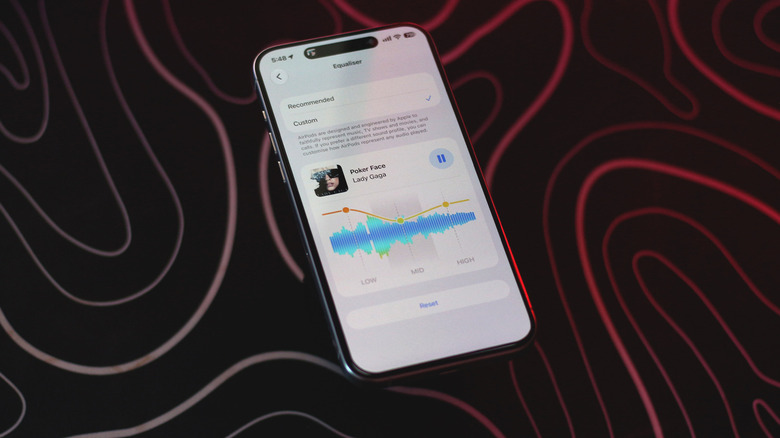
- Switch to Custom Profile: By default, the EQ might be set to "Recommended," which utilizes Apple’s standard sound profile. Switch this to "Custom" to unlock the adjustable sliders.
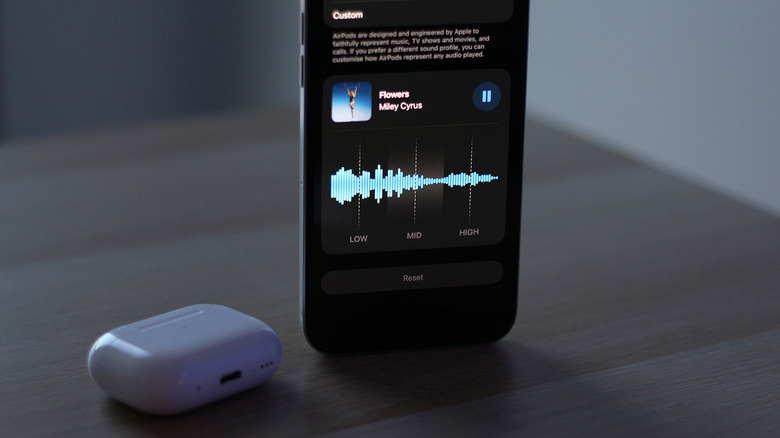
- Adjust Frequency Bands: Users will then be presented with three frequency bands: Lows, Mids, and Highs. These can be adjusted via sliders to emphasize or de-emphasize specific aspects of the audio.
This structured approach ensures that even users new to audio customization can easily navigate the settings, while the requirement for beta software emphasizes the feature’s experimental nature ahead of a wider public release.
Demystifying the 3-Band Equalizer: Lows, Mids, and Highs Explained
Apple’s implementation of a 3-band equalizer for AirPods might appear rudimentary to audio professionals accustomed to multi-band parametric EQs offering dozens of adjustable frequencies. However, this design choice is quintessential Apple: prioritize simplicity and user accessibility over overwhelming complexity. The three bands – Lows, Mids, and Highs – are strategically chosen to provide meaningful adjustments without requiring extensive knowledge of audio engineering.
- Lows (Bass Frequencies): This range encompasses the deep, resonant sounds that often contribute to the "feel" of music. It includes instruments like bass guitars, kick drums, sub-bass synthesizers, and the lower register of many orchestral instruments. Boosting the lows adds punch, warmth, and a sense of power, making music feel more impactful, particularly in genres like hip-hop, electronic dance music, and rock. Conversely, reducing the lows can tighten the sound, preventing muddiness and giving a cleaner, more precise bass response.
- Mids (Mid-Range Frequencies): The mid-range is arguably the most critical and complex part of the audio spectrum, as it contains the bulk of instrumental and vocal information. Lead vocals, guitars, pianos, snare drums, and many brass and woodwind instruments reside here. Adjusting the mids can significantly impact the clarity and presence of a track. Boosting the mids can bring vocals and lead instruments forward, making them more prominent and articulate. However, excessive boosting can lead to a "honky" or "boxy" sound. Reducing the mids can create a "scooped" sound, often favored in some rock and metal genres, emphasizing bass and treble.
- Highs (Treble Frequencies): This range deals with the brighter, airier elements of sound, contributing to detail, sparkle, and perceived spaciousness. It includes sounds like hi-hats, cymbals, string harmonics, and the upper register of vocals and synthesizers. Boosting the highs can add brilliance, clarity, and definition, making a track sound more open and crisp. However, over-boosting can lead to harshness, sibilance (exaggerated "s" sounds), and listener fatigue. Reducing the highs can smooth out overly bright recordings or reduce listener fatigue over long periods.
While a 3-band EQ offers less granular control than a 7-band, 10-band, or parametric equalizer, it provides enough flexibility for the average consumer to achieve a noticeable and pleasing change in their audio profile. This simplified interface allows users to experiment confidently without feeling intimidated by technical jargon or an overwhelming array of sliders. For many, the ability to simply add "more bass" or "clearer vocals" will be a welcome enhancement, easily achieved through these intuitive controls.
Impact on the User Experience: A New Era of Sonic Control
The introduction of custom EQ fundamentally alters the AirPods user experience, transitioning from a passively accepted sound signature to an actively customizable one. For users who previously felt Apple’s default tuning lacked sufficient bass punch, or perhaps desired more vocal clarity, this feature is a game-changer. It empowers individuals to tailor their listening environment to their specific tastes, the genre of music they are consuming, or even the acoustics of their surroundings.
Consider a "basshead" who enjoys genres with heavy low-end presence; they can now easily boost the low frequencies to achieve a more visceral, impactful sound. Conversely, someone who primarily listens to podcasts or classical music might opt to slightly boost the mids and highs to enhance vocal intelligibility and instrumental detail. This flexibility ensures that AirPods can better adapt to a wider array of audio content and personal preferences, potentially increasing user satisfaction and loyalty.
Furthermore, the ability to save these EQ adjustments directly to the AirPods themselves is a crucial and highly beneficial design choice. This means that once a user has configured their preferred sound profile on one device (e.g., an iPhone), those settings will persist and be applied automatically when the AirPods connect to any other compatible device, be it an iPad, Mac, Apple Watch, or even a non-Apple device like an Android phone. This cross-device consistency eliminates the need for repeated adjustments, streamlining the user experience and ensuring a consistent sonic output regardless of the source. This is a significant advantage over app-based EQs that only apply settings when the companion app is active on a specific device.
Navigating Multiple EQ Settings: Apple Music and Accessibility Considerations
While the new custom EQ for AirPods offers unprecedented control, users need to be mindful of potential conflicts with other audio enhancement features within the Apple ecosystem. Specifically, Apple Music offers its own set of equalizer presets, and iOS/iPadOS includes "Headphone Accommodations" within Accessibility settings, which can also modify audio output.
If a user enables both the AirPods custom EQ and an Apple Music EQ preset simultaneously, the resulting sound can become overly processed or distorted. It is generally recommended to use only one primary EQ adjustment at a time to achieve the desired effect. For users who prefer to leverage the new AirPods EQ, it would be prudent to disable any active EQ settings within the Apple Music app. This can typically be found by navigating to Settings > Apps > Music > EQ and ensuring it is turned off.
Similarly, Headphone Accommodations, found under Settings > Accessibility > Audio & Visual, are designed to customize audio for individuals with hearing differences. These settings apply a frequency-based boost to make certain sounds clearer and can also interact with the new custom EQ. Users should experiment to see if combining these features enhances their listening or if one should be prioritized over the other. For most users, applying the custom EQ for general sound preference and reserving Headphone Accommodations for specific hearing needs would be the most logical approach. Awareness and careful management of these multiple audio modification layers are essential to achieving an optimal and artifact-free listening experience.
Industry Reactions and Competitive Landscape
The introduction of custom EQ for AirPods is likely to elicit varied reactions across the tech industry. For competitors like Sony (with its WH-1000XM series and WF-1000XM series earbuds) and Bose (with its QuietComfort line), who have long offered robust, customizable EQ options via their companion apps, Apple’s move validates the importance of user personalization. While Apple’s 3-band EQ is simpler than many competitors’ multi-band offerings, it signifies Apple’s entry into a customization arena where it previously held a more conservative stance.
Industry analysts will likely view this as a strategic enhancement to maintain AirPods’ competitive edge in an increasingly crowded market. While AirPods have historically sold on the strength of their ecosystem integration, brand prestige, and ease of use, the lack of deep audio customization was a consistent criticism. Addressing this gap removes a key differentiator for rivals and strengthens Apple’s overall audio proposition. It could also spur further innovation from competitors, pushing the boundaries of wireless audio personalization even further. This development underscores the ongoing arms race in the premium audio segment, where software features are becoming as crucial as hardware capabilities.
Future Implications and What’s Next for AirPods Audio
The debut of a custom EQ in iOS 27 beta could be just the beginning of Apple’s deeper foray into audio personalization. While the initial 3-band equalizer is simple, it lays the groundwork for potential future enhancements. Apple could, in subsequent iOS iterations, introduce more frequency bands, offer user-definable presets, or even explore more advanced parametric EQ options for power users.
Furthermore, given Apple’s focus on computational audio and artificial intelligence, one could envision a future where AI-driven sound personalization becomes a reality. This might involve AirPods automatically analyzing a user’s listening habits, preferred genres, or even the ambient noise profile to suggest or apply dynamic EQ adjustments. Integration with personalized spatial audio profiles could also become more sophisticated, allowing users to sculpt not just the tonal balance but also the perceived soundstage and immersive qualities of their audio.
The move also opens doors for third-party developers, potentially allowing them to integrate their own audio processing tools more seamlessly with AirPods, although Apple traditionally maintains tight control over its core hardware and software functionalities. Regardless of the exact path, this update firmly establishes Apple’s intent to empower users with greater control over their audio experience, moving beyond a "best for most" philosophy to a "best for you" approach. This responsiveness to user feedback and market trends reinforces Apple’s position as a leader in the consumer electronics landscape, promising an even richer and more personalized audio future for AirPods users.







