George Chandra Eka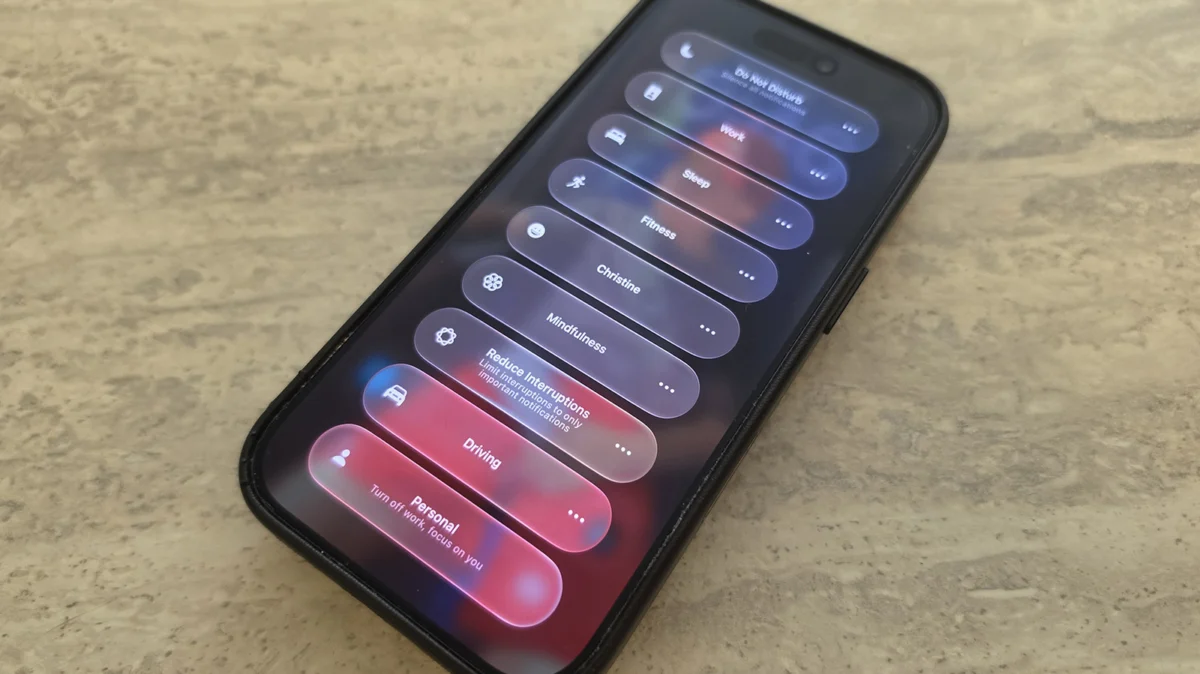
While iOS 27 introduces a myriad of advancements across its operating system, the enhancements to Focus mode, though not the most prominent headline feature, represent a significant step forward in Apple’s commitment to user productivity, digital well-being, and personalized device interaction. These nuanced improvements empower iPhone users with more granular control over their digital environment, allowing for a more tailored and distraction-free experience. The update refines existing functionalities and introduces new capabilities, particularly in its integration with Shortcuts and Siri, making device automation more intelligent and accessible than ever before.
The Evolution of Digital Well-being: A Focus Mode Retrospective
The challenge of digital distraction has become increasingly pervasive in modern society, with smartphones, while indispensable tools, often serving as sources of constant interruption. Studies consistently indicate that notifications can disrupt concentration, diminish productivity, and contribute to digital fatigue. Recognizing this growing concern, Apple initially introduced ‘Do Not Disturb’ as a rudimentary tool to silence alerts. However, this feature was largely an all-or-nothing solution, lacking the contextual intelligence required for a truly personalized experience.
The paradigm shifted with the introduction of Focus mode in iOS 15. This marked a deliberate move beyond simple silencing, allowing users to create custom profiles tailored to specific activities or times of day – such as Work, Personal, or Sleep. Unlike ‘Do Not Disturb,’ Focus mode offered a sophisticated suite of controls, enabling users to permit notifications from specific apps or contacts while blocking others, and even customize home screens to display only relevant widgets and app pages for a given Focus. This innovation was met with positive reception, with early adoption rates indicating a clear user demand for more intelligent distraction management. Over successive iOS iterations, Apple continued to refine Focus mode, adding features like Focus Filters and the ability to link a Focus to a specific Lock Screen, demonstrating a sustained commitment to evolving this crucial aspect of the user experience. iOS 27 builds upon this foundation, introducing changes that deepen integration and expand automation possibilities.
Core Enhancements in iOS 27’s Focus Mode
iOS 27 brings several key enhancements to Focus mode, each designed to improve usability, flexibility, and integration within the broader Apple ecosystem. These changes, while seemingly minor individually, collectively offer a significantly more robust and customizable experience.
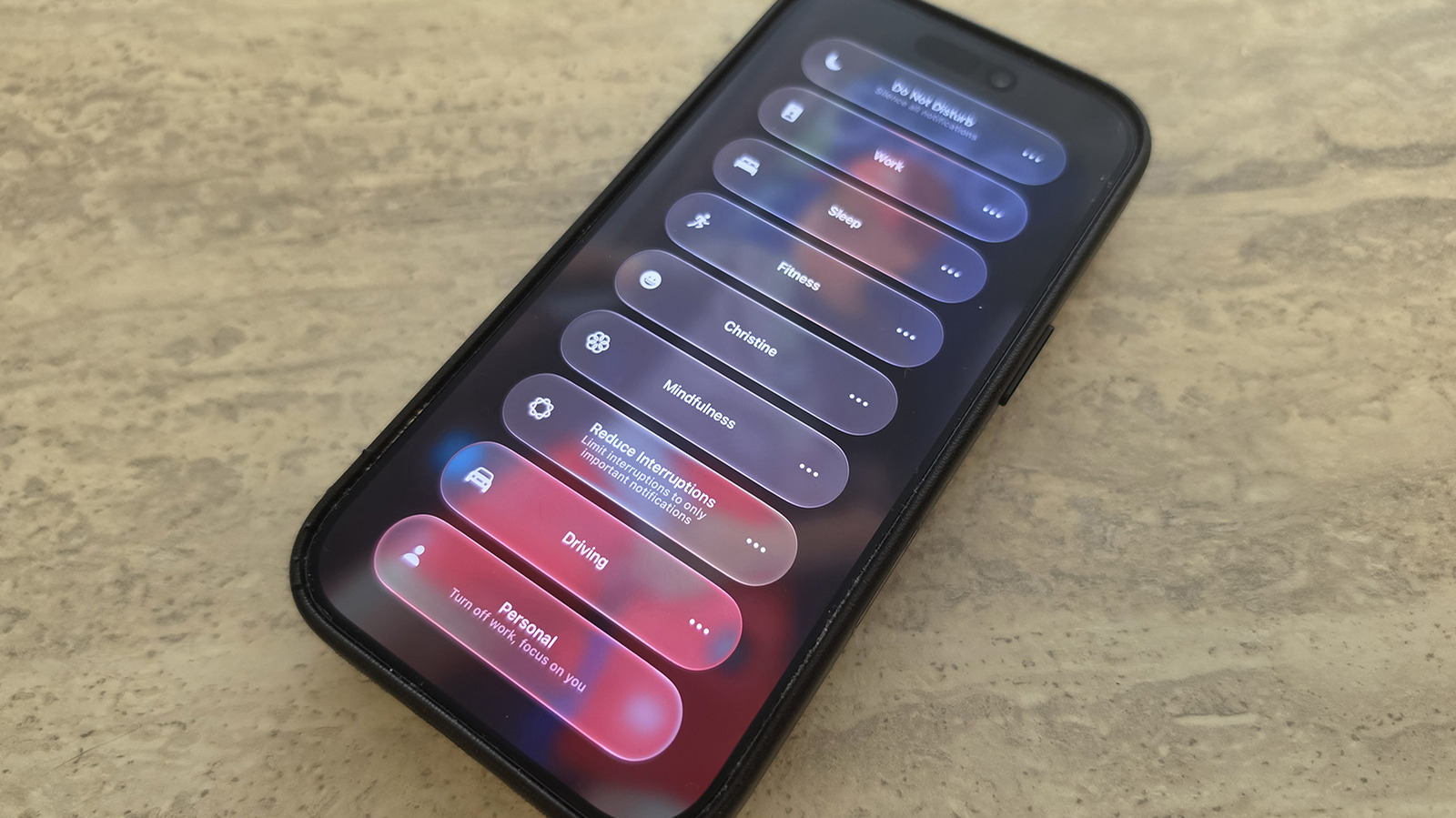
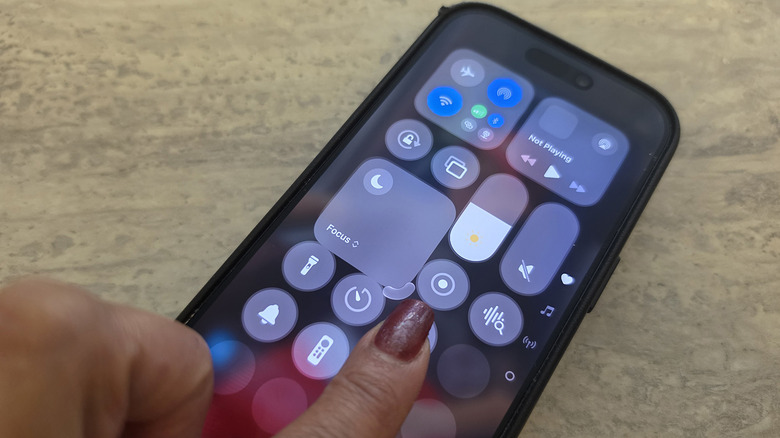
One of the most immediate and visible changes is the enhanced flexibility of the Focus entry within the Control Center. Previously, the Focus icon in Control Center was limited to a fixed 2×1 space. With iOS 27, users now have the ability to resize this widget. By long-pressing on an empty part of the Control Center screen to activate edit mode, users can drag the bottom-right corner of the Focus icon to adjust its size. This allows for configurations ranging from a compact 1×1 circle, conserving valuable screen real estate, to an expanded 2×2 block for quicker, more prominent access. This seemingly small user interface tweak reflects Apple’s ongoing commitment to personalization and user agency, allowing individuals to optimize their Control Center layout according to their specific workflow and preferences. For users who frequently switch between Focus modes, a larger icon might offer faster selection, while those who prefer a minimalist Control Center can opt for a smaller footprint.
The most profound improvements, however, lie in Focus mode’s deeper integration with Apple’s powerful Shortcuts automation platform. iOS 27 significantly elevates the intelligence and versatility of Focus mode tracking within Shortcuts, unlocking a new realm of automated actions.
Advanced Shortcuts Integration: Intelligent Automation Unleashed
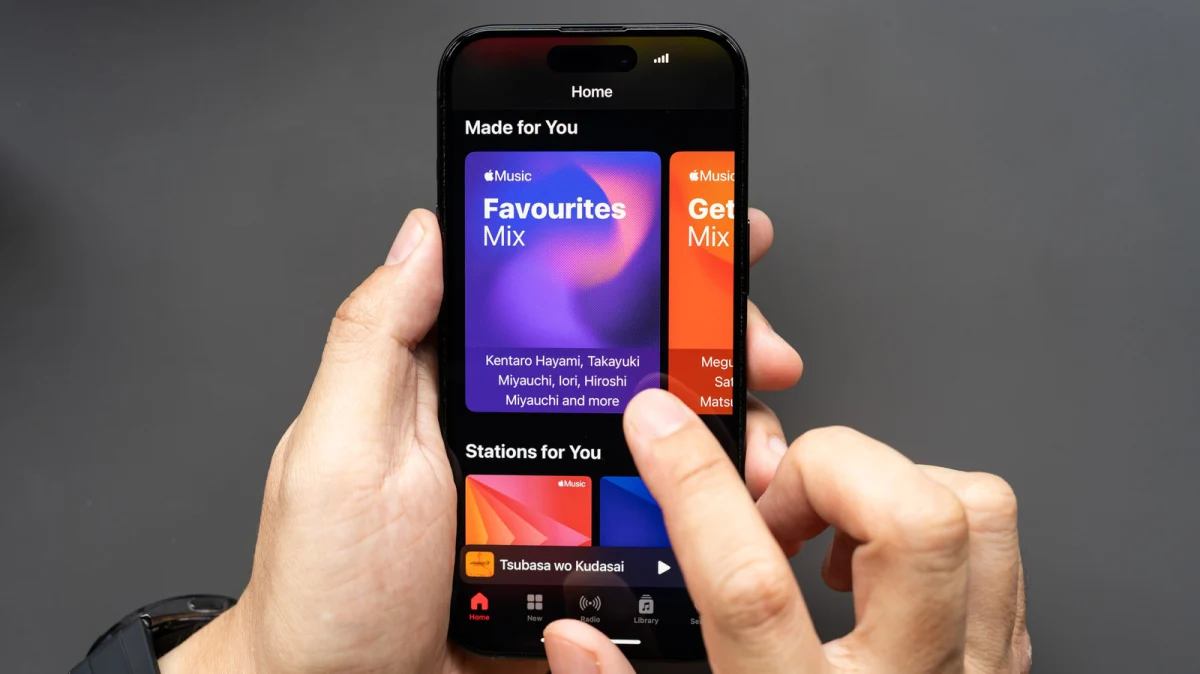
A cornerstone of the iOS 27 Focus mode update is the enhanced ability for Shortcuts to precisely track and respond to the active Focus mode. This means that automation triggers can now be built around the specific state of the phone, providing a level of contextual awareness previously unattainable. For instance, a user can now create a Shortcut that automatically launches a preferred podcast application and starts playback the moment the device enters ‘Driving’ Focus mode. This eliminates the need for manual interaction, ensuring a seamless transition into a driving-optimized environment. Similarly, the ‘Sleep’ Focus mode has been specifically added as a robust automation trigger, allowing users to program actions like dimming smart lights, activating a white noise app, or setting an alarm, all automatically when ‘Sleep’ Focus is engaged. This holistic approach to automation supports routines that span beyond mere notification management, extending to smart home integration and personalized media consumption.
Furthermore, iOS 27 introduces "Otherwise if" logic statements within Shortcuts, significantly increasing the complexity and sophistication of automated workflows tied to Focus modes. This conditional programming capability allows users to design multi-branching automations where different actions are triggered based on a hierarchy of Focus modes. For example, a single Shortcut could be configured to: "If ‘Work’ Focus is active, open my project management app; otherwise if ‘Fitness’ Focus is active, open my workout tracker; otherwise if ‘Reading’ Focus is active, open my e-reader app." The device intelligently tracks the active Focus mode and executes the corresponding action. This multi-conditional logic transforms Shortcuts from simple linear automations into dynamic, intelligent agents that respond adaptively to the user’s current context. This level of granular control moves beyond a single trigger-action relationship, enabling users to create highly personalized and efficient device behaviors that truly align with their daily schedules and intentions.
These advancements are further amplified by the significant improvements to Siri AI within iOS 27. The upgraded Siri boasts enhanced natural language processing capabilities, allowing users to create complex Shortcuts and automations using intuitive voice commands. Instead of navigating menus, a user can simply instruct Siri, "When I turn on ‘Driving’ Focus, play my daily news podcast," and Siri will construct the necessary Shortcut. This democratizes the power of automation, making sophisticated conditional logic and Focus-driven workflows accessible even to users without extensive technical knowledge of the Shortcuts app. The synergy between Focus mode, advanced Shortcuts logic, and an intelligent Siri AI creates a powerful ecosystem for personalizing and streamlining the iPhone experience.
Broader Implications for Productivity and Digital Well-being
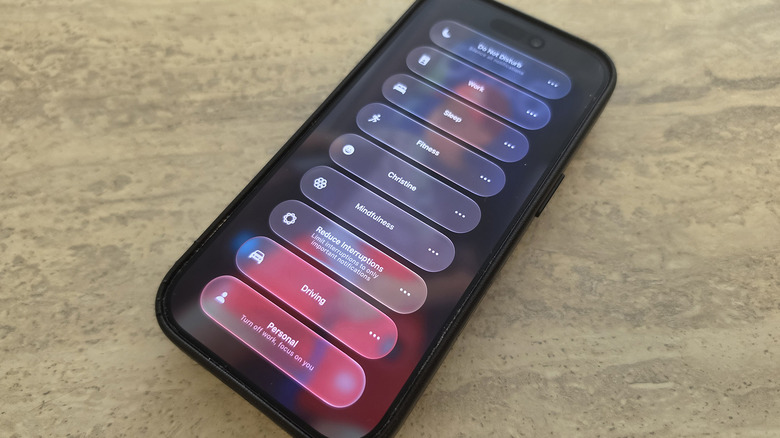
The enhancements to Focus mode in iOS 27 carry significant implications for user productivity and overall digital well-being. By offering more robust tools to manage distractions and automate routines, Apple is empowering users to reclaim control over their digital lives.
Enhanced Productivity: The ability to precisely tailor notification allowances, coupled with intelligent, context-aware automations, means users can dedicate their full attention to tasks without unnecessary interruptions. For example, a custom ‘Deep Work’ Focus mode could silence all but critical communications, while simultaneously launching specific work-related applications and activating a focus timer through a Shortcut. This curated digital environment fosters deeper concentration and reduces the cognitive load associated with switching between tasks or constantly managing alerts.
Personalized User Experience: These updates move Apple further towards a hyper-personalized user experience. Each iPhone can now be uniquely configured to support an individual’s specific lifestyle, work habits, and personal preferences. From the layout of Control Center to the intricate logic of automated workflows, the device adapts to the user, rather than the user adapting to the device. This level of personalization is crucial in an era where digital devices are deeply integrated into every facet of daily life.
Digital Well-being: Beyond mere productivity, the refinements to Focus mode contribute significantly to digital well-being. By reducing the constant barrage of notifications and enabling users to define boundaries, the feature helps mitigate stress, improve mental clarity, and promote healthier digital habits. The automated activation of ‘Sleep’ Focus, for instance, can gently guide users towards a more consistent and restful nightly routine, reducing screen time before bed and ensuring minimal disturbances during sleep. This holistic approach underscores Apple’s recognition of the critical link between technology and mental health.
Ecosystem Integration: It is also crucial to note that Focus mode is not limited to the iPhone. Its settings and active state seamlessly sync across all Apple devices – iPad, Mac, and Apple Watch. This cross-device consistency ensures that once a Focus mode is activated, the user experiences a uniformly distraction-free environment, irrespective of the device they are currently using. This tight ecosystem integration is a hallmark of Apple’s design philosophy and further enhances the utility of the updated Focus mode.
Expert and Industry Perspectives
Industry analysts have been quick to highlight the strategic importance of these Focus mode enhancements. While not as flashy as new hardware or major AI overhauls, these iterative improvements demonstrate Apple’s continued dedication to refining the foundational user experience. "These updates to Focus mode, particularly the ‘Otherwise if’ logic in Shortcuts, solidify Apple’s lead in offering intelligent, user-centric productivity tools," states Dr. Evelyn Reed, a prominent tech analyst. "They empower users with unprecedented control, moving beyond simple ‘do not disturb’ functions to truly adaptive device behavior."
Productivity experts also laud the advancements. "The ability to define complex conditional automations based on Focus modes is a game-changer for individuals seeking to optimize their workflow," comments Sarah Chen, a productivity consultant. "It allows for a proactive approach to managing distractions, rather than a reactive one, ultimately freeing up mental bandwidth for more important tasks."
The developer community is also expected to leverage these expanded capabilities. With more precise Focus mode tracking and robust conditional logic, app developers can potentially integrate their applications more deeply with Shortcuts and Focus, offering users contextually relevant features and experiences that adapt dynamically to their active Focus mode. This could lead to a new wave of highly intelligent and personalized app interactions within the Apple ecosystem.
The Road Ahead
The enhancements to Focus mode in iOS 27, while perhaps not revolutionary in isolation, collectively represent a significant evolution in how users can manage their digital lives. By combining flexible UI customization, powerful conditional automation, and an intelligent Siri interface, Apple has delivered a sophisticated suite of tools designed to foster greater productivity and digital well-being. As technology continues to permeate every aspect of our existence, the ability to control and customize our digital interactions becomes paramount. These updates reinforce Focus mode as one of Apple’s most potent productivity features, urging users to explore its full potential to create a truly personalized and distraction-free iPhone experience. The trajectory suggests that Apple will continue to refine Focus mode, potentially incorporating even more predictive intelligence and deeper integrations across its service offerings, further solidifying its role as a cornerstone of the Apple user experience.