George Chandra Eka
While modern smartphones are engineered for resilience and user convenience, a small, precautionary step can significantly reduce the potential for minor technical hiccups or, in rare instances, physical damage when swapping Subscriber Identity Module (SIM) cards. Although most contemporary devices allow for "hot-swapping" SIM cards without requiring a full power cycle, a brief moment to either power down your device or engage airplane mode can streamline the network registration process and prevent unforeseen issues. This seemingly minor action ensures a smoother transition between cellular networks, whether you’re optimizing costs with a new carrier, navigating international travel, or simply replacing a damaged card.
The Evolution of Mobile Connectivity: From Physical SIMs to the Rise of eSIMs
The journey of the SIM card is a testament to the relentless evolution of mobile technology. Introduced in the early 1990s, the original "full-size" SIM card was comparable to a credit card in dimension. Over the decades, as mobile phones became more compact and sophisticated, SIM cards underwent a drastic miniaturization, progressing through mini-SIM, micro-SIM, and eventually the nano-SIM, which is the predominant physical form factor today. These tiny chips, embedded with unique identification numbers (IMSI), authentication keys, and network-specific information, are fundamental to connecting a mobile device to a cellular network, authenticating the user, and enabling services like calls, texts, and mobile data.
The function of the SIM card remains critical: it stores your unique subscriber identity, allowing your phone to connect to your chosen carrier’s network. Without a properly functioning and registered SIM, your smartphone is largely confined to Wi-Fi-based services. This technology has been the bedrock of global mobile communication for decades, providing a tangible, portable credential for network access.
More recently, the landscape of mobile connectivity has been further transformed by the advent of the embedded SIM, or eSIM. First gaining traction in consumer devices around 2016, eSIM technology eliminates the need for a physical, removable card. Instead, a tiny chip is permanently soldered into the device’s main board, allowing users to digitally download and activate carrier profiles. This innovation brings numerous advantages: enhanced flexibility (users can switch carriers or plans digitally without physical interaction), improved device security (no removable card to lose or tamper with), and greater design freedom for manufacturers (saving precious internal space).
The global adoption of eSIMs has been steadily increasing. According to recent industry reports, the eSIM market is projected to grow significantly, with some estimates suggesting that over 2 billion eSIM-enabled devices are now in circulation worldwide. Major smartphone manufacturers like Apple, Samsung, and Google have embraced eSIM, often offering dual-SIM functionality that combines a physical nano-SIM slot with an eSIM, or, in some regions, even moving to eSIM-only models. While eSIM offers undeniable technological superiority, the physical SIM card continues to hold relevance for many, particularly for its straightforward "plug-and-play" nature and convenience in specific scenarios, such as easily swapping pay-as-you-go SIMs when traveling without reliance on digital provisioning.
Key Scenarios Justifying a SIM Card Swap
While a SIM card might appear to be a permanent fixture in your phone, several common situations necessitate its removal and replacement. Understanding these scenarios highlights why familiarizing oneself with safe swapping practices is beneficial:
- Switching Mobile Virtual Network Operators (MVNOs): A significant driver for SIM swaps is the pursuit of more affordable mobile plans. MVNOs, such as Mint Mobile, Visible, or Google Fi in the United States, lease network infrastructure from major carriers (like Verizon, AT&T, T-Mobile) and offer competitive pricing. Transitioning to an MVNO often involves obtaining a new SIM card from them, which then needs to be inserted into your existing phone. The MVNO market has seen substantial growth, with consumer interest driven by lower monthly costs and flexible plans. Data from market research firms indicate that MVNOs collectively serve tens of millions of subscribers globally, representing a significant segment of the mobile market.
- International Travel and Local SIMs: For frequent international travelers, purchasing a local SIM card upon arrival in a foreign country is a well-established strategy to avoid exorbitant international roaming charges. Local SIMs provide access to local data, call, and text rates, which can lead to substantial savings, especially on extended trips. This practice is particularly prevalent in regions with high roaming costs or where affordable local prepaid options are widely available. A recent survey by Statista indicated that a considerable percentage of international travelers prefer local SIMs over roaming plans to manage costs.
- Carrier Changes and Upgrades: Even within the same country, users frequently switch between major carriers to take advantage of better deals, improved network coverage, or specific phone promotions. When porting your number to a new provider, you’ll typically receive a new SIM card specific to that carrier’s network. Similarly, if your existing carrier issues a new generation of SIM card (e.g., for 5G network optimization) or if your old card becomes outdated, a replacement is necessary.
- Damaged, Lost, or Malfunctioning SIM Cards: Like any electronic component, SIM cards can be damaged through physical wear and tear, exposure to elements, or improper handling. A bent, scratched, or corrupted SIM card can lead to connectivity issues, network errors, or complete loss of service. In such cases, obtaining a replacement from your carrier is the only solution.
- Leveraging Dual-SIM Functionality: Many modern smartphones, particularly Android devices, offer dual-SIM capabilities, allowing users to manage two separate phone numbers or cellular plans simultaneously. This can be achieved through two physical SIM slots, or more commonly, a physical SIM slot combined with an eSIM. Users often utilize this for separating work and personal lines, or for maintaining a primary home network SIM alongside a temporary international SIM. Swapping one of the physical SIMs in such a device requires careful attention to ensure the correct card is being removed or inserted.
The Mechanics of Physical SIM Replacement: A Detailed Guide
For those moments when a physical SIM card swap is unavoidable, following a methodical process is key to preventing complications. This guide applies primarily to nano-SIM cards, the smallest and most common physical SIM format today.
- Preparation and Power Status: Before beginning, decide on your phone’s power status. While technically optional, powering off your phone completely is the most recommended approach for maximum safety and ensuring a clean network registration. Alternatively, activating "Airplane Mode" (Flight Mode) can serve as a suitable workaround by temporarily disabling all cellular and wireless radios. This prevents the phone from actively trying to communicate with a network during the swap.
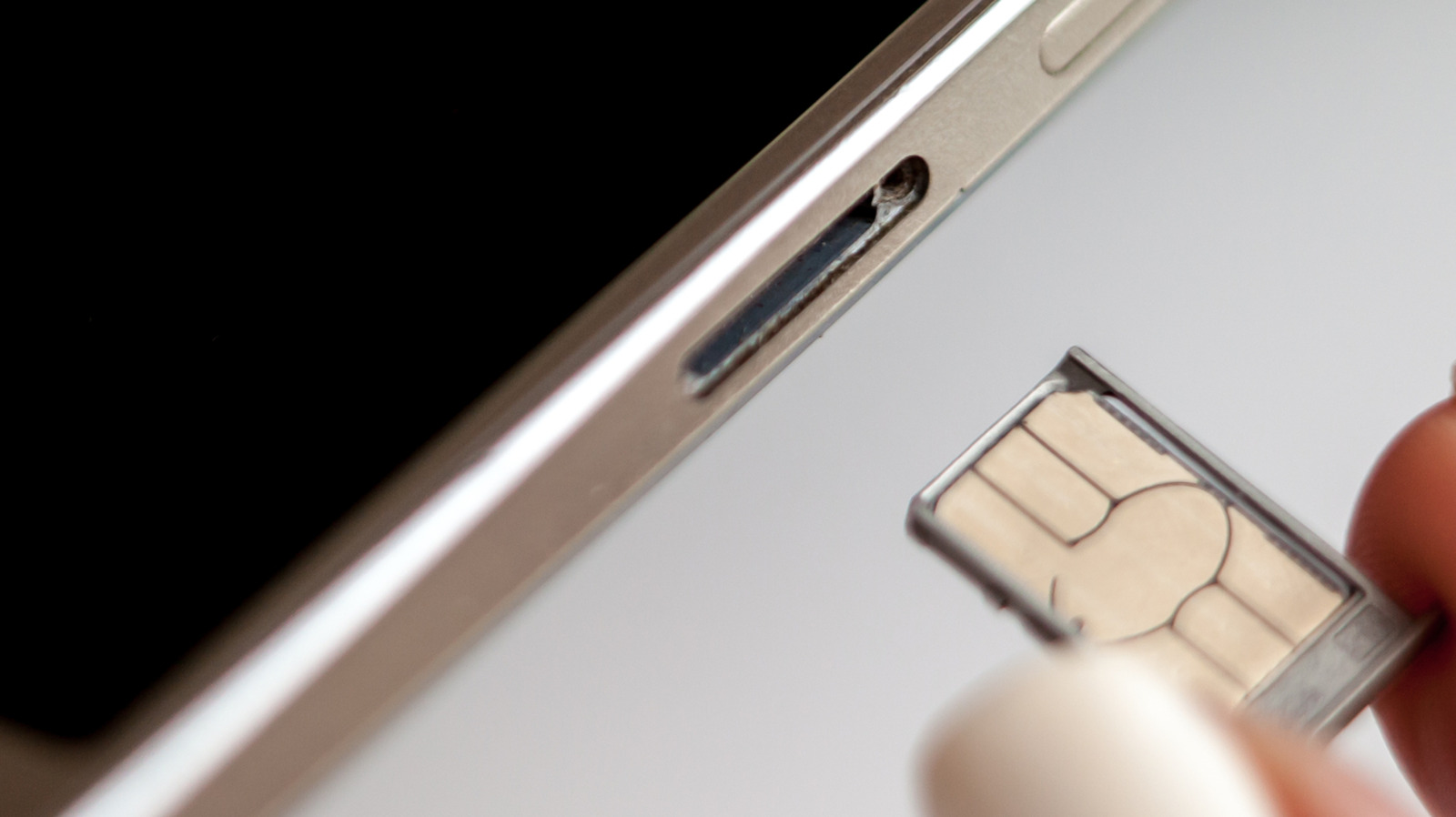
- Locate the SIM Tray: Most modern smartphones feature an external SIM card tray located on one of the device’s sides (usually the left or right, or sometimes the top). It typically has a small pinhole next to it.
- Obtain the SIM Ejector Tool: A small, thin metal pin, often included in your phone’s original packaging, is required to open the SIM tray. If you don’t have the official tool, a straightened paperclip or a small earring post can serve as an alternative.
- Eject the Tray: Gently insert the ejector tool into the small pinhole on the SIM tray. Apply steady, gentle pressure until the tray slightly pops out. Do not force it.
- Remove the Old SIM (if applicable): Carefully pull the tray completely out of the phone. The existing SIM card will be resting in a precisely shaped slot within the tray. Note its orientation (often a small cut-off corner helps with alignment) before removing it.
- Insert the New SIM: Place the new SIM card into the tray. Ensure it fits snugly and is oriented correctly, matching the cut-off corner or other alignment markers on the tray. It should lie flat and secure, not protruding.
- Reinsert the SIM Tray: Carefully slide the tray back into the phone. Ensure it goes in smoothly and aligns perfectly with the phone’s casing. Do not force the tray; if it doesn’t slide in easily, it might be misaligned or the SIM card might not be seated correctly.
- Power On/Disable Airplane Mode: If you powered off your device, now power it back on. If you used Airplane Mode, disable it.
- Network Registration: Your phone will typically take a few moments to detect the new SIM card, read its information, and connect to the new carrier’s network. You should see the network name appear in your status bar (e.g., "Verizon," "AT&T," "T-Mobile").
- Verify Service: Make a test call, send a text message, or browse the internet using mobile data to confirm that your new SIM card is fully active and functional. If you encounter any issues, a restart of the device is often the first troubleshooting step.
Mitigating Risks: Why a Precautionary Power Cycle is Recommended
While hot-swapping a SIM card is often successful, there are legitimate reasons why taking the extra step of powering down or using airplane mode is a prudent recommendation. These reasons encompass both potential physical damage and software-related glitches that can impact user experience and device longevity.
- Preventing Physical Damage and Contamination: The SIM tray slot is an entry point into your phone’s internal components. If the device is on and actively drawing power, there’s a minuscule, but not zero, risk of electrostatic discharge (ESD) when metal contacts are exposed, though modern phones are highly protected against this. More practically, removing and inserting the tray creates an opportunity for dust, lint, moisture, or other environmental contaminants to enter the device, potentially affecting the delicate SIM card reader pins or other internal circuitry. Furthermore, incorrect insertion of the SIM card into the tray, or attempting to force a wrongly sized card, can bend or damage the SIM card itself, the tray, or the phone’s internal reader pins. A damaged SIM card or bent pins can lead to persistent connection errors, which in turn can cause the phone’s modem to continuously attempt to establish a network connection, leading to increased battery drain and potential overheating.
- Ensuring Smooth Network Registration and Preventing Software Glitches: The primary software benefit of powering down or using airplane mode lies in forcing a clean state for the phone’s cellular modem and operating system. When a phone is powered on, its modem is constantly communicating with the active cellular network. Hot-swapping a SIM card means interrupting this active connection and introducing new network parameters (from the new SIM) without a full system reset.
- Carrier Settings Refresh: A full reboot (or toggling airplane mode) ensures that the phone’s operating system and cellular modem fully re-initialize and properly read the new carrier settings and authentication data stored on the new SIM card. This includes APN (Access Point Name) settings, network frequencies, and other configuration parameters.
- Avoiding "Network Error" Messages: Without a clean refresh, the phone might continue to look for the previous network or struggle to recognize the new SIM’s credentials. This can result in persistent "No Service," "Network Error," or "SIM Card Not Detected" messages, requiring manual troubleshooting or multiple restarts anyway.
- Optimized Connectivity: A clean boot with the new SIM in place typically leads to faster and more stable network registration, ensuring optimal signal strength and data speeds from the outset. In contrast, a hot swap might sometimes result in a slower or less reliable initial connection as the phone tries to reconcile the sudden change in network identity.
Historical Context and Modern Workarounds
The recommendation to power down a device for a SIM swap is rooted in the history of mobile phone design. In the early days of smartphones and feature phones, SIM card slots were almost universally located underneath the device’s removable battery. Accessing the SIM inherently required powering off the phone, removing the battery, and then swapping the card. This design made hot-swapping impossible by default.
As smartphone design evolved, removable batteries became less common, driven by factors like waterproofing, slimmer profiles, and integrated unibody construction. SIM trays were subsequently moved to external slots, making them accessible without opening the phone’s back panel. Early models with these external trays often did exhibit "network error" issues if SIMs were swapped while the phone was on, leading to the ingrained habit of powering down. However, manufacturers quickly refined their hardware and software to make these external SIM trays "hot-swappable," meaning the phone could theoretically handle the change dynamically.
Despite these advancements, the underlying principles of network communication and software initialization mean that a full power cycle remains the most robust method for ensuring a seamless transition. For users who prefer not to power down their device, the "Airplane Mode" workaround offers a highly effective alternative. By toggling airplane mode on, waiting approximately 30 seconds for the cellular radios to fully disengage, swapping the SIM, and then toggling airplane mode off, you achieve a similar modem reset without the longer boot-up time of a full power cycle. This method effectively prevents any active cellular communication during the sensitive moment of the swap, thus mitigating most software-related glitches.
A Critical Warning Regarding SD Cards
For many Android users, an additional consideration arises if their device supports expandable storage via a microSD card slot. In some phone models, the microSD card shares the same physical tray as the SIM card, or is located in close proximity. Just as with external hard drives or USB sticks, it is critically important to "unmount" or "eject" the microSD card through your phone’s software settings before physically removing the tray.
Failure to unmount an SD card while it’s actively being accessed by the phone can lead to data corruption or even permanent damage to the card, resulting in irretrievable loss of photos, videos, documents, and other stored files. The operating system needs to safely prepare the card for removal, ensuring all ongoing write operations are completed and file system integrity is maintained.
The process for unmounting an SD card typically involves navigating to your phone’s "Settings" menu, then finding "Storage" or "Device Care." Within the storage section, you should see an option to "Unmount SD Card" or "Eject SD Card." For Samsung devices, for example, users can go to the "My Files" app, find the "SD Card" entry, tap the three-dot menu next to it, and choose "Unmount." If you are unsure how to do this for your specific device model, consulting the manufacturer’s online documentation or a quick search of your phone’s settings app will provide the necessary instructions. This small, crucial step protects your valuable data when accessing the SIM/SD card tray.
Broader Implications: Connectivity, Security, and User Empowerment
The ability to easily swap SIM cards, whether physical or virtual, carries significant implications for mobile users globally. It underpins a fundamental aspect of user empowerment, allowing individuals to exert greater control over their mobile connectivity and associated costs.
- Enhanced Consumer Choice: The ease of SIM swapping fosters a competitive environment among mobile carriers. Users are not locked into a single provider by a physical constraint, encouraging carriers to offer better services, more competitive pricing, and attractive plans to retain and attract customers. This directly benefits consumers through more affordable and flexible mobile options.
- Global Connectivity and Economic Impact: For international travelers and businesses, the ability to switch to local SIMs or easily provision eSIMs is a game-changer. It facilitates seamless communication, reduces travel expenses, and supports global commerce and tourism by making cross-border connectivity more accessible and affordable.
- Security Considerations (Beyond Physical Swapping): While the physical act of swapping a SIM by the legitimate owner is generally secure, the broader ecosystem of SIM management touches upon critical security concerns, such as "SIM swapping fraud." This malicious activity involves criminals tricking carriers into transferring a victim’s phone number to a SIM card controlled by the attacker, thereby gaining access to online accounts protected by two-factor authentication via SMS. While distinct from the user-initiated physical swap, it underscores the importance of the SIM’s role in digital identity and the need for robust carrier security protocols.
- The Future Landscape: As eSIM technology continues its upward trajectory, the physical SIM card may eventually become a legacy feature, much like removable batteries. However, for the foreseeable future, both technologies will coexist, offering users a blend of traditional reliability and modern flexibility. Understanding the nuances of managing both types of SIMs will remain essential for maximizing mobile connectivity.
In conclusion, while the robust engineering of modern smartphones often makes hot-swapping a SIM card technically feasible, adopting a cautious approach — either by powering down your device or activating airplane mode — remains the recommended best practice. This minor effort provides substantial peace of mind, significantly reducing the likelihood of software glitches, network registration issues, and potential physical damage. It ensures a smooth, uninterrupted transition to your new network, allowing you to enjoy reliable mobile service without unnecessary complications. And for those with expandable storage, remembering to unmount your microSD card is a critical step to safeguard your digital memories.