George Chandra Eka
The integration of dual monitors into professional and personal computing setups stands as one of the most impactful workflow upgrades available today, consistently demonstrating significant boosts in productivity, efficiency, and user satisfaction across a spectrum of industries and tasks. This configuration, moving beyond the traditional single-screen paradigm, fundamentally alters how users interact with their digital environments, offering expanded visual real estate that minimizes context switching and streamlines complex operations.
The Evolution of Digital Workflows and the Rise of Multi-Monitor Setups
The concept of leveraging multiple displays for enhanced productivity is not new, tracing its origins back to highly specialized professional environments such as financial trading floors and control centers, where real-time data monitoring across numerous feeds was critical. Early computer interfaces were inherently limited by screen size and resolution, forcing users into sequential, tab-based interactions. As computing power advanced and display technology became more accessible and affordable, the potential for expanding digital workspaces became apparent. The late 1990s and early 2000s saw a gradual increase in multi-monitor adoption among power users, graphic designers, and software developers who required more space for their intricate applications.
However, the widespread democratization of dual-monitor setups has accelerated dramatically in the last decade, particularly with the proliferation of remote work and hybrid office models catalyzed by global events. The home office, once a rarity, became a standard, and with it, the demand for professional-grade efficiency outside traditional office environments surged. Operating systems like Windows and macOS have also evolved to provide robust, user-friendly support for multiple displays, including advanced window management features, making the setup process simpler than ever before. This confluence of technological advancements, changing work paradigms, and increasing user awareness has cemented the dual-monitor configuration as a cornerstone of modern, efficient computing.
Quantifiable Gains: Productivity, Efficiency, and Cognitive Load Reduction
Numerous studies and anecdotal evidence consistently highlight the tangible benefits of a multi-monitor setup. Research conducted by reputable organizations, including the University of Utah and Jon Peddie Research, has indicated that using multiple displays can lead to productivity increases ranging from 20% to 50% for various tasks. These gains are primarily attributed to the reduction in "context switching" – the mental effort and time lost when users frequently toggle between applications, tabs, or windows on a single screen.
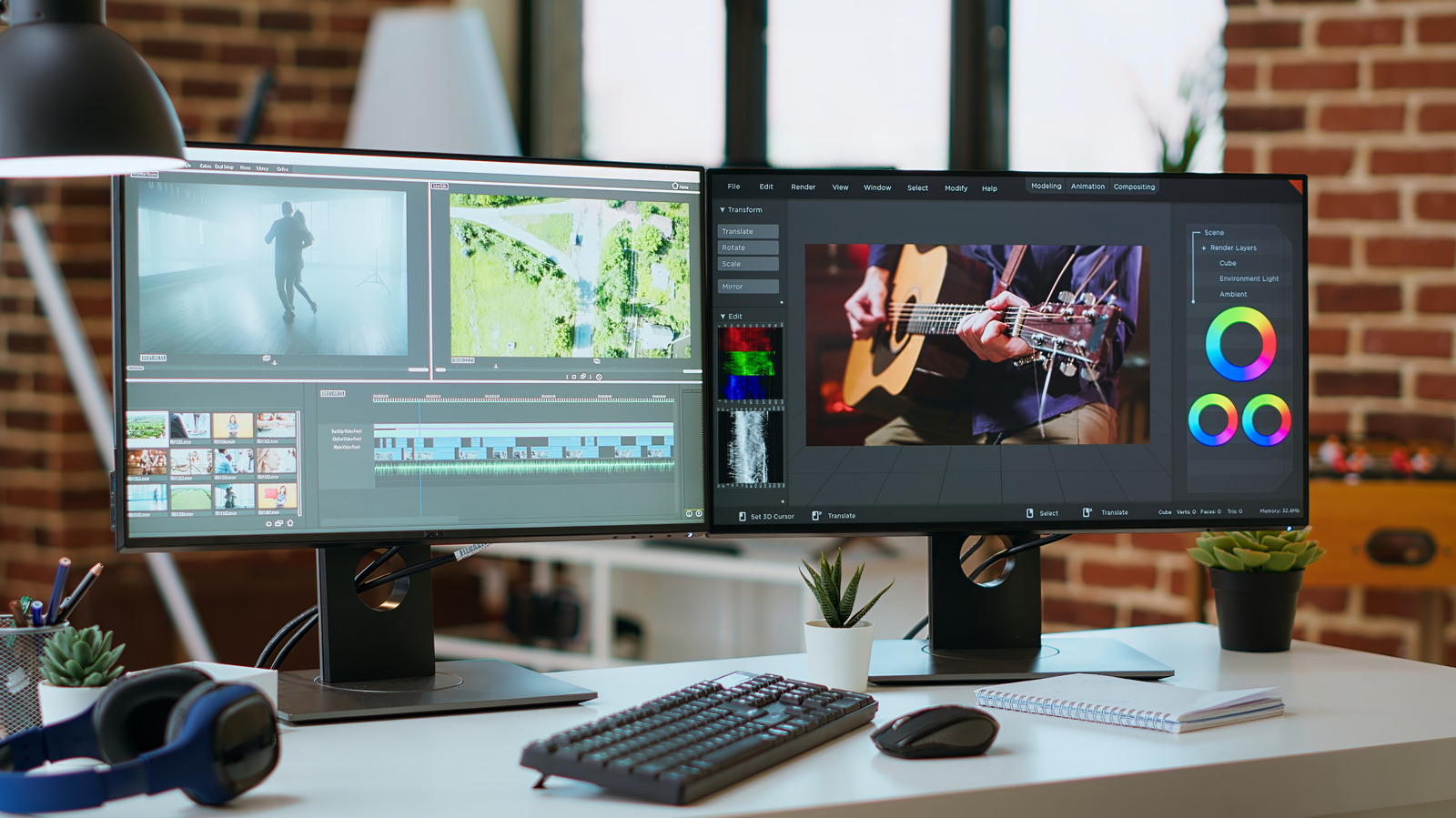
On a single monitor, even with sophisticated window management tools, users are often forced to minimize, maximize, and rearrange windows to access necessary information. Each switch represents a small interruption to the workflow, fragmenting attention and increasing cognitive load. Over the course of a workday, these minor interruptions accumulate into significant time losses and contribute to mental fatigue. With a second monitor, critical applications, reference materials, communication tools, or background data can remain persistently visible. For instance, a user compiling a report can have the primary document open on one screen and research materials, data spreadsheets, or email communications on the other, allowing for seamless information transfer and synthesis without interruption. This direct visual access fosters a more continuous and fluid thought process, reducing the mental friction associated with task management.
Consider the practical implications across different professions:
- Data Analysts and Researchers: Can simultaneously display large datasets, statistical software output, and interpretive reports, facilitating faster pattern recognition and hypothesis testing.
- Software Developers: Often utilize one screen for coding and debugging environments, while the other displays documentation, API references, or testing outputs. This parallel viewing capability is invaluable for complex problem-solving.
- Content Creators (Video Editors, Graphic Designers): Benefit immensely from expanded timelines, tool palettes, and preview windows. A video editor can have their main timeline on one screen and a full-screen preview or a detailed effects panel on the second, dramatically speeding up the editing process.
- Customer Service and Sales Professionals: Can keep customer relationship management (CRM) software open on one display while simultaneously navigating product catalogs, support documentation, or communication platforms on another, leading to more efficient and informed customer interactions.
- Administrative and Office Workers: Simple tasks like copying information from one document to another, managing calendars alongside email, or monitoring team communication platforms like Microsoft Teams or Slack without interrupting primary work become significantly easier. The ability to "drag and drop" between full-sized applications rather than struggling with split-screen views on a single display is a recurring theme among users highlighting convenience.
Enhanced Ergonomics and User Experience
Beyond raw productivity metrics, dual-monitor setups contribute to a more comfortable and less strenuous computing experience. The constant resizing and repositioning of windows on a single screen can lead to repetitive mouse movements and mental strain. By providing ample space, users can arrange their workspace ergonomically, placing frequently used applications in primary sightlines and secondary information slightly off-center, reducing unnecessary head and eye movements.
Furthermore, the psychological benefit of a less cluttered digital environment is often understated. The feeling of being overwhelmed by too many open tabs or applications on a single screen can contribute to digital fatigue and stress. A well-organized dual-monitor setup creates a sense of control and order, allowing users to dedicate specific "zones" for different types of information or tasks. This reduction in mental clutter translates to a more focused and satisfying work experience. While some might argue that more screens mean more visual information, the organization of that information across dedicated displays paradoxically reduces visual chaos, making it easier for the brain to process and prioritize.
Specialized Applications Across Diverse Fields
The versatility of a dual-monitor setup extends far beyond general office tasks, proving indispensable in specialized fields:
- Gaming and Live Streaming: Gamers can dedicate their primary monitor to high-refresh-rate gameplay, while the secondary screen hosts streaming software, chat interfaces (like Twitch or Discord), game guides, or system performance monitors. This prevents the need to alt-tab out of a game, which can be disruptive or even cause crashes, ensuring an uninterrupted and interactive streaming experience.
- Education and Online Learning: Students and educators can use one screen for live lectures or online courses and the other for note-taking applications, digital textbooks, or supplementary research. This mirrors the traditional classroom experience of having a lecturer at the front and a notebook on the desk.
- Software Development and IT Operations: Beyond coding, IT professionals managing servers, networks, or complex systems can use one monitor for monitoring dashboards and alerts, and the other for diagnostic tools, command-line interfaces, or documentation. This critical oversight capability ensures rapid response to issues.
- Legal and Medical Professions: Lawyers can compare case documents, statutes, and client communications side-by-side. Doctors can view patient records, diagnostic images, and research papers concurrently, aiding in more comprehensive analysis and decision-making.
While two monitors represent the "sweet spot" for most users, certain highly demanding professions, such as financial traders, architectural designers working with complex CAD models, or advanced scientific researchers, may indeed benefit from three or even four monitors to manage vast amounts of real-time data or intricate visual representations.
Technological Considerations and Optimal Setup
Implementing an effective dual-monitor setup involves several key considerations:
-
Hardware Requirements:
- Graphics Card: Modern integrated graphics solutions (e.g., Intel Iris Xe, AMD Radeon Graphics) are typically sufficient for driving two displays for most office and content consumption tasks. However, for gaming, professional content creation, or high-resolution/high-refresh-rate monitors, a dedicated graphics card with multiple video outputs (HDMI, DisplayPort, USB-C) is essential.
- Monitor Selection: While it’s often recommended to match monitor sizes and pixel densities for a seamless visual experience and consistent text scaling, a high-end primary monitor paired with a more affordable secondary display for less critical tasks is a perfectly viable and cost-effective approach. Key specifications for the primary monitor might include higher resolution (QHD or 4K), faster refresh rates (120Hz+), and better color accuracy. The secondary monitor can often be a more basic Full HD (1080p) panel.
- Connectivity: Ensure your computer and monitors have compatible ports and cables. USB-C with DisplayPort Alternate Mode offers a streamlined solution for modern laptops, enabling video, data, and power delivery over a single cable.
- Mounting Hardware: Monitor arms or stands are highly recommended for ergonomic positioning. They allow for precise height, tilt, swivel, and rotation adjustments, ensuring both monitors are at the optimal eye level and angle, reducing neck and eye strain. Vertical monitor orientations can be particularly useful for long documents, code, or social media feeds.
-
Software Configuration:
- Operating System Settings: Both Windows and macOS provide intuitive display settings to extend or duplicate displays, adjust resolution, refresh rates, and arrange the monitors virtually to match their physical placement on the desk.
- Window Management Tools: While OS-native tools are improving, third-party applications like FancyZones (PowerToys for Windows) or Magnet (macOS) can offer more advanced window snapping and tiling capabilities, further enhancing organization across multiple screens.
-
Ergonomic Best Practices:
- Viewing Distance: Position monitors at an arm’s length (20-40 inches) from your eyes.
- Eye Level: The top of the screen should be at or slightly below eye level, with a slight downward gaze.
- Centering: For a two-monitor setup, center the primary monitor directly in front of you, and place the secondary monitor to its side, angled slightly inward. Alternatively, if both monitors are used equally, position the seam between them directly in front of you.
- Lighting: Minimize glare by positioning monitors away from direct light sources.
Addressing Challenges and Maximizing Benefits

While the benefits are substantial, some minor challenges exist. Initial setup, especially cable management, can require some effort to maintain a tidy workspace. Power consumption for two monitors will be higher than one, though modern displays are increasingly energy-efficient. Desk space is another consideration, making monitor arms particularly valuable for freeing up surface area.
For laptop users, configuring the laptop to remain active when the lid is closed (often called "clamshell mode") is crucial if the laptop’s built-in screen is not intended as one of the active displays. Most contemporary laptops, including MacBooks, are designed to support at least two external monitors, making them excellent candidates for dual-screen expansion.
Broader Implications and Future Outlook
The widespread adoption of dual monitors signifies a broader shift towards more personalized and optimized digital workspaces. As computing tasks become increasingly complex and intertwined, the demand for expansive and flexible visual environments will only grow. This trend has implications for monitor manufacturers, who continue to innovate with larger ultra-wide displays and even curved panels that offer a similar immersive experience, though often at a higher cost than a dual-monitor setup.
For businesses, investing in dual-monitor setups for employees represents a relatively low-cost intervention with a high return on investment in terms of increased output and employee satisfaction. It’s becoming less of a luxury and more of a standard expectation in many professional roles. The emphasis on digital literacy and efficient workflow management in education also points towards multi-monitor setups becoming more commonplace in learning environments, preparing students for the demands of modern professional life.
Conclusion
The dual-monitor setup has evolved from a niche professional tool to an indispensable component of the modern computing environment. Its capacity to dramatically reduce context switching, enhance multitasking capabilities, and improve overall user ergonomics makes it a "game-changer" for anyone regularly engaging with digital tasks. By providing expansive visual real estate, it empowers users to work more efficiently, comfortably, and effectively, solidifying its position as one of the most impactful upgrades in the pursuit of optimized digital productivity.