admin
admin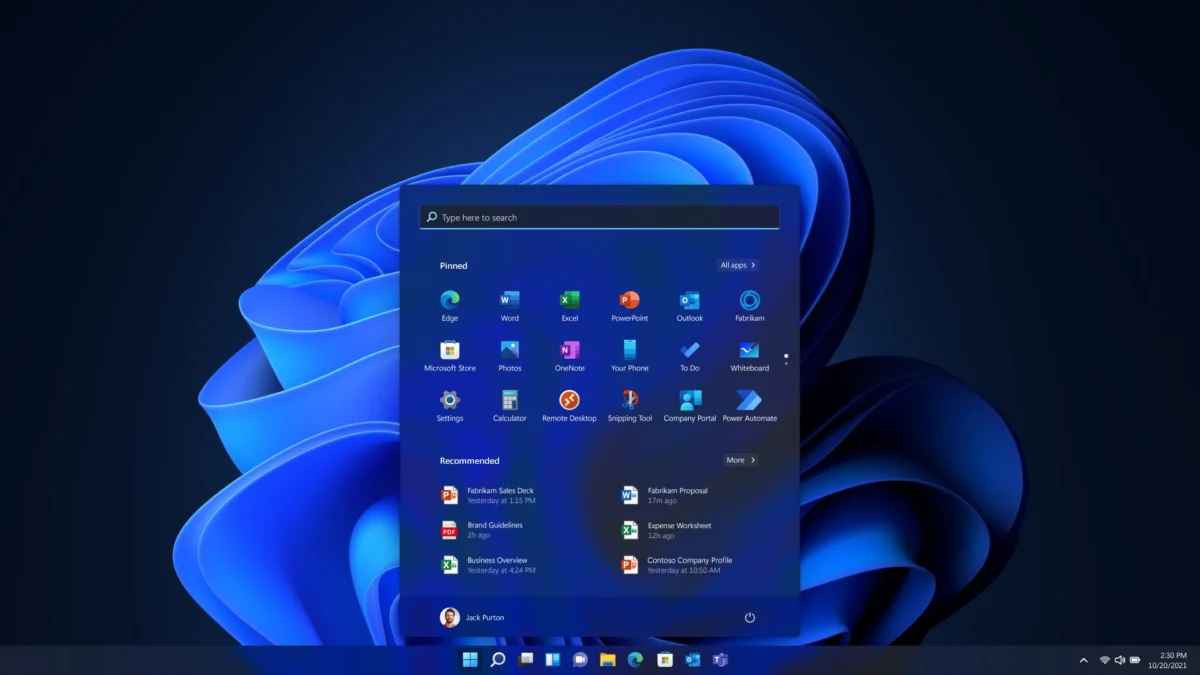
Microsoft has officially clarified its stance regarding the introduction of advanced aesthetic customization tools, such as a native transparency slider for the Windows 11 user interface. Mark Rogers, Microsoft’s Partner Director of Design, recently addressed user inquiries regarding the potential for a "Liquid Glass" aesthetic—a design trend popularized by Apple’s recent macOS updates. While the executive did not definitively rule out such a feature for the future, his comments underscore a strategic pivot within the Windows development team: prioritizing core system performance and memory efficiency over visual flourishes that could compromise the user experience on lower-end hardware.
The discussion emerged on the social media platform X, where a user queried Rogers about the possibility of Windows 11 adopting a transparency slider similar to the Liquid Glass effect showcased during Apple’s Worldwide Developers Conference (WWDC). Rogers’ response was measured, highlighting that while Microsoft values community feedback, the company is currently hesitant to implement native customization tools that might interfere with the operating system’s stability or resource management.
The Philosophical Divide: Aesthetic Customization vs. System Stability
For years, the Windows enthusiast community has sought greater control over the operating system’s visual identity. From the "Aero Glass" era of Windows 7 to the modern "Fluent Design" system, transparency and blur effects have remained a point of contention and desire. The request for a transparency slider represents a demand for granular control over how the OS handles desktop composition.
However, Microsoft’s current design philosophy appears to be rooted in the "great experience" doctrine. According to Rogers, the company only introduces changes when it is confident that the implementation can meet the rigorous requirements of the entire Windows user base. This includes ensuring that visual effects do not lead to frame rate drops, input lag, or excessive battery drain on mobile devices.
"We also look at our community of developers (like the amazing Windhawk project) who may already be providing what users need," Rogers stated. "We only make changes when we’re confident we can meet all of the requirements of a great experience for all Windows users. We won’t be making immediate changes to the transparency options already in Windows."
This endorsement of third-party tools like Windhawk is a notable shift. Windhawk is a modular customization platform that allows users to inject code into the Windows shell to modify its behavior and appearance. By pointing users toward these tools, Microsoft is effectively signaling that while the demand for high-level customization exists, it remains a niche requirement that the company is not yet ready to support natively.
A Chronology of Windows UI Evolution and the "Glass" Aesthetic
To understand the current hesitation, one must look at the history of transparency in Windows. The "Aero Glass" effect introduced in Windows Vista and refined in Windows 7 was widely beloved for its premium look but was notoriously resource-heavy. It required a capable Graphics Processing Unit (GPU) to manage the Desktop Window Manager (DWM) composition, leading to performance issues on the entry-level hardware of the mid-2000s.

When Windows 8 arrived, Microsoft pivoted sharply toward "Metro" (later "Modern") design—a flat, opaque aesthetic designed to maximize performance on tablets and low-power devices. This move was largely unpopular with desktop users, leading to the gradual reintroduction of transparency in Windows 10 through the "Fluent Design System." Fluent introduced "Acrylic," a translucent material that provided depth but was still computationally expensive.
In Windows 11, Microsoft introduced "Mica." Unlike Acrylic, which samples the pixels behind a window in real-time (a process that requires significant GPU cycles), Mica samples the desktop wallpaper once and applies it to the window background. This creates a "hierarchy of depth" without the performance penalty of true transparency. The push for a "Liquid Glass" slider would require a return to real-time pixel sampling, a move that contradicts Microsoft’s current efforts to streamline the OS.
The Performance Hurdle: The 8GB RAM Optimization Goal
A significant factor in Microsoft’s reluctance to add complex UI effects is the ongoing effort to optimize Windows 11 for systems with limited resources. Recent internal reports and developer builds suggest that Microsoft is heavily focused on making the operating system run fluidly on machines with only 8GB of RAM.
In the current computing landscape, 8GB of RAM is increasingly seen as the bare minimum for a functional Windows experience. However, a large portion of the global PC market—particularly in the education and enterprise sectors—still relies on these configurations. Microsoft’s primary goal is to reduce the "base" memory footprint of the OS to ensure that users have enough headroom to run modern web browsers and productivity suites.
Data comparisons between Windows 11 and macOS highlight the scale of this challenge. For example, the native Windows 11 Weather app has been observed consuming as much as 1.5GB of system memory in certain scenarios. In contrast, the native Weather app on macOS typically consumes less than 250MB. This disparity illustrates a fundamental optimization gap that Microsoft must close before it can justify adding "expensive" UI features like a system-wide Liquid Glass transparency slider.
Apple’s Liquid Glass and the Advantage of Vertical Integration
The comparison to Apple’s Liquid Glass is particularly poignant because it highlights the advantage of vertical integration. Apple’s transition to its proprietary Silicon (the M-series chips) has allowed for a unique synergy between hardware and software. At this year’s WWDC, Apple revealed that a new CPU scheduler in macOS allows applications to open up to 30 percent faster, even with complex visual effects enabled.
Because Apple controls the silicon, the drivers, and the OS, they can optimize the "Metal" graphics API to handle transparency effects with extreme efficiency. Microsoft, conversely, must support an almost infinite variety of hardware configurations, from legacy Intel and AMD processors to modern ARM-based chips like the Snapdragon X Elite. Implementing a feature like Liquid Glass requires it to work flawlessly across all these architectures, a feat that requires significantly more testing and optimization than a similar feature in the closed Apple ecosystem.
Third-Party Customization: The Role of Windhawk and the Developer Community
By mentioning Windhawk, Mark Rogers acknowledged the robust "modding" community that exists around Windows. Windhawk allows for "UI flickers" and modifications that Microsoft cannot officially support due to security and stability concerns. These tools use "function hooking" to change how Windows draws its interface.

While these tools are excellent for power users, they are not without risks. Third-party UI modifications can lead to system crashes during Windows Updates, as the OS code they are "hooking" into may change. Microsoft’s stance is that if a user wants to take that risk for the sake of aesthetics, they are free to do so, but the core OS must remain a "stable container" for the majority of users who prioritize reliability over transparency sliders.
Broader Implications for the Future of Windows 11
The refusal to implement immediate transparency changes suggests a broader trend in Windows development: a shift toward "functional beauty" rather than "ornamental beauty." With the rise of "AI PCs" and the integration of Copilot, Microsoft is redirecting its engineering resources toward artificial intelligence and machine learning integration.
The implications of this strategy are two-fold. First, Windows 11 will likely become more stable and efficient over the next two years, as the company clears out "technical debt" and optimizes native applications. Second, the OS may feel "stale" to users who enjoy frequent visual refreshes.
However, Rogers’ comments provide a glimmer of hope for the future. By stating that changes occur when Microsoft is "confident" in a "great experience," he leaves the door open for a UI overhaul once the underlying performance issues are resolved. It is possible that as Microsoft’s "Prism" emulation layer for ARM and its general kernel optimizations mature, the "overhead" required for a Liquid Glass UI will become negligible.
Conclusion: Priorities in an Era of Efficiency
In the immediate future, Windows 11 users should not expect a native transparency slider or a radical shift toward the Liquid Glass aesthetic. Microsoft’s priority remains the optimization of the Weather app, the Task Manager, and the overall memory footprint of the shell.
While the "transparency slider" may seem like a simple UI addition, it represents a complex challenge in resource management and hardware compatibility. For now, Microsoft is content to let third-party developers lead the way in visual customization, while the internal teams focus on ensuring that Windows 11 remains a viable, high-performance operating system for the hundreds of millions of users running on 8GB of RAM. The message from Redmond is clear: performance is the foundation upon which all future beauty must be built.