admin
admin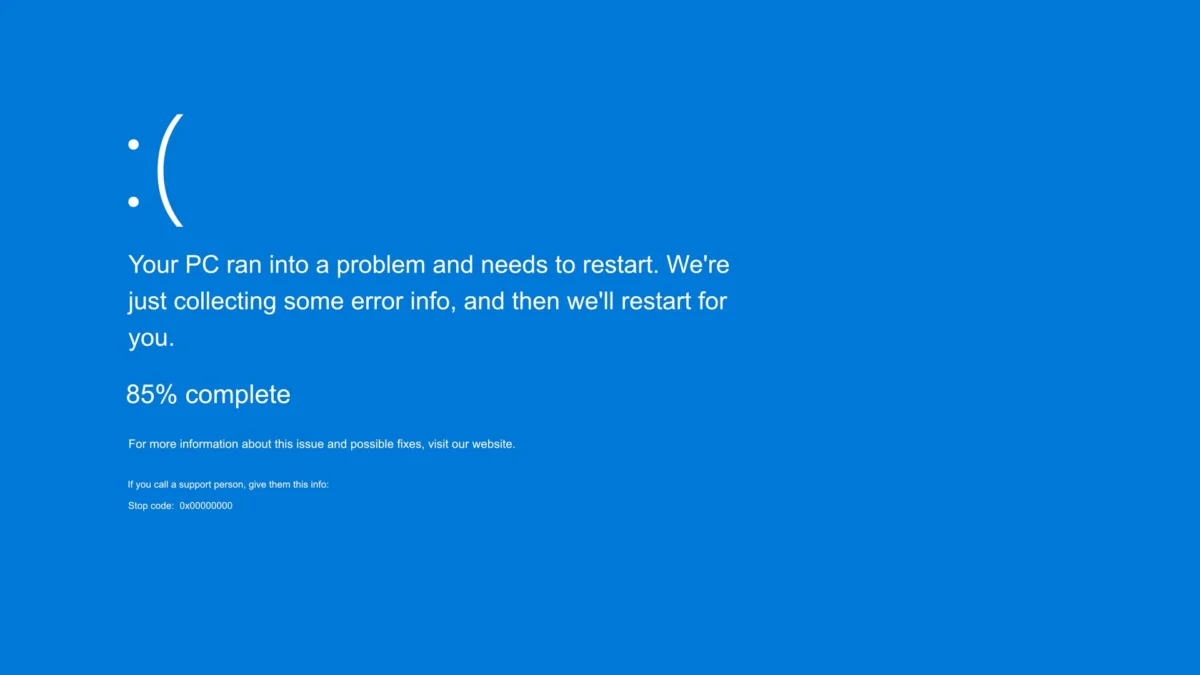
Microsoft has officially acknowledged a significant technical conflict within Windows 11 following the release of its August 2024 cumulative update, identified as KB5121003. The software giant confirmed that a subset of users, particularly those within the gaming community, are experiencing severe system instability, including application freezes, spontaneous game crashes, and the much-dreaded Blue Screen of Death (BSOD). Investigations conducted by both Microsoft and independent hardware analysts have traced the root cause of these malfunctions to low-level drivers associated with RGB peripheral lighting. These drivers, frequently utilized by third-party software to manage the aesthetic lighting of keyboards, mice, and internal PC components, appear to conflict with the kernel-level changes introduced in the latest OS update, leading to memory access violations that force the system to terminate active processes.
The primary error reported by affected users is the "EXCEPTION_ACCESS_VIOLATION," a critical stop code that indicates a program attempted to read from or write to a memory address to which it does not have appropriate permissions. This specific error has become prevalent among players of high-profile titles such as Arc Raiders, Marvel Tokon: Fighting Souls, and the popular competitive shooter The Finals. The disruption has raised concerns regarding the testing protocols for Windows updates, as the conflict appears to stem from a widely used driver file, often named "inpoutx64.sys" or similar variations, which is a common component in the ecosystem of custom PC hardware.
The Chronology of the KB5121003 Deployment and Subsequent Failures
The issues began shortly after the rollout of the August 2024 "Patch Tuesday" cycle. As is standard practice, Microsoft released KB5121003 to address various security vulnerabilities and provide minor quality-of-life improvements for Windows 11 versions 22H2 and 23H2. However, within 48 hours of the update’s deployment, community forums, including Reddit and the Microsoft Community Hub, were flooded with reports of system instability.
Early reports focused on game-specific crashes. Players of The Finals noted that the game would exit to the desktop without warning or trigger a system-wide reboot. By mid-August, technical investigators at Tom’s Hardware and other diagnostic outlets began correlating these crashes with the presence of RGB control software. It was discovered that many of these software suites—designed to synchronize lighting across motherboards, RAM modules, and peripherals—rely on legacy or generic I/O drivers to communicate with hardware at a low level. The August update appears to have tightened memory integrity or changed how the Windows kernel handles these specific I/O requests, resulting in the "inpoutx64" driver triggering a fatal exception.
By the final week of August, Microsoft updated its health dashboard to acknowledge the issue, providing a rare look into the specific file names causing the disruption. The company’s admission highlights the ongoing struggle to maintain compatibility across a massive and fragmented ecosystem of hardware manufacturers, each utilizing different methods for hardware abstraction.
Technical Analysis: The Role of the Inpoutx64 Driver
The "inpoutx64" driver is a library frequently used by developers to allow 64-bit applications to interact directly with hardware ports. While it is a legitimate tool used by many reputable hardware vendors for monitoring temperatures or controlling LEDs, it operates with high privileges. In the context of modern Windows security, drivers that interact directly with hardware are under increasing scrutiny.
In Windows 11, Microsoft has introduced several security layers, such as Virtualization-Based Security (VBS) and Hypervisor-Protected Code Integrity (HVCI). These features are designed to prevent malicious code from executing at the kernel level. When a cumulative update like KB5121003 modifies the kernel’s security posture or memory management, older or less-optimized drivers like "inpoutx64" may inadvertently attempt to access protected memory regions.
The "EXCEPTION_ACCESS_VIOLATION" is the operating system’s defensive response to this unauthorized access. Rather than allowing a potential security breach or memory corruption to occur, Windows terminates the thread, which in the case of a kernel-level driver, results in a total system crash (BSOD). The fact that this is triggered specifically by launching certain games suggests that the games’ anti-cheat mechanisms or the high-performance power states required by gaming may be forcing the driver to act in a way that the new update now deems illegal.
Official Workaround and Step-by-Step Registry Mitigation
While Microsoft works on a permanent patch to resolve the compatibility issues, the company has offered a temporary workaround for users who cannot wait for the next update cycle. This solution involves manually disabling the problematic driver through the Windows Registry Editor. Microsoft warns that this is a "temporary measure" and may lead to the loss of RGB functionality or erratic lighting behavior.

For users experiencing these crashes, the following procedure is recommended:
- Access the Registry: Open the Start menu, type "regedit," and select the Registry Editor. Administrative privileges are required.
- Navigate to the Driver Key: Use the sidebar to navigate to the following path:
HKEY_LOCAL_MACHINESYSTEMCurrentControlSetServicesinpoutx64. - Backup the Registry: Before making changes, it is standard professional practice to export the current key as a backup. This allows for a quick restoration if the system becomes unstable.
- Modify the Start Value: On the right-hand pane, locate the entry named "Start." Double-click this entry and change the "Value data" from its current setting (typically 2 or 3) to 4. In Windows registry logic, a value of 4 disables the service or driver from loading during the boot process.
- Restart the System: Close the Registry Editor and perform a full system restart to ensure the driver is no longer active in memory.
Microsoft emphasizes that users should only perform this action if they are comfortable navigating the registry, as incorrect changes can lead to more severe operating system failures. If the user finds that their hardware no longer functions as intended, or if the RGB lighting becomes stuck in a specific pattern, they can revert the change by setting the "Start" value back to its original state, though this will likely reintroduce the system crashes.
Broader Industry Implications and the Fragmented RGB Ecosystem
This incident underscores a growing problem in the PC industry: the lack of a unified standard for RGB lighting control. Currently, major manufacturers such as Corsair (iCUE), Razer (Synapse), ASUS (Aura Sync), and MSI (Mystic Light) all utilize proprietary software stacks. Many smaller or "white-label" peripheral brands utilize generic drivers like the one identified by Microsoft to avoid the high costs of developing bespoke driver signatures.
Microsoft has attempted to address this fragmentation with the introduction of "Dynamic Lighting" in Windows 11, a feature intended to centralize RGB control within the Windows Settings app using the HID LampArray standard. However, adoption by hardware manufacturers has been slow, and many users continue to rely on older, third-party utilities that are now proving to be a liability for system stability.
Industry analysts suggest that this event may accelerate the transition toward Microsoft’s Dynamic Lighting standard. If third-party drivers continue to cause BSODs following mandatory security updates, manufacturers may be forced to abandon their independent software suites in favor of the more stable, OS-integrated solution.
Future Outlook and Recommendations for Users
Microsoft is currently investigating a more permanent fix that would allow these drivers to coexist with the changes in KB5121003. It is expected that a future "optional" preview update or the upcoming September Patch Tuesday release will include a compatibility shim or a refined memory management protocol to prevent the access violation.
In the interim, the gaming community remains in a difficult position. For competitive players, system stability is paramount, often outweighing the aesthetic benefits of RGB lighting. Developers of the affected games have also been notified, though the solution lies primarily with Microsoft and the hardware vendors whose drivers are at fault.
Users are advised to check for firmware updates from their peripheral manufacturers. Often, these companies release "silent" updates to their software suites that include updated, signed drivers that comply with the latest Windows security requirements. Additionally, those who do not require complex lighting patterns are encouraged to use the aforementioned registry fix or simply uninstall third-party lighting controllers until a formal patch is deployed.
As Windows 11 continues to evolve with a heavy focus on security and kernel protection, these types of conflicts are likely to become more frequent. The incident serves as a reminder of the complexity of modern computing environments, where a seemingly minor update to improve security can have cascading effects on the diverse world of PC gaming hardware. Microsoft has not provided a specific timeline for a permanent fix but continues to monitor telemetry data from affected systems to refine its solution.