George Chandra Eka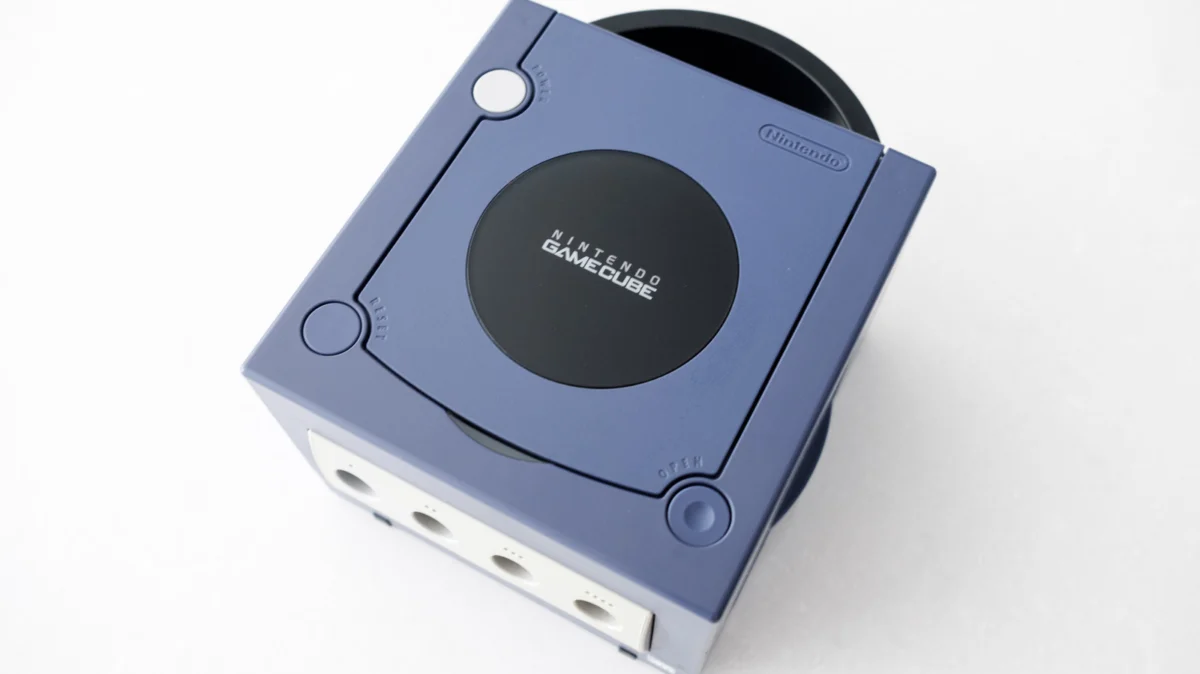
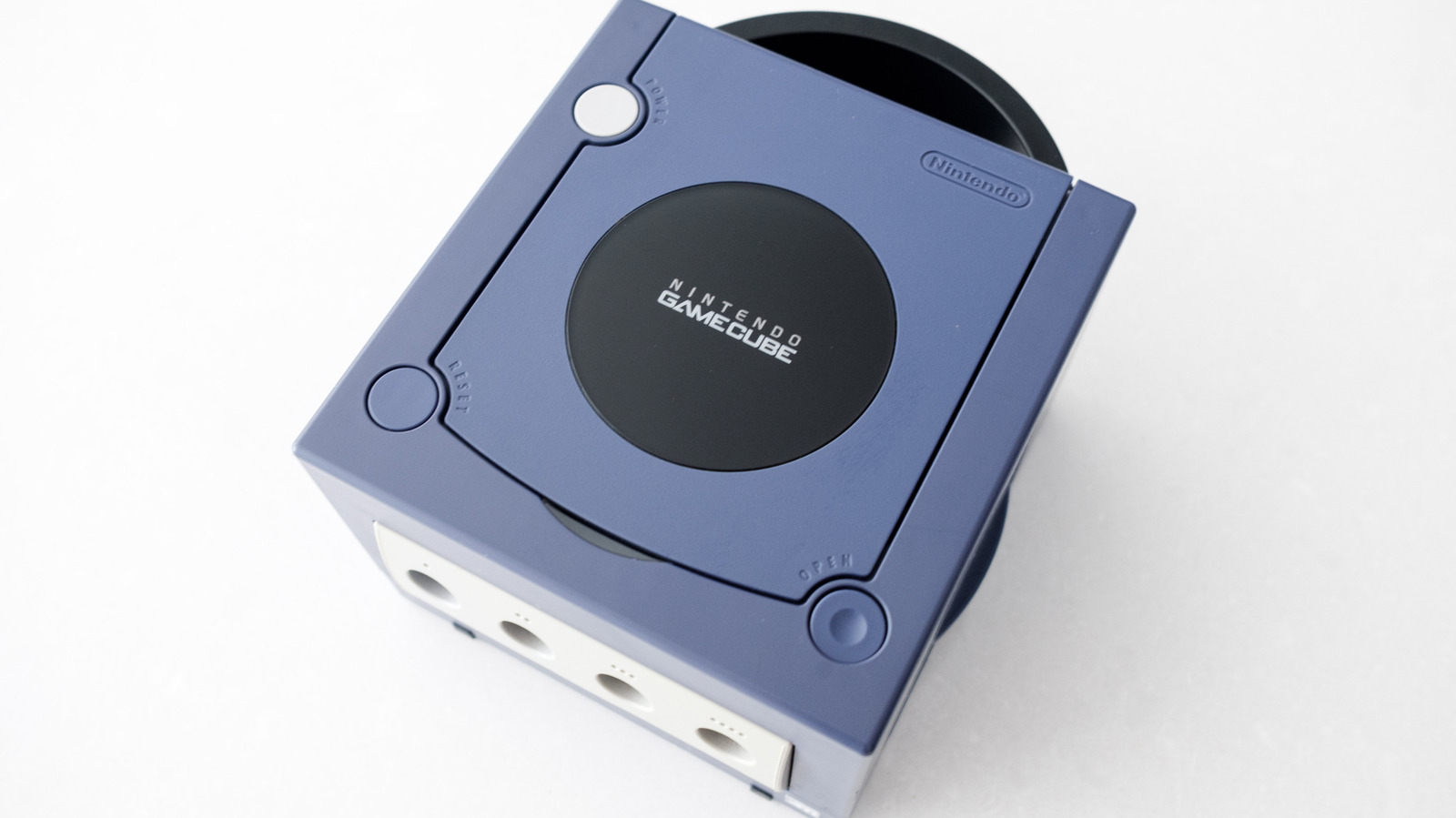
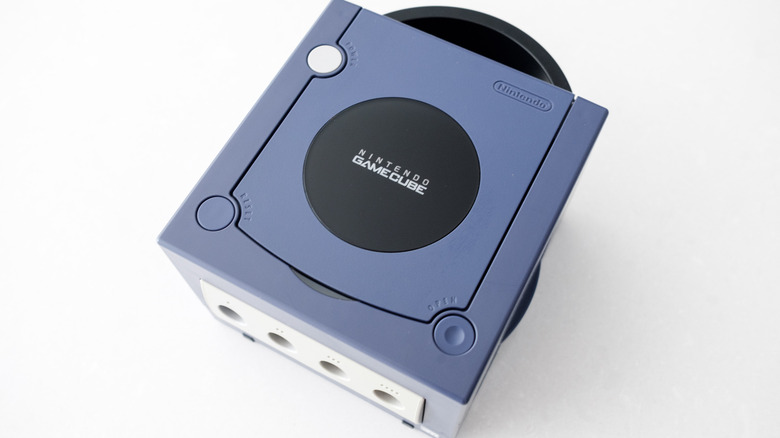
With the 25th anniversary of the Nintendo GameCube rapidly approaching in 2026, many enthusiasts are looking back at Nintendo’s distinctive sixth-generation console, eager to revisit its critically acclaimed library. Despite being outsold by Sony’s PlayStation 2 during its lifecycle, the GameCube carved out a significant niche with its unique design, innovative controller, and a host of first-party and exclusive titles that have stood the test of time. Games like The Legend of Zelda: The Wind Waker, Metroid Prime, and even multi-platform releases such as Resident Evil 4 often delivered superior experiences on Nintendo’s cube, thanks to its specific hardware optimizations. However, reconnecting this beloved console to contemporary display technology presents a challenge, as the GameCube was originally designed for analog CRT televisions, not the digital LCD and OLED screens prevalent today. Fortunately, the console’s design, particularly its earlier revisions, offers a pathway to seamless integration with modern setups.
The GameCube’s Enduring Legacy and the Digital Divide
Launched in Japan on September 14, 2001, the GameCube entered a fiercely competitive market. While it struggled to match the PlayStation 2’s sales dominance, it garnered immense respect for its focus on quality titles, vibrant aesthetics, and a console design that, while polarizing, remains iconic. Its legacy is cemented by a roster of games praised for their timeless art direction, robust gameplay mechanics, and often, their experimental spirit. As we approach its quarter-century milestone, the allure of these titles persists, drawing both seasoned retro gamers and new players curious about a pivotal era in gaming history.
The primary hurdle in this nostalgic pursuit lies in the evolution of television technology. The GameCube, like most consoles of its era, outputted video signals predominantly through analog connections such as composite video (the yellow RCA cable) and, for higher quality, S-Video or component video (red, green, blue RCA cables for video, plus red and white for audio). Modern televisions, in contrast, have largely abandoned these legacy inputs in favor of digital interfaces like HDMI. This transition means that a direct plug-and-play solution for the GameCube is no longer standard, necessitating specific adapters and understanding of the console’s internal revisions.
Understanding Your GameCube Model: A Critical First Step
Before diving into connectivity solutions, it is crucial to identify which model of GameCube you own. Between its initial release in 2001 and its discontinuation in early 2007, Nintendo implemented a significant hardware revision aimed at reducing manufacturing costs. This revision, unfortunately, removed a key port that is instrumental for high-quality connections to modern displays.
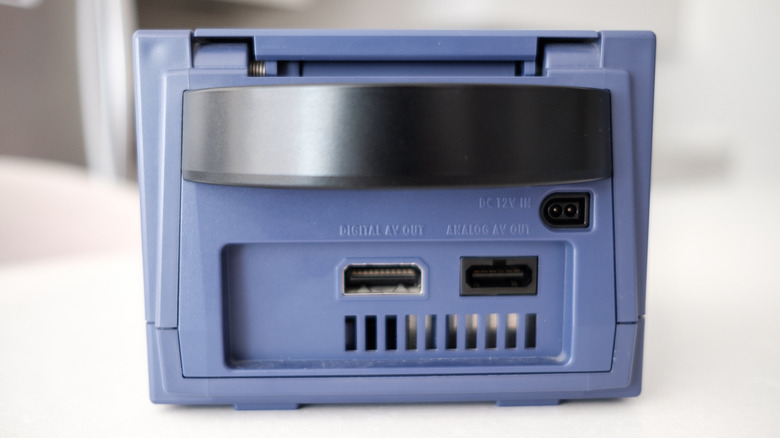
Ideally, enthusiasts seeking the best possible output will want a DOL-001 model GameCube. This original iteration of the console features two audio-video ports on its rear panel. One is the standard "Analog AV Out," which provides composite video and stereo audio. The other, and more critical for modern connectivity, is the "Digital AV Out" port. In North America (NTSC regions), this port was initially designed to output a 480p progressive scan signal when used with Nintendo’s separately sold component video cables. This capability was a significant leap in image quality over the standard 480i interlaced signals common at the time, offering sharper images and reduced flicker. In 2026, this very port is leveraged by a variety of third-party adapters to convert the GameCube’s native digital output directly into an HDMI signal, providing a superior connection to modern high-definition televisions.
Conversely, if you possess a DOL-101 model GameCube, your options for pristine digital output are more limited. This later revision lacks the "Digital AV Out" port, retaining only the "Analog AV Out." This cost-cutting measure, likely implemented to streamline production and reduce unit costs in the later years of the console’s life, significantly impacts the ease and quality of connecting to an HDTV.
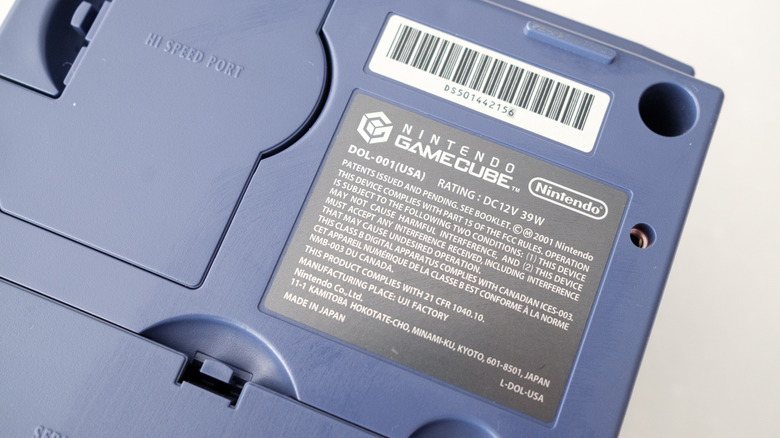
Identifying your GameCube model is straightforward. Simply examine the back of your console. If you see two distinct audio-video ports, one labeled "Digital AV Out," you have the sought-after DOL-001. An alternative verification method involves flipping the console over and inspecting the label on the bottom. The model number, typically found towards the top of this label, will explicitly state "DOL-001" or "DOL-101." This distinction is paramount, as the recommended connectivity solutions vary significantly based on the console’s hardware revision.
Seamless Integration for the DOL-001 GameCube: The Digital Advantage
For owners of the DOL-001 GameCube, achieving a high-quality connection to an LCD or OLED television is remarkably simple, requiring little more than a dedicated HDMI adapter. While the market is flooded with numerous budget-friendly options, investing in a reputable adapter often yields superior results in terms of image quality, reliability, and additional features.
Among the highly recommended adapters is the Retro-Bit Prism HD Adapter. Retro-Bit has established itself as a trusted name in retro gaming accessories, and their GameCube adapter is a testament to their quality. Many GameCube HDMI adapters, including the Prism HD, are built upon the open-source software project known as GC Video. This community-driven initiative reverse-engineered the GameCube’s digital video output, allowing for direct digital-to-HDMI conversion with minimal processing and latency. The Prism HD stands out with its inclusion of a USB-C port, facilitating easy firmware updates for the GC Video software, eliminating the need for complex disassembly.
Other excellent choices include the Carby from Insurrection Industries, often lauded for its robust build quality and pristine image output, and the more budget-conscious Bitfunx GameCube HDMI Adapter. Depending on the chosen dongle, you may also need to acquire a separate HDMI cable if you don’t already have a spare.
Once you have your adapter, the setup process is intuitive:
- Plug the HDMI adapter directly into the GameCube’s "Digital AV Out" port.
- Connect one end of an HDMI cable to the adapter and the other end to an available HDMI input on your modern television.
- Power on your GameCube and select the corresponding HDMI input on your TV.
Most of these advanced adapters come with a small remote control, allowing access to the GC Video on-screen display (OSD) menu. This menu provides granular control over various settings, including output resolution, aspect ratio, and advanced image adjustments.
Optimizing Visuals: Progressive Scan and Widescreen
To truly maximize the visual fidelity from your GameCube on an HDTV, understanding and enabling specific display modes is essential. The GameCube, particularly the DOL-001 model, supported 480p progressive scan output for many games, offering a significant upgrade over the standard 480i interlaced signal. Progressive scan renders a complete frame of video at once, resulting in a much sharper, more stable image with no visible interlace lines, which is crucial for modern displays that primarily operate in progressive modes.
To check if a game supports 480p, consult community-maintained resources such as the comprehensive list on ConsoleMods.org. If a game supports this feature, insert the disc into your console and, as the game boots up, hold down the B button on your GameCube controller. A dialogue box should appear, asking "Enable progressive scan display?" Select "Yes." This simple action can dramatically improve the clarity and crispness of the image.
Beyond 480p, some GameCube titles also offered native widescreen output (16:9). While less common than 480p support, enabling this feature (typically found within a compatible game’s options or settings menu) can provide a more cinematic experience on modern widescreen televisions, avoiding the need for your TV to stretch a 4:3 image, which can lead to distortion. Titles like F-Zero GX, Metroid Prime 2: Echoes, and Star Wars Rogue Leader: Rogue Squadron II are notable for their progressive scan and, in some cases, widescreen support.
Addressing the DOL-101: Analog to Digital Conversion
For owners of the DOL-101 GameCube, which lacks the "Digital AV Out" port, the approach to modern TV connectivity shifts from direct digital conversion to analog signal processing. The console’s only video output is the "Analog AV Out," which typically provides a composite video signal (the yellow RCA connector), accompanied by stereo audio (red and white RCA connectors).
Connecting composite video directly to a modern TV via a basic composite-to-HDMI adapter is possible, but often yields a subpar image. Composite video combines all color and brightness information into a single signal, leading to significant signal degradation, known as "dot crawl" and "color bleeding," which results in a soft, often fuzzy picture. While functional, this method doesn’t do justice to the GameCube’s graphical capabilities.
A far superior solution for the DOL-101 is to employ a dedicated video scaler or upscaler, such as the RetroTINK-2X Mini. These devices are specifically designed to take analog video signals, deinterlace them (if 480i), and upscale them to a higher resolution (e.g., 480p, 720p, or 1080p) before outputting them over HDMI. The RetroTINK-2X Mini accepts composite, S-Video, and component video inputs (though the DOL-101 only outputs composite natively without modifications) and processes them with minimal lag, providing a much cleaner and sharper image than a simple converter.
While devices like the RetroTINK-2X Mini offer excellent value for improving composite signals, more advanced and expensive scalers exist, such as the RetroTINK-5X Pro. These high-end devices are often overkill for a single console like the DOL-101 GameCube but become highly valuable for collectors with extensive libraries of multiple retro consoles, capable of processing a wide array of analog signals with advanced features like motion adaptive deinterlacing and various scaling options. For the average DOL-101 owner, the RetroTINK-2X Mini strikes an excellent balance between cost and performance.
The Emulation Pathway: Modern Convenience for Classic Games
If the thought of acquiring specific GameCube models and adapters seems too cumbersome, or if you simply prefer a more streamlined experience, emulation offers a compelling alternative to revisit GameCube titles on a modern television. This route sacrifices the authenticity of original hardware but provides numerous benefits in terms of convenience, visual enhancement, and additional features.
Nintendo Switch Online (NSO) and the Switch 2
As of August 2026, Nintendo has expanded its Nintendo Switch Online service to include a selection of GameCube titles, accessible through the "Expansion Pack" tier, which costs approximately $50 per year. This development coincides with the release of the "Switch 2," the successor to Nintendo’s immensely popular hybrid console, which boasts enhanced capabilities for emulating past generations.
While the NSO GameCube library is curated and not exhaustive, it offers a convenient and officially sanctioned method to play these classics. The Switch 2 outputs these emulated games at a crisp 900p resolution, making them appear significantly sharper and more vibrant on modern HDTVs than their original console counterparts. Furthermore, NSO’s emulation provides modern quality-of-life features such as online multiplayer for titles that originally only supported local play (e.g., F-Zero GX, Mario Kart: Double Dash!!), cloud saves, and customizable controller remapping, allowing players to tailor their experience.
As of the current date, the confirmed GameCube titles available through the Nintendo Switch Online Expansion Pack include:
- Super Mario Sunshine
- Metroid Prime Remastered (already available, but could be included in the NSO list for streaming)
- The Legend of Zelda: The Wind Waker
- Luigi’s Mansion
- Animal Crossing
- Mario Kart: Double Dash!!
- F-Zero GX
- Pikmin
- Super Smash Bros. Melee
Additionally, two more titles, Paper Mario: The Thousand-Year Door and Resident Evil 4 (original GameCube version), have been announced for future release within the NSO GameCube library. This growing collection offers a legitimate and high-fidelity way for many players to experience these cherished games without needing to track down original hardware.
The Dolphin Emulator: Unparalleled Flexibility and Enhancement
For those seeking the utmost control, flexibility, and graphical enhancements, connecting a PC or laptop running the Dolphin emulator to a modern TV is arguably the most powerful solution. Dolphin is a free, open-source emulator that has been under active development for over two decades, boasting exceptional stability and compatibility with nearly the entire GameCube and Wii libraries.
Dolphin’s key advantages lie in its advanced features that dramatically improve the experience of playing older games on modern hardware:
- Resolution Scaling: Unlike original hardware, Dolphin can render games at resolutions far exceeding 480p, scaling them up to 1080p, 4K, or even higher, making them look stunningly sharp on large HDTVs.
- Graphical Enhancements: Features like anti-aliasing, anisotropic filtering, and support for custom texture packs can further refine visuals, transforming classic games with modern graphical fidelity.
- Custom Save States: Players can save and load their progress at any point, offering convenience beyond the game’s original save system.
- Controller Support: Dolphin supports a vast array of controllers, including modern Xbox and PlayStation controllers, as well as native GameCube controller adapters for an authentic feel.
- Netplay: Built-in netplay allows for online multiplayer with friends, even for games that were originally local multiplayer only.
The hardware requirements for Dolphin are surprisingly modest for basic emulation. Most Windows or Mac machines manufactured within the last decade can run GameCube games stably. However, enabling advanced graphical options like high-resolution scaling and extensive texture packs will benefit from a more powerful CPU and a dedicated graphics card. Legally and ethically, while Dolphin itself is legal, the acquisition of game ROMs typically requires users to own the original game discs to ensure compliance.
Conclusion: Preserving a Gaming Icon
The journey to reconnecting a Nintendo GameCube to a modern television is a testament to the console’s enduring appeal and the ingenuity of the retro gaming community. Whether through direct digital adapters for the favored DOL-001 model, sophisticated analog scalers for the DOL-101, or the powerful emulation capabilities offered by the Nintendo Switch Online service and the venerable Dolphin emulator, pathways exist for every enthusiast.
The demand for these solutions underscores a broader trend in the gaming industry: the increasing value placed on gaming history and the desire to preserve and re-experience classic titles in their best possible form. The efforts of third-party accessory manufacturers and the open-source community, particularly the GC Video project, highlight how passionate communities can fill gaps left by original hardware designs and evolving technology. As the GameCube approaches its 25th anniversary, its legacy is not just celebrated through memories, but actively revitalized for a new generation of high-definition displays, ensuring that its innovative spirit and timeless games continue to captivate players for years to come.