
 George Chandra Eka
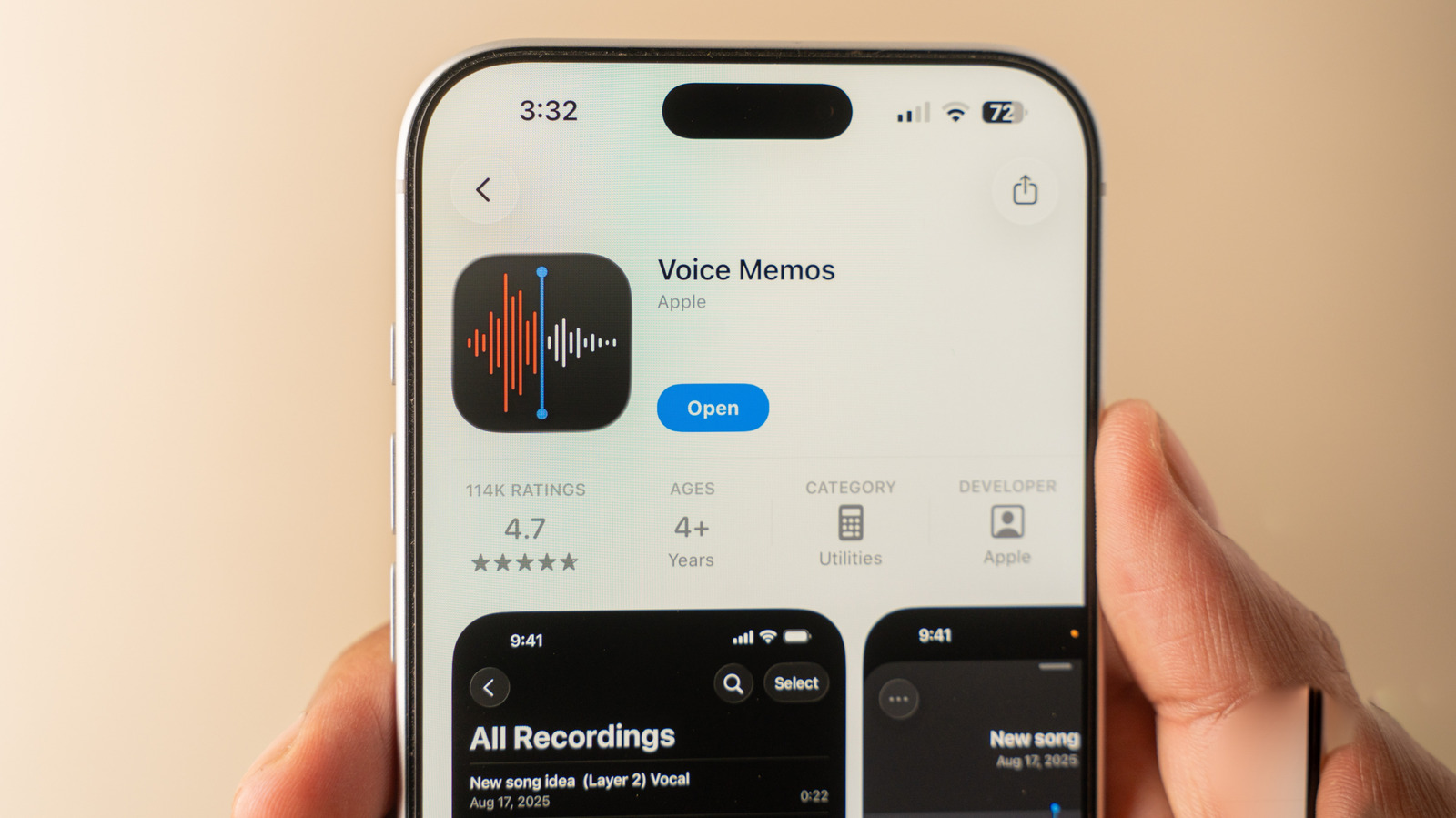
The Apple iPhone, renowned globally for its sophisticated camera systems and intuitive user interface, also hosts a surprisingly powerful and often underutilized tool for audio recording: the Voice Memos application. Far exceeding its initial simplistic design, this built-in iOS utility has evolved into a feature-rich platform capable of high-fidelity audio capture, advanced editing, and intelligent transcription, making it an indispensable asset for a diverse user base, from students and journalists to musicians and professionals. This article delves into the extensive capabilities of the Voice Memos app, exploring its functionalities, historical development, broader implications, and the underlying technological advancements that position it as a leading on-device audio solution.
The Evolution of On-Device Audio Recording and Apple’s Approach
The concept of mobile audio recording is not new, tracing its roots back to early digital dictaphones and basic recording functions on feature phones. However, the integration of high-quality microphones and sophisticated processing capabilities into smartphones has fundamentally transformed the landscape. Apple’s Voice Memos app, first introduced with iPhone OS 3 in 2009, initially offered basic record-and-playback functionality. Its early iterations were straightforward, designed primarily for quick personal notes and reminders. Over the years, in line with Apple’s philosophy of integrating powerful utilities directly into its operating system, Voice Memos has undergone significant enhancements, reflecting advancements in mobile hardware, software algorithms, and user demand for more robust audio tools.
The journey from a simple recorder to a comprehensive audio workstation on the iPhone mirrors the broader trend of smartphones becoming all-in-one creative and productivity hubs. The increasing demand for user-generated content, remote work, online learning, and accessible communication has amplified the need for reliable and sophisticated audio capture capabilities. Voice Memos has responded to these pressures by consistently integrating features that traditionally required dedicated hardware or third-party applications, solidifying its position as a go-to solution for millions of iPhone users worldwide. This strategic evolution ensures that a powerful audio recording and editing suite is readily available to an estimated over one billion active iPhone users, requiring no additional downloads or subscriptions.
Unlocking Core Functionality: Seamless Recording and Initial Management
At its core, the Voice Memos app maintains its user-friendly ethos. Located by default in the Utilities folder or easily discoverable via iOS Search, the app presents a clean interface dominated by a prominent red record button. A single tap initiates recording, transforming the iPhone into a portable audio capture device. Another tap ceases the recording, automatically saving the audio file. This intuitive simplicity ensures that even novice users can begin recording vital information, interviews, or personal notes without any learning curve.
Upon saving, recordings are typically named based on the device’s current location, provided location services are enabled for the app. This feature adds a layer of contextual organization, allowing users to quickly identify where and when a particular memo was recorded. However, users retain full control to rename recordings to more descriptive titles, enhancing personal organization and retrievability. The app’s default sorting mechanism displays the most recent recordings at the top, facilitating easy access to current projects or latest notes.
Beyond the Basics: Advanced Features and Editing Capabilities
While the basic record-and-save function is fundamental, the true power of Voice Memos lies in its array of advanced features, many of which are subtly integrated and significantly enhance the utility of recorded audio.
Real-time Transcription and Accessibility: One of the most impactful additions to Voice Memos is its real-time transcription capability. This feature, leveraging Apple’s sophisticated on-device machine learning, converts spoken words into text as they are being recorded. This not only aids accessibility for individuals with hearing impairments but also serves as an invaluable tool for productivity. Users can easily copy the full transcript for pasting into other applications like Notes, Pages, or Messages, transforming spoken content into written documentation with minimal effort. Furthermore, the interactive transcript allows users to tap on any word to jump directly to that specific point in the audio, facilitating efficient review and editing. This integration of speech-to-text technology underscores Apple’s commitment to creating intelligent, interconnected user experiences.
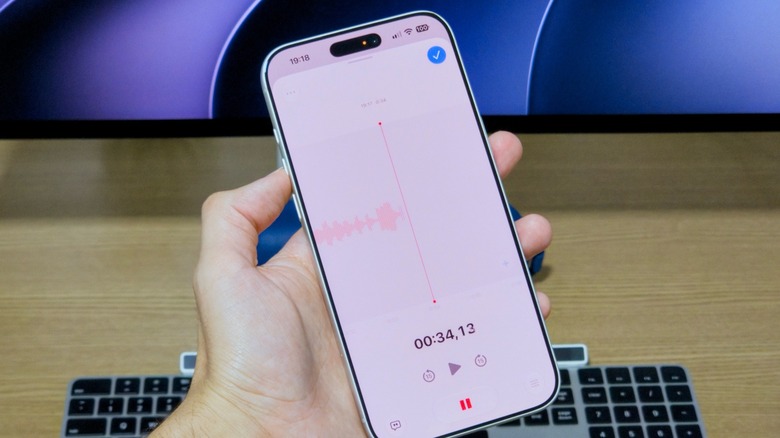
Dynamic Recording Controls and Audio Replacement: During an active recording, a simple swipe up on the recording card reveals an expanded, full-screen interface. This advanced view provides precise controls, including pause and rewind functions. The rewind feature is particularly useful, allowing users to navigate back through a recording. Crucially, this functionality enables "audio replacement," where a user can re-record a specific segment, overwriting previous audio. This is highly beneficial for correcting mistakes, eliminating unwanted background noise, or refining a particular statement without having to restart the entire recording, significantly streamlining the editing process.
Multitrack Audio Recording (iPhone 16 Pro and Newer): Pushing the boundaries of mobile audio production, Apple has introduced multitrack audio recording capabilities within Voice Memos, though this advanced feature is exclusive to the iPhone 16 Pro and newer models. This signifies a move towards positioning the iPhone as a capable device for more complex audio projects, such as podcasting, musical sketches, or intricate interviews requiring multiple audio sources. The "Plus" button in the recording interface activates this function, allowing for the capture and management of distinct audio tracks simultaneously. This development highlights Apple’s ongoing investment in professional-grade features for its flagship devices, catering to a growing segment of creative professionals and advanced users.
Configurable Recording Modes: Understanding that different recording scenarios demand varying audio capture methods, Voice Memos offers selectable recording modes accessible via Settings > Apps > Voice Memos > Recording Mode.
- Mono: The standard, single-channel audio capture, suitable for most voice notes and interviews where spatial information is not critical.
- Stereo: Captures audio using two distinct channels, providing a more immersive soundscape that reflects the left and right dimensions of the sound source. This is ideal for recording live performances, environmental sounds, or multi-person conversations where spatial separation enhances clarity.
- Spatial (on supported models): This cutting-edge mode leverages advanced computational audio techniques to create "3D audio," making it sound as if the audio is originating from various points around the listener. This immersive experience is particularly impactful for capturing realistic environments, dictation in dynamic spaces, or for users who appreciate a richer, more enveloping playback. The availability of spatial audio underscores the sophisticated microphone arrays and processing power within modern iPhones.
Refining Audio Quality and Clarity: Post-Recording Enhancements
Beyond initial capture, Voice Memos provides a suite of tools for enhancing and refining recorded audio, ensuring optimal clarity and professionalism.
Trimming and Cropping: The "Trim" function is a fundamental editing tool, allowing users to easily cut unwanted sections from the beginning, end, or even middle of a recording. This precision editing helps eliminate dead air, irrelevant conversations, or extraneous noise, resulting in a concise and professional final product. The intuitive waveform display makes it simple to identify and isolate the segments needing adjustment.
Playback Speed Adjustment: For review purposes, Voice Memos includes a playback speed control, allowing users to slow down intricate details or speed up lengthy recordings for quick review. This flexibility caters to different learning styles and efficiency needs, particularly beneficial for students reviewing lectures or professionals transcribing interviews.
Intelligent Audio Enhancement:
- Skip Silence: For mono and stereo recordings, the "Skip Silence" toggle automatically detects and removes periods of silence during playback. This feature significantly reduces listening time for verbose recordings, making reviews more efficient. It intelligently discerns between deliberate pauses and unnecessary silence, providing a smoother listening experience.
- Enhance Recording: This powerful toggle utilizes advanced digital signal processing (DSP) to "reduce background noise and echo." It actively analyzes the audio, identifying and mitigating common environmental distractions, thereby isolating and clarifying the primary voice or sound source. This feature is particularly valuable for recordings made in challenging acoustic environments, such as bustling cafes, windy outdoors, or echoey rooms.
- Studio Sound (Spatial Recordings): Exclusive to spatial recordings, the "Studio Sound" option, accompanied by an intensity slider, aims to replicate the acoustic qualities of a professional recording studio. This feature applies sophisticated algorithms to enrich the vocal presence, smooth out imperfections, and create a polished, broadcast-ready sound. It signifies Apple’s ambition to provide near-professional audio production capabilities directly on the iPhone, democratizing access to high-quality sound for content creators and communicators.
After applying desired settings and enhancements, a blue button signifies the application of these changes, and a subsequent tap saves the refined voice recording.
Seamless Organization and Accessibility: Listening and iCloud Sync
The Voice Memos app excels not only in recording and editing but also in managing and accessing audio files. The main interface presents recordings in chronological order, with the most recent at the top, ensuring easy access to current work.
Comprehensive Management Tools: Tapping on a recording reveals options for playback, along with a three-dot menu offering further actions:
- Sharing: Recordings can be easily shared to other apps, email, or messaging services, facilitating collaboration and distribution.
- Renaming: Customizing file names for better organization.
- Adding to Favorites: Marking important recordings for quick retrieval.
- Viewing Transcript: Accessing the full text transcription.
Advanced Search and Folder Organization: For users accumulating a large library of recordings, the "Search" icon is invaluable. It can not only locate recordings by title but also perform searches within the transcripts, allowing users to pinpoint specific spoken content across their entire audio archive. This semantic search capability transforms the audio library into a highly searchable knowledge base. Furthermore, the "arrow" icon at the top-left enables browsing recordings by type and offers the crucial ability to create custom folders. This organizational feature is essential for categorizing recordings by project, topic, date, or any user-defined criteria, maintaining order and efficiency.
iCloud Synchronization for Cross-Device Continuity: A cornerstone of the Apple ecosystem is seamless integration across devices, and Voice Memos fully leverages this through iCloud synchronization. By enabling Voice Memos in Settings > [Your Name] > iCloud > Show All (under Apps Using iCloud) > Voice Memos, all recordings are automatically backed up and made accessible across any Apple device signed in with the same Apple ID—be it an iPad, Mac, or another iPhone. This ensures continuity, allowing users to start a recording on their iPhone and seamlessly continue editing or listening on their Mac, greatly enhancing workflow flexibility and data security. This ubiquitous access makes the iPhone a truly mobile audio hub, where content is never truly tethered to a single device.
Broader Impact: From Personal Notes to Professional Tools
The sophisticated capabilities embedded within the Voice Memos app have far-reaching implications across various sectors:
- For Students: It transforms the iPhone into a powerful academic tool for recording lectures, group study sessions, and personal notes. The transcription feature, in particular, is revolutionary for reviewing complex material and creating study guides.
- For Journalists and Researchers: Conducting interviews, field notes, and capturing spontaneous observations becomes more efficient and accurate. The ability to transcribe and search within recordings drastically reduces the time spent on manual transcription and data analysis.
- For Professionals: Whether recording meeting minutes, dictating ideas, or capturing client testimonials, Voice Memos offers a discreet and professional solution. Features like noise reduction and studio sound ensure that recordings are clear and presentable.
- For Content Creators: Aspiring podcasters, musicians, and voiceover artists can use the app for quick demos, script readings, and even basic multitrack recording (on newer models), lowering the barrier to entry for audio content production.
- For Accessibility: The real-time transcription and visual waveform provide invaluable support for individuals with hearing impairments, enhancing their ability to engage with spoken content.
The continuous enrichment of Voice Memos signifies a broader trend in mobile technology: the democratization of advanced tools. By integrating high-quality audio recording, sophisticated editing, and intelligent AI-powered features into a standard, free, and pre-installed application, Apple empowers a vast user base to leverage their smartphones for tasks previously requiring specialized equipment or software. This not only enhances personal productivity but also fuels creativity and communication across diverse applications.
Technological Underpinnings and Future Outlook
The advanced functionalities within Voice Memos, particularly transcription, noise reduction, and spatial audio, are powered by significant advancements in artificial intelligence and machine learning. Apple’s Neural Engine, integrated into its A-series chips, processes these complex algorithms on-device, ensuring speed, privacy, and efficiency. This on-device processing minimizes reliance on cloud services, offering enhanced data security and responsiveness.
Looking ahead, the trajectory of Voice Memos suggests continued innovation. Future enhancements might include more sophisticated AI-driven editing, such as automatic summarization of recordings, improved speaker separation in multi-person conversations, or even integration with other Apple services for more contextual data linking. The push towards multitrack recording on newer Pro models indicates a clear path towards making the iPhone an even more potent tool for advanced audio production, potentially bridging the gap between casual recording and professional-grade mobile studios.
Privacy and Data Security Considerations
As with all personal data, the privacy and security of audio recordings are paramount. Apple’s on-device processing for features like transcription contributes to user privacy by minimizing data transmission to external servers. However, users are always encouraged to be mindful of what they record, especially in sensitive environments or when capturing personal information. Leveraging iCloud synchronization, while convenient, also necessitates strong iCloud security practices, including two-factor authentication, to protect sensitive audio data from unauthorized access.
In conclusion, the iPhone’s Voice Memos app has transcended its humble beginnings to become a sophisticated, powerful, and indispensable tool for audio capture and management. Its comprehensive feature set, from intuitive recording and advanced editing to intelligent transcription and seamless cloud synchronization, positions it as a leading solution for anyone needing reliable and high-quality audio functionality on their mobile device. This continuous evolution underscores Apple’s commitment to empowering its users with cutting-edge technology, integrated seamlessly into their everyday digital lives.







