Galang Taruna
Often overlooked, a high-quality computer monitor is an indispensable tool for comfortable and productive work in today’s dynamic professional landscape. With the persistent rise of telecommuting and hybrid work models, selecting the right display has become more critical than ever, directly impacting user comfort, efficiency, and long-term well-being. This comprehensive guide delves into the essential criteria and top recommendations for office monitors in 2026, focusing on models that excel in productivity-centric environments.
The Evolving Role of Office Monitors in 2026
Unlike gaming monitors, which prioritize ultra-high refresh rates and minimal response times, monitors designed for office use are evaluated on a distinct set of criteria. Key factors include screen size, resolution, ergonomic adjustability, panel technology, and connectivity options. The demographic benefiting most from a superior office monitor encompasses a wide range, from dedicated teleworkers spending full days at their home desks to students engaged in extensive research and digital coursework. Even professionals who regularly connect their laptops to external displays for enhanced screen real estate find significant advantages. Crucially, these improvements must often be balanced against a contained budget, typically under €400 for a high-performing unit, though excellent value options exist below €300.
As the academic and professional year cycles, the focus on equipping workspaces optimally intensifies. The market for office monitors in 2026 reflects a strong emphasis on user health, versatility, and efficiency, driven by insights from occupational health studies highlighting the impact of prolonged screen time. Manufacturers are responding with innovations that prioritize eye comfort, ergonomic flexibility, and seamless integration into multi-device setups.
Key Considerations for Office Monitor Selection
Before diving into specific recommendations, understanding the core attributes that define an excellent office monitor is paramount.
- Ergonomics: This is arguably the most crucial factor for sustained comfort and health. A monitor should offer extensive adjustability, including height, tilt, swivel, and pivot (for portrait mode). This allows users to position the screen at an optimal eye level, reducing strain on the neck and eyes. Research from institutions like the American Optometric Association consistently emphasizes the importance of ergonomic setups to mitigate computer vision syndrome and musculoskeletal discomfort.
- Size and Resolution: For general office tasks, 24-inch to 27-inch monitors are typically recommended. A 27-inch display at Quad HD (2560 x 1440 pixels) offers an ideal balance of screen real estate and pixel density, ensuring sharp text and ample room for multiple applications. While Full HD (1920 x 1080 pixels) is still prevalent, particularly in more budget-friendly 24-inch or 27-inch models, QHD significantly enhances clarity and workspace efficiency. Larger sizes (32 inches and above) or ultrawide formats cater to specialized multitasking needs.
- Panel Technology:
- IPS (In-Plane Switching): Offers superior color accuracy and wide viewing angles, making it ideal for tasks requiring precise color representation and for collaborative work where multiple people might view the screen. Most premium office monitors utilize IPS panels.
- VA (Vertical Alignment): Known for higher contrast ratios and deeper blacks compared to IPS, VA panels are excellent for media consumption. However, viewing angles can be narrower, and color shifting might be noticeable from extreme angles.
- Mini-LED: A relatively newer technology, Mini-LED backlighting enhances LCD panels by offering significantly more dimming zones, leading to much higher contrast, superior HDR performance, and impressive brightness levels, approaching the quality of OLED. This technology blurs the line between high-end professional and multimedia displays.
- Connectivity: Modern office monitors should offer a range of ports. HDMI and DisplayPort are standard video inputs. USB-C with power delivery is increasingly important, allowing a single cable to transmit video, data, and charge a laptop, streamlining cable management. USB hubs integrated into the monitor can also enhance desk organization.
- Eye Comfort Features: Features like flicker-free technology (to reduce eye strain from screen flickering) and low blue light modes (like Dell’s ComfortView Plus or LG’s Reader Mode) are essential for professionals spending extended hours in front of a screen. These technologies help mitigate digital eye strain, a common complaint among office workers.
Top Office Monitors for 2026: Detailed Analysis
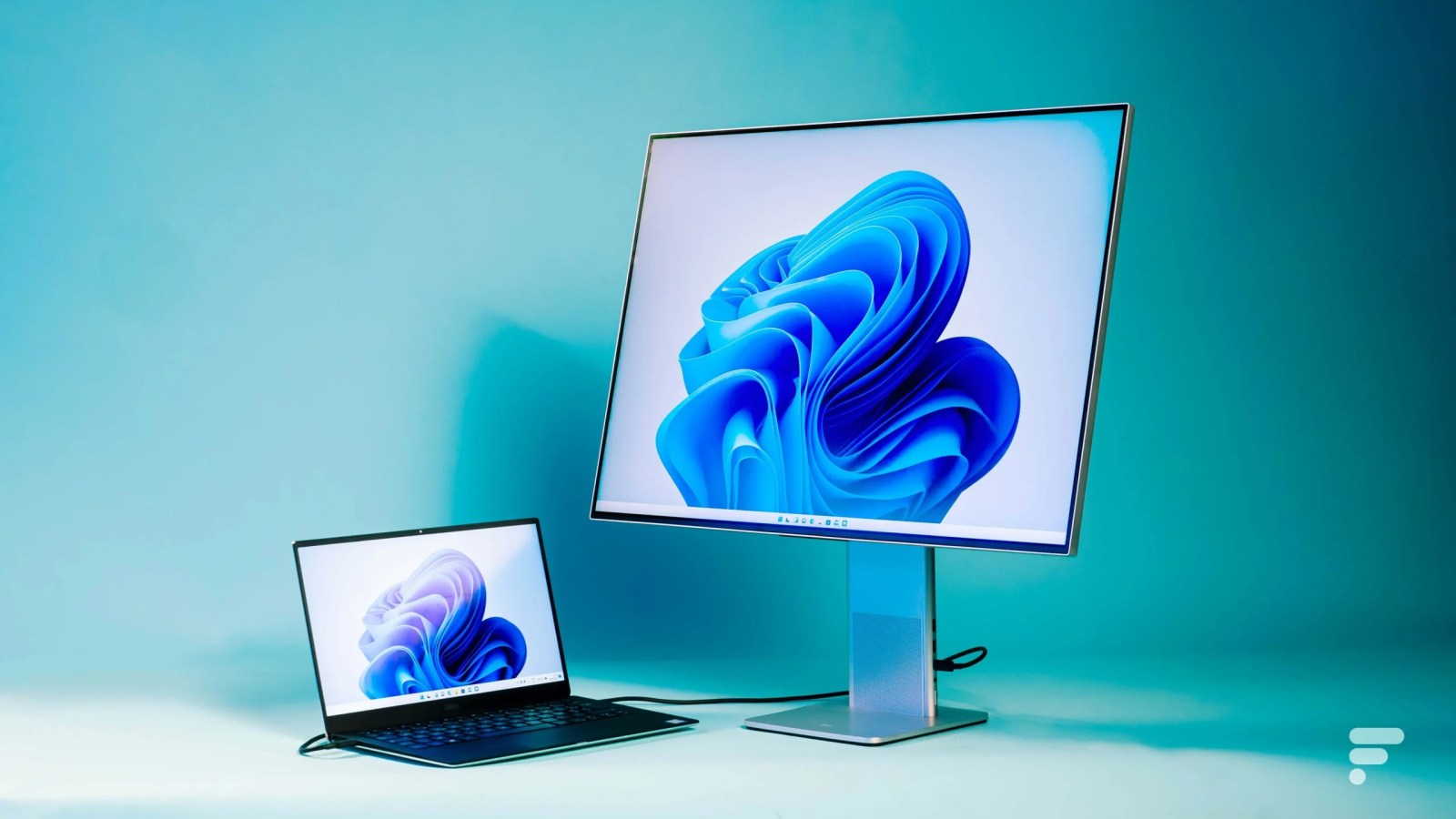
Based on current market trends, technological advancements, and user feedback, here are some of the standout office monitors for 2026, catering to various needs and budgets.
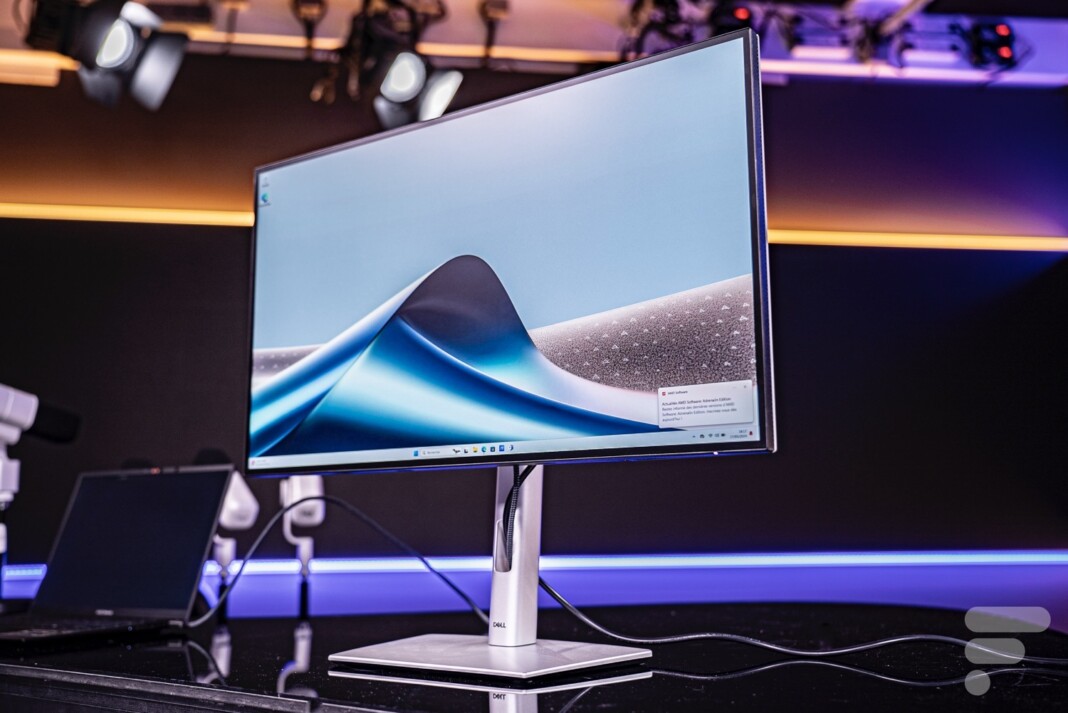
1. The Premium Productivity Powerhouse: Dell UltraSharp 27 U2724D
Dell has long maintained a dominant presence in the professional monitor market, and the UltraSharp series consistently delivers on quality and features. The Dell UltraSharp 27 U2724D stands out as a versatile 27-inch display, perfectly suited for demanding office tasks and creative work alike. Its design ethos is one of understated elegance, featuring thin bezels and a matte finish that seamlessly integrates into any modern workspace, minimizing distractions.
Ergonomically, this monitor excels with comprehensive adjustments for tilt, swivel, height, and pivot, allowing for comfortable portrait mode viewing—a boon for developers, document reviewers, or anyone working with long vertical content. This level of adjustability is a critical factor for maintaining proper posture and reducing physical strain during long workdays.
Connectivity is robust and forward-looking. It boasts an HDMI 2.1 port, two DisplayPort connections (including an output for daisy-chaining a second monitor, simplifying multi-display setups), a powerful upstream USB-C port, two downstream USB-A ports, and a downstream USB-C port supporting USB 3.2 Gen 2 at 10 Gbit/s with 15W power delivery. This extensive port selection ensures compatibility with a wide array of devices and enables a clean, organized desk setup.
The Dell UltraSharp 27 U2724D’s image quality is a major highlight, driven by its IPS Black panel. This technology offers a significant leap over standard IPS, delivering a definition of 2560 x 1440 pixels (QHD) and an impressive refresh rate of 120 Hz, which, while not essential for basic office tasks, provides a noticeably smoother scrolling and general user experience. The contrast ratio can reach up to 1966:1 with optimal settings, and brightness peaks at 349 cd/m². For creative professionals, the color accuracy is outstanding, with 135% sRGB, 91% DCI-P3, and 90% Adobe RGB coverage, alongside a Delta-E of 0.74 in sRGB mode. This level of color precision makes it suitable for graphic design, photo editing, and other color-critical applications, extending its utility beyond pure office work.
Priced around €400, the Dell UltraSharp 27 U2724D represents an excellent investment for those seeking a high-performance monitor that caters to both intensive productivity and creative endeavors. Its features are a testament to Dell’s commitment to delivering professional-grade displays.
2. The Reliable and Affordable Choice: Dell SE Series & Samsung Essential Monitor S3
For users prioritizing simplicity, reliability, and an honest price point, particularly those who frequently telecommute and require an external monitor for their laptop, models like the Dell SE series or the Samsung Essential Monitor S3 are ideal candidates. These monitors represent the workhorse segment of the market, offering solid performance without unnecessary frills.
The Dell SE series, often featuring IPS panels, provides excellent value. A typical model in this range might be a 27-inch LCD display with Full HD (1920 x 1080 pixels) resolution. While the original text mentions an unusual 200 Hz refresh rate for this segment, a more common and still very fluid rate for affordable office monitors in 2026 would be 75 Hz to 100 Hz. These monitors are perfectly adapted for telework, incorporating essential eye comfort features such as anti-glare treatment and ComfortView Plus (or similar low blue light technologies) to minimize eye strain. Some models even include AMD FreeSync or VRR compatibility, offering a smooth experience for casual gaming alongside office tasks, making them surprisingly versatile.
Similarly, the Samsung "Essential Monitor S3" offers a compelling alternative. A 27-inch IPS panel with a 100 Hz refresh rate at a comparable price point underscores the competitive nature of this segment. These monitors embody a minimalist design ethos—sober and efficient—focusing on core functionality and a pleasant visual experience for everyday computing. They are built to last, providing a durable investment for years of productive use. Industry analysts suggest that this segment, priced well under €300, will continue to be a cornerstone for home office setups due to its accessibility and sufficient performance for most users.
3. The Multitasking Champion: LG UltraWide (Non-Curved)
For professionals who juggle multiple applications simultaneously and seek to maximize their digital workspace, an ultrawide monitor offers an unparalleled solution. The LG UltraWide, often featuring a 29-inch IPS panel with a 21:9 aspect ratio and a resolution of 2560 x 1080 pixels, provides an expansive panoramic desktop without the need for a second physical screen.
This extended format is a game-changer for multitasking, allowing users to comfortably display several windows side-by-side, such as a document editor, a web browser, and a communication application, all without constant alt-tabbing. This significantly boosts productivity, particularly for roles involving data analysis, extensive research, or creative layouts.
Beyond its physical dimensions, the LG UltraWide delivers strong image quality. It supports HDR10, ensuring precise, rich colors and balanced contrasts, which adds depth to both professional applications and multimedia content. A refresh rate of 100 Hz, combined with a low response time and LG’s proprietary eye comfort technologies (Flicker Safe and Reader Mode), ensures a fluid display experience while actively reducing eye fatigue. The monitor’s ultra-minimalist aesthetic allows it to blend seamlessly into any work environment, emphasizing functionality and screen real estate. This type of monitor is increasingly popular among developers, video editors, and financial analysts who benefit from a broad, uninterrupted view of their work.
4. The Versatile Performer: TCL 27G64 Mini-LED

For users who demand a monitor capable of seamlessly transitioning between work, multimedia consumption, and gaming, a versatile display like the TCL 27G64 Mini-LED presents an attractive option. This monitor, which impressed in professional reviews, brings the benefits of Mini-LED technology to an accessible price point.
The TCL 27G64 is a 27-inch Quad HD monitor that boasts a high refresh rate of 180 Hz, a feature typically found in dedicated gaming displays. This high refresh rate ensures incredibly smooth motion, which is not only delightful for gaming but also provides a more fluid and less fatiguing experience for general desktop use, such as scrolling through long documents or spreadsheets.
While its LCD structure might lead to a slightly thicker chassis compared to some sleeker designs, the monitor’s ergonomics remain practical, often managed through an intuitive joystick navigation system. In practice, the TCL 27G64 truly shines with its impressive brightness, capable of reaching up to 1000 cd/m² in HDR mode, and a remarkable contrast ratio of 500,000:1. These specifications, enabled by Mini-LED, significantly enhance the visual impact of both games and dark video content, delivering deep blacks and vibrant highlights. It’s important to note that as a VA panel, it might exhibit slightly reduced viewing angles compared to IPS, a common trade-off for its superior contrast.
At under €300, the TCL 27G64 offers an outstanding quality-to-price ratio, making it a compelling choice for a hybrid user who requires both strong productivity features and an immersive entertainment experience. Its performance benchmarks suggest it effectively bridges the gap between dedicated office and entertainment displays.
5. The Mobile Productivity Enhancer: Acer PD163Q Portable Dual Screen
The rise of flexible work arrangements has created a demand for portable productivity solutions. The Acer PD163Q answers this call with a unique portable dual-screen setup designed to significantly enhance the productivity of mobile professionals, students, and frequent teleworkers. This device distinguishes itself with two vertically stacked 15.6-inch 16:9 screens, effectively tripling the available display area when connected to a laptop.
Its innovative design allows for multiple configurations, including "tower," "book," or "tent" modes, adapting to various work scenarios and presentation needs. While its stacked design means it is thicker than a single portable monitor, its versatility often outweighs this minor drawback. Connectivity is comprehensive for a portable device, featuring USB-C (for both video and power), HDMI, and a headphone jack, ensuring broad compatibility.
Image quality, while not excelling at the level of premium desktop monitors, is perfectly adequate for its intended use. It offers a Full HD (1080p) resolution and a standard 60 Hz refresh rate. Color coverage, at 109% BT.709 and 73% DCI-P3, confirms its orientation towards office and productivity tasks rather than color-critical creative work.

The Acer PD163Q’s primary utility lies in boosting productivity for specific use cases. Developers can display code on one screen and a browser or documentation on another, while collaborative teams can utilize the "tent" mode for shared viewing. Although setup may require a bit of time and desk space, the device offers genuine added value for individuals who require multiple screens on the go. Market analysis indicates a growing niche for such portable multi-monitor solutions as professionals seek to replicate their desktop productivity environment wherever they are.
Broader Impact and Implications
The advancements in office monitor technology and the increased focus on ergonomic and eye-comfort features reflect a broader industry response to evolving work patterns. The shift towards hybrid and remote work, solidified in the post-2020 era, has underscored the importance of equipping employees with adequate home office infrastructure. This not only affects individual productivity but also has implications for corporate IT budgets and employee well-being initiatives. Companies are increasingly recognizing that investing in high-quality monitors for remote staff can lead to higher job satisfaction, reduced health-related absences, and ultimately, improved output. The market also shows a trend towards greater integration, with USB-C becoming a universal standard for connectivity and power delivery, simplifying complex desk setups.
Frequently Asked Questions (FAQ) on Office Monitors
What office PC monitor format should I choose?
While the 16:9 aspect ratio remains the most common and versatile format for monitors in 2026, offering an excellent balance for both productivity and multimedia consumption, it’s not the only option.
- 16:9: Standard for most applications, web browsing, and video.
- 21:9 (Ultrawide): Ideal for multitasking, allowing multiple windows side-by-side without bezels. Popular among developers, video editors, and finance professionals.
- 16:10: Offers slightly more vertical space than 16:9, beneficial for document work and web browsing, though less common.
- 32:9 (Super Ultrawide): Essentially two 16:9 monitors seamlessly combined, providing a massive canvas for extreme multitasking or immersive experiences. Requires significant desk space and can be costly.
What is the standard size for office computer monitors?
For most office tasks, a monitor between 24 and 27 inches is recommended.
- 24-inch: A good entry point, suitable for single-tasking or smaller desks. Often available in Full HD.
- 27-inch: The sweet spot for many, especially when paired with Quad HD (2560×1440) resolution, offering ample screen real estate for multitasking without being overwhelmingly large.
- 32-inch and above: Suited for users who require extensive screen space for complex applications, or who want to replace a multi-monitor setup with a single large display.
How do you measure a computer screen’s size?
Monitor sizes are measured diagonally across the screen, from one corner to the opposite, excluding the bezel. The measurement is traditionally given in inches. To convert to centimeters, multiply the inch value by 2.54.
- 24 inches: Approximately 61 cm
- 27 inches: Approximately 68.6 cm
- 29 inches: Approximately 73.7 cm
- 32 inches: Approximately 81.3 cm
- 34 inches: Approximately 86.4 cm
What are the different types of screens (panel technologies)?
Several display technologies dominate the market, each with distinct advantages and disadvantages for office use:

- TN (Twisted Nematic): Fastest response times, often found in gaming monitors, but poor viewing angles and color reproduction. Generally not recommended for office productivity unless budget is extremely tight.
- VA (Vertical Alignment): Offers excellent contrast ratios and deep blacks, making it good for media consumption. Viewing angles are better than TN but not as wide as IPS, and some ghosting can occur.
- IPS (In-Plane Switching): The most common and highly recommended for office work due to its superior color accuracy, wide viewing angles, and generally good response times. IPS Black is an enhanced variant offering even better contrast.
- Mini-LED: An advanced form of LCD backlighting that uses thousands of tiny LEDs for more precise local dimming zones, leading to exceptional contrast, brightness, and HDR performance, rivaling OLED in many aspects.
- OLED (Organic Light Emitting Diode): Each pixel emits its own light, resulting in perfect blacks, infinite contrast, and instantaneous response times. While premium OLED monitors are emerging, they are typically more expensive and can carry a risk of burn-in for static elements, making them less common for traditional office use in 2026, though this is changing rapidly.
Is a dedicated graphics card essential for connecting a monitor?
In 2026, the need for a dedicated graphics card for office monitor connectivity is largely diminished. Modern integrated graphics circuits (found in most CPUs from Intel and AMD) are powerful enough to drive even 4K monitors for standard office and multimedia tasks without any performance issues. A dedicated graphics card becomes essential only if you intend to play demanding recent video games, perform intensive 3D rendering, or connect more than two high-resolution monitors simultaneously for advanced workstation setups.
HDMI or DisplayPort?
The choice between HDMI and DisplayPort largely depends on your specific use case and the versions of the ports available on your devices.
- DisplayPort (DP): Often preferred for PC setups, especially for gaming, as recent versions (DP 1.2 to 1.4, and the emerging DP 2.0/2.1) offer higher bandwidth than older HDMI versions. This allows for higher resolutions and refresh rates (e.g., 4K at 144Hz or higher). Many modern graphics cards feature multiple DisplayPort outputs and fewer HDMI ports.
- HDMI: Universally found on televisions and game consoles. HDMI 2.0 and especially HDMI 2.1 versions now offer comparable bandwidth to DisplayPort for high resolutions and refresh rates. For office use, where refresh rates rarely exceed 120 Hz, an HDMI cable is generally sufficient and widely compatible.
- USB-C: Increasingly prevalent on laptops and monitors, USB-C can carry DisplayPort or HDMI signals via "Alt Mode" and often provides power delivery. This allows a single cable to handle video, data, and charging, streamlining connections. Adapters (USB-C to HDMI or DisplayPort) are readily available and affordable.
The internal cabling compatibility between these connectors means you can use an adapter or a cable that converts from one standard to another (e.g., DisplayPort to HDMI) if your outputs or inputs are limited, ensuring flexibility in your setup.
In conclusion, the market for office monitors in 2026 offers a rich array of choices designed to meet the diverse needs of modern professionals. Whether prioritizing premium features, budget-friendliness, expansive multitasking, versatile performance, or mobile productivity, a well-informed selection can significantly enhance comfort, efficiency, and overall work experience.