
 George Chandra Eka
Android System Intelligence (ASI) is a fundamental, yet often unseen, background component within the Android operating system, quietly powering a myriad of contextual features that have become integral to the modern smartphone experience. Despite its critical role in enhancing user interaction and device responsiveness, its presence in the app list often prompts questions from users, given its somewhat vague name and the readily available "Disable" option. Understanding ASI is key to appreciating the sophisticated on-device intelligence that defines contemporary Android functionality, particularly on Google’s Pixel devices, where its capabilities are most fully realized.
Unpacking Android System Intelligence: A Deep Dive into its Core Function
At its heart, Android System Intelligence is not a conventional application that users open and interact with directly. Instead, it serves as the underlying "plumbing" or engine for a suite of "smart" features that operate in the background, leveraging machine learning to make the Android experience more intuitive and proactive. It’s a Google system component, meaning it’s deeply integrated into the OS, rather than an optional download. Its widespread deployment is evidenced by its listing with over 5 billion "downloads" on Google Play, a figure that actually represents the vast number of Android devices globally where this system component is installed and operational.
The core purpose of ASI is to enable a variety of contextual functionalities across Android. For Pixel phone users, its resume is particularly extensive, encompassing features such as Live Caption, Now Playing, Smart Autorotate, Screen Attention, intelligent app predictions, smarter copy and paste mechanisms, and advanced notification actions. The precise array of features powered by ASI can, however, vary depending on the device manufacturer and the specific Android version, reflecting the diverse ecosystem of Android devices.
The Architectural Foundation: Private Compute Core and Data Privacy
A cornerstone of Android System Intelligence’s operation, and a critical factor in its privacy design, is its execution within Android’s Private Compute Core (PCC). This innovative architectural element was first introduced with Android 12 in 2021, marking a significant step in Google’s commitment to on-device machine learning with enhanced privacy safeguards. The Private Compute Core is an isolated, secure environment on the device itself, designed to process sensitive user data locally without direct network access. This ensures that machine learning models can operate on personal data—such as what’s on your screen, what music is playing, or who you frequently communicate with—without that data ever leaving your device or being exposed to Google’s servers.
Within this secure enclave, ASI’s machine-learning features do not possess direct network access. To facilitate necessary updates to its models or receive new definitions from the cloud, a separate component called Private Compute Services acts as a secure bridge. This intermediary manages network requests on behalf of the Private Compute Core, ensuring that data relevant to the machine learning process remains isolated. Google has explicitly stated that ASI and Private Compute Services collect crash logs, diagnostics, and device identifiers primarily for app analytics, while providing users with the option to switch off usage and diagnostics collection for greater control over their data. For those seeking even deeper transparency, Pixel owners can enable developer mode to access a Network Usage Log, offering a detailed view of the network activity managed by Private Compute Services. This layered approach aims to strike a balance between powerful, personalized features and robust user privacy.
Key Features Enhanced by Android System Intelligence
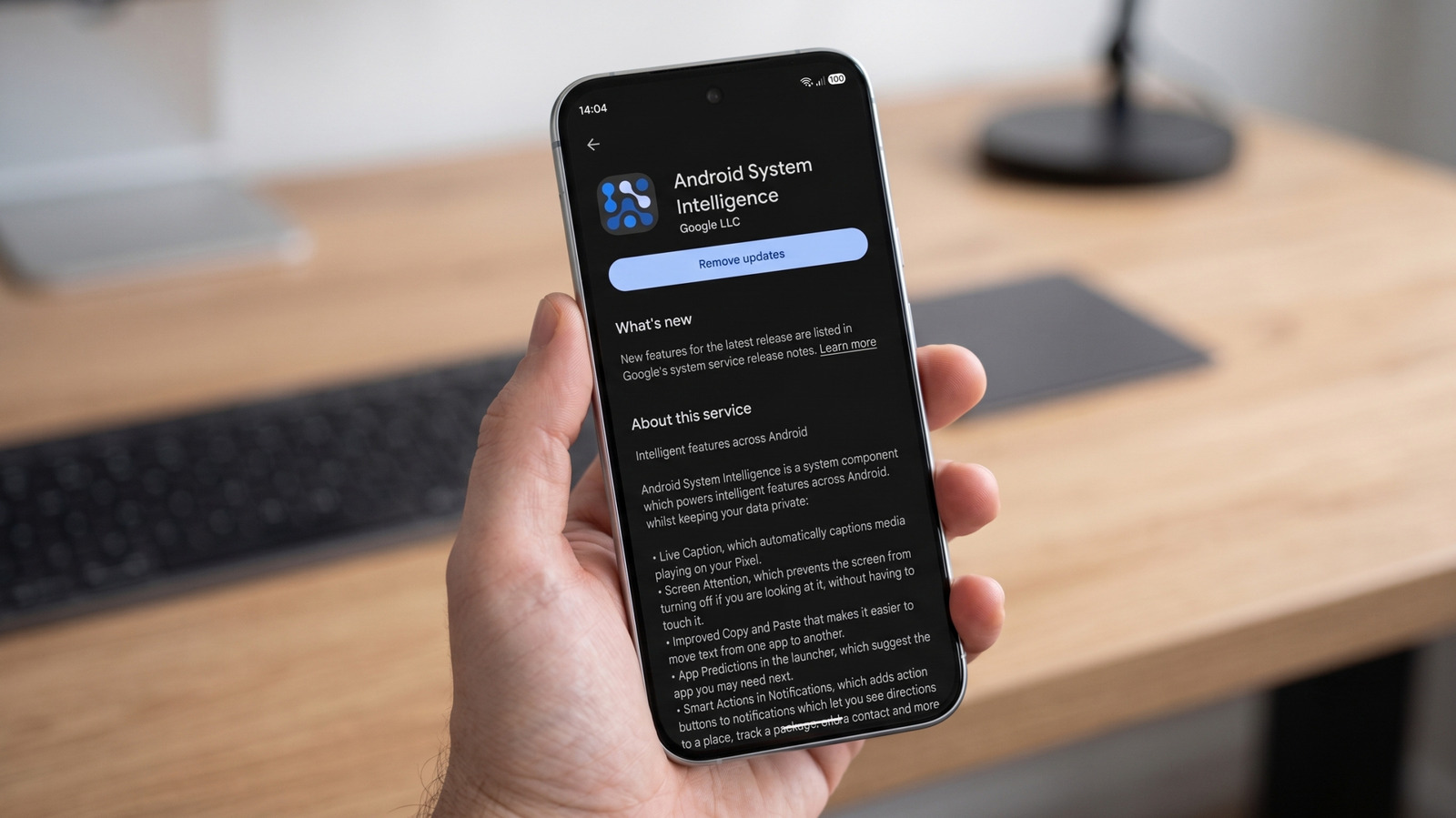
Android System Intelligence is the silent enabler of many features that users often take for granted, making their devices more responsive and intuitive. These include:
- Live Caption: This feature provides real-time captions for any audio playing on the device, from videos and podcasts to voice messages and phone calls, all processed on-device without requiring an internet connection.
- Now Playing: Exclusive to Pixel phones, Now Playing passively listens for music in the environment and displays the song title and artist on the lock screen. This on-device recognition means your listening habits aren’t sent to the cloud.
- Smart Autorotate: Moving beyond simple accelerometer data, Smart Autorotate can use the front-facing camera to detect the user’s face and determine the optimal screen orientation, ensuring the display is always aligned with how you’re holding the phone.
- Screen Attention: This feature prevents the screen from dimming or locking while the user is actively looking at it, using the front camera to detect attention. It’s a subtle but significant convenience feature.
- App Predictions: Based on usage patterns, time of day, location, and other contextual cues, ASI can intelligently predict which apps a user is likely to open next, offering them directly in the app drawer or home screen.
- Smarter Copy and Paste: When text is copied, ASI can analyze its content and offer contextual actions. For instance, copying an address might suggest opening Google Maps, a phone number might suggest initiating a call, or a date might prompt adding an event to a calendar.
- Notification Actions: ASI can enhance notifications by adding smart action buttons directly to them, such as suggesting a quick reply, opening a relevant app, or marking an email as read, based on the content of the notification.
- Broader Integrations: Beyond these core features, ASI can also underpin more advanced functionalities like Search Live (which has evolved into features like Circle to Search), Live Translate for real-time language conversion, Assistant Voice Typing for enhanced dictation accuracy, and improved App Search capabilities within the device.
It is crucial to remember that while these features offer significant utility, their availability and specific implementation can vary. Device manufacturers, for instance, may choose to integrate some, all, or even modify these ASI-powered features in their custom Android skins, leading to a diverse user experience across different Android handsets.
Permissions and Privacy: A Balancing Act
The broad scope of features powered by Android System Intelligence necessitates access to seemingly intrusive system permissions. Google explains that ASI utilizes system permissions primarily to deliver its smart predictions and contextual services. For example, access to contacts might be leveraged to suggest people you communicate with frequently for sharing or communication purposes. However, the official support page for ASI has historically been less explicit regarding why the component may request location access, leaving some users to speculate about the exact use cases for such sensitive data. While the need for certain permissions is logical for contextual features, the lack of granular detail can understandably raise privacy concerns among users.
It is important to clarify that requiring a broad permission for ASI does not imply that every single ASI feature needs access to every permission. Google’s design philosophy for the Private Compute Core ensures that even with these permissions, the processing of sensitive data occurs on-device, isolated from cloud servers. For users concerned about specific data access, restricting an individual permission or disabling a particular feature is generally a more targeted and less disruptive solution than completely disabling the entire ASI component. This allows users to maintain the benefits of other intelligent features while addressing specific privacy apprehensions.
Distinguishing On-Device AI: ASI vs. Gemini Nano
In the rapidly evolving landscape of artificial intelligence, particularly on-device AI, it’s vital to differentiate between various components. As of 2024, Android System Intelligence is distinct from Google’s Gemini Nano models. Gemini Nano represents a family of Google’s compact, efficient AI models specifically designed for on-device processing, enabling advanced generative AI capabilities directly on the smartphone without constant reliance on cloud servers. These Gemini Nano models operate within Android’s separate AICore system service.
While both ASI and Gemini Nano contribute to the "intelligence" of an Android device, they serve different primary functions. ASI focuses on contextual awareness, predictive features, and enhancing existing system functionalities through machine learning. Gemini Nano, on the other hand, is geared towards more complex generative AI tasks, such as sophisticated text summarization, smart replies, and potentially even image generation or advanced code completion directly on the device. While they may eventually synergize to deliver even more powerful on-device AI experiences, they currently represent separate, though complementary, architectural components within the Android ecosystem. This distinction highlights Google’s multi-faceted approach to integrating AI deeply into its mobile platform.
The Consequences of Disabling Android System Intelligence
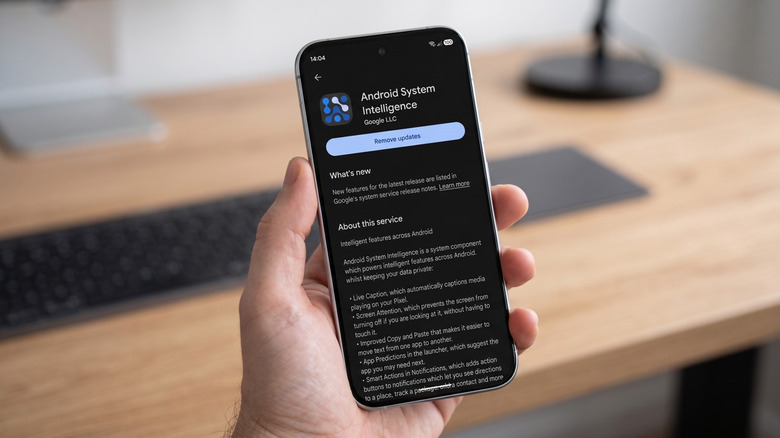
Given its deep integration, Android System Intelligence cannot be uninstalled like a regular user-downloaded application. However, Android phones typically offer the option to disable it through the device’s settings, usually found under Settings > Apps or similar paths, though the exact route can vary significantly between different manufacturers’ Android skins.
Disabling ASI will not render your phone inoperable. Core phone functions—making calls, sending texts, browsing the internet, and running standard applications—will remain operational. However, the immediate and noticeable impact will be the loss of the myriad "smart" features that ASI powers. As reported by tech publications like Android Authority in January 2024, testing indicated that critical phone functions were unaffected, but all ASI-powered features ceased to work. This means capabilities such as Now Playing, Live Caption, Smart Autorotate, Screen Attention, intelligent app predictions, and smart notification actions will no longer function. Your phone will revert to a more basic, less contextual operating mode, requiring more manual input and interaction.
Google itself does not issue warnings that disabling Android System Intelligence will make the operating system unstable. Instead, the primary consequence is a degradation of the user experience due to the absence of these convenient, proactive tools. To use an analogy presented in earlier analyses, switching off ASI is not akin to removing a vital organ, which would cause system failure. It is more like closing a utility closet without checking which switches inside control essential household conveniences, leading to a less comfortable and efficient living environment. The lack of a universal list from Google detailing every single feature that ceases to work across all Android devices if ASI is disabled introduces a degree of uncertainty, but the general consensus among experts is that the trade-off is a loss of convenience for perceived (or actual) control.
Troubleshooting and User Options
For users experiencing issues with Android System Intelligence, such as it frequently stopping or causing unexpected behavior, Google’s official troubleshooting advice is straightforward and practical:
- Restart the phone: A simple reboot can often resolve temporary glitches.
- Install any available updates: Ensuring the operating system and system components are up-to-date can fix known bugs.
- Force-stop the app: This can be done via Settings > Apps > Android System Intelligence > Force stop.
- Clear its cache or data: If issues persist, clearing the app’s cache (Settings > Apps > Android System Intelligence > Storage & cache > Clear cache) or, as a last resort, clearing its data (Clear storage) can often resolve more stubborn problems. Clearing data will reset ASI’s learned preferences, potentially requiring it to re-learn user patterns.
For most users, leaving ASI enabled and instead focusing on disabling individual features or restricting specific permissions that cause concern is the recommended and cleaner option. This approach allows users to benefit from the overall intelligence of the system while maintaining control over specific aspects of data usage. For individuals whose primary objection is Google’s wider presence on Android and who seek a more profound level of privacy and control, alternative operating systems like GrapheneOS offer a more hardened and de-Googled Android experience. However, it’s important to acknowledge that such radical departures from stock Android can sometimes lead to app compatibility issues or a steeper learning curve.
The Future of Android’s Contextual Intelligence
Android System Intelligence represents a crucial pillar in Google’s long-term vision for making Android devices more intuitive, personal, and genuinely helpful. As on-device AI capabilities continue to advance, components like ASI will likely become even more sophisticated, integrating seamlessly with emerging technologies like Gemini Nano to offer unprecedented levels of contextual awareness and predictive functionality. The ongoing dialogue between enhancing user experience through intelligent features and safeguarding user privacy will undoubtedly shape the evolution of ASI and similar system components. Google’s continued investment in architectures like the Private Compute Core signifies a commitment to delivering powerful AI experiences while attempting to address growing privacy concerns, a delicate balance that will define the future of mobile operating systems.







