George Chandra Eka
The modern home network, a cornerstone of daily life, increasingly demands a sophisticated approach to connectivity. While the proliferation of wireless devices has made Wi-Fi ubiquitous, the enduring relevance of wired Ethernet connections underscores a critical truth: optimal home networking thrives on a strategic integration of both technologies. This dual approach ensures both the flexibility required for mobile devices and the robust performance essential for demanding applications, fostering a healthy and efficient digital environment for all users.
The Evolving Landscape of Home Connectivity
The digital ecosystem within residential spaces has transformed dramatically over the past two decades. From a handful of desktop computers connected via dial-up or early broadband, homes now host an average of 25 connected devices, a figure projected to rise further with the expansion of the Internet of Things (IoT). This surge encompasses smartphones, tablets, laptops, smart TVs, gaming consoles, security cameras, smart appliances, and an array of sensors, each vying for bandwidth. This increased demand places unprecedented strain on home networks, highlighting the need for a nuanced understanding of connection types.
Historically, the debate between wired and wireless often framed them as competing solutions. However, contemporary expert consensus, reflected by network infrastructure providers and technology analysts, emphasizes their complementary roles. "A truly resilient and high-performing home network in today’s digital age requires leveraging the strengths of both Wi-Fi and Ethernet," notes a recent industry report from TechConnect Insights, underlining the shift from an either/or mentality to a symbiotic strategy. The report further indicates that homes with a balanced wired and wireless setup report 30% fewer connectivity issues and 20% higher user satisfaction rates compared to purely wireless environments, especially in bandwidth-intensive households.
Understanding Wi-Fi: The Pillar of Convenience and Mobility
Wi-Fi’s undeniable appeal lies in its convenience and the freedom from physical cables. It enables seamless connectivity for mobile devices, allowing users to move freely within their homes while remaining online. This mobility is crucial for smartphones, tablets, and many laptops, where portability is paramount. Furthermore, the vast ecosystem of smart home devices—from smart light bulbs and thermostats to robot vacuums and voice assistants—are designed exclusively for wireless operation, often lacking Ethernet ports entirely. Connecting these devices via cable would be impractical, if not impossible. A 2023 survey by Statista revealed that over 70% of smart home devices rely solely on Wi-Fi for connectivity.

Despite its convenience, Wi-Fi connections inherently face several limitations compared to their wired counterparts. Wireless signals are susceptible to a phenomenon known as "overhead," where a portion of the available bandwidth is used to manage connections, especially when numerous devices are simultaneously active. Signals also degrade significantly over distance and struggle to penetrate dense obstacles such as concrete walls, metal fixtures, or even large furniture, leading to reduced speeds and potential dead zones. External interference from other wireless signals—like those emitted by microwaves, cordless phones, or even neighboring Wi-Fi networks operating on the same frequency—can further disrupt connectivity, particularly for older 2.4GHz bands. Consequently, real-world Wi-Fi speeds often fall short of the theoretical maximums advertised by internet service providers (ISPs) and router manufacturers, a discrepancy frequently observed during home internet speed tests. For example, a 1 Gbps fiber optic connection might yield only 300-500 Mbps over Wi-Fi in typical home conditions, whereas Ethernet can consistently deliver speeds close to 900 Mbps or higher.
Wi-Fi Standards and Bands: A Closer Look
The effectiveness of a Wi-Fi network largely depends on the standards and frequency bands it utilizes. For years, Wi-Fi operated primarily on two bands: 2.4GHz and 5GHz.
- 2.4GHz Band: This older band offers a wider range, allowing signals to travel further and penetrate obstacles more effectively. However, it provides slower speeds (typically up to 100-150 Mbps in practice) and is more prone to interference due to its crowded frequency spectrum.
- 5GHz Band: Introduced to address the limitations of 2.4GHz, the 5GHz band offers significantly faster speeds (often reaching 300-800 Mbps depending on conditions and standard) and less susceptibility to interference. Its primary drawback is a shorter effective range and reduced ability to pass through physical barriers.
Recent advancements have introduced the 6GHz band with Wi-Fi 6E and Wi-Fi 7 standards. This band offers even higher speeds (potentially multi-gigabit) and substantially less interference due to its wider, less congested spectrum. However, its range is the most limited, and compatibility with older devices is not universal. For instance, while new laptops and high-end smartphones often support 6GHz, devices like the original PlayStation 5 do not, with only the PS5 Pro currently offering 6GHz Wi-Fi compatibility.
Wi-Fi Generations and Router Configurations:
- Wi-Fi 5 (802.11ac): Introduced around 2013, primarily uses the 5GHz band and significantly improved wireless speeds over previous generations. Routers from this era are increasingly considered outdated for modern demands, especially for multi-device households.
- Wi-Fi 6 (802.11ax) and Wi-Fi 6E: Launched around 2020-2021, Wi-Fi 6 brought substantial improvements in efficiency, especially in environments with many connected devices, and offered faster speeds. Wi-Fi 6E is an extension that adds support for the 6GHz band, providing access to a cleaner, wider spectrum.
- Wi-Fi 7 (802.11be – "Extremely High Throughput"): The latest standard, Wi-Fi 7, further enhances speed and performance by utilizing the 6GHz band more effectively, alongside other technological advancements like Multi-Link Operation (MLO) for improved throughput and reduced latency, targeting theoretical speeds up to 46 Gbps.
Routers are categorized by the number of bands they support:
- Dual-band routers: Operate on both 2.4GHz and 5GHz.
- Tri-band routers: Can refer to either routers with two 5GHz bands (common in Wi-Fi 6 systems to dedicate one 5GHz band for backhaul in mesh networks) or those supporting 2.4GHz, 5GHz, and 6GHz (Wi-Fi 6E and Wi-Fi 7).
- Quad-band routers: Offer even greater capacity, typically with two 5GHz bands and one 6GHz band, alongside the 2.4GHz band. This configuration is particularly beneficial for complex mesh Wi-Fi systems, allowing a dedicated channel for communication between mesh nodes without impacting user device performance.
For comprehensive and uniform Wi-Fi coverage across larger homes or those with architectural challenges, Mesh Wi-Fi systems have emerged as a popular solution. These systems consist of multiple nodes that work together to create a single, seamless network, extending coverage and mitigating dead zones more effectively than traditional single-router setups.

Ethernet: The Unrivaled Champion of Performance and Reliability
While Wi-Fi excels in convenience, Ethernet remains the gold standard for performance, stability, and security. A direct, physical connection bypasses the inherent limitations of wireless signals. Ethernet cables are impervious to airborne interference, ensuring consistent signal integrity and delivering speeds much closer to the maximum capacity of an ISP’s connection. This directness also translates into significantly lower latency (ping), a crucial factor for real-time applications. Latency over a wired connection is typically under 5 milliseconds (ms) to local servers, compared to 20-50 ms or more for Wi-Fi, depending on conditions.
A key technical advantage of Ethernet is its full-duplex operation, meaning it can send and receive data simultaneously. In contrast, Wi-Fi operates in a half-duplex mode, capable of either sending or receiving data at any given moment. This fundamental difference contributes to Ethernet’s superior efficiency and responsiveness, especially under heavy network loads, where the effective throughput can be nearly double that of a comparable half-duplex connection.
For activities demanding maximum network performance, Ethernet is indispensable:
- Online Gaming: Low latency is paramount for competitive online gaming. Even minor packet loss or increased ping on Wi-Fi can result in frustrating delays and competitive disadvantages. A wired connection ensures the most stable and responsive gaming experience, often reducing ping by 50-80%.
- Large File Transfers and Downloads: Whether downloading massive game updates (often exceeding 100 GB), uploading high-resolution video files to cloud storage, or transferring large datasets within a local network, Ethernet dramatically reduces transfer times, maximizing productivity and minimizing wait. For instance, a 50GB game update can take 15 minutes on a 500 Mbps Wi-Fi connection but less than 7 minutes on a 1 Gbps Ethernet connection.
- 4K/8K Video Streaming: While Wi-Fi can handle 4K streaming, consistent 8K streaming or multiple concurrent high-resolution streams often benefit from the dedicated bandwidth and stability of Ethernet to prevent buffering and ensure pristine quality. A single 8K stream can require up to 100 Mbps, making simultaneous streams challenging for an overburdened Wi-Fi network.
- Professional Work and Video Conferencing: For remote workers, a stable and low-latency connection is critical for uninterrupted video calls, quick access to cloud-based applications, and reliable data synchronization, reducing the risk of dropped calls or frustrating slowdowns.
- Network Attached Storage (NAS) and Media Servers: Devices like NAS units, which serve as central repositories for data, perform optimally when connected via Ethernet, facilitating fast backups and smooth media streaming to multiple devices across the home.
Addressing the Inconvenience of Wired Connections
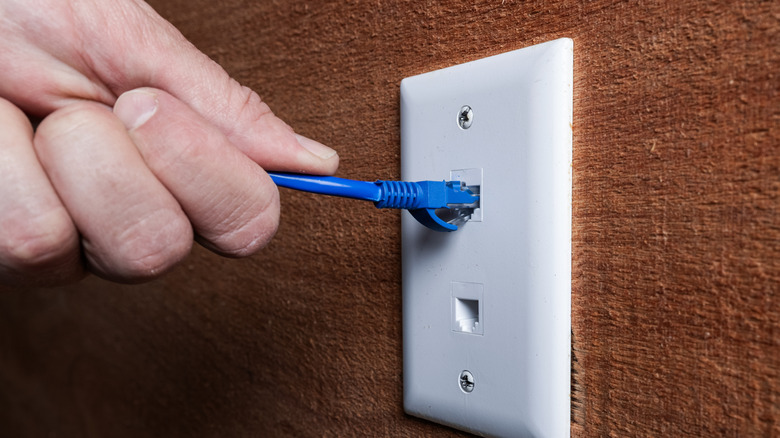
The primary drawback of Ethernet is the necessity of physical cables, which can be perceived as cumbersome, especially in larger homes or rental properties where running new cables through walls is impractical. However, several solutions exist to extend wired connectivity without extensive renovations:
- Powerline Adapters: These devices use existing electrical wiring to transmit network data. While convenient, their performance can vary significantly based on the quality and age of the home’s electrical system, often not matching direct Ethernet speeds. Speeds can range from 50 Mbps to 500 Mbps.
- MoCA (Multimedia over Coax Alliance) Adapters: MoCA technology utilizes existing coaxial cable infrastructure (often used for cable TV) to create a high-speed Ethernet network. This can be an excellent option for homes already wired with coax, offering performance close to dedicated Ethernet, often supporting speeds up to 2.5 Gbps.
- Network Switches: When a router’s built-in Ethernet ports are insufficient, an affordable and simple network switch can expand the number of available wired connections, allowing multiple devices to connect to a single router port without significant performance degradation.
- Ethernet over USB Adapters: For laptops or devices without a built-in Ethernet port, USB-to-Ethernet adapters provide a simple way to establish a wired connection, often supporting Gigabit speeds.
Ethernet Standards and Cable Categories

Just as with Wi-Fi, Ethernet has evolved through various standards, each offering different speed capabilities. It’s crucial to match the Ethernet standard of your router and device ports with the appropriate cable category to avoid bottlenecks.
- Fast Ethernet (100 Mbps): Largely obsolete for general computing, though some smart TVs, security cameras, and basic IoT devices may still be limited to this speed.
- Gigabit Ethernet (1 Gbps or 1000 Mbps): The most common standard for home networks today, providing ample speed for most internet plans up to 1 Gbps.
- Multi-Gigabit Ethernet (2.5 Gbps, 5 Gbps, 10 Gbps): Increasingly found on high-end routers, motherboards, and network cards, these standards cater to faster internet plans (e.g., fiber internet exceeding 1 Gbps) and high-speed local network transfers.
- Beyond 10 Gbps (e.g., 40 Gbps): These ultra-fast standards are typically reserved for data centers and specialized enterprise applications, though Cat8 cables can support up to 40 Gbps over very short distances.
Ethernet Cable Categories:
The cable itself is a critical component in achieving optimal wired performance.
- Cat5e (Category 5e): The oldest standard in regular use, officially supporting 1 Gbps speeds over distances up to 330 feet (100 meters). In ideal conditions, it can sometimes exceed this, but it’s generally limited.
- Cat6 (Category 6): Capable of handling up to 10 Gbps, but only over shorter distances, typically up to 180 feet (55 meters). For 1 Gbps, it matches Cat5e’s 330-foot range with improved reliability and reduced crosstalk.
- Cat6a (Category 6 Augmented): An improvement over Cat6, Cat6a supports the full 10 Gbps speed over the entire 330-foot (100 meters) range, making it an excellent choice for future-proofing home installations.
- Cat7 (Category 7): An unofficial standard not recognized by major organizations like the Telecommunications Industry Association (TIA). While it offers theoretical improvements, Cat6a or Cat8 are generally preferred for recognized standards.
- Cat8 (Category 8): The latest recognized standard, designed for extremely high speeds, supporting up to 40 Gbps. However, this performance is limited to very short distances, typically 100 feet (30 meters) or less, making it primarily suitable for data center environments rather than general home use.
When planning to run cables through walls for long-term installation, opting for Cat6a is a prudent choice, balancing cost, performance, and future-proofing for most residential needs.
Building an Optimal Hybrid Home Network
The ultimate goal for a robust home network is to leverage the unique strengths of both Wi-Fi and Ethernet. This means strategically assigning connection types based on device requirements and usage patterns.
General Guidelines:
- Wi-Fi Priority: Assign mobile devices (smartphones, tablets), smart home gadgets (lights, thermostats, cameras), and general-purpose laptops used for casual browsing or streaming to Wi-Fi. Prioritize Wi-Fi 6/6E/7 and the 5GHz or 6GHz bands for compatible devices to maximize speed and minimize interference.
- Ethernet Priority: Connect stationary devices that demand high bandwidth, low latency, or consistent reliability directly via Ethernet. This includes desktop PCs, gaming consoles, 4K/8K smart TVs, streaming media players (like Apple TV, Roku, Fire TV), Network Attached Storage (NAS) devices, and dedicated home servers.
Decision-Making Framework:
- Assess Device Needs: Identify which devices require maximum speed and reliability (e.g., gaming PCs, media servers) versus those that prioritize mobility and convenience (e.g., smartphones, smart speakers).
- Evaluate ISP Speed: Ensure your internal network infrastructure (router, Ethernet cables) can support the maximum speeds provided by your internet service provider. A 2024 report by BroadbandNow indicates that over 40% of U.S. households now have access to gigabit internet, necessitating internal network upgrades.
- Consider Home Layout: Large homes or those with challenging layouts may benefit from mesh Wi-Fi for comprehensive wireless coverage, complemented by Ethernet runs to key static devices.
- Future-Proofing: When installing new infrastructure, choose the latest Wi-Fi standards (Wi-Fi 6E/7) and Ethernet cable categories (Cat6a) to accommodate future demands and faster internet speeds.
The Broader Impact and Future Implications
The convergence of faster internet speeds (e.g., multi-gigabit fiber), the proliferation of data-intensive applications (e.g., cloud gaming, VR/AR, generative AI applications), and the continued growth of smart home ecosystems means that a well-designed hybrid network is no longer a luxury but a necessity. Network security also benefits from this approach; while Wi-Fi encryption has advanced (e.g., WPA3), wired connections inherently offer a more secure pathway, less susceptible to interception by unauthorized parties outside the physical premises.
Industry analysts predict continued innovation in both Wi-Fi and Ethernet technologies. Wi-Fi will become even more efficient, with further advancements in spectrum utilization and interference management, aiming for even lower latency and higher aggregate throughput. Ethernet will continue to push speed boundaries, with 25 Gbps and 100 Gbps standards becoming more accessible in enterprise settings, eventually trickling down to high-end prosumer equipment. For the average homeowner, the emphasis will remain on intelligent integration—combining the freedom of the airwaves with the unwavering strength of a wired backbone. By understanding and strategically deploying both Wi-Fi and Ethernet, users can construct a home network that is not only robust and high-performing today but also adaptable and ready for the digital demands of tomorrow.