Metty Iskandar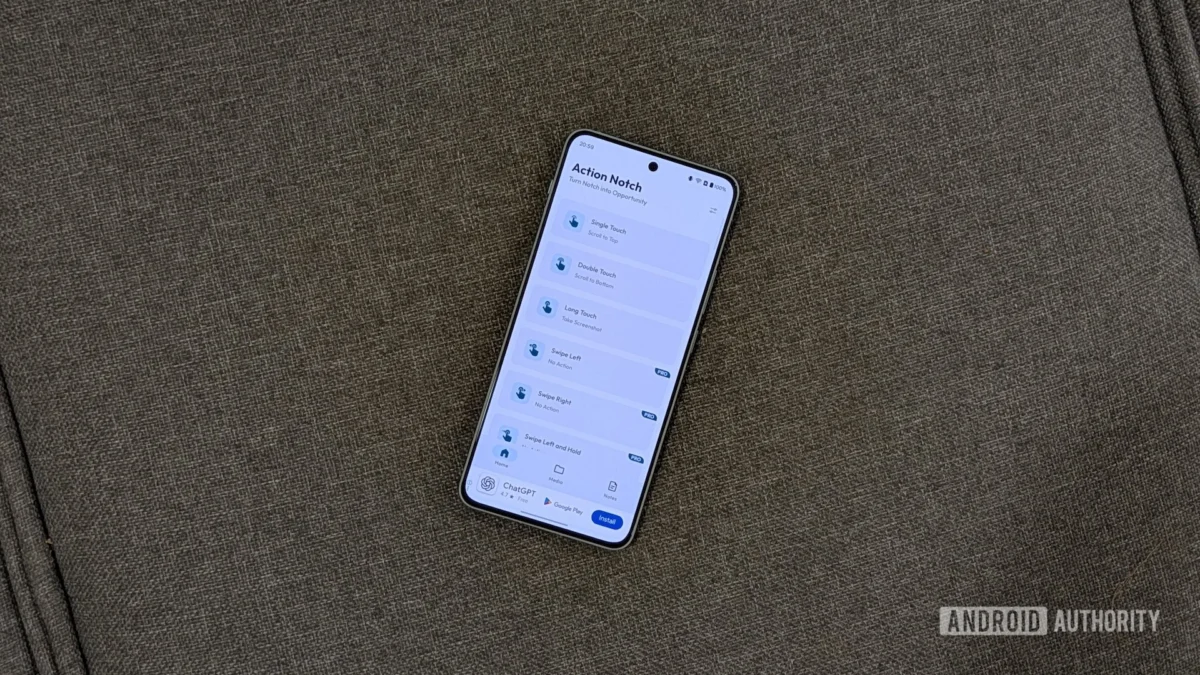
In the ever-evolving landscape of Android smartphones, the persistent presence of the display notch, or camera cutout, has become a defining visual characteristic. While initially a design compromise to accommodate front-facing cameras and sensors, this ubiquitous feature has found a new lease on life thanks to third-party applications like Action Notch. This innovative utility app empowers users to transform their phone’s notch into a customizable interactive element, unlocking a suite of powerful shortcuts and functionalities that significantly enhance daily device usage.
Action Notch, developed by Androxus, has emerged as a leading solution for users seeking to maximize the utility of their device’s screen cutout. The app’s core premise is elegantly simple: repurpose the notch area into a touch-sensitive zone that can be activated through various gestures, such as single taps, double taps, and long presses. This transforms a static design element into a dynamic command center, allowing for quicker access to frequently used actions and streamlining common tasks.
The Evolution of the Android Notch and the Rise of Utility Apps
The introduction of the notch in smartphones, pioneered by Essential Phone and popularized by Apple’s iPhone X in 2017, marked a significant shift in mobile design. The goal was to maximize screen real estate while integrating necessary hardware. Android manufacturers quickly adopted this design, leading to a wide variety of notch styles, from the discreet teardrop to wider, more prominent designs.
However, the utility of these notches was largely confined to housing camera components. This presented an opportunity for developers to explore alternative uses. Apps like Action Notch emerged from this creative space, recognizing the untapped potential of this prominent screen feature. The surge in popularity of such utility apps can be attributed to a growing user demand for greater personalization and efficiency in their smartphone experience. Users are increasingly looking for ways to tailor their devices to their specific needs, and repurposing existing hardware elements offers a compelling avenue for achieving this.
Action Notch: Unlocking a World of Gesture-Based Control
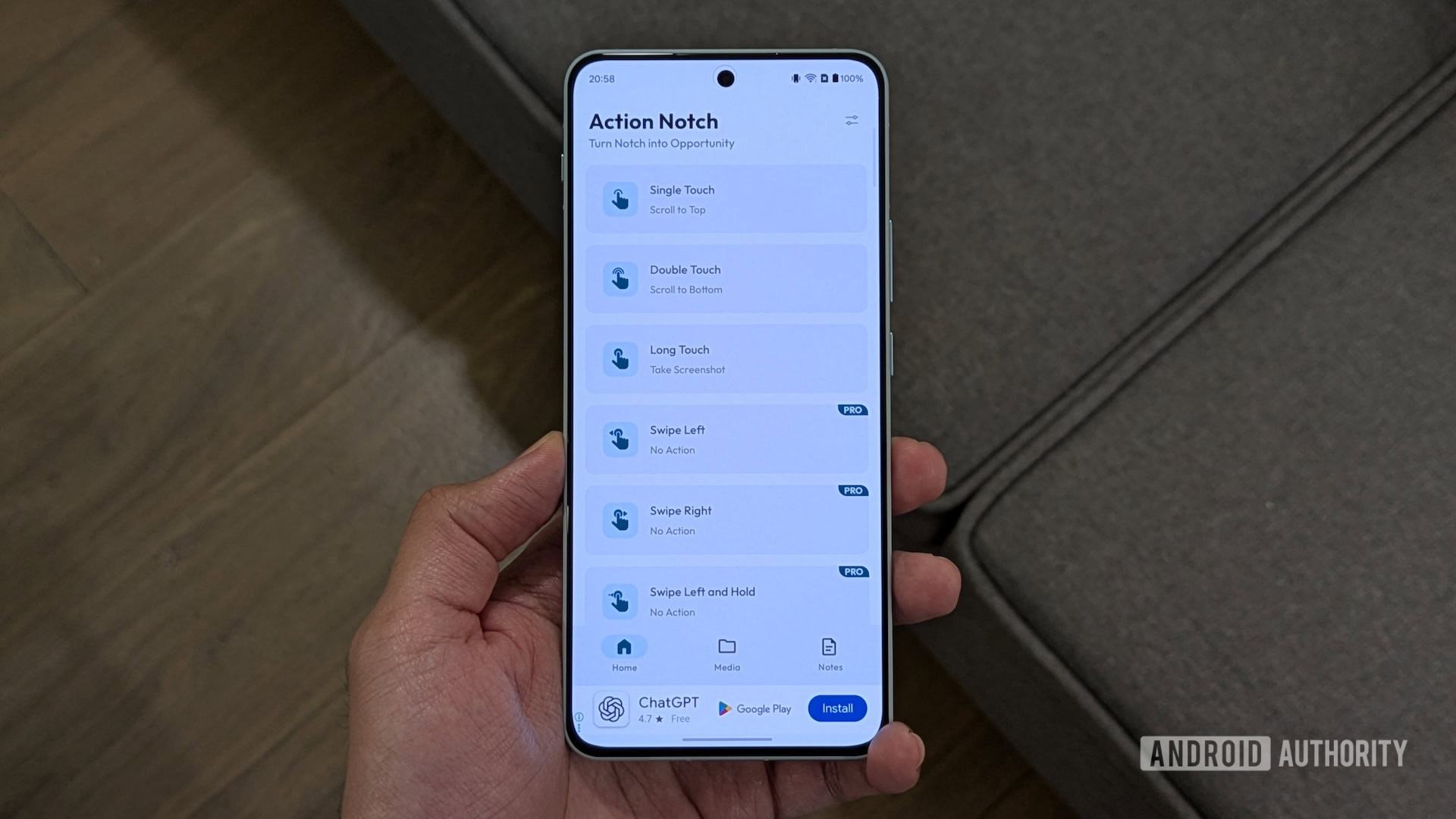
At its heart, Action Notch offers a robust free tier that provides users with three fundamental gestures: Single Touch, Double Touch, and Long Touch. These gestures, when configured, can be mapped to an extensive library of over 50 actions, covering a wide spectrum of device functionalities. This flexibility allows users to create personalized shortcuts that align with their individual usage patterns.
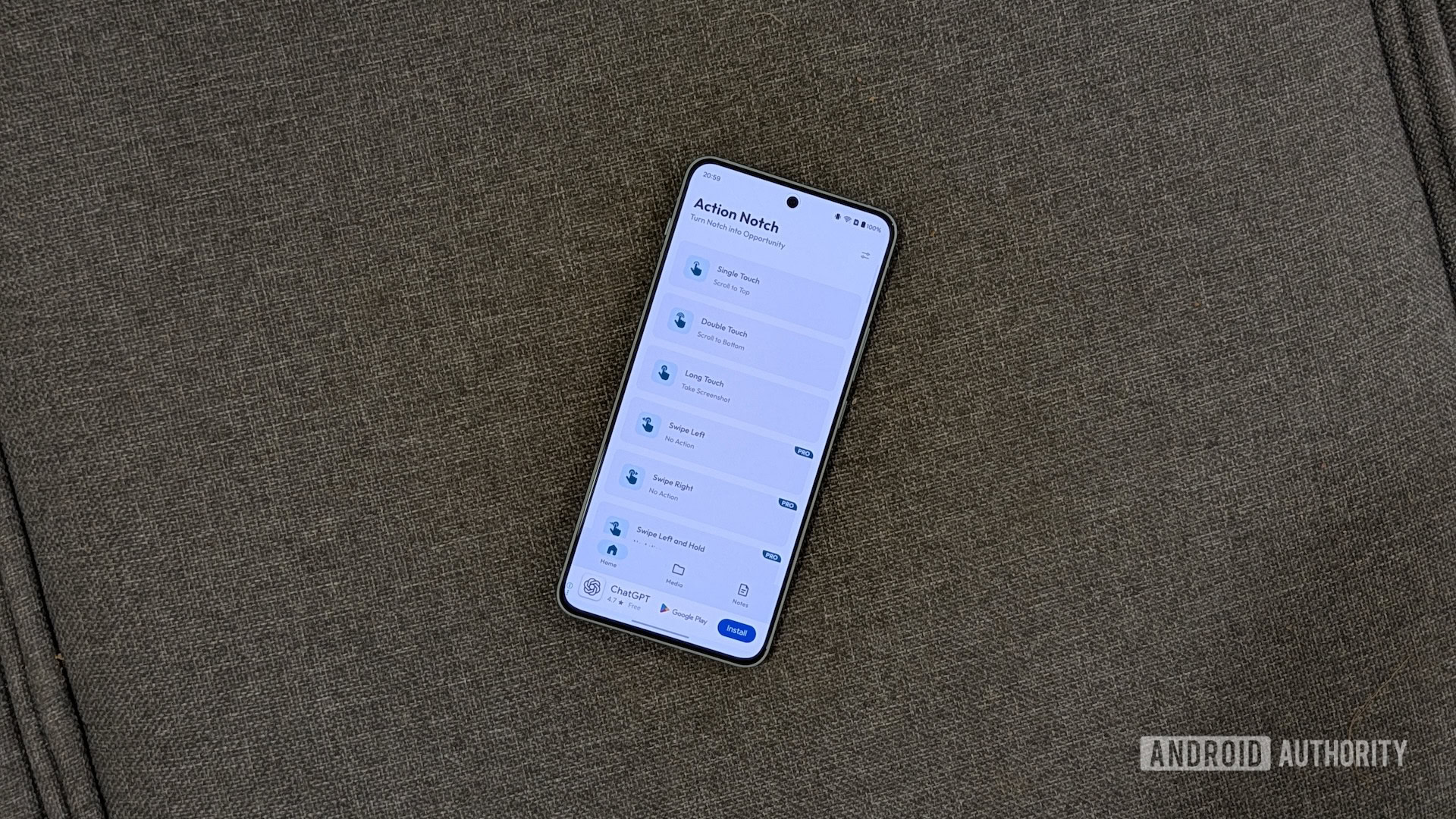
One of the most lauded features of Action Notch is its ability to replicate desirable functionalities from other operating systems. For instance, users who appreciate the iOS feature of tapping the top of the screen to scroll to the top of a webpage can now achieve this on their Android devices. By assigning the "Scroll to Top" action to a single tap on the notch, users can effortlessly navigate lengthy articles, social media feeds, or web pages with a simple, intuitive gesture. Similarly, the "Scroll to Bottom" action, often assigned to a double-tap, provides a quick way to reach the end of content, proving invaluable for navigating long comment sections, forum threads, or multi-paragraph articles.
Beyond scrolling, Action Notch excels in streamlining everyday tasks. The ability to take screenshots is a prime example. The traditional method of pressing a combination of physical buttons can be cumbersome. Action Notch allows users to assign the "Take Screenshot" action to a long press on the notch, transforming a multi-step process into a single, fluid motion. This proves particularly beneficial for users who frequently capture their screen content for reference, sharing, or documentation.
The app’s versatility extends to more advanced functionalities as well. For users who leverage automation apps like Tasker or MacroDroid, Action Notch can serve as an external trigger. This means a simple tap or swipe on the notch can initiate complex automated routines, further integrating the device’s hardware into a personalized workflow. This capability opens up a realm of possibilities for power users, enabling them to control smart home devices, manage app settings, or execute custom scripts with unprecedented ease.
The Power of Pro: Enhanced Customization and Rule-Based Actions
For users seeking even greater control and a more refined experience, Action Notch offers a Pro version. This premium upgrade unlocks a host of advanced features, most notably "rule-based actions." This sophisticated functionality allows a single gesture to behave differently depending on the context of the device’s usage.
For example, a single tap on the notch could be configured to take a screenshot while browsing the web but to toggle the flashlight when the user is on the home screen. This contextual awareness significantly expands the utility of each gesture, preventing conflicts and ensuring that actions are relevant to the current application or system state. This level of granular control allows for highly personalized and efficient device interaction, minimizing the need to manually switch between apps or settings.
The Pro version also grants access to additional gestures and an even broader range of actions, further enhancing the app’s customization potential. This tiered approach allows users to experience the core benefits of Action Notch for free while offering a pathway to advanced customization for those who require it.
Personalizing the Experience: A User’s Current Setup
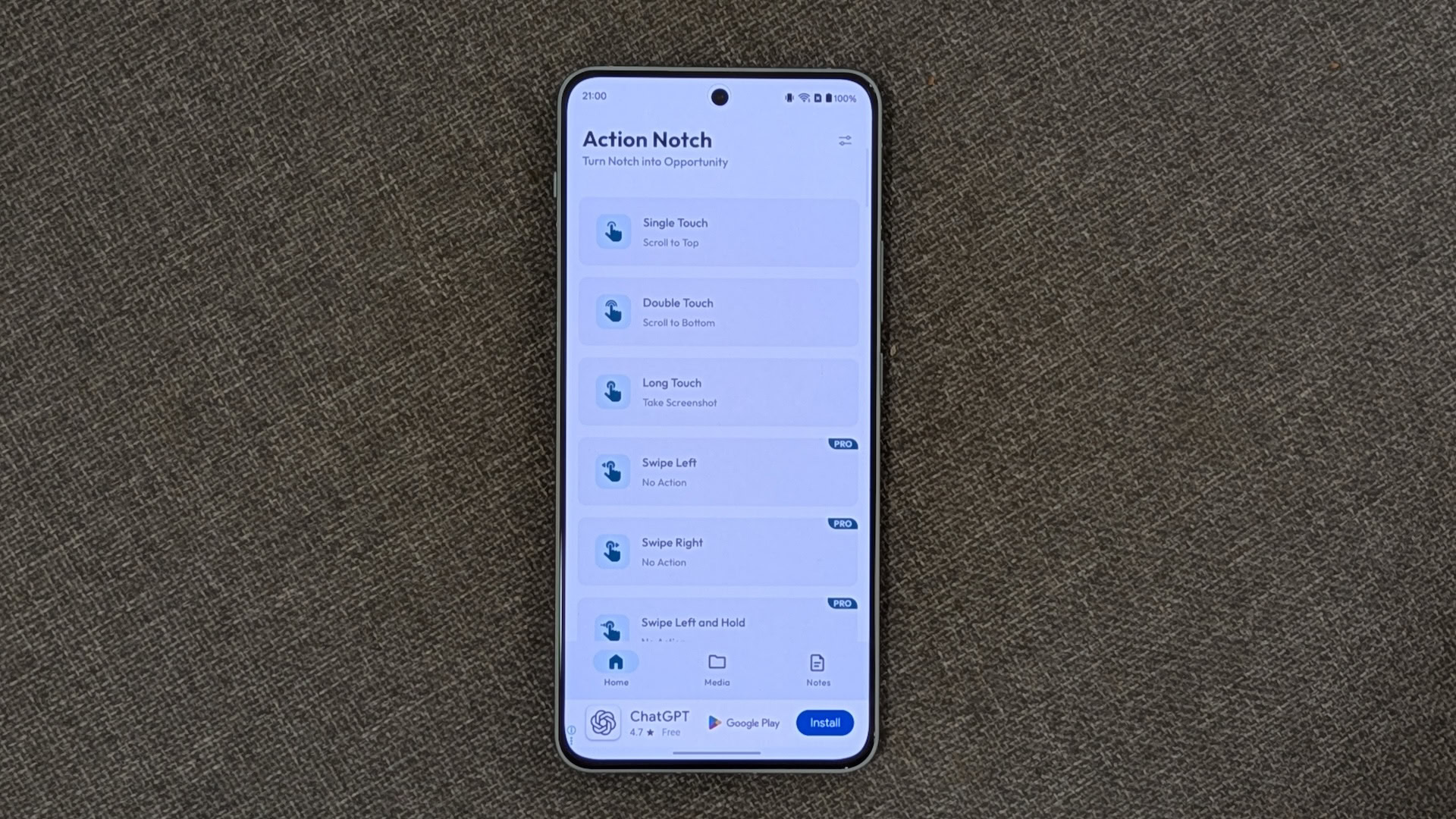
The author’s personal configuration of Action Notch exemplifies the app’s practical utility. By leveraging the free version’s capabilities, a highly efficient workflow has been established:
- Single Touch: Scroll to Top: This gesture provides instant navigation to the beginning of any content, mirroring a feature appreciated by users familiar with iOS. This eliminates the need for repetitive scrolling, saving time and effort.
- Double Touch: Scroll to Bottom: Complementing the single-touch gesture, this action allows for rapid descent to the end of content. This is particularly useful for engaging with long social media threads, articles, or online discussions.
- Long Touch: Take Screenshot: This assignment transforms a frequently performed action into an effortless gesture. It significantly streamlines the process of capturing screen content, a common necessity in today’s digital environment.
These configurations highlight how Action Notch can seamlessly integrate into daily smartphone use, making common tasks quicker and more intuitive. Beyond these core gestures, the author has previously utilized features like "In-App Shortcuts" for quick access to specific app functions (e.g., Google Drive scan, Song Search) and "Run Automation" to trigger custom scripts within MacroDroid for tasks without automatic triggers.
Seamless Setup and Comprehensive Customization Options
The setup process for Action Notch is designed to be user-friendly and accessible. Upon installation from the Google Play Store, users are guided through a straightforward process of granting necessary permissions. The app then presents a clear interface where gestures can be easily assigned to desired actions. The visual layout guides users through categories such as "Device Controls" and "App Actions," making it simple to locate and select the desired functionality.
Beyond gesture configuration, Action Notch offers a suite of customization options to fine-tune its behavior. Users can opt to expand its functionality beyond the notch to encompass the entire status bar, providing a larger touch target. The ability to adjust the notch’s position on the screen offers further personalization, accommodating various device designs. Essential settings like enabling or disabling haptics, and configuring battery optimization to ensure the app runs efficiently in the background, are also readily available.
Crucially, Action Notch provides robust features to prevent unintended activations. The "Disable on Call" and "Disable on Lock Screen" options are invaluable for ensuring that gestures are only recognized when intended, preventing accidental triggers during phone calls or while the device is locked. Furthermore, the "Blacklist" feature is a powerful tool for managing the app’s behavior within specific applications. Users can designate certain apps, such as games or applications with complex top-bar menus, where Action Notch should remain inactive. This ensures a seamless experience within these applications, preventing any interference with their native functionality.
Addressing the Imperfections: Ads and the Path Forward
Despite its impressive array of features and user-centric design, Action Notch is not without its drawbacks. The free version of the app, while generous in its offerings, does incorporate advertisements. While advertisements are a common and often necessary revenue stream for free applications, the author notes a recent increase in the frequency of full-screen ads within Action Notch. This escalation has, at times, made navigating the interface and configuring gestures more challenging.
This observation raises a broader point about the delicate balance between providing a free service and maintaining a positive user experience. While the revenue generated from ads is vital for app development and maintenance, excessive or intrusive advertising can detract from the overall utility and enjoyment of the application.
However, even with these criticisms, Action Notch remains a highly recommended utility. Its ability to transform a static design element into a powerful interactive tool, coupled with its extensive customization options and user-friendly interface, makes it an indispensable application for many Android users. The core functionality offered in the free version alone provides significant value, empowering users to enhance their device’s usability in meaningful ways.
Conclusion: A Must-Have Utility for the Modern Android User
Action Notch stands out as a prime example of how innovative software can breathe new life into existing hardware. By cleverly repurposing the often-underutilized notch area, the app delivers a tangible improvement in device interaction and efficiency. The ability to map custom gestures to a wide range of actions empowers users to personalize their smartphones to an unprecedented degree, streamlining common tasks and unlocking new possibilities for device control.
While the increasing frequency of ads in the free version presents a minor challenge, it does not diminish the fundamental value proposition of Action Notch. For any Android user looking to extract more functionality from their device and experience a more intuitive and personalized interaction, Action Notch is an essential download. Its continued development and robust feature set solidify its position as one of the most impactful utility apps available on the Android platform today. The transformation of a simple notch into a powerful shortcut hub is a testament to the ingenuity of the developer community and the ever-growing potential for customization within the Android ecosystem.