 Metty Iskandar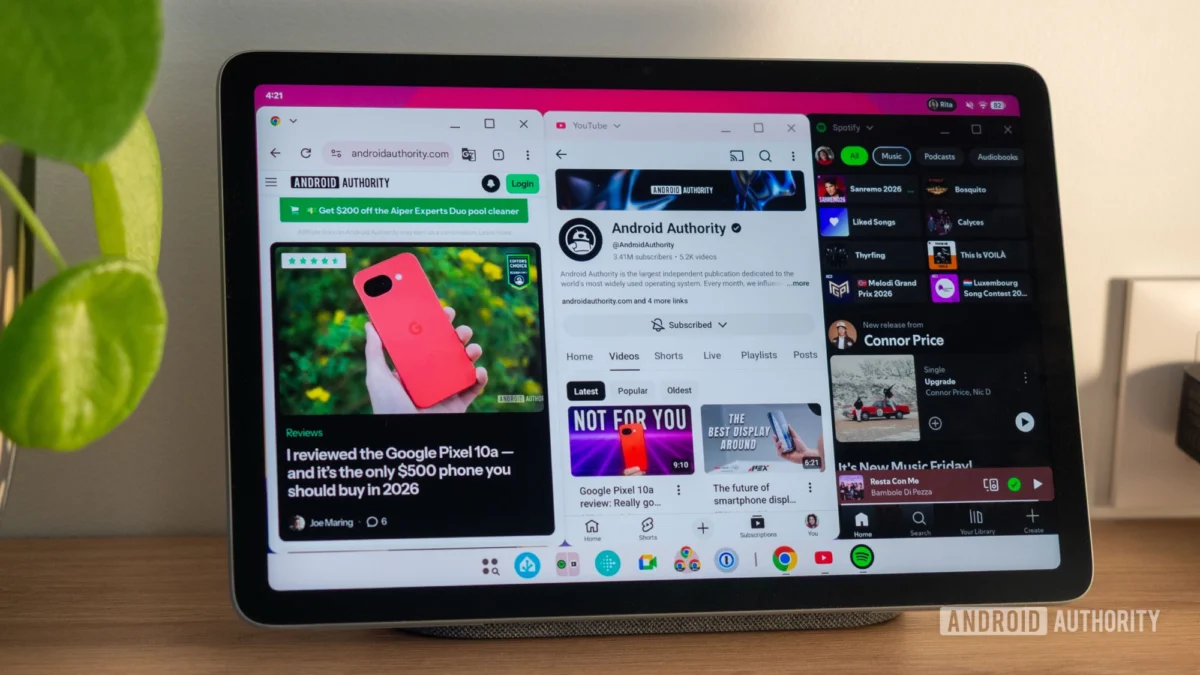
Google’s long-held ambition to imbue Android with desktop-like multitasking capabilities has taken a significant leap forward with the rollout of Android 16 Quarterly Platform Release 3 (QPR3). This update, now available on the Pixel Tablet, introduces a robust "desktop windowing" feature, allowing users to manage applications in freeform, resizable windows, mirroring the functionality found in desktop operating systems and the Samsung DeX experience. This development signals a strategic push by Google to evolve Android beyond its mobile roots and into a more versatile platform capable of handling complex productivity tasks, particularly on larger screen devices.
The journey towards advanced multitasking on Android has been a protracted one, with early iterations of freeform windowing appearing as far back as Android Nougat. While the feature experienced periods of dormancy, its recent revival is strongly linked to Google’s broader vision of transforming Android into a more capable desktop operating system. This includes the experimental "Desktop Mode," which activates when an Android phone is connected to an external display, offering a familiar PC-like interface. The integration of desktop windowing directly onto tablets represents a crucial step in realizing this vision, making larger-screen Android devices more competitive in productivity-focused environments.
For the Pixel Tablet, Android 16 QPR3 marks the stable debut of this advanced windowing system. While currently exclusive to this device, the expectation is that future tablets running Android 16 or the upcoming Android 17 will incorporate this feature by default. Early testing suggests a remarkably fluid and intuitive user experience, potentially reshaping how users interact with their tablets for work and leisure.
Evolution of Android Multitasking: A Chronological Perspective
Google’s pursuit of enhanced multitasking on Android can be traced back several years, with foundational elements laid in earlier versions of the operating system.
- Android 7.0 Nougat (2016): Introduced split-screen multitasking, allowing two apps to run side-by-side on a single screen. This was a significant improvement over single-app operation but lacked the flexibility of resizable windows.
- Android 10 (2019): Further refinements to split-screen functionality were made, but the concept of truly freeform windows remained largely within developer options and experimental stages.
- Android 11 (2020): Continued to build upon existing multitasking features, with ongoing developer efforts hinting at more advanced capabilities.
- Android 12 and 13 (2021-2022): While not introducing major new multitasking paradigms, these releases saw continued platform improvements that would later support more complex windowing.
- Android 14 (2023): Google began actively testing and refining desktop-like windowing features, often hidden behind developer flags, indicating a renewed focus on this area. This period saw the emergence of features that would eventually form the basis of the current desktop windowing system.
- Android 15 (2024): This version saw further development and stabilization of desktop windowing, making it more accessible for testing.
- Android 16 QPR3 (Late 2024/Early 2025): The official stable release of desktop windowing on the Pixel Tablet, signifying a major milestone in Android’s evolution towards a more desktop-like experience.
This timeline highlights a gradual but persistent effort by Google to expand Android’s multitasking capabilities, moving from basic split-screen to the sophisticated freeform window management now available.
The Mechanics of Desktop Windowing: A Deep Dive
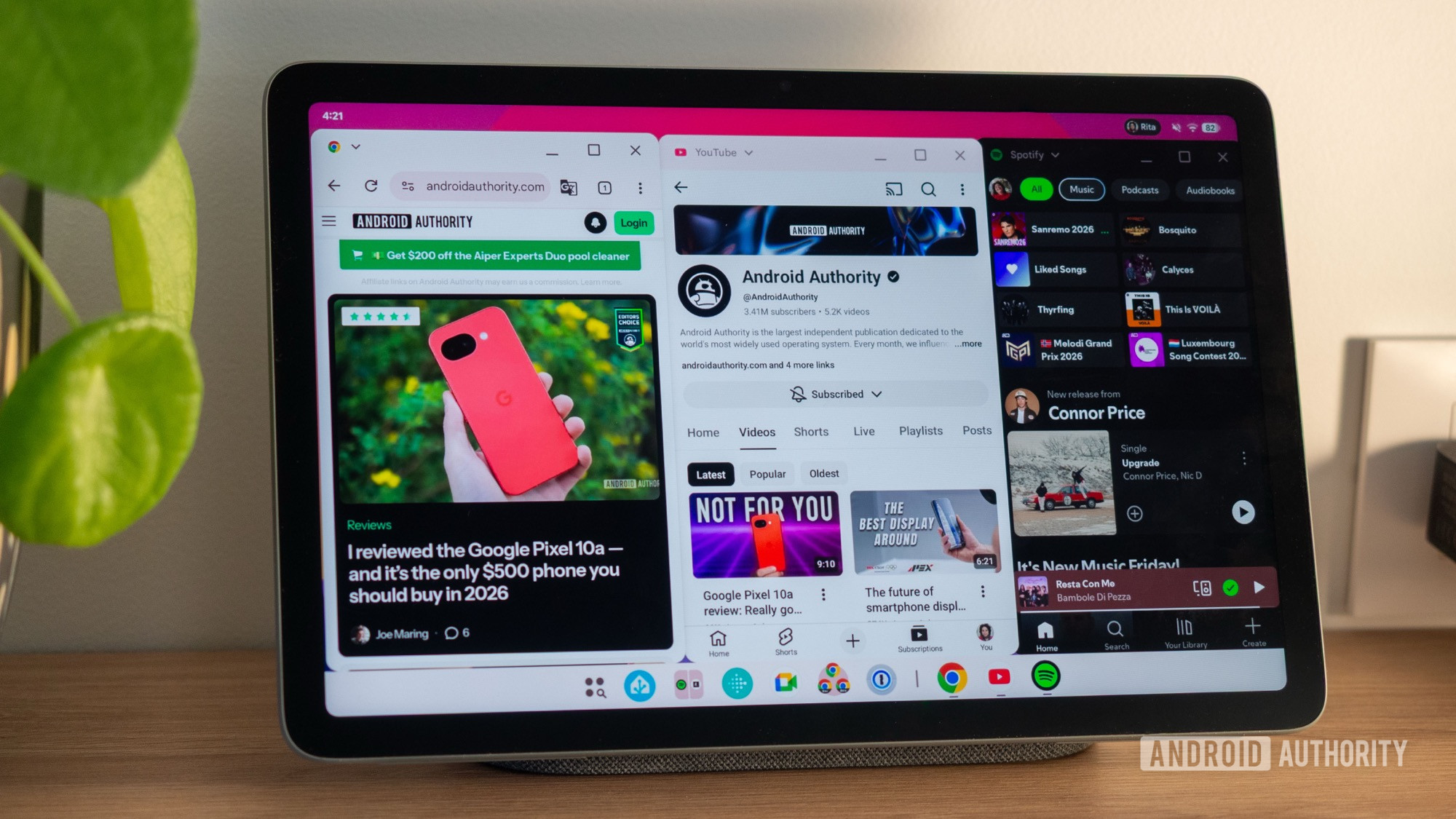
The newly implemented desktop windowing system on the Pixel Tablet offers a comprehensive suite of controls and gestures designed for efficient multitasking. Users can:
- Snap Applications: Apps can be easily docked to the left or right sides of the screen, creating immediate side-by-side layouts.
- Resize Windows: The boundaries between apps are adjustable, allowing users to allocate screen real estate precisely as needed. This can be done by dragging the divider between two snapped apps, which resizes both simultaneously.
- Maximize and Minimize: Standard desktop windowing controls are present, enabling users to quickly expand an app to full screen or reduce it to a smaller, manageable size.
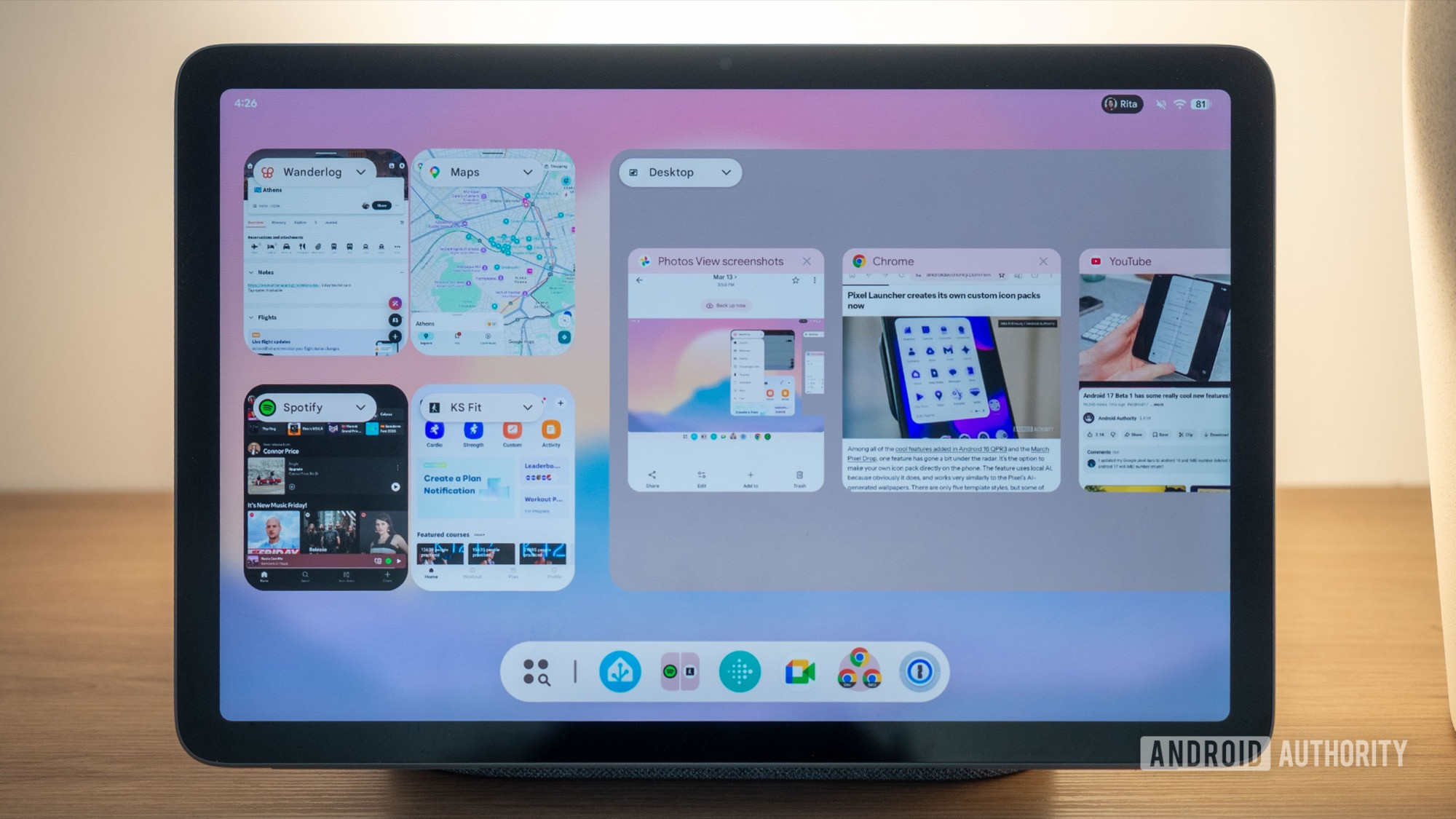
- Create New Desktops: Users can establish multiple virtual desktops, akin to workspaces on a traditional computer, to organize different sets of applications.
- Add and Manage Apps: New apps can be introduced to the current desktop from an app picker, and existing apps can be moved between desktops or brought into full-screen mode.
- Taskbar Functionality: A persistent taskbar at the bottom of the screen displays all currently active apps across all desktops, facilitating rapid switching. Tapping an app icon instantly brings its window to the foreground, automatically switching to the relevant desktop if necessary.
- App Switcher Previews: The app switcher provides clear, aligned previews of all open windows, regardless of their size or arrangement, making it easy to identify and select the desired application.
The animations and transitions associated with these actions are remarkably smooth, contributing to a fluid and responsive user experience. While resizing with touch input can be slightly less precise than with a mouse, the overall operability is impressive. The inclusion of familiar minimize, maximize, and close buttons on each window, along with a drop-down menu offering quick access to split-screen, desktop, or full-screen modes, further enhances usability.
Balancing Desktop and Full-Screen Experiences
A key strength of Google’s implementation is the seamless coexistence of desktop windowing and traditional full-screen app usage. Users are not forced into one paradigm; they can fluidly switch between managing multiple freeform windows and utilizing single apps in their maximized state. This flexibility allows for personalized workflows, where specific tasks can be organized into dedicated desktops, while other applications can remain in their familiar full-screen environments.
The primary advantage of desktop windowing over older multitasking methods lies in its speed. The taskbar eliminates the need to navigate the traditional app switcher for frequently used applications. The immediate transition upon tapping an app icon, without lag or unnecessary animations, significantly streamlines workflow.
However, the article notes a potential drawback: the "wasted" screen space when using desktop windowing. The presence of a top bar for each window, a dedicated desktop bar, and the bottom taskbar can reduce the vertical real estate available for content, particularly on a 10-inch tablet. In such scenarios, the conventional full-screen and split-screen modes, which optimize screen usage, might be preferable for displaying more information. The analysis suggests that for managing one or two apps, traditional methods are more efficient. Desktop windowing shines when multiple applications need to be actively managed, with the trade-off of slightly reduced screen real estate for enhanced switching speed.
The author also observes a practical limit to the usefulness of numerous small floating windows. Beyond two or three apps side-by-side, the screen can become cluttered and unusable. Small, isolated floating windows can obscure content and render underlying applications inaccessible, highlighting the importance of mindful window management to avoid diminishing usability.
Addressing Gaps and Future Potential
Despite the impressive strides made, certain limitations and areas for improvement remain within the current desktop windowing implementation.
- App Migration Between Desktops: The ability to move an app between different desktops is not immediately apparent and may require keyboard shortcuts, which are not universally accessible to all users.
- Desktop Assignment: When an app is already open in full-screen and then sent to a desktop, it consistently defaults to the first desktop, lacking user control over specific desktop placement.
- Desktop Rearrangement: The current system does not allow for the reordering of created desktops, potentially impacting organizational preferences.
- Multi-Instance Support: A notable limitation is the difficulty in opening multiple instances of the same application in separate desktops. While some experimental browser versions show promise, a fully functional implementation, particularly for apps like Chrome, is still needed.
These are considered minor shortcomings in what is largely a successful debut, but they point towards areas where future updates could significantly enhance the user experience. The author expresses a concern that the current interface, while effective on tablets, still falls short of a fully mature desktop-ready experience.
Nevertheless, the potential of this feature as a "Samsung DeX-like mode embedded in our phones (when using an external display) and tablets (directly on the screen)" is highly promising. The author’s personal experience suggests that with the addition of a Bluetooth keyboard and mouse, the Pixel Tablet could effectively serve as a pseudo-laptop, opening up new possibilities for mobile productivity. This hints at Google’s strategic intent to bridge the gap between mobile and desktop computing paradigms within a single, cohesive Android ecosystem.
Broader Implications for the Android Ecosystem
The introduction of advanced desktop windowing has significant implications for the future of Android:
- Increased Productivity on Tablets: This feature directly addresses a long-standing criticism of Android tablets – their perceived lack of productivity compared to their laptop counterparts. By offering a more robust multitasking environment, Google aims to make tablets a more compelling option for work and professional use.
- Convergence of Mobile and Desktop: This move aligns with Google’s broader strategy of creating a more unified Android experience across various form factors. The distinction between mobile and desktop operating systems may blur further, with Android potentially serving as a singular OS for a wide range of devices.
- Hardware Development: The success of this feature could drive demand for Android tablets with larger, higher-resolution displays and potentially encourage manufacturers to develop accessories like keyboards and styluses specifically optimized for this new multitasking environment.
- App Development Landscape: Developers will need to adapt their applications to better support freeform windowing and multi-instance scenarios. This could lead to more adaptable and versatile app designs across the Android ecosystem.
- Competition with Existing Desktop OS: By offering a more capable desktop-like experience, Google positions Android as a more direct competitor to ChromeOS, Windows, and macOS, particularly in the convertible and tablet markets.
The evolution of Android into a platform capable of sophisticated desktop-like multitasking is a gradual but ambitious undertaking. The stable release of desktop windowing on the Pixel Tablet represents a critical inflection point, signaling a future where Android devices can seamlessly transition between mobile and productivity-focused roles. While challenges remain, the foundation laid by Android 16 QPR3 is strong, promising a more versatile and powerful Android experience for users worldwide.