
 Metty Iskandar
The recent rollout of the Google Pixel 11 series has coincided with a notable shift in user experience for existing Pixel owners, as advertisements have begun appearing within the My Pixel application. This development has drawn concern from a segment of the user base who have historically valued Google’s Pixel devices for their comparatively clean software and absence of pre-installed bloatware and intrusive advertising, a stark contrast to the practices of some competitors in the smartphone market.
The Unveiling of In-App Advertisements
Following the official launch of the Google Pixel 11 and Pixel 11 Pro models, numerous users, including early adopters and long-time Pixel enthusiasts, reported receiving promotional notifications and in-app advertisements on their older Pixel devices. These ads specifically highlighted the new Pixel 11 series, a tactic reminiscent of marketing strategies employed by other major smartphone manufacturers. While such practices are more commonly associated with brands like Samsung, their appearance on Google’s own Pixel devices has been met with surprise and disappointment.
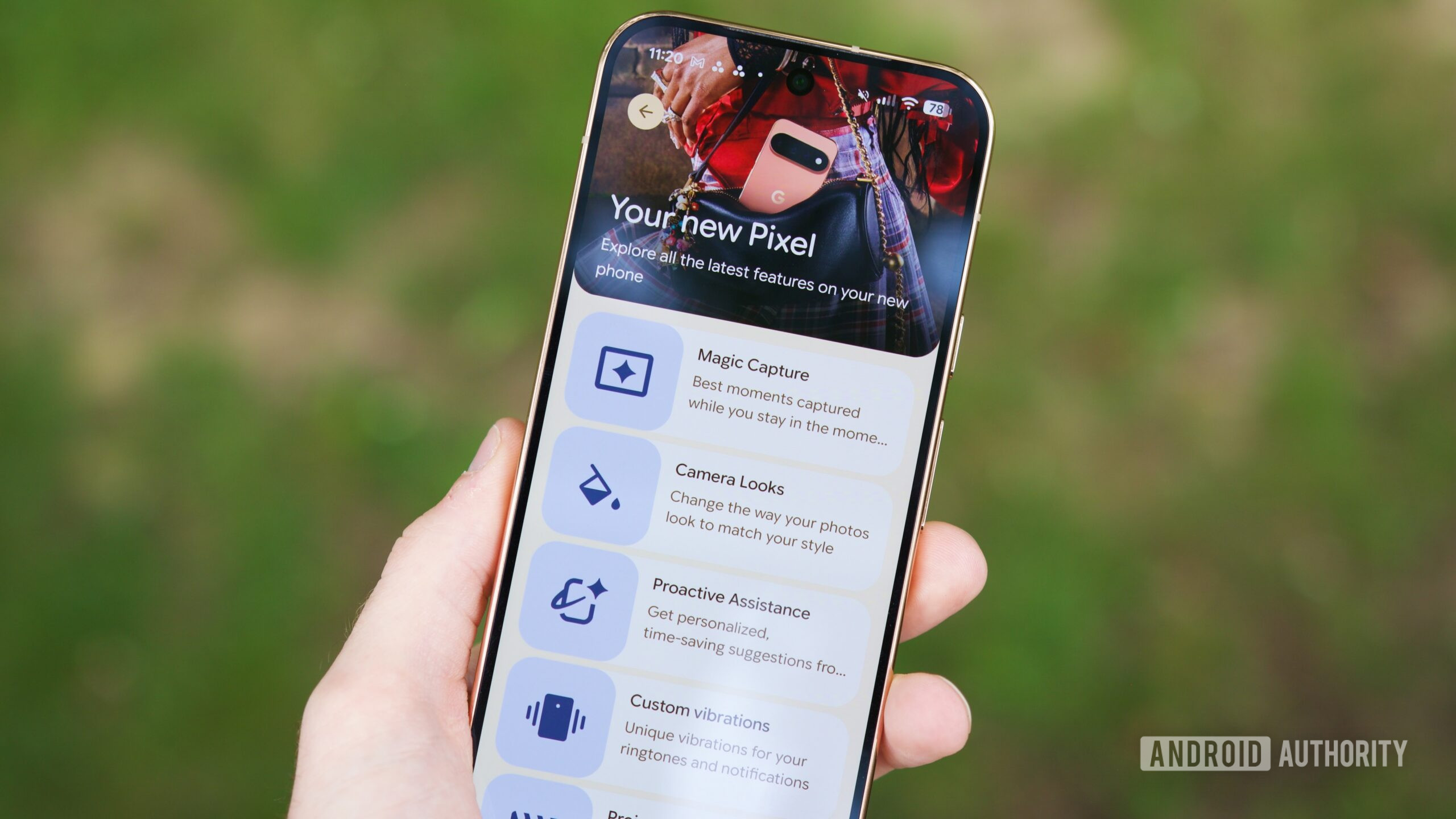
The My Pixel app, formerly known as Pixel Tips, has undergone a transformation that now includes a "Store" tab, facilitating direct hardware purchases. While the addition of a retail avenue is not inherently problematic, the unsolicited delivery of advertisements through this platform, particularly to users who have not explicitly opted in, has become a focal point of discussion. Reports indicate that these ads appeared even on devices that had recently undergone a factory reset and were not restored from a backup, suggesting a system-level integration rather than a user-initiated action.
A Departure from Pixel’s Core Philosophy
Historically, one of the significant selling points of the Google Pixel line has been its commitment to a pure Android experience, free from the clutter of unnecessary pre-installed applications and aggressive marketing. Unlike some Android manufacturers who bundle third-party software or display ads within their proprietary interfaces, Google has largely maintained a reputation for offering a streamlined and user-centric software environment. This perceived purity has been a key differentiator, attracting users who prioritize performance, privacy, and an uncluttered interface.
The introduction of advertisements within the My Pixel app represents a departure from this established ethos. The app itself, which originally served as a helpful resource for tutorials, new feature announcements, and customer support, has evolved to incorporate commercial elements. While the app retains its core utility functions, the inclusion of a "Store" tab and the subsequent delivery of promotional content suggest a strategic pivot towards monetization that some users find incongruent with the Pixel brand’s core values.
Chronology of the Shift
The evolution of the My Pixel app and the subsequent emergence of advertisements can be traced through several key phases:
- Pre-Rebrand (Pixel Tips Era): The application, then known as Pixel Tips, served primarily as an informational tool. It provided users with easy access to guides on device functionality, updates on new Android features, and avenues for customer support. The focus was unequivocally on enhancing the user’s understanding and utilization of their Pixel device.
- Rebrand and Expansion (My Pixel App Introduction): During a previous software update cycle, Google rebranded Pixel Tips to My Pixel. This rebranding coincided with the integration of a "Store" tab within the application. At this stage, the primary function remained user support and information, but the groundwork was laid for potential commercial integration.
- Emergence of Advertisements (Post-Pixel 11 Launch): With the release of the Pixel 11 series, users began to observe unsolicited advertisements appearing within the My Pixel app. These ads primarily promoted the latest Pixel hardware. This marked a significant escalation from the app’s original purpose and its expanded retail functionality.
- User Response and Mitigation Efforts: The appearance of these ads prompted discussions within the Pixel user community and on tech forums. Many users expressed their dissatisfaction and sought ways to disable or circumvent the advertising. This led to the discovery and popularization of Android’s granular notification controls as a method to manage the app’s output.
Technical Analysis: Leveraging Android’s Notification Controls
Fortunately for Pixel users, the Android operating system offers robust notification management features that can be utilized to filter out unwanted content. Google introduced notification channels, now referred to as notification categories, in Android 8.0 Oreo (released in 2017). This feature empowers users with fine-grained control over the types of notifications an application can display.
The My Pixel app, like many modern Android applications, categorizes its notifications. These categories can include:
- Features and Tips: Notifications related to device functionality, tutorials, and new software features.
- Account and Order Updates: Information pertaining to Google account status, order confirmations, and shipping notifications.
- Surveys and Research: Invitations to participate in user surveys or provide feedback.
- Basket Reminders: Notifications about items left in a shopping cart.
- Products and Offers: Promotional content, advertisements for Google hardware and services.
By navigating to the notification settings for the My Pixel app within the device’s system settings, users can selectively disable specific notification categories. To address the unsolicited advertisements, the key action is to turn off the "New products and offers" category. Users can also review other categories, such as "Surveys and research" or "Basket reminders," and disable them if they do not align with their preferences.
The process typically involves the following steps:
- Access Device Settings: Open the main Settings application on the Pixel device.
- Navigate to Notifications: Locate and select the "Notifications" or "Apps & notifications" option.
- Find the My Pixel App: Scroll through the list of installed applications and tap on "My Pixel."
- Access Notification Categories: Within the app’s notification settings, select "Notification categories" or a similar option.
- Disable Unwanted Categories: Identify the "New products and offers" category and toggle it off. Users may also choose to disable other categories based on their individual preferences.
This method allows users to retain the beneficial aspects of the My Pixel app, such as essential updates on new features and order tracking, while effectively silencing the promotional content that detracts from the core user experience.
Broader Implications and Industry Context
The introduction of advertisements in the My Pixel app, even if easily manageable, signals a potential shift in Google’s strategy regarding its hardware ecosystem. As Google increasingly diversifies its hardware offerings, from Pixel phones and earbuds to Nest devices and Fitbit wearables, the temptation to leverage its existing user base for cross-promotional activities and direct sales becomes more pronounced.

This development places Google in a complex position. On one hand, the company aims to maintain the premium, user-friendly image of its Pixel line. On the other, like any major technology corporation, it is under pressure to maximize revenue streams. The inclusion of ads, even in a controlled manner, could be interpreted as a move towards a more aggressive monetization strategy, potentially blurring the lines between a pure operating system experience and a curated retail platform.
The long-term implications of this trend are subject to ongoing observation. If such advertising becomes more pervasive or harder to disable, it could erode user trust and potentially impact the perceived value proposition of the Pixel brand. Competitors are closely watching these developments, as any perceived weakening of Google’s commitment to a clean software experience could present an opportunity for them to highlight their own offerings.
Industry Reactions (Inferred)
While no official statements have been released by Google specifically addressing the user complaints about advertisements in the My Pixel app, the company’s actions speak volumes. The continued presence of the "Products and Offers" notification category and the integration of the "Store" tab within the My Pixel app indicate a deliberate strategic choice.
Competitors in the smartphone market, particularly those who have faced criticism for their own advertising practices, are likely observing this situation with keen interest. For brands like Samsung, who have historically integrated advertisements into their One UI interface and pre-installed apps, Google’s move might be seen as an acknowledgment of the profitability of such strategies, albeit executed with a potentially more nuanced approach.
Tech analysts suggest that this could be a calculated step by Google to explore new revenue avenues within its hardware division, especially as the competition in the smartphone market intensifies and profit margins remain a critical concern for all manufacturers. The success of this strategy will ultimately depend on the user’s tolerance for in-app advertising and Google’s ability to balance monetization with user satisfaction.
Conclusion: A Slippery Slope?
While the current implementation of advertisements within the My Pixel app is manageable through Android’s robust notification controls, the underlying trend raises questions about the future direction of the Pixel ecosystem. The initial promise of a bloatware-free, ad-free experience was a significant draw for many users. The introduction of even opt-in advertisements, particularly those that appear unsolicited, marks a departure from this foundational principle.
The ease with which these ads can be disabled currently mitigates the immediate concern. However, the precedent set by this development warrants vigilance. Users and industry observers will be closely monitoring whether this is an isolated instance or the beginning of a broader integration of commercial content across Google’s hardware and software platforms. The long-term health of the Pixel brand may hinge on Google’s ability to navigate this evolving landscape without alienating the core user base that has come to value its commitment to a clean and intuitive user experience.









