Metty Iskandar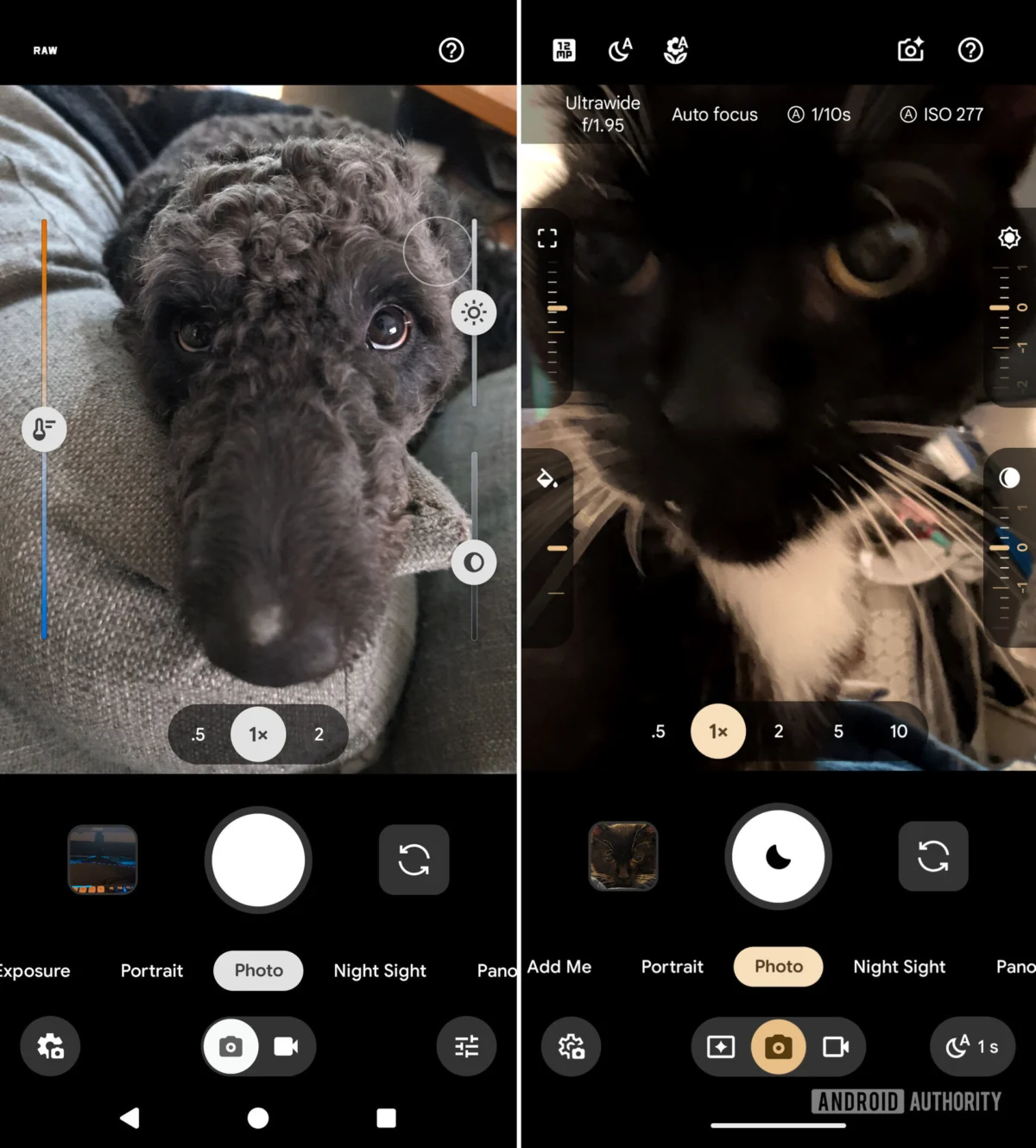
Google’s latest flagship smartphone series, the Pixel 11, ushers in a significant update to its native camera application, Pixel Camera 11. This iteration introduces a redesigned Quick access control system, offering users more granular control over their photographic settings. However, the implementation of these powerful new tools comes with a learning curve, as they are hidden by default and require a specific user interaction to become visible. Alongside these camera interface enhancements, the Pixel Camera 11 app also features a new "Launch mode" that allows users to customize the default camera mode upon app initiation, potentially streamlining workflows for frequent users.
The overhaul of the Quick access controls marks a departure from previous iterations of the Pixel Camera app. In earlier versions, such as Pixel Camera 10.4, users would find these controls presented as more prominent slider bars directly accessible within the camera interface, or via a dedicated toggle within the app’s settings. The new Pixel Camera 11 interface opts for a more minimalist approach, transforming these sliders into discreet, dial-like controls. This design choice aims to maintain a cleaner, uncluttered camera viewfinder, a hallmark of Google’s user interface philosophy. The available controls encompass a comprehensive suite of photographic parameters, including Focus, Looks, Exposure, Shadows, White Balance, Shutter Speed, and ISO. This array of options empowers both amateur photographers seeking to fine-tune their shots and more experienced users who desire precise manual control over their image capture.
Discovery of the Redesigned Quick Access Controls
The existence of these redesigned controls was first brought to light by the technology publication 9to5Google, which identified them within the Pixel Camera 11 update. Subsequent verification on Pixel 11 devices confirmed their presence. The primary challenge for users lies in the fact that these advanced controls are not immediately apparent upon opening the camera app. To access them, users must first navigate to the camera app’s settings menu. Within this menu, a new dedicated submenu for "Quick access" has been introduced, replacing the standalone toggle found in earlier versions. This submenu is where users can not only enable the feature but also customize which specific controls are available and their preferred placement.
Once the Quick access feature is enabled within the settings, the controls do not materialize onto the screen automatically. Instead, they remain concealed until the user actively interacts with the camera’s viewfinder. A tap on the viewfinder area is the trigger that reveals the dial-like controls, positioning them on either side of the display. This interaction model, while contributing to a cleaner default interface, presents a significant discoverability hurdle for users unfamiliar with the feature. Without explicit guidance, a user might never realize the extent of manual control available to them, potentially missing out on opportunities to elevate their mobile photography. A more intuitive approach, perhaps a subtle on-screen prompt upon first enabling the feature or within the settings submenu itself, could significantly improve user comprehension and adoption of these advanced controls.
Enhanced Workflow with New Launch Mode
Beyond the Quick access redesign, the Pixel Camera 11 update introduces a "Launch mode" feature. This functionality allows users to dictate the camera app’s default startup behavior. Previously, the app would invariably open to the standard "Photo" mode. With the new Launch mode, users can designate either "Video" or "Magic Capture" as their preferred starting point. This customization extends to both a standard app launch and the quick double-tap shortcut commonly used to access the camera from the lock screen.
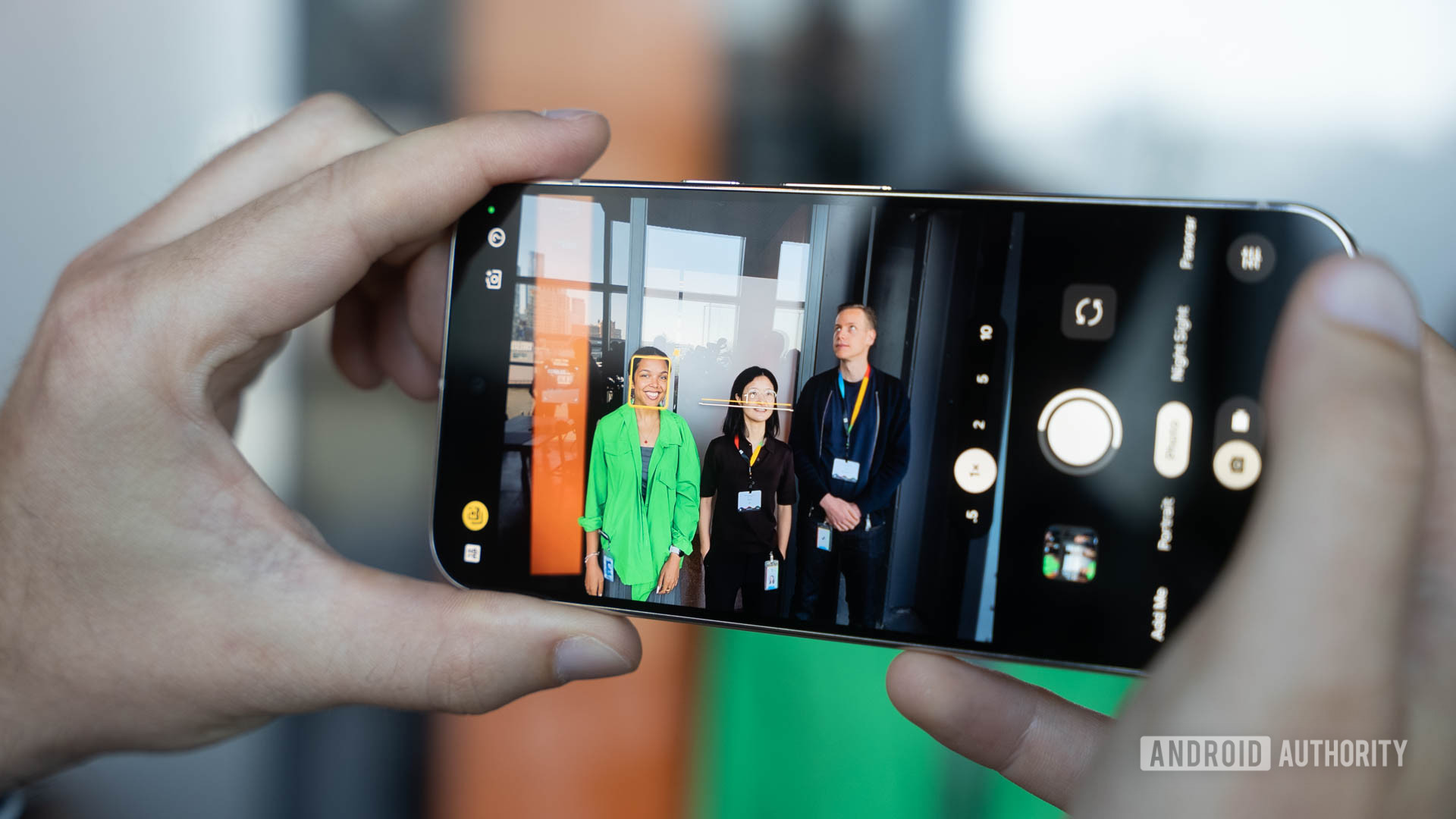
The implications of this feature are primarily centered around workflow efficiency. For users who predominantly record video content, setting the Launch mode to "Video" eliminates the need to switch modes manually each time they open the camera. Similarly, users who frequently utilize "Magic Capture," a feature exclusive to the Pixel 11 series that aims to capture the best possible photo by analyzing multiple frames and subject expressions, can set it as their default. This streamlined access ensures that users can quickly begin capturing their desired content without an extra step, a small but welcome improvement for those who rely heavily on their smartphone camera for specific tasks.
Magic Capture and Future Rollouts
The Magic Capture feature, currently a Pixel 11 series exclusive, represents Google’s ongoing commitment to leveraging artificial intelligence and computational photography to enhance the user experience. While its current exclusivity might disappoint owners of older Pixel devices, Google has a history of gradually rolling out such exclusive features to previous generations of Pixel phones. Therefore, it is highly probable that Magic Capture, along with the new Quick access menu and Launch mode functionalities, will eventually become available on older Pixel models through subsequent software updates. This practice not only rewards existing customers but also reinforces the value proposition of the Pixel ecosystem over time.
Analysis of the Design Philosophy and Implications
The redesign of the Quick access controls in Pixel Camera 11 reflects a broader trend in smartphone camera interfaces: the balancing act between offering powerful manual controls and maintaining an accessible, user-friendly experience for the average consumer. Google’s approach of hiding these controls by default prioritizes a clean and simple interface for casual users, preventing the viewfinder from becoming overwhelmed with options. However, this design choice necessitates a proactive engagement from more advanced users who wish to explore the full capabilities of the camera. The effectiveness of this strategy will ultimately depend on how well Google communicates these features and educates its user base.
The introduction of customizable Launch modes, on the other hand, directly addresses user efficiency. By allowing users to tailor the app’s initial state to their most common use cases, Google is acknowledging the diverse ways in which people utilize their smartphone cameras. This feature is a subtle but significant improvement that can enhance the overall user satisfaction for those who have specific photographic or videographic habits.
The sustained focus on computational photography, as exemplified by features like Magic Capture, underscores Google’s commitment to pushing the boundaries of mobile imaging. The Pixel line has consistently been at the forefront of this field, and the ongoing development of AI-powered features suggests that future Pixel devices will continue to leverage software to deliver exceptional photographic results, even in challenging shooting conditions. The gradual rollout of these advanced features to older models also demonstrates a commitment to supporting their existing customer base, fostering loyalty and extending the lifespan of their hardware investments.
As the smartphone camera continues to evolve from a simple point-and-shoot device into a sophisticated imaging tool, updates like those found in Pixel Camera 11 are crucial for both empowering users and refining the overall mobile photography experience. The success of these new features will hinge on user adoption, which in turn will be influenced by Google’s efforts in user education and interface intuitiveness. The long-term implications suggest a continued trajectory towards more intelligent, customizable, and powerful mobile imaging solutions.