
 Clarissa Hana
Kali Linux 2026.1, the inaugural release of the year from the esteemed Offensive Security team, has officially landed, bringing a suite of significant upgrades designed to bolster the capabilities of ethical hackers and cybersecurity professionals. This latest iteration introduces eight potent new tools, a comprehensive visual theme refresh, and a highly anticipated "BackTrack mode" integrated into the Kali Undercover feature, allowing users to seamlessly transition to an interface reminiscent of the distribution’s influential predecessor. The release, available now for download, continues Kali Linux’s legacy as an indispensable operating system for penetration testing, red teaming, network research, and in-depth security assessments.
For those new to the Kali ecosystem, it’s crucial to understand its foundational role in the cybersecurity landscape. Kali Linux is a Debian-derived Linux distribution specifically tailored for digital forensics and penetration testing. Its extensive repository of pre-installed tools empowers security experts to identify vulnerabilities, simulate attacks, and fortify digital defenses. Available as both a live environment that runs directly from bootable media without installation and a fully installable operating system, Kali offers unparalleled flexibility. Furthermore, its compatibility extends to a wide array of hardware, including the popular Raspberry Pi single-board computers and even compatible Android devices through the Kali NetHunter project, extending its reach into mobile security testing.
A Deep Dive into the New Tool Arsenal and System Enhancements
The Kali Linux 2026.1 release is not merely a cosmetic update; it represents a substantial enhancement of the distribution’s core functionality. The Kali Team has meticulously curated the inclusion of 25 new packages, alongside comprehensive updates to an impressive 183 existing packages. This commitment to keeping tools at the cutting edge ensures that security professionals have access to the latest techniques and methodologies for threat detection and mitigation.
A significant underlying improvement in this release is the upgrade of the Kali kernel to version 6.18. This kernel update typically brings performance enhancements, improved hardware compatibility, and crucial security patches, providing a more stable and robust foundation for the entire operating system. The kernel is the heart of any operating system, and keeping it current is paramount for security and efficiency.
Beyond the kernel upgrade, the network repositories have been enriched with several key new tools, although the specific list of these new network tools was not detailed in the initial announcement. However, based on past Kali releases and the general trajectory of cybersecurity tool development, one can infer that these additions likely focus on areas such as advanced network scanning, wireless security auditing, vulnerability analysis, and forensic data collection. For instance, tools that offer more sophisticated packet inspection, exploit development frameworks, or advanced credential harvesting techniques are often prioritized in such updates. The inclusion of these specialized tools directly addresses the evolving threat landscape, equipping practitioners with the means to counter increasingly sophisticated cyber adversaries.
The Annual Theme Refresh: A Modernized and Intuitive User Experience
A hallmark of the early-year Kali Linux releases has always been the annual theme refresh, and 2026.1 continues this tradition with a visually striking and user-friendly overhaul. This year’s update introduces a suite of new desktop wallpapers, meticulously crafted to offer a modern aesthetic. Beyond mere aesthetics, the graphical installer interface has undergone significant tweaks, promising a smoother and more intuitive installation process for both new and experienced users.
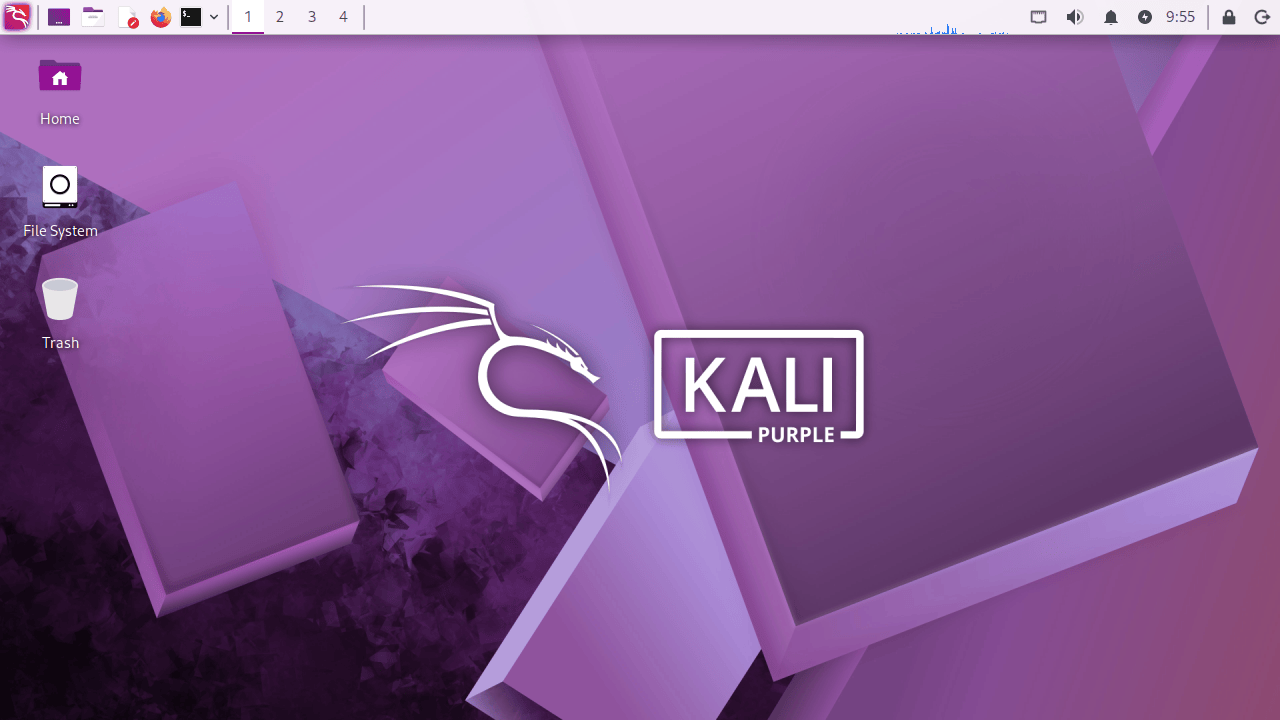
The boot and login experience has also been a focal point of this refresh. The Kali developers stated, "As with previous 20xx.1 releases, this major update brings our annual theme refresh, a long-standing tradition that keeps the Kali Linux interface as modern and innovative." This commitment to visual evolution ensures that Kali Linux remains not only a powerful functional tool but also a visually appealing and comfortable environment for extended use. The enhancements to the boot and login sequences aim to reduce friction and provide a more polished entry into the Kali environment, reflecting the mature and professional nature of its user base. The developers further elaborated, "This year’s release unveils a brand-new theme from the moment you boot. Everything from the boot menu, installer to the login display, and a fresh set of desktop wallpapers." This holistic approach to visual design underscores the team’s dedication to a comprehensive user experience, from the initial power-on to the active use of the system. The accompanying imagery of the "Kali Purple Desktop" hints at a sophisticated and perhaps slightly darker, more professional color palette, aiming to convey a sense of advanced capability and focused intent.
BackTrack Mode for Kali Undercover: A Nostalgic and Functional Blend
One of the most intriguing additions to Kali Linux 2026.1 is the introduction of "BackTrack mode" to the Kali Undercover feature. Kali Undercover, a tool previously introduced to help Kali users discreetly work in public by making their desktop resemble a standard Windows 10 installation, now offers an additional layer of customization. The new BackTrack mode allows users to transform their Kali desktop to closely mimic the look and feel of BackTrack 5, the direct predecessor to Kali Linux.
This feature taps into a deep sense of nostalgia for many in the cybersecurity community who began their penetration testing journey with BackTrack. By recreating the iconic wallpaper, color schemes, and window themes of BackTrack 5, users can evoke a sense of familiarity and continuity. The announcement details, "This mode transforms the desktop to recreate the look and feel of BackTrack 5, with the same wallpaper, colors, and window themes." This isn’t just a superficial change; it offers a functional return to a beloved interface.

The accessibility of this mode is also noteworthy. Users can activate it directly from the application menu or by executing a simple command in the terminal: kali-undercover --backtrack. The ability to switch back to the default Kali desktop, or indeed to other themes, is as straightforward as running the command again, providing seamless transitions between different working environments. This feature demonstrates a thoughtful consideration for user preferences and the historical evolution of the distribution, acknowledging the community’s roots while pushing forward with modern capabilities. The accompanying visual of the "Kali BackTrack Mode" showcases a distinct visual style that will be instantly recognizable to long-time users.
Improvements to Kali NetHunter and Accessibility
Beyond the core desktop experience, the Kali Team has also implemented improvements to the Kali NetHunter app. For users leveraging Kali Linux on their Android devices, these updates are crucial for maintaining a robust mobile penetration testing platform. Key enhancements include a HID (Human Interface Device) permission check, which is vital for ensuring that the device can properly emulate USB keyboards and other input devices for attack simulations. Furthermore, specific bugs have been addressed, including a fix for the WPS (Wi-Fi Protected Setup) scan bug and an issue related to the back button functionality, both of which would have impacted the usability and effectiveness of NetHunter for its intended purposes. These refinements highlight the ongoing commitment to supporting and advancing Kali’s capabilities across diverse platforms.
Acquiring and Upgrading to Kali Linux 2026.1
For individuals eager to explore the new features of Kali Linux 2026.1, several avenues are available. Existing users can seamlessly upgrade their current installations by following a straightforward command-line process. For those looking to embark on a fresh installation or utilize the live environment, Kali Linux 2026.1 is available for download from the official Kali Linux website, with options to select various platforms or directly download ISO images.
The upgrade commands provided for existing installations are as follows:
echo "deb http://http.kali.org/kali kali-rolling main contrib non-free non-free-firmware" | sudo tee /etc/apt/sources.list
sudo apt update && sudo apt -y full-upgrade
cp -vrbi /etc/skel/. ~/
[ -f /var/run/reboot-required ] && sudo reboot -f
These commands update the system’s package sources to point to the rolling release repository, perform a full system upgrade, copy over user-specific configuration files from the skeleton directory, and finally, prompt a reboot if necessary for the changes to take full effect. This process ensures that users receive the most up-to-date packages and configurations.
For users running Kali Linux within the Windows Subsystem for Linux (WSL), the upgrade to WSL 2 is strongly recommended. WSL 2 offers significantly improved support for graphical applications, which is essential for many of Kali’s tools. Users can verify their current WSL version by running wsl -l -v in a Windows command prompt. After any necessary upgrade, a simple command grep VERSION /etc/os-release can confirm the successful transition to Kali Linux 2026.1.
The complete changelog, offering an exhaustive list of all modifications and additions in this release, is readily available on the official Kali Linux website, providing a comprehensive resource for users who wish to delve into the technical details of the update.
Broader Implications and the Evolving Cybersecurity Landscape
The release of Kali Linux 2026.1 arrives at a critical juncture in cybersecurity. As threat actors continue to innovate and deploy increasingly sophisticated attack vectors, the demand for advanced, versatile, and up-to-date security tools has never been higher. Kali Linux, by consistently providing a curated and powerful environment for security professionals, plays an indispensable role in the global effort to defend against cyber threats.
The inclusion of new tools, kernel upgrades, and feature enhancements like the BackTrack mode directly contributes to the ability of security teams to stay ahead of emerging risks. The theme refresh, while seemingly cosmetic, contributes to user efficiency and reduces cognitive load, allowing professionals to focus on the complex tasks at hand. The BackTrack mode, in particular, speaks to the enduring legacy of cybersecurity tools and the importance of community history in driving innovation. It acknowledges that the foundations laid by earlier distributions continue to inform and inspire current practices.
Furthermore, the continued development and support for Kali NetHunter underscore the growing importance of mobile security testing. As more sensitive data and critical infrastructure are accessed and managed via mobile devices, the ability to conduct thorough security assessments on these platforms becomes paramount.
In essence, Kali Linux 2026.1 is more than just a software update; it is a testament to the dynamic and ever-evolving nature of cybersecurity. It provides the tools, the platform, and the community support necessary for individuals and organizations to effectively navigate the complex digital landscape, identify vulnerabilities, and build more resilient defenses against the ever-present threat of cyberattacks. The release reinforces Kali Linux’s position as a cornerstone of the cybersecurity community, empowering professionals to meet the challenges of tomorrow, today.