
 Metty Iskandar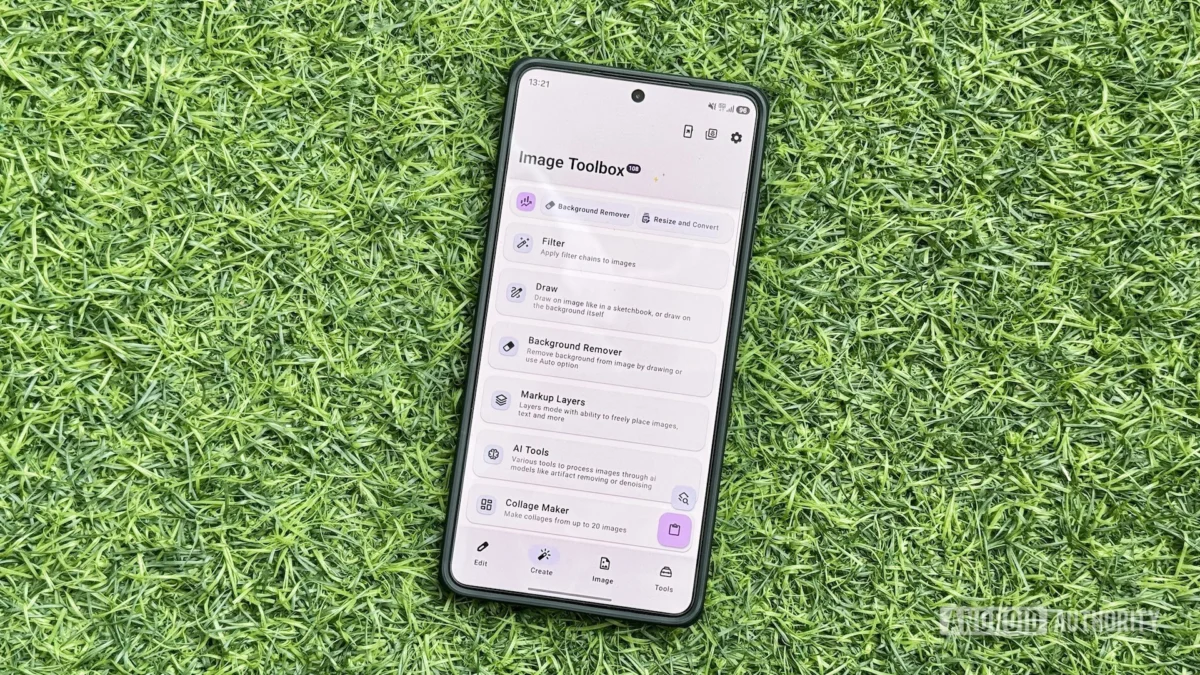
The Android ecosystem has long been celebrated for its flexibility and the vast array of applications available to users, catering to virtually every conceivable need. From intricate document manipulation to the creation of personalized digital identifiers, the ability to perform complex tasks directly on a smartphone has become a hallmark of the platform. This ubiquitous functionality, however, often leads to a fragmented user experience, requiring the installation and maintenance of numerous single-purpose applications. For users like the author, this approach, while once practical, presented ongoing challenges, including the tedious process of re-downloading and updating apps when switching devices and the significant consumption of internal storage. This landscape began to shift with the emergence of Image Toolbox, an innovative Android application that consolidates a comprehensive suite of media-related utilities, effectively replacing a multitude of specialized tools and streamlining mobile media management.
The Genesis of Image Toolbox: Addressing App Fragmentation
The proliferation of single-purpose apps on Android, while offering specialized functionality, often results in a cluttered app drawer and increased resource demands. Historically, users would accumulate a collection of applications for tasks such as image resizing, PDF rearrangement, QR code generation, and image stitching. This dependency on multiple applications meant that device transitions involved a time-consuming process of reinstallation and configuration. Furthermore, the constant need to update these individual apps contributed to storage constraints and potential inconsistencies in functionality.
Image Toolbox emerged as a direct response to this common user pain point. Recognizing the inefficiency of a fragmented approach, the developers aimed to create a unified platform that could address a wide spectrum of media manipulation needs. The application’s core philosophy revolves around the concept of a "super app" – a single application that integrates numerous functionalities, thereby simplifying the user experience and optimizing device resources. This approach not only reduces the number of apps a user needs to manage but also ensures a more consistent and up-to-date feature set across all media-related tasks.
A Deep Dive into Image Toolbox’s Feature Set
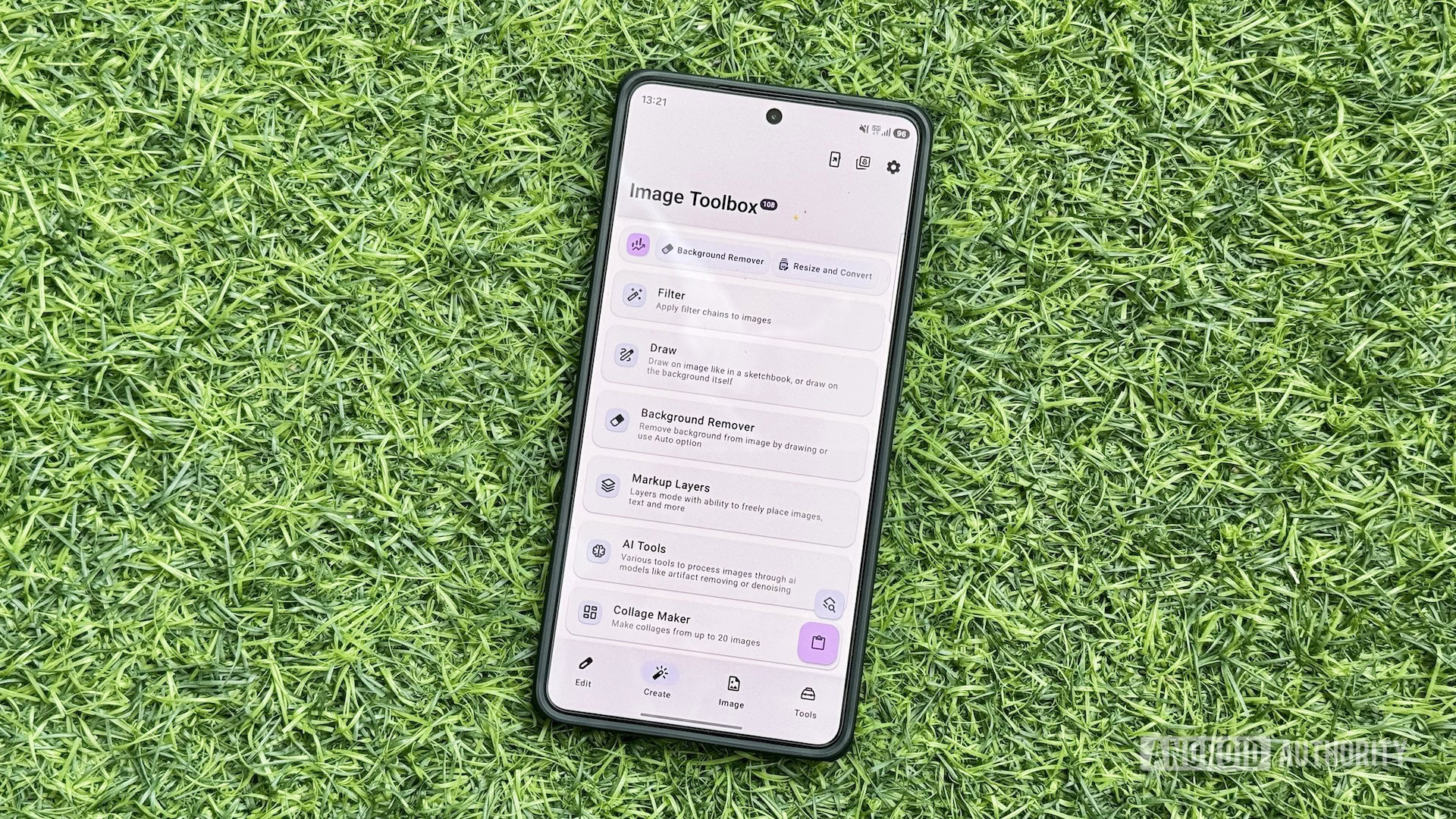
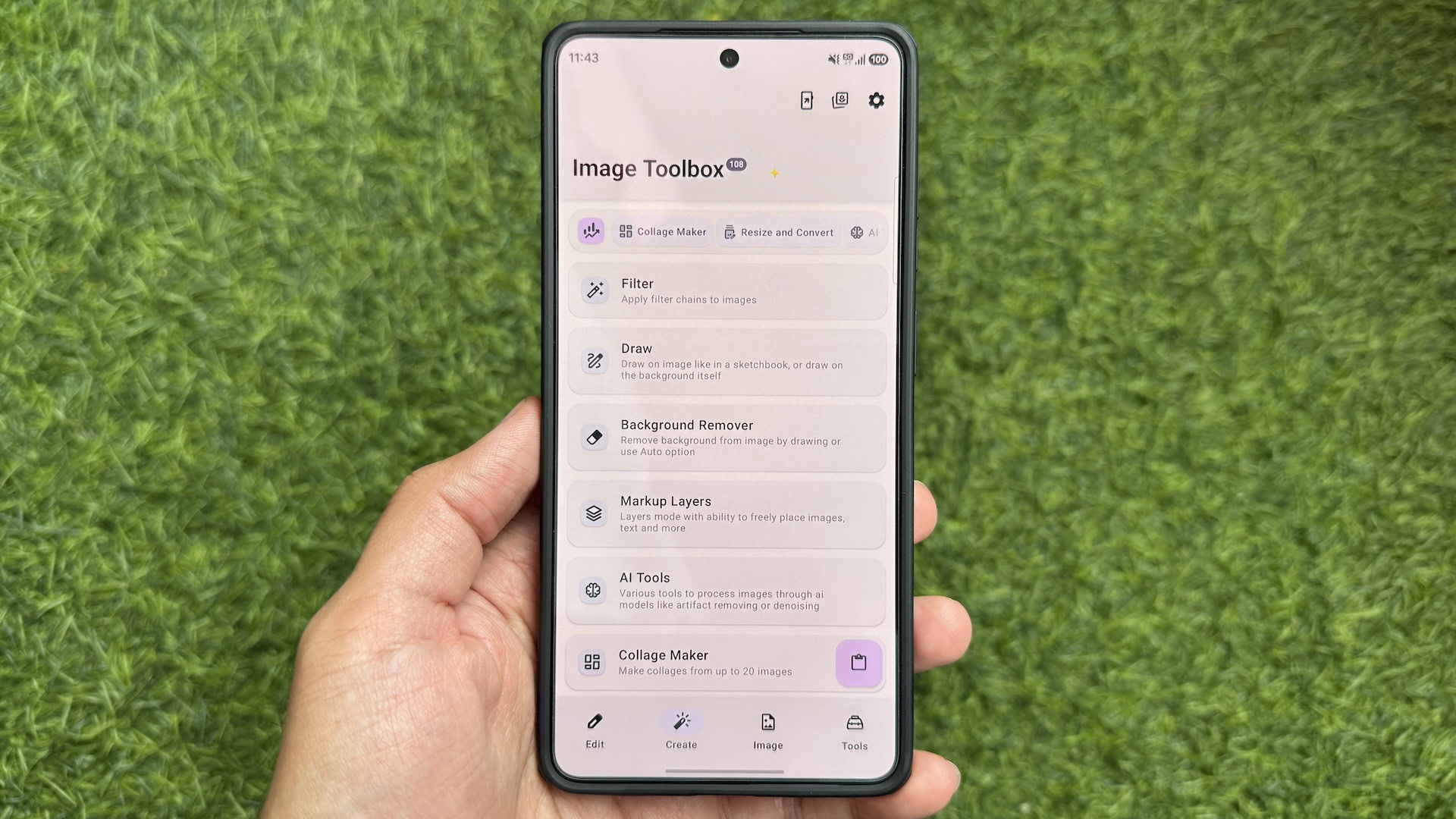
Image Toolbox distinguishes itself as a truly versatile solution, often likened to a "Swiss Army knife" for media tasks. Its open-source nature and complete absence of advertisements, despite being free to use, further enhance its appeal. The application boasts a clean and intuitive interface, organized into four primary tabs: Edit, Create, Image, and Tools. This logical categorization ensures that users can quickly locate the specific functionality they require.
-
Edit Tab: This section is dedicated to core image manipulation tasks. It houses tools such as "Resize and Convert," which allows users to adjust image dimensions and change file formats with options for compression type and immediate preview of the resulting file size. The "Crop" tool offers precise image trimming, while "Format Conversion" specifically addresses batch processing of images across different file types.
-
Create Tab: This tab focuses on generating new media content. The "Collage Maker" provides an automated yet customizable experience for creating photo collages, offering various grid layouts, aspect ratios, background options, and adjustments for spacing and corners.
-
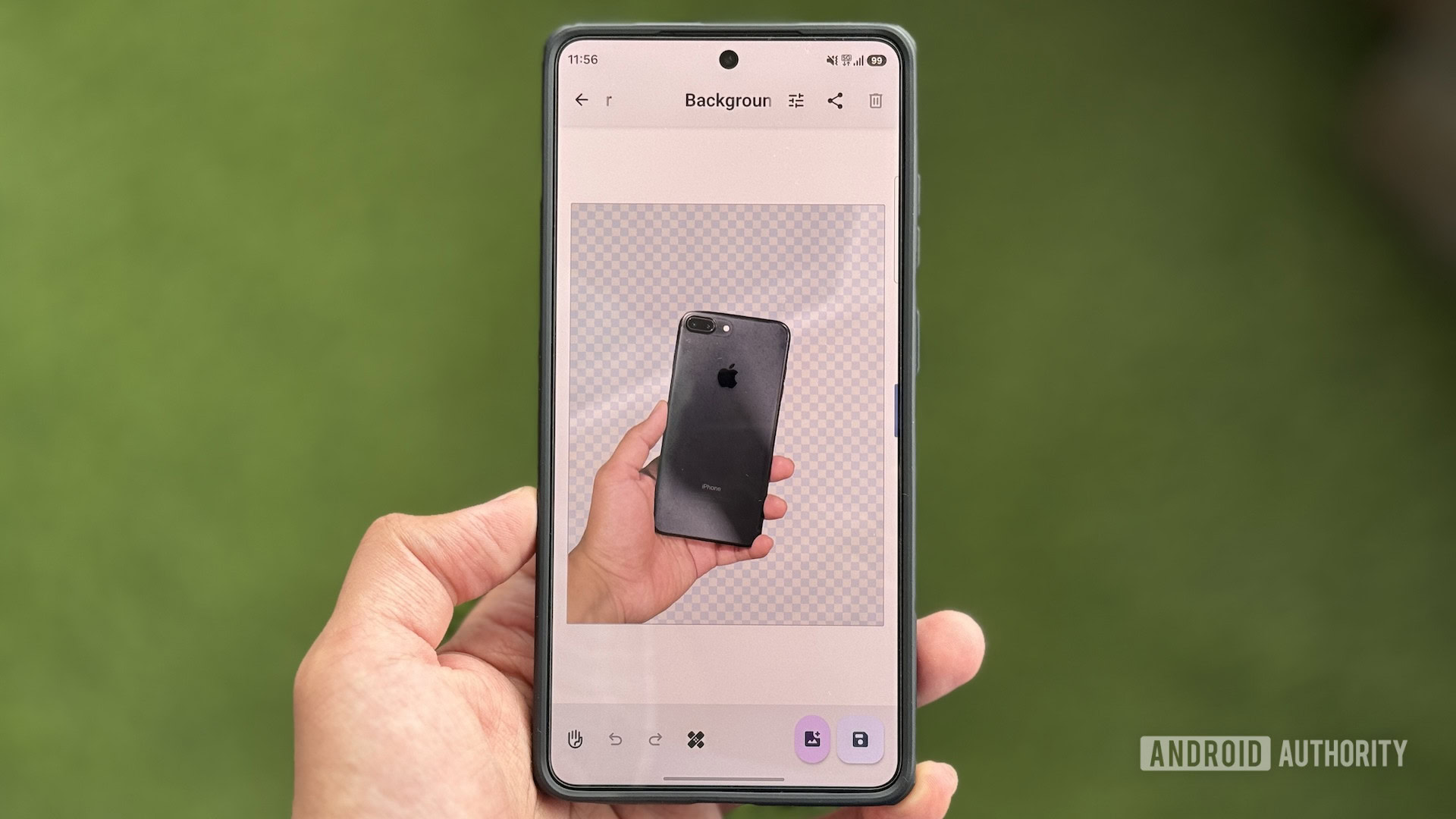
Image Tab: This area contains tools that perform operations directly on image files. Notably, the "Delete EXIF" tool allows for the removal of metadata from photographs, with options for selective tag removal and batch processing, crucial for privacy-conscious users. The "Background Remover" is a powerful feature that employs both automatic and manual modes, utilizing advanced models like RMBG, InSPyReNet, and BiRefNet for accurate object selection and background deletion.
-
Tools Tab: This comprehensive tab encompasses a broader range of media utilities. The "Document Scanner" enables the digitization of physical documents. The "GIF Tools" provide a suite of functionalities for manipulating animated GIFs, including converting images to GIF, GIFs to images, and various format conversions (GIF to JXL, GIF to WEBP). The "QR & Barcode" tool facilitates the instant generation of QR codes and barcodes, offering numerous templates (Wi-Fi, Email, Phone) and customization options for personalized designs. Additionally, this tab houses "WEBP Tools" for converting WebP files, a "Watermarking" tool for adding visual overlays, and an "Edit EXIF" tool for modifying image metadata. The "Gradient Maker" is also included, allowing users to create custom gradient wallpapers.
The grouping of related tools, such as the various GIF manipulation functions, is a thoughtful design choice that prevents clutter and enhances discoverability. This hierarchical organization ensures that even with a vast array of features, the app remains user-friendly and navigable.
Beyond Image Editing: PDF Manipulation Capabilities
A significant and often overlooked aspect of Image Toolbox is its robust PDF handling capabilities, integrated within the "PDF Tools" section. In an era where digital documents are prevalent, the ability to efficiently manage PDFs on a mobile device is invaluable. Image Toolbox addresses this need by offering a comprehensive set of tools that eliminate the requirement for separate PDF editing applications.
Users can leverage these tools to perform a variety of essential operations:
- PDF Creation: Easily convert images into multi-page PDF documents, streamlining the process of digitizing scanned documents or compiled image sets.
- PDF Merging: Combine multiple PDF files into a single document, ideal for consolidating reports, proposals, or other sequential documents.
- Page Management: Remove specific pages from a PDF or rearrange the order of existing pages to reorganize content effectively.
- Security Features: Password-protect sensitive PDF files to restrict access and unlock password-protected PDFs when the necessary credentials are known.
- File Optimization: Compress PDFs to reduce file size without significant loss of quality, which is crucial for efficient storage and sharing, especially over mobile networks.
The inclusion of these PDF functionalities elevates Image Toolbox from a mere image manipulation app to a more comprehensive document management solution, further solidifying its position as an indispensable tool for Android users.
User Customization and Enhanced Workflow
A key factor contributing to Image Toolbox’s effectiveness is its extensive customization options, accessible through the dedicated Settings tab. This allows users to tailor the application’s behavior and interface to their specific workflow, maximizing efficiency and personal preference.
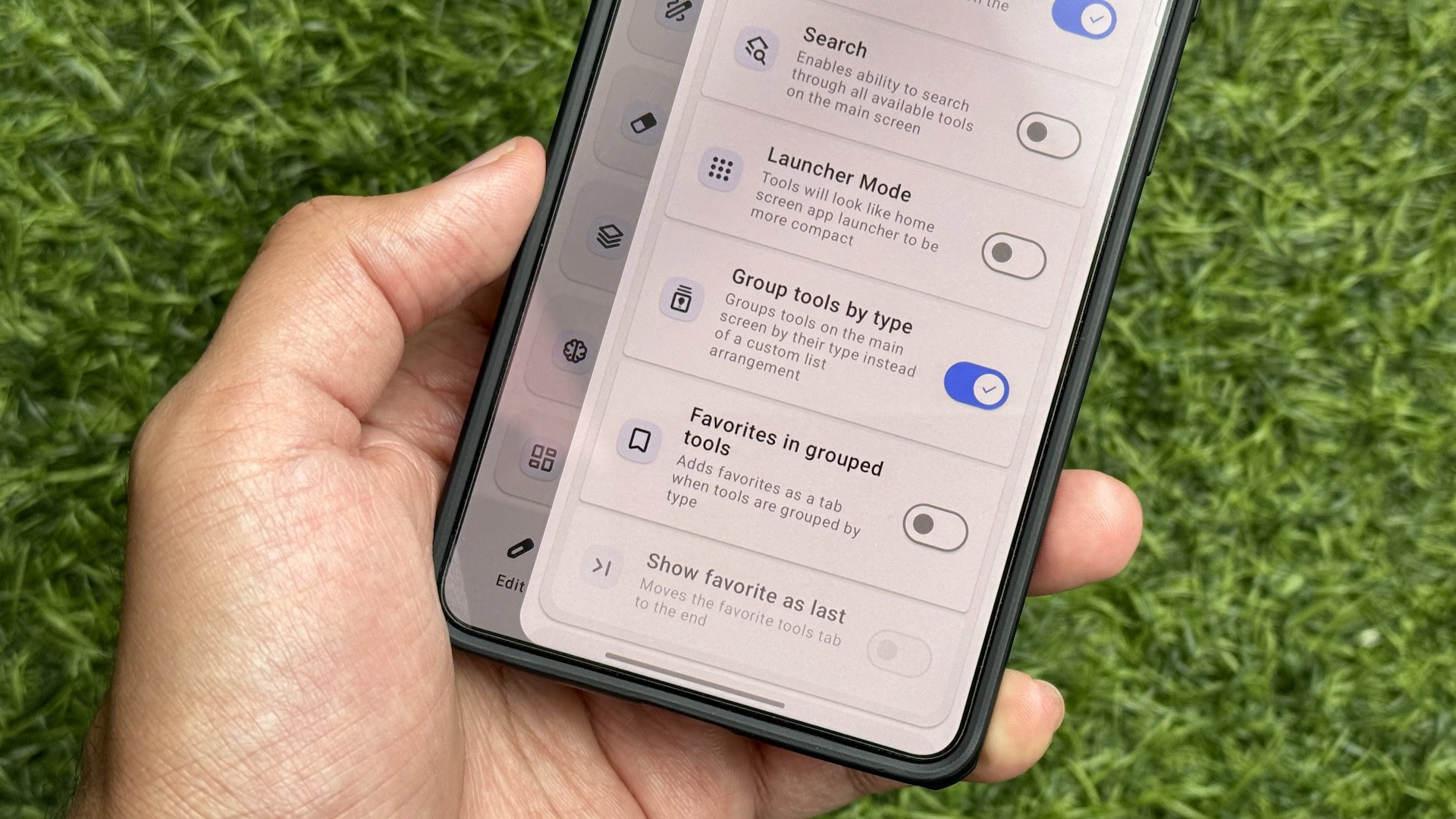
- Launcher Mode: Enabling this option transforms the appearance of tools, presenting them as home screen app launchers across all tabs. While this simplifies access by eliminating the need to scroll through lengthy lists, it does mean that tool descriptions are not displayed in this mode.
- Search Functionality: A floating search button can be added to the app, providing a quick and intuitive method for locating any tool, regardless of its categorized location.
- Output Folder Management: Users can dictate where edited files are saved. The default setting is Documents/ImageToolbox, but a highly practical option is "Save to Original Folder," which places modified files alongside their source counterparts, simplifying file organization.
- Filename Customization: The app offers granular control over how edited files are named. Users can enable the "Add original filename" option and simultaneously remove default prefixes and add custom suffixes (e.g., "image-toolbox") to clearly identify files processed by the application. This feature is invaluable for maintaining a clean and organized file system.
These customization features empower users to create a personalized experience that aligns with their individual needs, demonstrating the app’s commitment to user-centric design. By allowing users to fine-tune aspects like tool arrangement, searchability, and file naming conventions, Image Toolbox ensures that it can adapt to a wide range of user preferences and workflows.
Impact on User Behavior and Device Management
The integration of Image Toolbox has demonstrably shifted user behavior away from the traditional reliance on multiple single-purpose applications. For users who have embraced its comprehensive functionality, the need to download and manage dozens of individual apps has become obsolete. This consolidation offers several tangible benefits:
- Reduced Storage Footprint: By replacing numerous apps with a single, feature-rich one, users significantly reduce the storage space consumed on their devices. This is particularly beneficial for devices with limited internal storage.
- Simplified Updates: Instead of managing updates for a multitude of apps, users only need to keep Image Toolbox current, ensuring all its integrated tools are up-to-date with the latest features and bug fixes.
- Enhanced Efficiency: The streamlined interface and unified access to a wide range of tools reduce the time and effort required to perform common media-related tasks. Users no longer need to navigate through different apps or search for specific functionalities.
- Consistent User Experience: Using a single application for various tasks provides a more consistent and predictable user experience, as the interface and interaction patterns remain familiar across all functionalities.
The author’s personal experience, as detailed in the original content, serves as a testament to this shift. Having used Image Toolbox for an extended period, the author found no compelling reason to revert to individual apps, even after transitioning to a new flagship device like the Samsung Galaxy S26 Ultra. This indicates a high level of user satisfaction and a genuine reduction in the perceived need for specialized applications.
Broader Implications for the Android Ecosystem
The success of applications like Image Toolbox highlights a growing trend in the mobile app market: the increasing demand for integrated, all-in-one solutions. As users seek to simplify their digital lives and optimize their device usage, the appeal of "super apps" that consolidate multiple functionalities is likely to grow. This trend has implications for app developers, who may need to consider more comprehensive feature sets in their offerings, and for users, who can benefit from a less cluttered and more efficient mobile experience.
The open-source and ad-free nature of Image Toolbox also sets a positive precedent. It demonstrates that powerful and user-friendly applications can be developed and distributed without relying on intrusive advertising or expensive subscription models. This approach fosters a more user-centric and ethical app ecosystem.
Looking Ahead: The Future of Mobile Media Management
Image Toolbox represents a significant step forward in the evolution of mobile media management. Its comprehensive feature set, intuitive design, and extensive customization options make it an indispensable tool for any Android user looking to simplify their digital workflow. As the capabilities of smartphones continue to expand, applications that effectively consolidate and streamline complex tasks will become increasingly vital. Image Toolbox has not only addressed a prevalent user need but has also set a high bar for what users can expect from their mobile applications in terms of functionality, usability, and value. The author’s reluctance to return to single-purpose apps underscores the transformative impact of such integrated solutions, signaling a potential shift in how users approach media management on their Android devices for years to come.









