Metty Iskandar
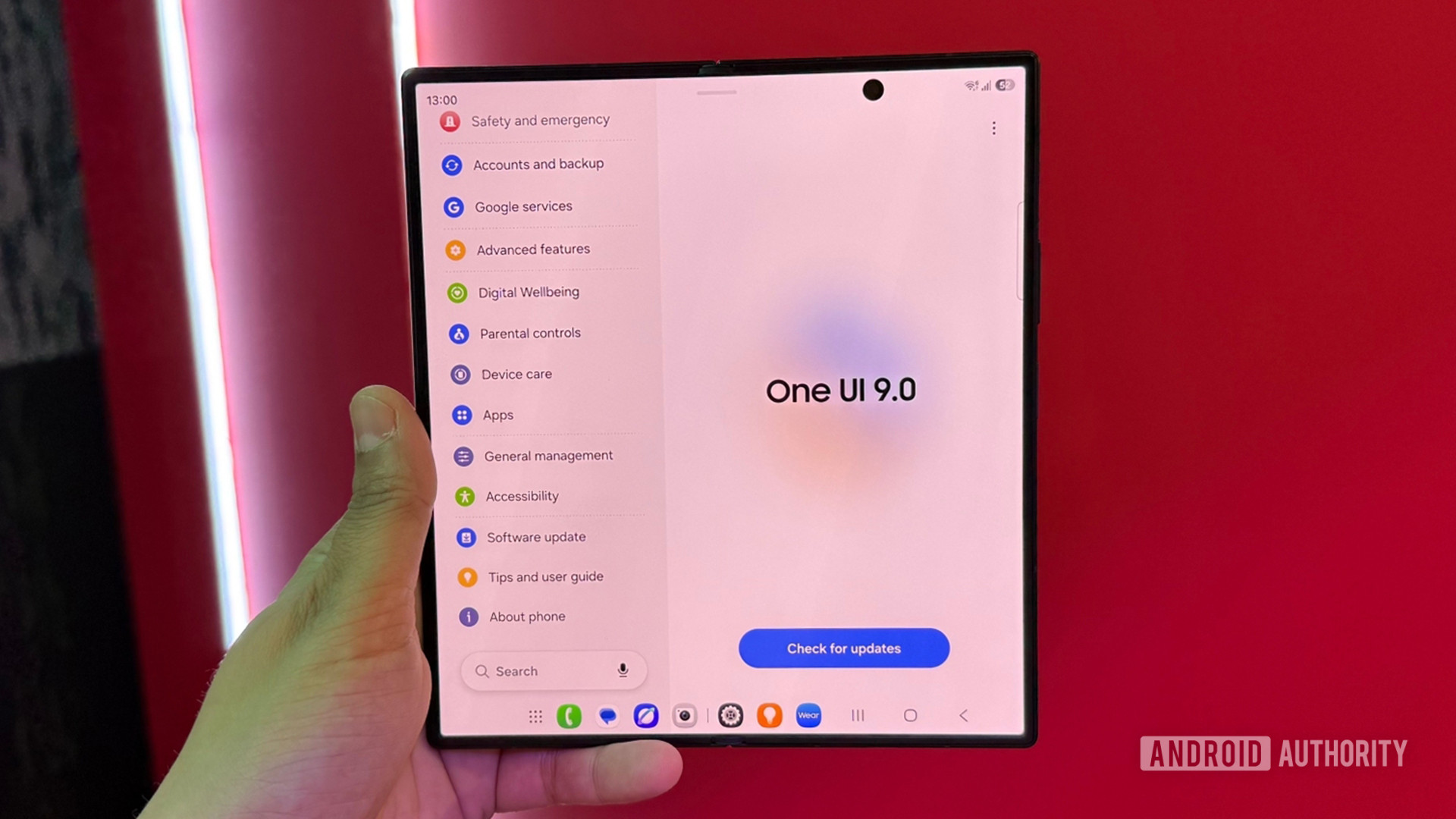
The Samsung SmartThings application, a central hub for managing the company’s expansive ecosystem of smart home devices, is on the cusp of a significant visual and functional redesign. Leaked details suggest a comprehensive update that aligns the smart home platform with the sleek, modern aesthetic of Samsung’s latest One UI 9 software. This overhaul aims to modernize the user experience, which has largely remained static while other Samsung applications have seen progressive refinements over the past several years. The anticipated update promises a dynamic new navigation bar, personalized background options, and an array of other visual enhancements designed to streamline smart home management for millions of users worldwide.
A Visual Renaissance for SmartThings
The most striking change previewed in the early look at the unreleased update, as reported by SamMobile, is the introduction of a floating, pill-shaped navigation bar. This design element mirrors the refreshed interface already implemented across numerous other Samsung applications, bringing a consistent visual identity to the company’s software suite. The new navigation bar retains access to the core functionalities of SmartThings, namely the Home, Devices, Life, Routines, and Menu tabs, but presents them in a more contemporary and visually appealing manner. This move is indicative of Samsung’s broader strategy to unify its user interface across devices and services, fostering a more intuitive and cohesive user journey.
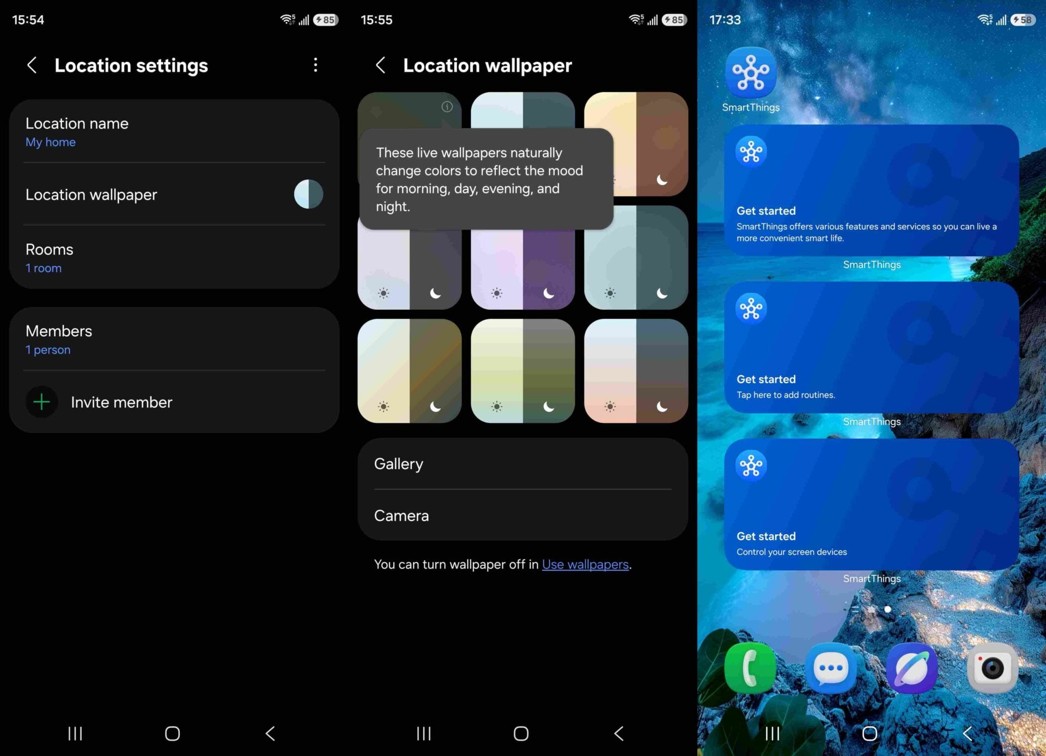
The Home tab, the primary entry point for users into their smart home, is slated for a particularly vibrant transformation. Users will reportedly gain the ability to select from nine animated wallpapers that dynamically adapt to the time of day, creating an immersive and context-aware environment. Beyond these animated options, users can also personalize their Home screen with images from their personal gallery or even capture new photos directly with their camera. A notable feature is the capability to assign unique backgrounds to different SmartThings locations. This means users can differentiate between their primary residence, a vacation home, or even a family member’s abode within the app, adding a layer of personalized organization and visual distinction. This level of customization moves beyond mere functional arrangement to incorporate aesthetic preferences, potentially enhancing user engagement and satisfaction with the platform.
Enhanced Functionality and Intelligent Suggestions
Beyond the visual refresh, the update introduces a "SmartThings Now" card positioned at the top of the Home tab. This intelligent feature is designed to proactively suggest features and functionalities that users may not have yet explored. While intended to guide users towards a richer experience with their smart devices, this feature will also be toggleable, allowing users to disable it if they prefer a less guided interface and wish to avoid repeated prompts about underutilized capabilities. This approach balances proactive user guidance with individual preference, a common theme in modern software design seeking to cater to diverse user needs.
The update also streamlines the home-screen widget experience, offering three distinct types: Device Control, Screen Device Control, and Routines. These widgets are crucial for quick access to frequently used functions, allowing users to manage their smart home without needing to fully open the SmartThings application. The Device Control widget provides direct access to individual device settings, while the Screen Device Control widget likely offers broader control over display-related smart devices. The Routines widget, a significant aspect of smart home automation, enables users to trigger pre-set automations with a single tap. This emphasis on widgets underscores Samsung’s commitment to providing efficient and accessible smart home management.
A Deep Dive into Tab Functionality
While the Devices tab maintains a broadly familiar layout, its integration with the new visual theme ensures consistency. The Life section, a comprehensive area for managing various smart home services, will continue to house features such as Energy monitoring, Clothing Care appliances, Food management tools, Home Care services, and Music Sync functionalities. The ability to rearrange the cards within the Life section offers users a degree of control over how these services are presented, allowing them to prioritize those they use most frequently.
The Routines tab is set to undergo a significant structural change, with existing automations being clearly separated from a new "Discover" section. This Discover area is designed to showcase routines that are popular among other SmartThings users, serving as a source of inspiration and a platform for community-driven innovation. By highlighting popular automations, Samsung aims to encourage users to explore the full potential of SmartThings, potentially leading to more complex and integrated smart home setups. This feature also taps into the social aspect of technology, allowing users to learn from and adopt successful automation strategies from their peers.
Timeline and Broader Implications
While an official release date for the redesigned SmartThings app has not yet been confirmed, SamMobile‘s report suggests a potential launch coinciding with the wider rollout of Samsung’s One UI 9 operating system. The strong visual parallels between the redesigned SmartThings interface and the established One UI 9 design language lend considerable weight to this speculation. Samsung’s historical practice of aligning app updates with major OS releases further supports this anticipated timeline.
The significance of this SmartThings redesign extends beyond mere aesthetic improvements. For Samsung, it represents a crucial step in solidifying its position as a leader in the rapidly expanding smart home market. As consumers increasingly adopt connected devices, the user experience of managing these devices becomes paramount. A more intuitive, personalized, and visually appealing SmartThings app can differentiate Samsung from competitors and foster greater customer loyalty.
Furthermore, the enhanced personalization options, particularly the dynamic wallpapers and location-specific backgrounds, signal a trend towards more emotionally resonant and user-centric smart home interfaces. The "SmartThings Now" card, while potentially requiring user adjustment, points towards a future where smart home platforms are not just passive controllers but active assistants, anticipating user needs and guiding them towards optimal usage.
The separation of personal routines from a community-driven "Discover" section also highlights Samsung’s interest in fostering a vibrant ecosystem. By enabling users to share and discover popular routines, Samsung could cultivate a more engaged user base and accelerate the adoption of advanced smart home functionalities. This approach not only benefits individual users by providing them with new ideas but also provides Samsung with valuable data on how its users interact with and leverage its smart home technology.
The strategic timing of this update, potentially alongside One UI 9, also suggests a broader effort by Samsung to ensure its hardware and software offerings are seamlessly integrated and provide a consistent, high-quality user experience. As the smart home landscape becomes increasingly competitive, with players like Google and Amazon continually refining their own offerings, Samsung’s commitment to modernizing its core applications like SmartThings is a vital component of its long-term strategy to maintain a leading edge in the connected living space. The success of this overhaul will likely be measured not only by user adoption rates but also by the increased engagement and perceived value of the SmartThings platform in the daily lives of its users. The upcoming redesign appears poised to transform SmartThings from a functional utility into a more sophisticated and engaging smart home companion.