Metty Iskandar
Google is actively refining Android’s security framework, with recent findings in Google Play Services (version 26.30.31) indicating an imminent enhancement to the Advanced Protection Mode. This crucial feature, designed to shield users from high-risk targeted attacks, is set to receive a quality-of-life improvement that will streamline the process of installing applications from outside the official Google Play Store. Currently, users operating under Advanced Protection must temporarily disable the mode to sideload apps, a process that requires them to remember to re-enable the robust security measures afterward. The forthcoming update aims to replace this cumbersome procedure with a more intuitive temporary pause function.
Understanding Android’s Advanced Protection Mode
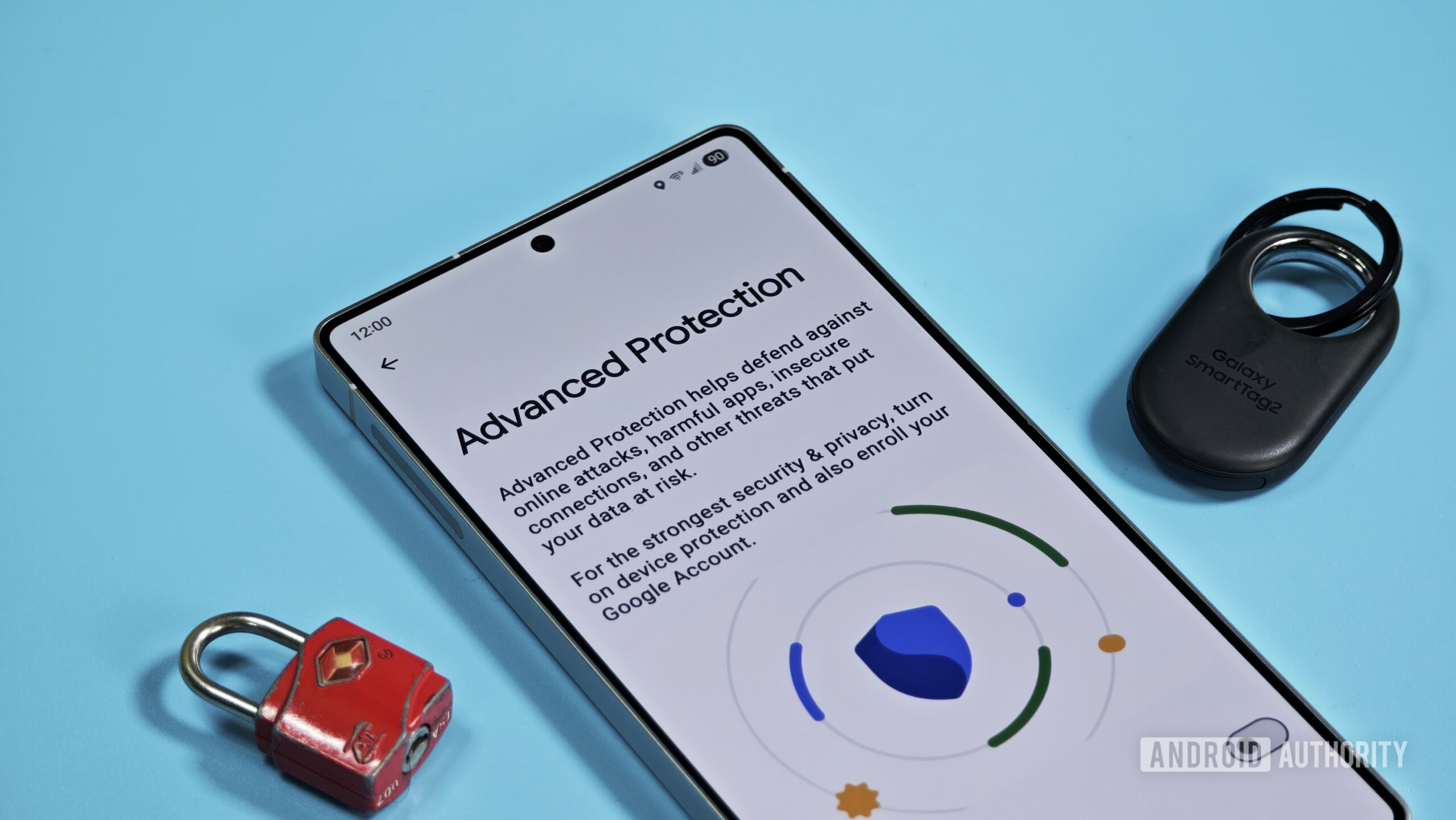
Advanced Protection Mode represents a significant step in Google’s ongoing commitment to bolstering Android’s security. Introduced as a comprehensive security suite, it eschews granular user configuration in favor of a bundled, all-or-nothing approach. This means that when enabled, a selection of stringent security features are activated simultaneously, providing a higher degree of protection against sophisticated threats. However, this elevated security comes with a trade-off: certain Android functionalities become restricted or unavailable. The primary restriction that the upcoming change addresses is the inability to sideload applications, which is the installation of apps from sources other than the Google Play Store. Historically, this has necessitated a manual deactivation and subsequent reactivation of Advanced Protection, a step that users might overlook, potentially leaving their devices vulnerable.
The Evolution of Security and Sideloading
Google’s approach to app distribution and security has evolved significantly over the years. The Play Store acts as a curated and vetted marketplace, offering a baseline level of security for most Android users. However, the flexibility of the Android ecosystem has always allowed for sideloading, providing users with access to a wider range of applications, including those not available on the Play Store, or enabling developers to distribute beta versions directly. This flexibility, while beneficial, also presents a potential attack vector for malicious actors.
Advanced Protection Mode was developed to cater to a specific user demographic: individuals, journalists, politicians, activists, and business leaders who face a heightened risk of targeted cyberattacks. For these users, the convenience of certain features is secondary to the imperative of safeguarding their digital identities and sensitive data. The strict nature of Advanced Protection ensures that even sophisticated phishing attempts, malware, or unauthorized access vectors are significantly mitigated.
The Current Sideloading Conundrum
Under the current implementation of Advanced Protection, sideloading an application involves a multi-step manual process. A user wishing to install an app from an external source, such as a developer’s website or a third-party app repository, must first navigate to their device’s security settings. There, they would need to locate and toggle off the Advanced Protection Mode. Once disabled, they could proceed with the app installation. Crucially, after the installation is complete, the user is responsible for returning to the security settings and reactivating Advanced Protection Mode. Failure to do so would leave the device operating with its enhanced security features turned off, rendering it more susceptible to the very threats the mode is designed to prevent. This reliance on user diligence presents a clear vulnerability in the user experience, particularly for those who may not be highly tech-savvy or who are under pressure.
A Glimpse into the Future: Temporary Pausing of Advanced Protection
The discovery within Google Play Services (version 26.30.31) points to a more elegant solution. Evidence suggests the implementation of a feature that allows users to temporarily "pause" Advanced Protection. This is a significant shift from the current "disable" functionality. Instead of a complete deactivation, the new mode would offer a limited suspension of the security features.
Based on the code analysis, when a user attempts to pause Advanced Protection, a clear dialog box is presented. This dialog informs the user: "While paused, device protection features will be turned off. They will automatically turn back on after 3 hours." This three-hour window is a critical aspect of the new functionality. It provides sufficient time for users to complete tasks that require sideloading or other restricted actions, such as installing necessary enterprise tools not found on the Play Store, testing beta software, or even accessing certain potentially risky but legitimate links.
The Benefit of Automatic Re-enabling
The automatic re-enabling of Advanced Protection after a predetermined period is a substantial improvement over the current manual process. This addresses the inherent risk of user oversight. Unlike features like Google Play Protect, which might offer pauses until the next day, the proposed three-hour limit for Advanced Protection is considerably shorter. This shorter timeframe significantly reduces the likelihood of users forgetting to reactivate the security measures, thereby minimizing the duration of their device’s exposure. This proactive approach by Google demonstrates a commitment to not only providing robust security but also ensuring that users can effectively utilize their devices without compromising that security.
Broader Implications and Strategic Timing
The timing of this potential enhancement to Advanced Protection Mode is particularly noteworthy, coinciding with significant upcoming changes to Android’s app installation landscape. Google has recently announced a phased rollout of a new developer verification system, which will begin introducing user-facing protections on September 30, 2026, and expand globally throughout 2027.
As part of this initiative, Android is implementing a more restrictive installation flow for applications developed by unverified sources. While sideloading itself will not be eliminated, the process of installing apps from unknown or unverified developers will involve additional security checks and prompts for the user. This means that even for users not operating under the strictest Advanced Protection Mode, the general experience of installing apps from outside the Play Store is set to become more scrutinized.
Given these impending changes, it is highly probable that Google is simultaneously refining Advanced Protection Mode to better integrate with and support these new sideloading rules. By offering a streamlined way to temporarily disable its most stringent protections, Google can help ensure that users who rely on Advanced Protection can adapt to the evolving Android app installation environment without undue friction. This suggests a strategic move to balance enhanced security with user-friendliness, acknowledging that a secure device is one that users can actually manage and operate effectively.
Anticipated Use Cases Beyond Sideloading
While the primary driver for this feature appears to be the facilitation of app sideloading, the ability to temporarily pause Advanced Protection could serve several other purposes:
- Troubleshooting Applications: Certain complex app issues or compatibility problems might require temporary suspension of Advanced Protection to allow for in-depth diagnostics or the installation of specific debugging tools.
- Enterprise Tools: Businesses often utilize proprietary or specialized software that may not be distributed through the Google Play Store and might have specific integration requirements that conflict with Advanced Protection.
- Software Testing: Developers and testers working with pre-release software or custom builds may need to temporarily disable certain security features to facilitate their testing workflows.
- Accessing Specific Content or Services: While rare, there might be legitimate online services or content that, due to their nature or how they are distributed, require a less restrictive environment than Advanced Protection provides.
The Role of APK Teardowns
It is important to contextualize this finding within the methodology used to uncover it. An APK teardown involves analyzing the code of an application package (APK) to identify pre-released features or functionalities. This process is invaluable for predicting future updates and understanding Google’s development trajectory. However, it is crucial to acknowledge that code found during an APK teardown represents work-in-progress. Features identified in this manner are not guaranteed to be released to the public. Development plans can change, features can be altered significantly, or they may be shelved entirely before a public launch. Therefore, while the evidence strongly suggests an impending update to Advanced Protection Mode, users should remain aware that the final implementation might differ from current findings.
Conclusion: A More Accessible Security Posture
The forthcoming enhancement to Android’s Advanced Protection Mode, allowing for a temporary pause rather than complete deactivation for sideloading and other restricted actions, marks a significant step towards a more user-centric security experience. By addressing a key pain point in the current implementation, Google is demonstrating its commitment to making its most robust security features more accessible and manageable for its intended user base. This development, coupled with upcoming changes to Android’s app verification and installation processes, signals a proactive and strategic approach to balancing security imperatives with the practical needs of Android users in an ever-evolving digital landscape. The ability to temporarily step back from maximum security, with the assurance of automatic re-engagement, is a welcome evolution that promises to enhance the overall usability of one of Android’s most critical security tools.