George Chandra Eka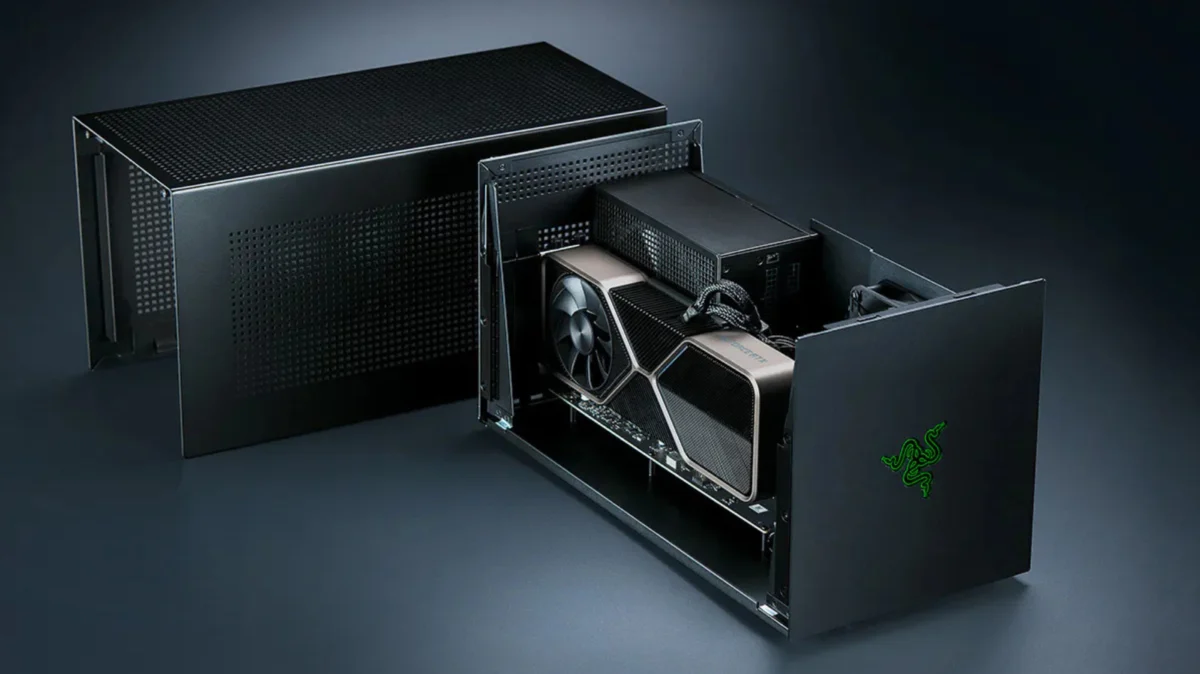
For laptop users seeking to augment their machine’s gaming capabilities without investing in an entirely new system, external Graphics Processing Units (eGPUs) have emerged as a compelling, albeit complex, solution. An eGPU typically consists of a powerful desktop-grade graphics card housed within an external enclosure, connected to a compatible laptop or gaming handheld via high-bandwidth interfaces like Thunderbolt or USB4. While eGPUs promise to transform thin-and-light portables into formidable gaming rigs, their implementation is fraught with technical caveats, significant performance compromises, and a cost structure that often leads consumers to question their overall value proposition.
The Promise and the Practicality: An Overview of eGPUs
The allure of eGPUs stems from their potential to bridge the gap between portable convenience and high-fidelity gaming. Modern laptops, particularly ultrabooks and even many professional workstations, often feature robust CPUs and ample RAM but are limited by integrated graphics or entry-level discrete GPUs. An eGPU theoretically allows users to tap into the raw processing power of a full-sized desktop graphics card, enabling them to play demanding AAA titles, engage in virtual reality experiences, or accelerate creative workloads like video editing and 3D rendering. This concept is especially attractive in an era where component prices, such as RAM, can fluctuate, making a full system upgrade less appealing.
However, the practical application of eGPUs introduces a series of compromises that temper this initial promise. The primary bottleneck lies in the interface used to connect the external GPU to the host system. While Thunderbolt and USB4 offer impressive data transfer speeds for general peripheral use, they present significant limitations when tasked with feeding the insatiable bandwidth demands of a high-performance graphics card.
Technical Bottlenecks: Unpacking Performance Losses
The most critical factor affecting eGPU performance is the bandwidth available through the connection interface. A Thunderbolt 4 port, for instance, provides a maximum throughput of 40 Gigabits per second (Gbps). Of this, Intel’s specification allocates approximately 32 Gbps for PCIe data. This figure, while substantial for many applications, pales in comparison to the dedicated PCIe 4.0 x16 slot found in a modern desktop motherboard, which offers a theoretical bandwidth of 256 Gbps. This means a Thunderbolt 4 connection provides roughly one-eighth of the bandwidth available to a graphics card operating natively within a desktop system.
The implications of this bandwidth disparity are significant. While a substantial portion of a graphics card’s workload, such as loading textures and shaders into its onboard VRAM, occurs internally and does not traverse the external cable, the constant exchange of data for new assets, command instructions, and finished frames imposes a considerable strain on the limited Thunderbolt connection. This bottleneck manifests as measurable performance degradation.
Testing conducted by reputable hardware review sites consistently illustrates this phenomenon. For example, in 2021, the portable review site Notebookcheck evaluated an NVIDIA GeForce RTX 2080 Ti housed in an eGPU enclosure. Their findings indicated performance deficits ranging from seven to 32 percent when compared to the same GPU operating within a desktop environment. The severity of the loss varied depending on the game, resolution, and specific test scenario. Interestingly, Notebookcheck observed that performance losses tended to shrink to single-digit percentages when gaming at 4K resolution on an external monitor. This is because when rendering to an external display, the finished frames do not need to travel back across the already constrained Thunderbolt cable to the laptop’s integrated display, thus reducing bidirectional data traffic and alleviating some of the pressure on the interface.
More recent evaluations further underscore these limitations. PC Gamer, in its own testing, compared an NVIDIA GeForce RTX 4070 Ti and an RTX 4090 across various interfaces: Thunderbolt, OCuLink, and a native desktop PCIe slot. The RTX 4070 Ti, when run over Thunderbolt, performed approximately 25 percent slower than when connected via OCuLink in numerous 1440p benchmarks. Crucially, the Thunderbolt setup also exhibited lower 1 percent low framerates and increased stuttering, indicating a less consistent and fluid gaming experience.
Furthermore, PC Gamer‘s analysis revealed a diminishing return on investment for higher-end GPUs when paired with Thunderbolt. Upgrading from an RTX 4070 Ti to an RTX 4090 yielded comparatively smaller performance gains over Thunderbolt and OCuLink than it did in a desktop configuration. This suggests that the faster the graphics card, the more severely its potential is curtailed by the Thunderbolt interface’s bandwidth limitations, making a mid-range GPU often the more sensible and cost-effective choice for an eGPU enclosure. The additional power of a top-tier card simply cannot be fully utilized due to the data transfer bottleneck.
The Evolution of External Graphics: A Brief History
The concept of external graphics is not new, though its modern iteration is heavily reliant on high-speed interfaces like Thunderbolt. Early attempts at external graphics solutions often involved proprietary connectors and limited compatibility, struggling to gain widespread adoption. Products like the Alienware Graphics Amplifier, introduced in 2014, offered a dedicated port for connecting an external GPU enclosure to specific Alienware laptops. Similarly, ASUS has experimented with its proprietary ROG XG Mobile interface, offering compact external GPUs for select ROG Flow series laptops. While these solutions often provided better bandwidth than early universal options, their proprietary nature restricted consumer choice and interoperability.
The advent of Thunderbolt technology, spearheaded by Intel and Apple, marked a turning point. Thunderbolt, built upon the PCIe standard, offered a high-bandwidth, multi-purpose port that could carry data, video, and power over a single cable. This standardization laid the groundwork for universal eGPU enclosures that could theoretically work with any Thunderbolt-enabled laptop, regardless of manufacturer. The market for eGPUs began to mature with products from companies like Razer, Sonnet, AKiTiO, and Cooler Master, offering various enclosure designs and features. The recent announcement by Razer in July 2025 (as a future product release) to revive its eGPU line with a Thunderbolt 5 dock, and Framework’s initiative to develop an OCuLink eGPU kit for its Laptop 16, signal a continued, albeit niche, interest in external graphics solutions.
Decoding the Costs: Is an eGPU a Viable Investment?
The financial outlay required for an eGPU setup is a significant deterrent for many potential users. The components involved typically include:
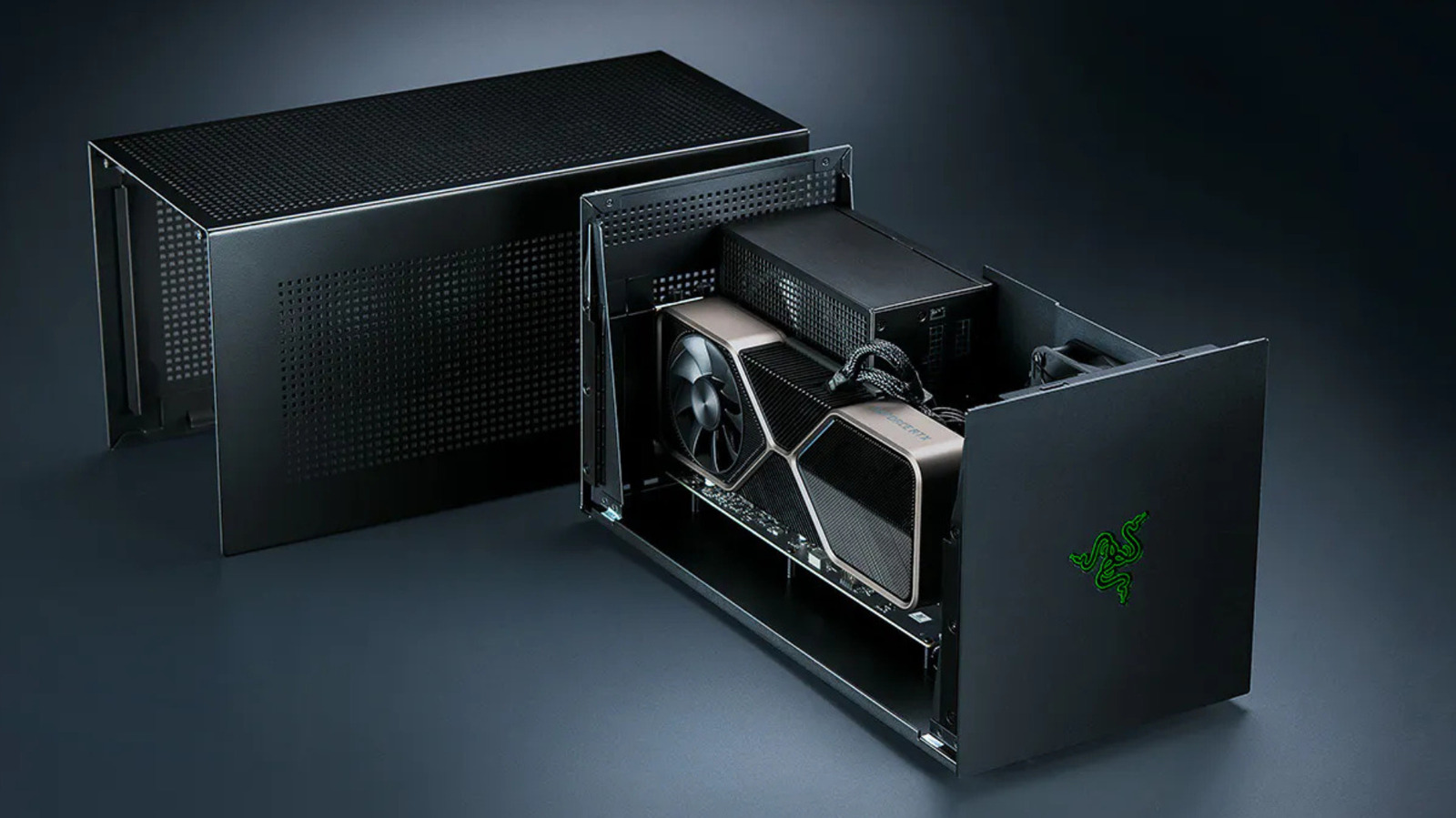
- The eGPU Enclosure: These specialized chassis, designed to house a desktop graphics card and provide necessary power and connectivity, are not inexpensive. The Razer Core X V2, for instance, is priced around $350. It’s important to note that this cost often covers only the enclosure itself, without a power supply, additional USB ports, or Ethernet connectivity.
- Power Supply Unit (PSU): Many enclosures require the user to supply their own ATX power supply to adequately power the graphics card. This adds another $50-$150 to the total cost, depending on the wattage and efficiency rating.
- The Graphics Card: This is often the most expensive component. Even a mid-range GPU suitable for eGPU use can cost anywhere from $300 to $800 or more, depending on the model and market conditions.
- Thunderbolt Dock (Optional but often necessary): If the enclosure lacks essential input/output (I/O) ports, users might need a separate Thunderbolt dock for USB connectivity, Ethernet, and additional display outputs. Razer, for example, sells a Thunderbolt 5 dock separately, starting at approximately $390 for the Mercury version.
When these costs are aggregated – the enclosure, PSU, graphics card, and potentially an additional dock – the total investment can easily exceed $800 to $1,500, or even more for high-end GPUs. This price point frequently places an eGPU setup in direct competition with the cost of a brand-new, entry-level to mid-range dedicated gaming desktop PC. A budget gaming rig built or bought for a similar price would circumvent the external connection’s bandwidth limitations entirely, offering superior and more consistent performance for the same or less money. Industry analysts often highlight this cost-to-performance ratio as the primary hurdle for mainstream eGPU adoption, suggesting that the premium paid for external flexibility often outweighs the actual performance gains.
Compatibility Conundrums: Navigating OS and Hardware Restrictions
Beyond performance and cost, compatibility remains a complex issue for eGPU users.
- Operating System Support: While Windows generally offers the most robust support for eGPUs, driver installations and system recognition can sometimes be finicky. Linux support exists but often requires more technical expertise and manual configuration.
- macOS and Apple Silicon: Apple significantly altered the eGPU landscape with its transition from Intel processors to proprietary Apple Silicon (M-series chips) starting in 2020. Since this architectural shift, no macOS release has officially brought back eGPU support for graphics acceleration for gaming or general creative tasks. This move effectively rendered existing Thunderbolt eGPU setups incompatible for Mac users seeking performance boosts for games or GPU-intensive applications. However, a notable development occurred earlier this year when Apple approved TinyGPU, a driver extension from the tinygrad project. This solution allows newer AMD and Nvidia cards to run over Thunderbolt or USB4 on Apple Silicon Macs, but critically, it is designed exclusively for AI workloads and lacks display output, making it unsuitable for gaming or traditional graphics rendering use cases.
- Thunderbolt Versions: The performance of an eGPU is also tied to the version of Thunderbolt supported by the host laptop. While Thunderbolt 5 promises a substantial leap in bandwidth (80 Gbps bidirectional, with a potential 120 Gbps for display-centric workloads), Thunderbolt 5-enabled laptops are currently rare, predominantly found in premium gaming machines and mobile workstations. Connecting a Thunderbolt 5 enclosure to an older Thunderbolt 4 laptop will simply cap the connection speed at 40 Gbps, negating the advantages of the newer standard.
Next-Generation Connectivity: Thunderbolt 5 and OCuLink
The future of external graphics relies heavily on advancements in connectivity standards.
- Thunderbolt 5: With its advertised 80 Gbps bidirectional bandwidth and the capacity for up to 120 Gbps in specific display scenarios, Thunderbolt 5 represents a significant step forward. This increased bandwidth could substantially alleviate the bottlenecks experienced with previous Thunderbolt versions, allowing higher-end GPUs to operate closer to their native desktop performance. The Razer Core X V2, for example, is noted to connect the GPU through PCIe 4.0 x4, nominally offering 64 Gbps. While this is still only four lanes compared to a desktop’s x16, the improved protocol and raw speed of Thunderbolt 5 could make a noticeable difference. However, widespread adoption of Thunderbolt 5 devices, both laptops and enclosures, is still in its nascent stages.
- OCuLink: An alternative, less mainstream solution gaining traction in specific niches is OCuLink (Optical Copper Link). OCuLink differentiates itself by providing a bare PCIe connection over a cable, bypassing the overhead and protocol layers of Thunderbolt. This direct PCIe connection offers superior bandwidth. Framework, known for its modular and upgradeable laptops, is actively exploring OCuLink for its Laptop 16. Their OCuLink Dev Kit exposes an eight-lane PCIe connection on the Laptop 16, rated at an impressive 128 Gbps. This bandwidth offers a compelling advantage over current Thunderbolt implementations, potentially allowing eGPUs to perform much closer to their desktop counterparts. The trade-off, however, is convenience. OCuLink typically does not power the host device, and it lacks the plug-and-play simplicity and multi-functionality (like providing USB ports or Ethernet) that characterize a Thunderbolt dock, often requiring multiple cables for a complete setup.
Industry Perspectives and Manufacturer Strategies
Manufacturers and industry analysts hold nuanced views on the eGPU market. Companies like Razer, with their long-standing commitment to the gaming peripheral space, continue to invest in eGPU solutions, banking on the increasing demand for portable power and the potential of next-generation Thunderbolt standards. Their renewed eGPU line with Thunderbolt 5 indicates a belief that a segment of the market values the flexibility an eGPU offers.
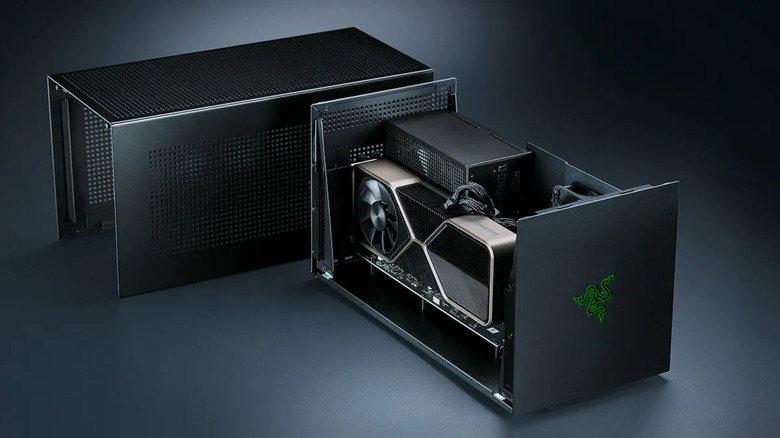
Framework’s approach with OCuLink for its Laptop 16 highlights a different philosophy: maximizing raw performance through a more direct connection, even if it sacrifices some of the universal "docking" convenience of Thunderbolt. This strategy caters to users who prioritize absolute performance and upgradeability within a modular ecosystem.
Overall, industry analysts suggest that eGPUs will likely remain a niche product. While advancements in Thunderbolt 5 and alternative interfaces like OCuLink are promising, the inherent trade-offs in performance, cost, and compatibility mean they are unlikely to replace dedicated gaming PCs for most users. However, for specific demographics, their value proposition remains strong.
Who Benefits Most? Ideal Use Cases for External GPUs
Despite the limitations, eGPUs carve out a valuable niche for particular user profiles:
- Creative Professionals on Thin Laptops: Individuals who use ultrabooks or thin mobile workstations for daily tasks but occasionally require significant GPU acceleration for tasks like video rendering, 3D modeling, or machine learning can benefit. They can dock their laptop at a workstation with an eGPU, leveraging its power without compromising their laptop’s portability for travel.
- Casual Gamers with Productivity Laptops: Users who own a capable laptop for work or study but want to enjoy modern games at home without buying a separate desktop. An eGPU offers an upgrade path that’s more flexible than replacing the entire laptop.
- Users with Space Constraints: For those living in smaller apartments or dorm rooms where a full desktop PC is impractical, an eGPU offers a relatively compact way to access desktop-grade graphics performance.
- Gaming Handheld Enthusiasts: With the rise of powerful gaming handhelds, eGPUs offer a way to dock these devices and play games on a larger screen with significantly enhanced graphics, transforming a portable console into a more capable home gaming system.
- Early Adopters and Enthusiasts: Those who enjoy tinkering with hardware and exploring the cutting edge of PC technology may find eGPUs an interesting avenue for experimentation and performance optimization.
The Future Landscape of External Graphics
The future of external graphics is intertwined with advancements in both connectivity standards and the miniaturization of powerful components. Thunderbolt 5 holds significant promise for mitigating current bandwidth issues, but its widespread adoption in laptops and peripherals will be key. The ongoing development of OCuLink and other direct PCIe interfaces might offer even greater performance, albeit potentially at the cost of universal compatibility and ease of use.
There’s also the question of whether integrated solutions will eventually render eGPUs obsolete. As laptop CPUs become more powerful and integrated graphics continue to improve, the performance gap between laptops and desktops might narrow sufficiently for many users. However, the fundamental physics of heat dissipation and power delivery will likely always favor larger, desktop-class systems for peak performance.
The convergence of gaming handhelds with eGPU ecosystems, as seen with devices like the ASUS ROG Ally or Steam Deck and their potential for external GPU connectivity, suggests another growth area. This could allow users to seamlessly transition from mobile gaming to a desktop-like experience with enhanced visuals.
Conclusion: A Niche Solution with Enduring Trade-offs
eGPUs represent an intriguing technological endeavor, offering a pathway to desktop-class graphics performance for laptops and portable devices. While they undeniably "work," they come with a distinct set of notable limitations, primarily centered around bandwidth bottlenecks, measurable performance losses, and a significant financial investment. The cumulative cost of an eGPU enclosure, a power supply, the graphics card itself, and potentially additional docks often rivals or exceeds the price of a dedicated budget to mid-range gaming PC, which would offer superior raw performance without the external interface constraints.
For the vast majority of consumers prioritizing raw gaming power and cost-efficiency, a basic gaming PC remains the more straightforward and performant choice. However, for a specific segment of users – creative professionals, casual gamers with portability needs, and enthusiasts who value flexibility, modularity, and the ability to upgrade a laptop’s graphics without replacing the entire system – eGPUs, especially with the advent of Thunderbolt 5 and OCuLink, continue to offer a compelling, albeit compromised, solution. The market for external graphics, therefore, will likely remain a specialized one, catering to those for whom the unique blend of portability and performance enhancement outweighs the inherent technical and financial trade-offs.