Metty Iskandar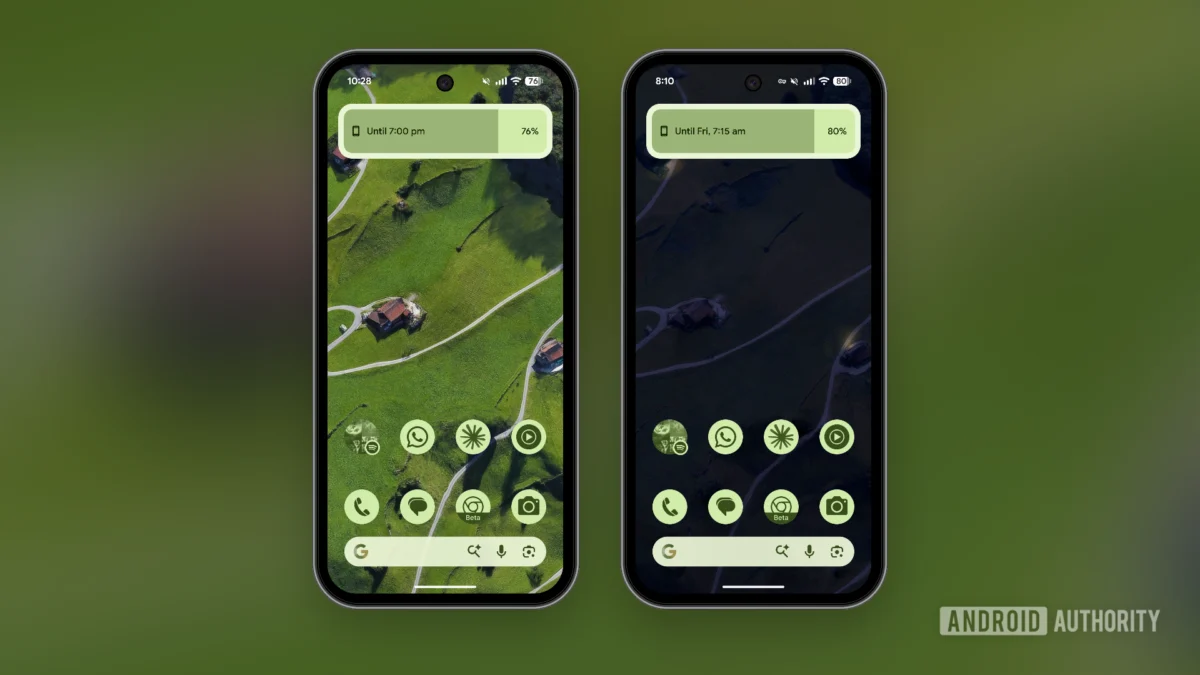
The allure of the "dumbphone," a device stripped down to its essential communication functions, has gained traction as a counterpoint to the ever-present distractions of modern smartphones. While dedicated minimalist phones like the Light Phone or Wisephone offer a premium experience at a premium price point, a growing movement explores the possibility of achieving a similar digital tranquility by reconfiguring existing, more powerful devices. This article delves into the practical strategies and applications employed to transform a Google Pixel 9a into a calmer, more focused digital tool, effectively curbing the relentless pull of notifications and addictive app features without requiring a significant financial investment.
Reclaiming Attention: The Core of the Minimalist Smartphone Movement
The proliferation of smartphones has undeniably revolutionized communication, information access, and daily life. However, this technological advancement has also brought about a significant challenge: the constant demand for our attention. Social media feeds, endless notifications, and the gamified nature of many applications are designed to capture and retain user engagement, often at the expense of productivity, well-being, and focused thought. This phenomenon, often termed "attention economy," has spurred a desire among some users to disconnect from the more distracting aspects of their devices.
The concept of a minimalist phone, or "dumbphone," directly addresses this concern. These devices prioritize core functionalities such as calling, texting, and perhaps basic navigation or calendar access, deliberately omitting features that contribute to digital overload. However, the cost associated with dedicated minimalist devices can be a barrier for many. This has led to an alternative approach: transforming a capable smartphone into a minimalist device through software customization and strategic app selection. The Pixel 9a, with its robust Android operating system and customizable nature, serves as an ideal platform for this experiment.
Strategic App Blocking: The First Line of Defense Against Distraction
The initial and perhaps most crucial step in transforming a smartphone into a minimalist device is to regain control over notifications and app access. While basic notification management is a standard feature on Android, achieving a truly distraction-free experience requires more sophisticated tools.
Switchly: Granular Control Through Open-Source Power
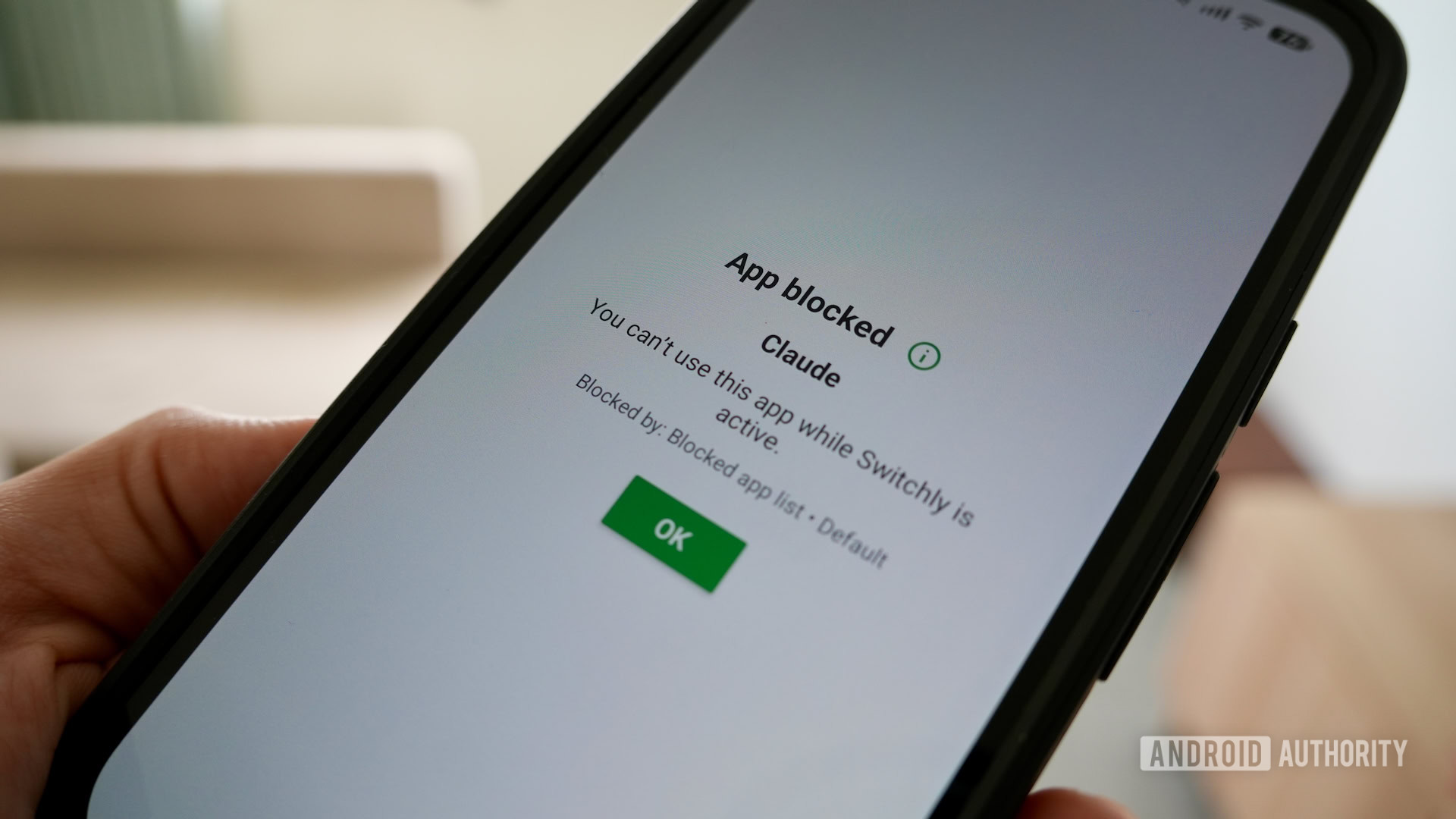
Central to this strategy is the use of Switchly, a free and open-source application designed for robust app blocking. Unlike paid alternatives that offer similar functionality, Switchly provides a highly customizable experience, allowing users to create specific profiles for different scenarios. A key feature is its integration with NFC tags and QR codes, enabling users to activate pre-defined blocking profiles with a simple tap or scan. This eliminates the need to manually navigate through settings to restrict access to distracting applications.
Furthermore, Switchly offers advanced capabilities such as blocking specific in-app features. This is particularly effective for social media platforms, where users can configure Switchly to block addictive elements like Instagram Reels or YouTube Shorts. By creating a dedicated profile that automatically blocks identified distracting apps and websites, users can achieve instant "peace" with a single action, effectively creating digital sanctuaries throughout their day. This approach moves beyond simply disabling apps to actively curating the user experience, preventing the temptation to engage with content designed to prolong usage.
BlockAds: Eradicating Intrusive Advertisements
Another significant contributor to digital clutter and distraction is the prevalence of advertisements within free applications. The integration of BlockAds, a VPN-based global ad-blocker, addresses this issue comprehensively. BlockAds functions by intercepting and blocking advertisements across all applications on the device, including the often intrusive full-screen ads that disrupt user flow. This not only enhances the aesthetic appeal of applications but also significantly improves the overall user experience by removing an external source of interruption and distraction. The efficacy of BlockAds in removing these pervasive ads represents a substantial upgrade to the Android experience, allowing users to engage with content without the constant bombardment of marketing messages.
Embracing Minimalist App Alternatives: A Cleaner Digital Ecosystem
Beyond managing app access and advertisements, a significant aspect of creating a minimalist smartphone experience involves adopting alternative applications that prioritize simplicity, functionality, and an absence of distracting features.
The Fossify Suite: Open-Source Replacements for Core Functions
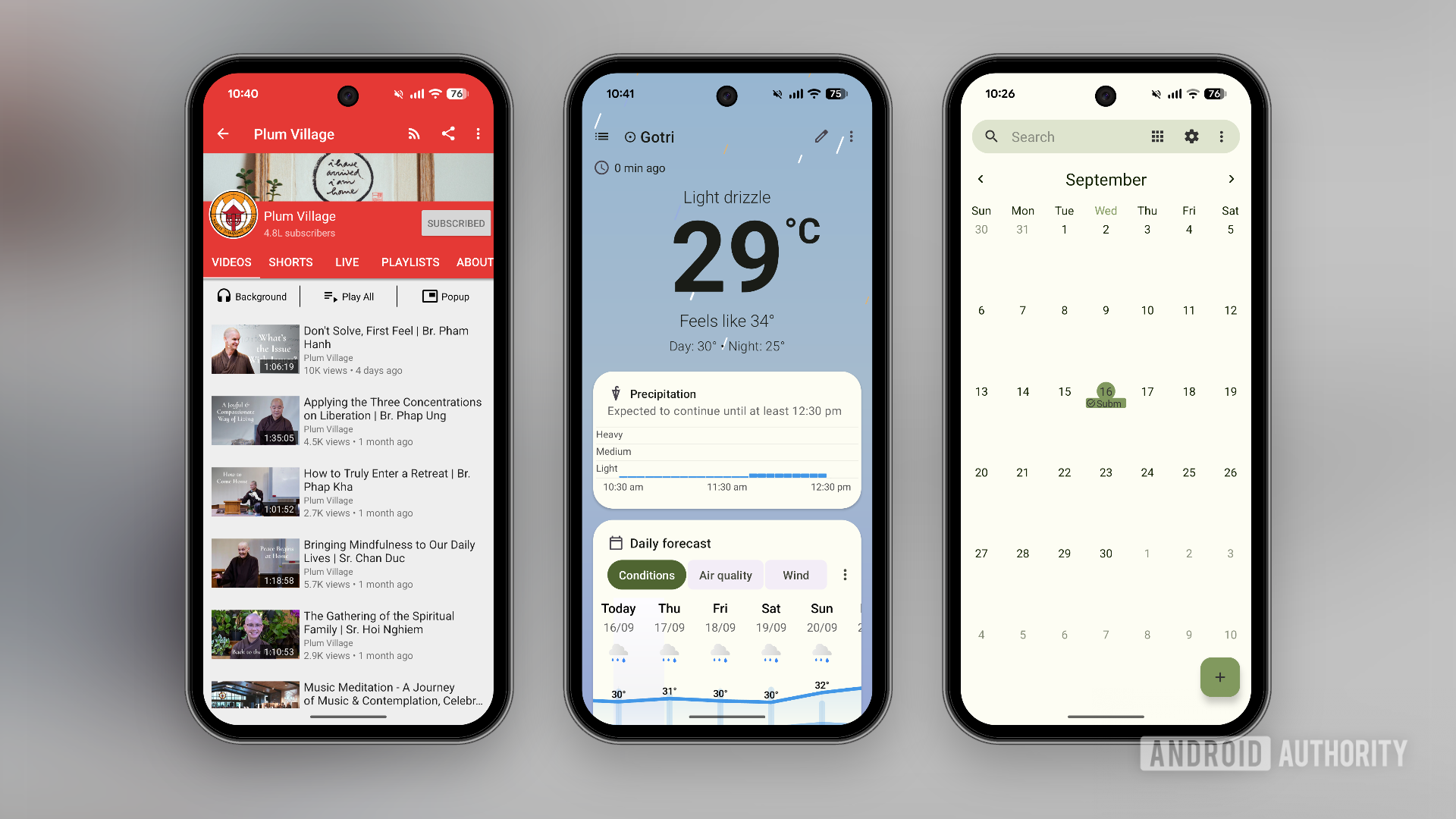
The Fossify suite of applications stands out as a valuable resource for users seeking minimalist alternatives to essential system apps. Developed with an emphasis on privacy and a clean user interface, Fossify offers ad-free versions of popular applications such as Gallery, File Manager, Calendar, Music Player, Messages, and even a replacement for the native Phone app. While the default Pixel applications may offer extensive features, they can sometimes feel clunky or overly complex for users seeking simplicity. Fossify’s minimalist versions streamline these functionalities, providing a more focused and less overwhelming experience for managing photos, files, and schedules.
Specialized Tools for Focused Information Consumption
For specific information needs, specialized applications further enhance the minimalist approach. Breezy Weather is highlighted as an excellent open-source and highly customizable weather application, offering a clean and direct presentation of meteorological data.
In the realm of video consumption, NewPipe emerges as a compelling alternative to the official YouTube app. NewPipe is an open-source YouTube client that offers a privacy-focused experience, allowing users to watch videos without ads and download them for offline viewing. Crucially, users can curate their subscriptions and disable features like live feeds and comments, ensuring a more controlled and less addictive viewing experience. This is particularly relevant for users who may subscribe to YouTube Premium but still prefer the enhanced control and privacy offered by NewPipe on their Android device.
FUTO Keyboard: Streamlining Input and Customization
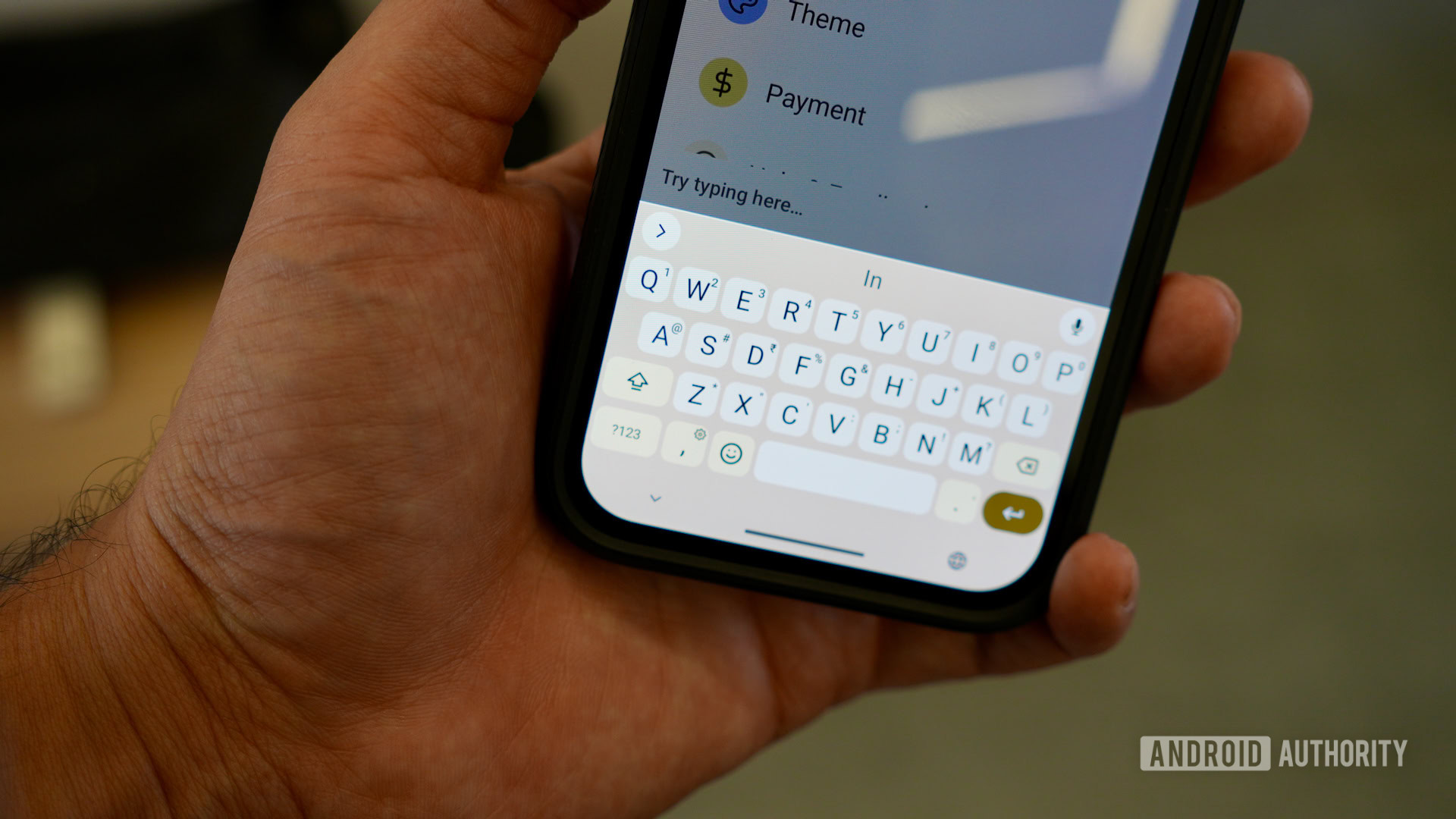
The keyboard, a primary interface for daily interaction, can also be a source of bloat and unnecessary features. The author’s switch to FUTO Keyboard exemplifies the pursuit of a more streamlined input experience. FUTO Keyboard is presented as a free and open-source alternative to Gboard, offering a customizable interface that allows users to select only the tools they genuinely require. This reduction in complexity can lead to a more efficient and less distracting typing experience.
Fennec Browser: A Privacy-Centric Web Browsing Experience
For web browsing, Fennec, an open-source fork of Mozilla Firefox, is recommended. Fennec strips away telemetry and non-essential features, offering a purer browsing experience. Its compatibility with desktop-class ad-blocking extensions like uBlock Origin further enhances its appeal for users seeking to minimize digital noise and protect their online privacy.
Crafting a Distraction-Free Home Screen: The Visual Anchor of Minimalism
The home screen of a smartphone serves as its primary visual anchor and a gateway to its functionalities. A cluttered home screen can inadvertently encourage compulsive scrolling and decision fatigue. Therefore, its simplification is a critical component of the minimalist smartphone strategy.
Pixel Launcher Customization: Reducing Visual Clutter
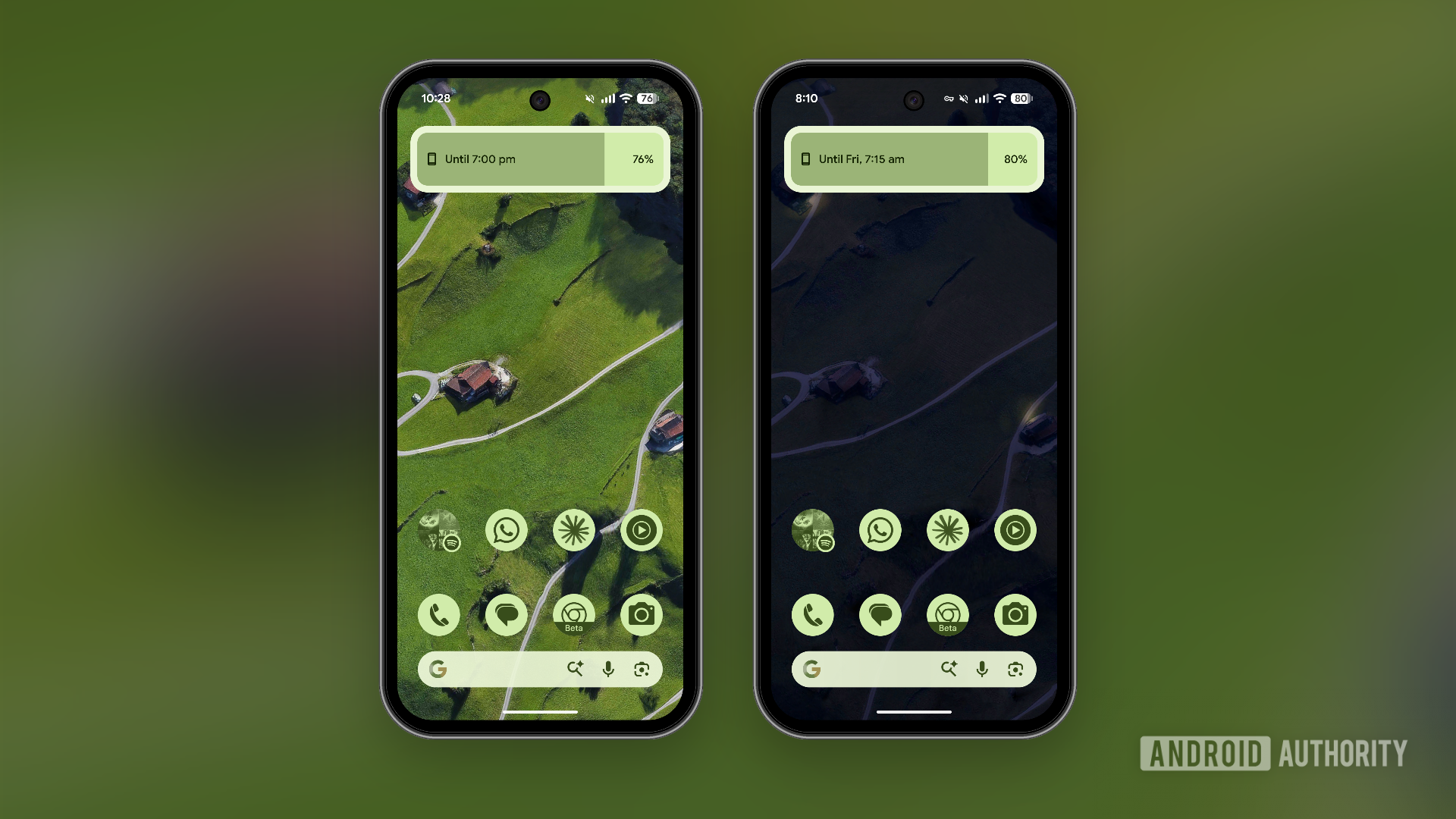
While retaining the native Pixel Launcher, significant modifications can be made to create a calmer environment. A notable change is the disabling of the "At a Glance" widget, a feature that Google has thankfully made optional after considerable user feedback. The removal of the Discover feed page, a source of endless curated content that can lead to time-consuming browsing, also contributes significantly to reducing anxiety and the urge to endlessly scroll.
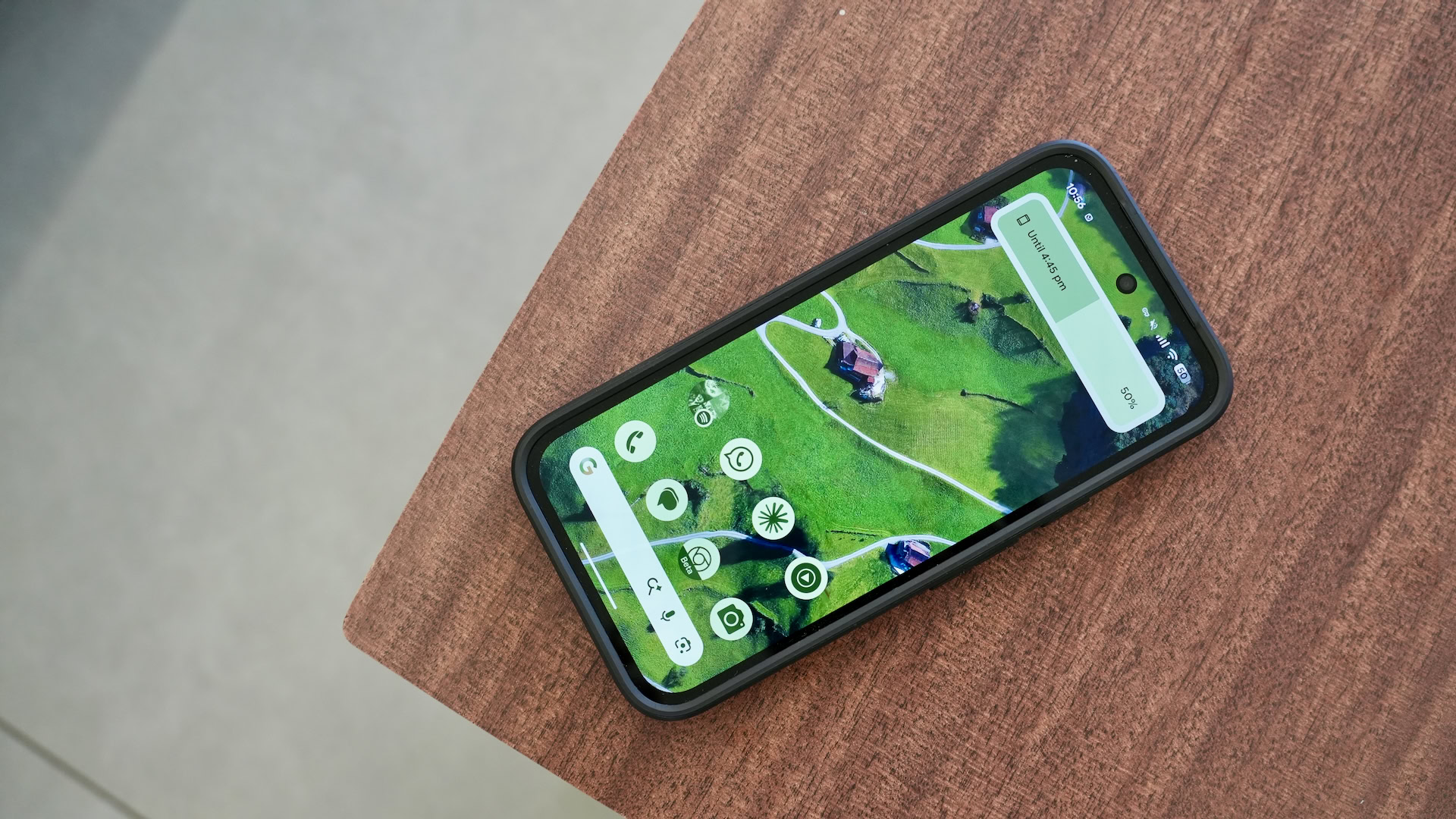
The author’s approach involves deleting all extraneous widgets and, on most days, maintaining a simple, single-page home screen setup with themed icons. This minimalist layout ensures that essential applications are readily accessible via the swipe-up gesture without overwhelming the user with options.
Niagara Launcher: An Alternative Minimalist Interface
For users seeking a more radical departure from traditional home screen layouts, the Niagara Launcher offers a compelling alternative. With a minimal theme, users can pin a select few essential applications to the top of the screen, potentially accompanied by a single, functional widget. This creates a highly focused and intentional interface, further reinforcing the minimalist ethos.
Stripping Down Existing Apps: Optimizing for Focus
While the ideal scenario involves replacing distracting apps with minimalist alternatives, some applications are indispensable for certain tasks and cannot be easily substituted. In such cases, the strategy shifts to aggressively customizing these apps to reduce their inherent complexity and distracting elements.
Google Chrome: Minimizing the Browser Experience
Google Chrome, despite its ubiquity, is often designed with an "adrenaline junkie" user profile in mind, featuring a homepage cluttered with shortcuts and feeds, and readily prompting users to accept notifications. The author’s approach involves customizing the Chrome homepage to display little more than the search bar, effectively removing nearly all extraneous elements. Disabling notification pop-ups further contributes to a more peaceful browsing experience.
Gmail and Google Maps: Targeted Simplification
Similar customization efforts are applied to other Google applications like Gmail and Google Maps. In Gmail, disabling features such as Gemini integration and the Meet tab can help streamline the inbox experience. While Google Maps is an essential navigation tool, the increasing emphasis on its "Explore" page and "Ask Maps" feature can detract from its primary function. By disabling suggestions and recommendations within Google Maps, users can reclaim a more focused and utility-driven interaction with the application.
Broader Implications and the Future of Digital Well-being
The success of these customization strategies suggests a broader trend: a growing awareness of the impact of digital environments on mental well-being. As technology becomes increasingly integrated into our lives, the demand for tools and techniques that promote digital balance is likely to intensify. The ability to transform powerful, feature-rich smartphones into minimalist devices offers a compelling and accessible solution for individuals seeking to regain control over their digital consumption.
This approach highlights a critical shift in how users interact with technology, moving from passive consumption to active curation. By understanding the underlying design principles of addictive applications and leveraging the customization capabilities of modern operating systems, users can effectively "declutter" their digital lives. The ongoing development of open-source applications and the increasing user demand for privacy-focused and minimalist alternatives suggest a future where digital well-being is not an afterthought but a core consideration in the design and use of technology. The Pixel 9a, in this context, becomes more than just a smartphone; it transforms into a testament to user agency in the digital age.