Metty Iskandar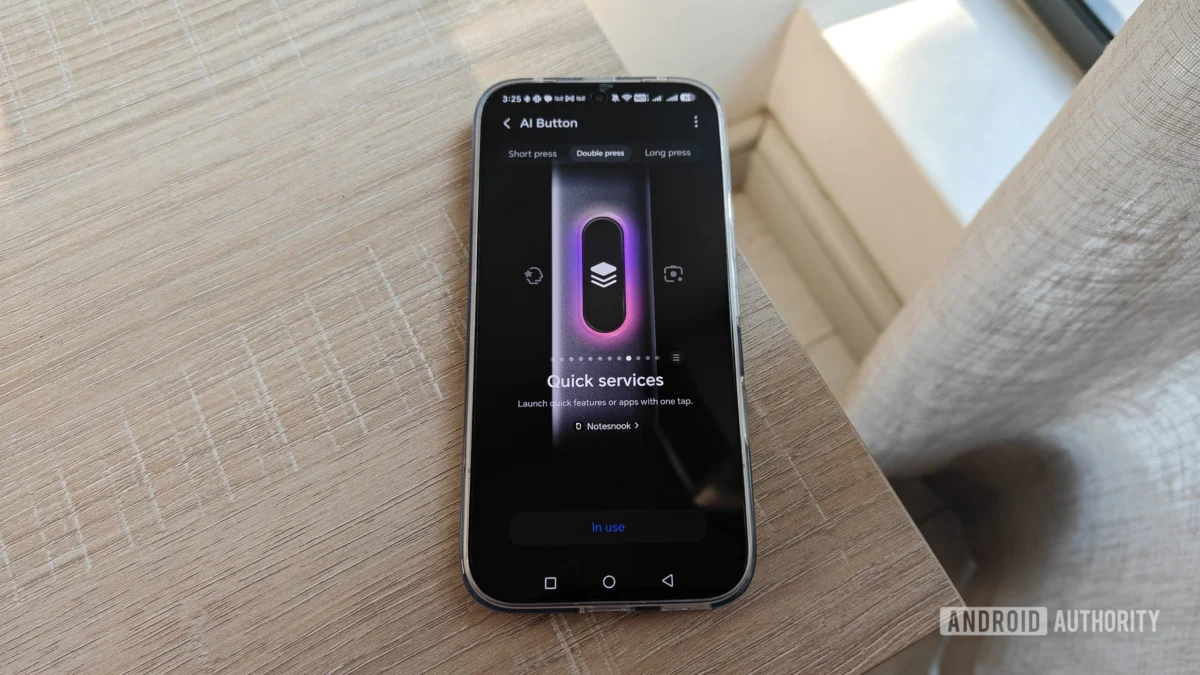
The smartphone landscape is increasingly defined by the integration of artificial intelligence, with manufacturers vying to differentiate their devices through unique AI-driven features. This trend has manifested in a notable hardware development: the dedicated AI button. While initially perceived by many, including the author, as a superfluous addition, a closer examination reveals that these buttons, when granted user configurability, can transform into powerful tools for enhanced productivity and convenience. This article delves into the evolving role of AI buttons, exploring their current implementation, the potential for greater user control, and the broader implications for smartphone design and user experience.
The Rise of the AI Button: A New Hardware Paradigm
In recent years, smartphone manufacturers have placed a significant emphasis on artificial intelligence, often overshadowing hardware specifications in their marketing narratives. This AI-centric approach has led to a proliferation of AI-powered features, from advanced camera processing and predictive text to personalized user experiences and sophisticated virtual assistants. Each brand is actively developing its proprietary AI ecosystem, aiming to offer a distinct and compelling user interface.
A tangible manifestation of this trend is the inclusion of dedicated buttons designed to directly access these AI functionalities. These buttons, physically separate from the standard power and volume controls, are engineered to provide immediate access to a device’s AI capabilities. Brands like Motorola, with recent models such as the Razr Fold and Motorola Edge, have integrated these AI buttons prominently on the side of their devices. Similarly, the Nothing Phone 4a is reported to feature such a dedicated button. The HONOR 600 Pro, as observed, also incorporates an AI button, situated on its lower-right frame.
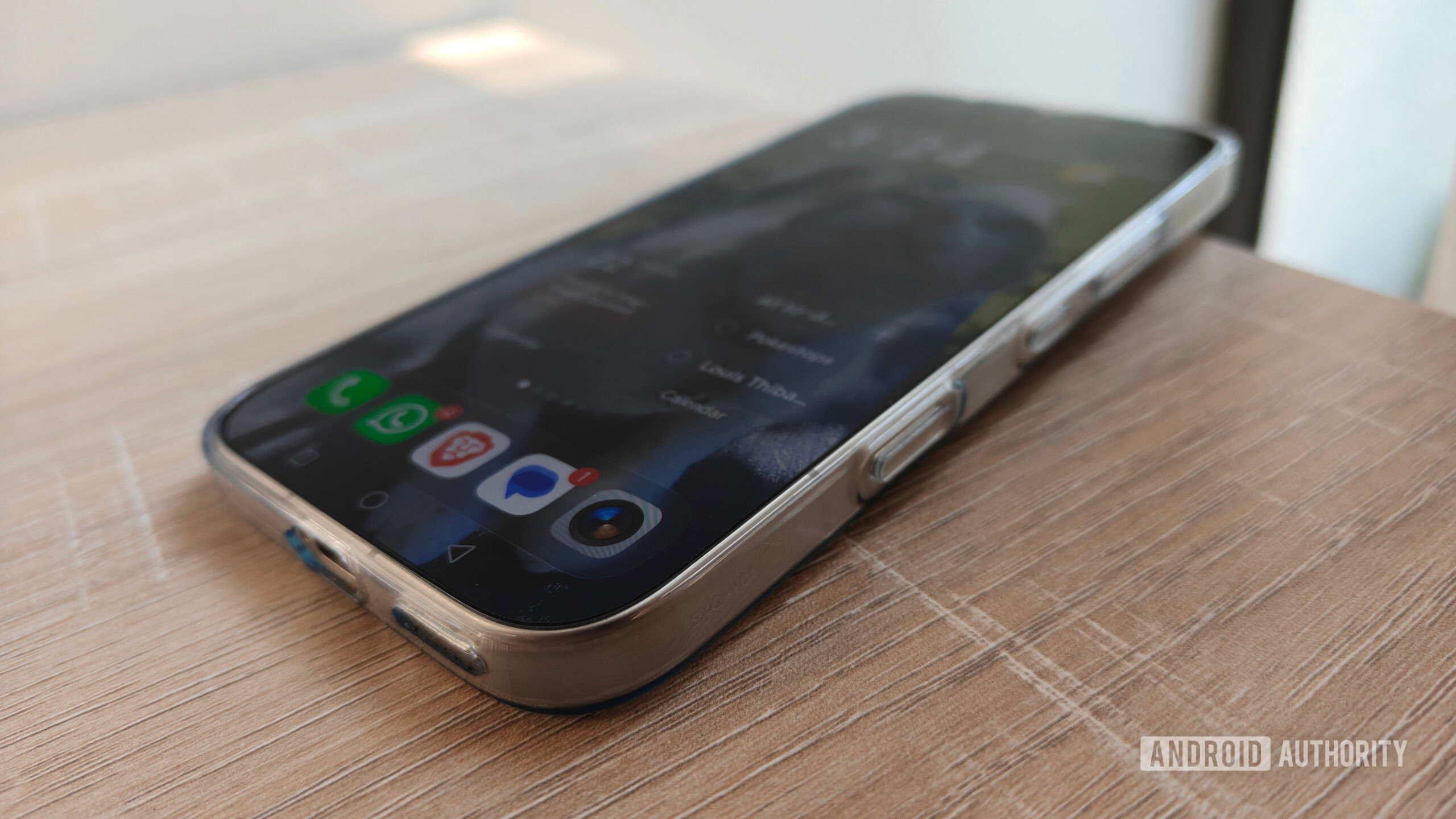
Historically, the utility of these dedicated AI buttons has been met with skepticism. For users who do not actively engage with AI services on a daily basis, such as the author’s initial assessment of the HONOR 600 Pro’s AI button, these additions can feel like unnecessary hardware redundancies. The author’s personal experience with the HONOR 600 Pro initially mirrored this sentiment, with the AI button being an accidental trigger rather than a deliberate tool. The author noted, "I don’t really use AI much on a daily basis, so a dedicated button was doomed to be a white elephant." This sentiment is echoed by a poll conducted by Android Authority, where 67 votes indicated a lack of consistent use for phone AI buttons. This suggests a broader user sentiment that these dedicated buttons are often underutilized or perceived as an inconvenience.
From Unwanted Feature to Indispensable Tool: The Power of Customization
The turning point for the author’s perception of the AI button arrived with the discovery of its configurable settings. Instead of being a fixed gateway to AI services, the HONOR 600 Pro’s AI button presented a range of customization options that significantly enhanced its practical value. This adaptability contrasts sharply with some other implementations, such as the Motorola Edge 70, where the AI button’s functionality is reportedly limited to either accessing AI features or being completely disabled, with no intermediate options available.
The HONOR 600 Pro’s AI button settings menu offered a surprising level of flexibility. Users can assign different actions to various gestures, including a single press, a double press, and a long press. Crucially, these options extend beyond mere AI functions to include a variety of non-AI tasks. Among the readily available features are the activation of the device’s flashlight, the launch of the camera application, and the modification of the phone’s sound profile (e.g., switching between silent, vibrate, and ring modes).
The true potential of the AI button is unlocked through the "quick services" feature. This advanced functionality allows users to launch not only specific applications but also precise in-app actions. For instance, a user could configure the button to create a new calendar event in Google Calendar, initiate a song recognition search within Deezer, or directly access the password manager within the Firefox browser. The extensive list of compatible applications and specific in-app features available through this service significantly broadens the utility of the AI button, transforming it from a potential annoyance into a powerful shortcut. The author expressed surprise at the breadth of integration, stating, "The long list of apps and features my AI button works with caught me by surprise, providing exciting possibilities."
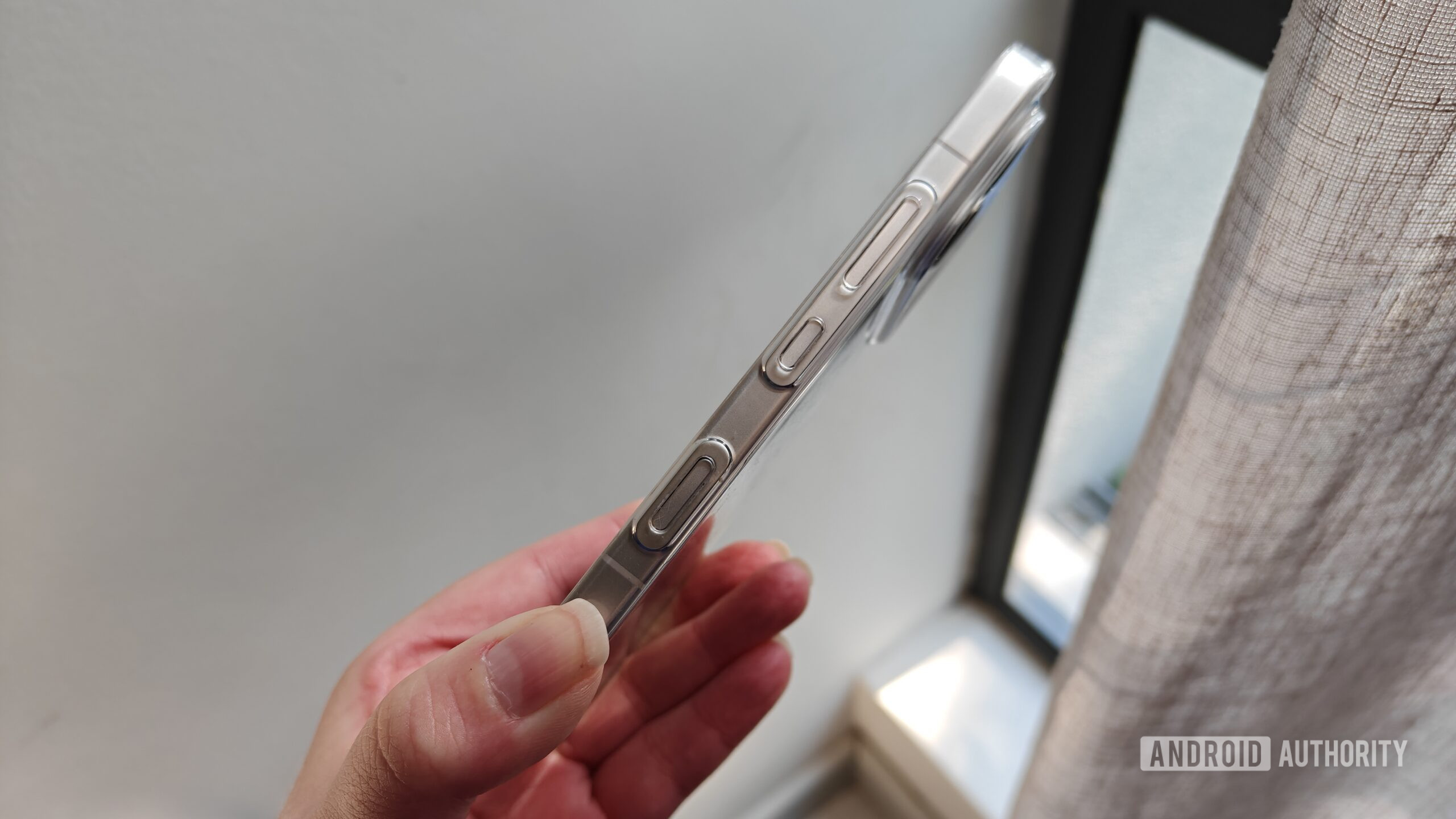
This newfound adaptability led the author to re-evaluate the AI button’s role. Instead of viewing it as a wasted piece of hardware, it became a highly sought-after shortcut. The author ultimately settled on a personalized configuration that balances convenience, productivity, and personal preference:
- Long Press: Assigned to launch the popular mobile game, Pokémon Go. This eliminates the need to navigate through the app drawer or place a shortcut on the home screen, allowing for immediate access to a frequently used application.
- Double Press: Configured to open Notesnook, a preferred note-taking application. This enables rapid access to jot down ideas or review existing notes, proving invaluable for individuals prone to distraction. The author highlighted its utility, noting, "The shortcut has proved incredibly useful as someone who gets distracted easily when trying to jot down a quick note."
- Single Press: Mapped to activate the device’s flashlight. This provides a quick and convenient way to illuminate surroundings in the dark, particularly useful when navigating a room after turning off lights. While flashlight access is typically available in the quick settings panel, the author found the direct button access to be significantly faster and more efficient, especially considering personal dissatisfaction with the split notifications layout.
This personalized approach demonstrates how a seemingly niche hardware feature can be repurposed to serve a wide array of user needs, enhancing overall device usability.
Industry Implications and the Future of User Control
The varied implementations of AI buttons highlight a critical juncture in smartphone design. While some manufacturers, like HONOR, are embracing user-centric customization, others, such as Motorola with its Edge 70, appear to offer more restrictive options. The author’s experience with the Edge 70, where the AI button’s choices were limited to AI features or disabling it entirely, underscores the disparity in approach. While Motorola’s button placement might mitigate accidental presses, the lack of configurability limits its potential.
The success of customizable AI buttons suggests a broader trend towards empowering users with greater control over their device’s hardware. Historically, dedicated hardware buttons have retained their popularity for specific functions. For instance, the ability to launch the camera app by double-pressing the power button, or taking screenshots via a combination of power and volume buttons, remains a preferred method for many users. This preference for tactile shortcuts extends to gesture-based navigation, where many users still opt for traditional navigation buttons over on-screen gestures. The author notes, "For some reason, gestures related to buttons seem to stick with me better than gestures on the screen. I can easily remember the shortcuts for my AI key, but I still don’t swipe down correctly with my split notifications panel."
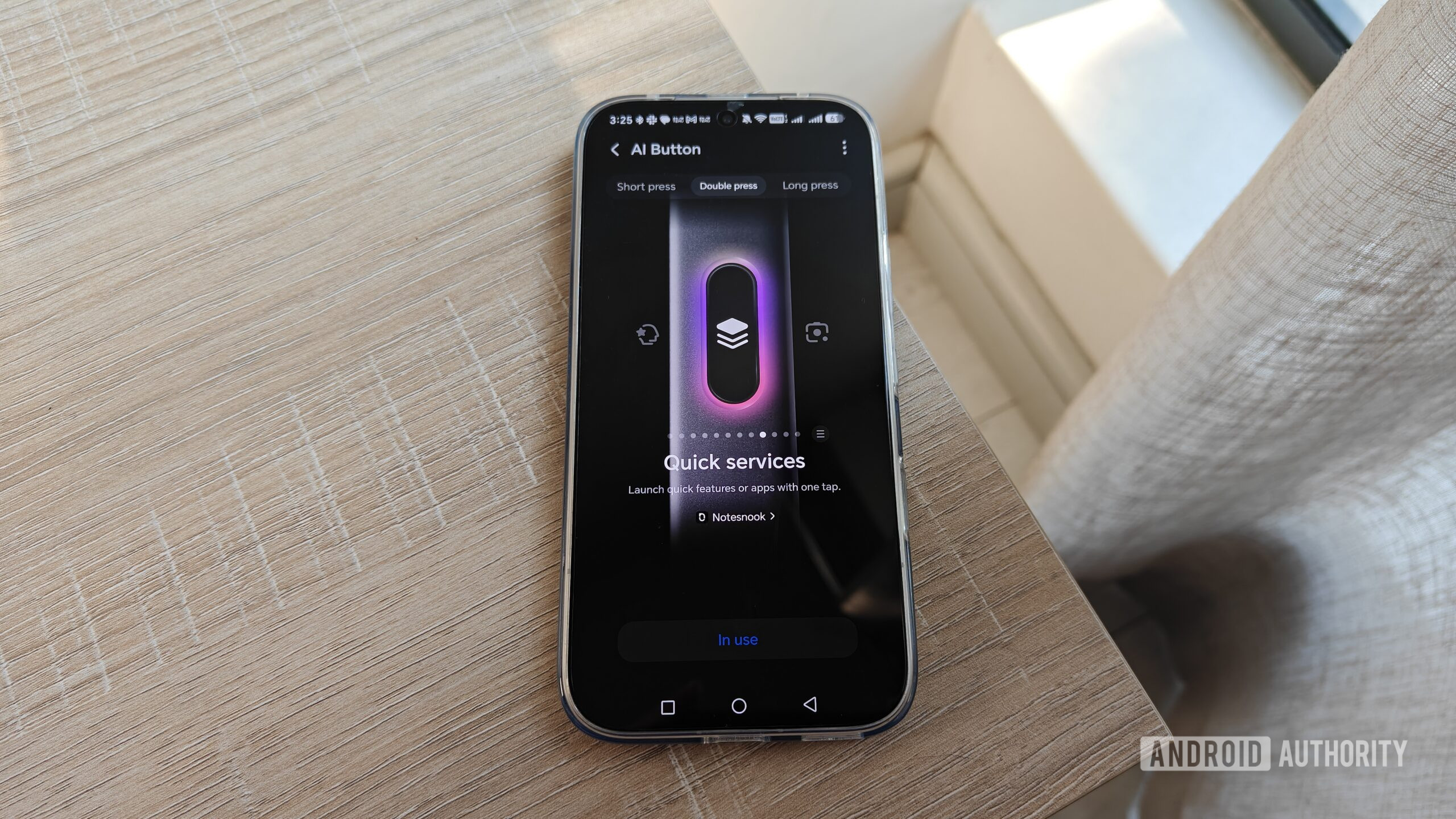
This suggests a potential avenue for innovation: reprogrammable AI buttons could represent a new frontier for enhancing device convenience and productivity. By offering users the ability to assign their most frequently used apps or functions to these dedicated buttons, manufacturers can create a more personalized and efficient user experience. This approach would not alienate AI enthusiasts, as the original AI functionalities would remain accessible. Instead, it would broaden the appeal of these buttons to a wider user base by catering to diverse needs and preferences.
The integration of versatile AI buttons could significantly reduce the perception of these buttons as intrusive or redundant. Instead, they could become highly valued tools that streamline daily tasks and improve overall device interaction. The author’s journey from viewing the AI button as an unnecessary addition to considering it an indispensable feature underscores the transformative power of user control. As the smartphone market continues to evolve, manufacturers that prioritize user customization and offer flexible hardware functionalities are likely to gain a competitive edge. The future of the dedicated AI button lies not just in its AI capabilities, but in its potential to be whatever the user needs it to be. This shift from a dictated function to a user-defined one is a crucial step in maximizing the utility of every component on a modern smartphone.