Metty Iskandar
In the ever-evolving landscape of smartphone technology, battery life remains a paramount concern for users. While performance and battery optimizers once promised revolutionary improvements, their effectiveness has often been questionable, and in some cases, detrimental to long-term device health. However, not all battery management applications are created equal. AccuBattery stands out as a notable exception, offering a nuanced approach to understanding and diagnosing battery-related issues on Android devices. This article delves into the functionalities and benefits of AccuBattery, exploring its strengths, limitations, and its role in providing users with a more comprehensive view of their device’s power consumption.
The Evolution of Battery Management on Android
The early days of Android were characterized by a proliferation of "task killer" and "battery saver" apps that claimed to boost performance and extend battery life. These applications often operated by aggressively closing background processes, which, while seemingly intuitive, frequently led to unintended consequences. Android’s operating system has become increasingly sophisticated in managing background tasks and power consumption. Modern Android versions employ intelligent resource allocation, adaptive battery features, and optimized app lifecycle management, significantly reducing the need for aggressive third-party intervention.
Major Android manufacturers like Samsung and Google have integrated robust battery management tools directly into their operating systems and custom UIs. Samsung’s devices often feature "Device Care" or "Bixby Routines" which offer insights into battery usage and power-saving options. Google’s Pixel line has been progressively enhancing its own battery management features, including detailed usage summaries and adaptive battery learning. These built-in tools are designed to provide users with a general overview of which applications are consuming the most power and offer basic optimization strategies.
AccuBattery: A Different Approach to Battery Diagnostics
AccuBattery differentiates itself from traditional battery optimizers by focusing on detailed diagnostics and user education rather than aggressive power-saving measures. Instead of attempting to "magically fix" battery life, the app aims to empower users with the knowledge to identify and address underlying software or hardware issues that may be causing excessive battery drain.
"The focus here is entirely on noticing and diagnosing software and hardware issues that are putting extra strain on your phone’s battery life," explains the article’s premise. This diagnostic approach is particularly valuable for users who want a second opinion or are using devices with less comprehensive built-in tools, such as many generic Android tablets.
How AccuBattery Gathers Its Data
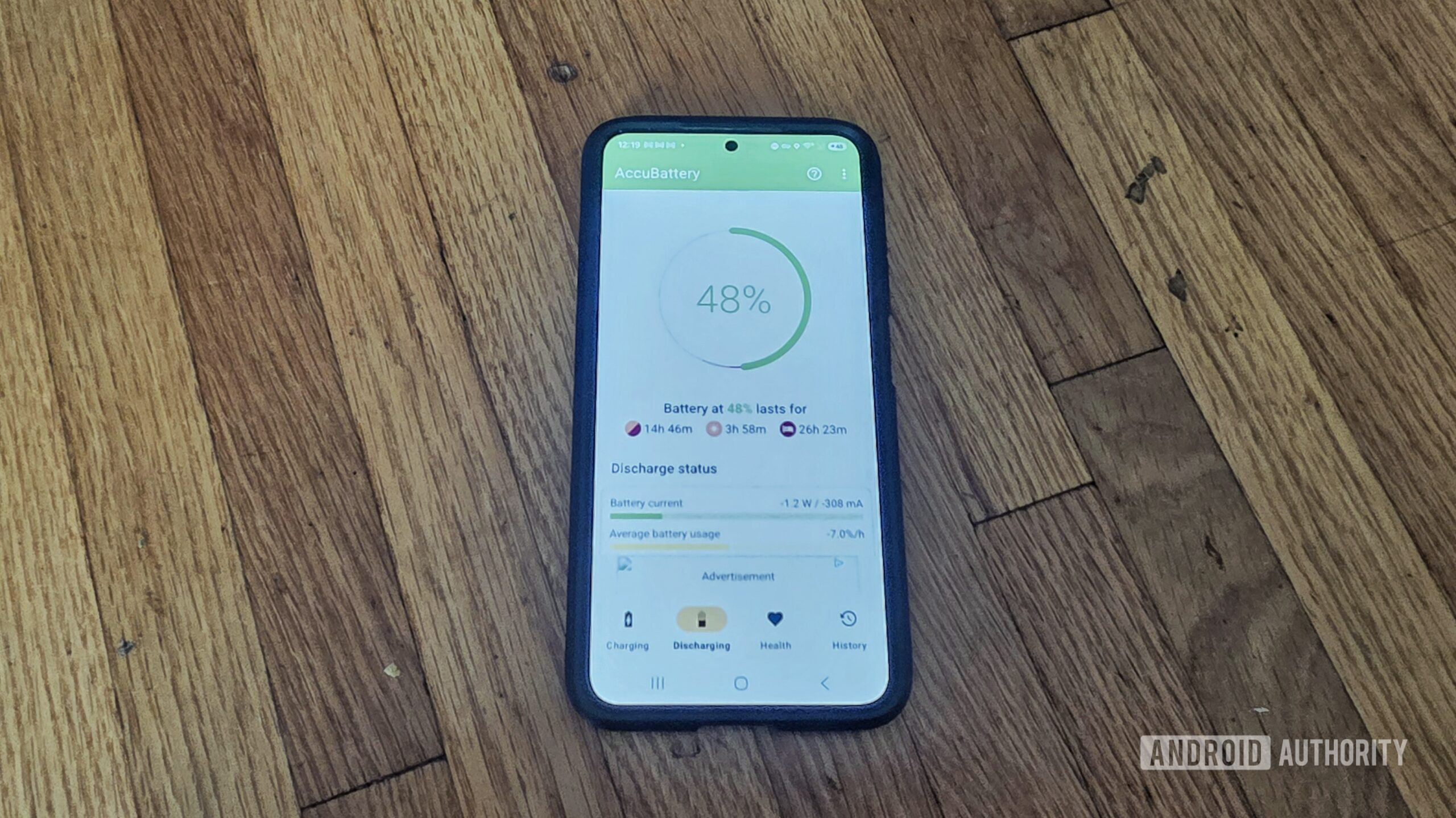
Unlike built-in operating system tools that often rely on factory-calibrated data and system-level reporting, AccuBattery employs a pattern recognition methodology over time. This approach, while not always providing a perfect 1:1 correlation with system-reported figures, aims to offer a more granular and potentially more insightful analysis of battery behavior.
The app tracks various metrics related to battery charge and discharge cycles. By observing these patterns, AccuBattery can infer the power consumption of individual applications and system processes. This method allows for a more detailed breakdown of where battery power is being utilized, offering insights that might be less apparent in simpler percentage-based reports.
The Value of Detailed Statistics
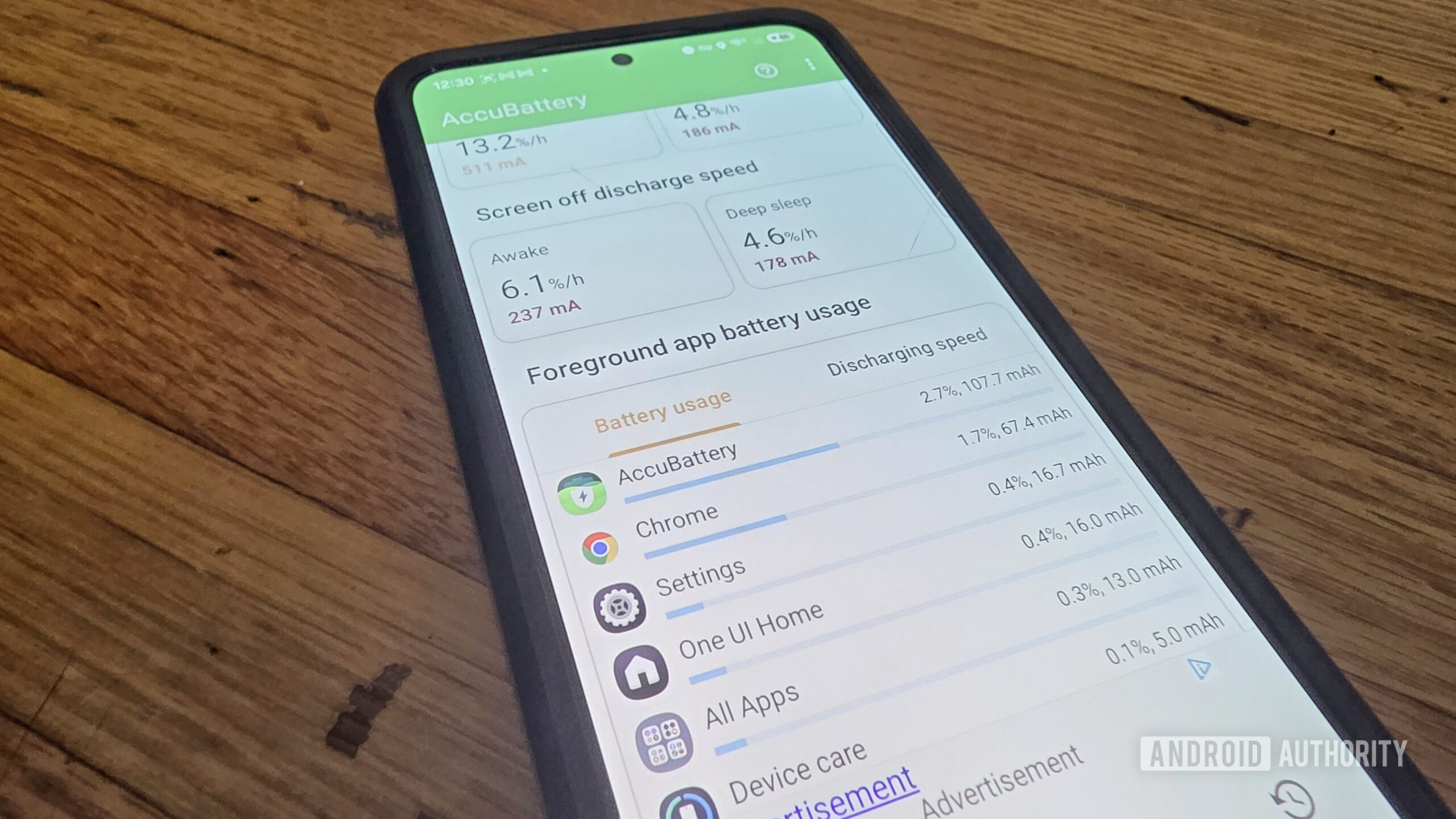
While native Android battery tools often present data in a straightforward manner, listing apps by their percentage of battery drain, AccuBattery delves deeper. It provides specific figures, often in milliampere-hours (mAh), to quantify the actual power consumed by each application. This level of detail can be crucial for pinpointing the exact source of battery drain.
Beyond app-specific consumption, AccuBattery offers a wealth of other vital statistics. These include:
- Current Battery Capacity: This helps users understand the current health of their battery in relation to its original designed capacity. Over time, batteries degrade, and this metric provides a quantifiable measure of that degradation.
- Charge and Discharge Speed: The app displays the rate at which the battery is charging or discharging, measured in mA. This can help identify if charging is unusually slow or if the discharge rate is abnormally high.
- Battery Temperature: Monitoring battery temperature is essential for device health. Excessive heat can accelerate battery degradation and indicate potential hardware issues or demanding software processes.
- Voltage: The battery voltage provides another indicator of its state and can sometimes reveal anomalies related to charging or discharging.
This comprehensive suite of data empowers users to become more proactive in managing their device’s battery health. For instance, a user might notice that a particular app is consuming an unexpectedly high amount of mAh, even if it doesn’t appear at the top of the system’s percentage-based list. This detailed information makes it easier to diagnose issues that might otherwise go unnoticed.
A Case Study: Identifying a Rogue Application
The article highlights a personal experience where AccuBattery proved instrumental in diagnosing a battery drain issue. The user suspected a rogue application was consuming excessive power, but the phone’s built-in battery tools did not indicate any obvious problems. By comparing the data with AccuBattery, it became clear that a utility app was consuming significantly more data than it should have. Upon removing the problematic app, the user observed a noticeable improvement in battery life. This scenario underscores the value of having a secondary diagnostic tool that might offer a different perspective or a more sensitive detection mechanism.
The advantage of having both AccuBattery and the built-in tools is the ability to cross-reference information. If one tool misses something, the other might catch it. This redundancy can be particularly helpful when troubleshooting complex battery issues.
Beyond Diagnostics: The Charge Alarm Feature
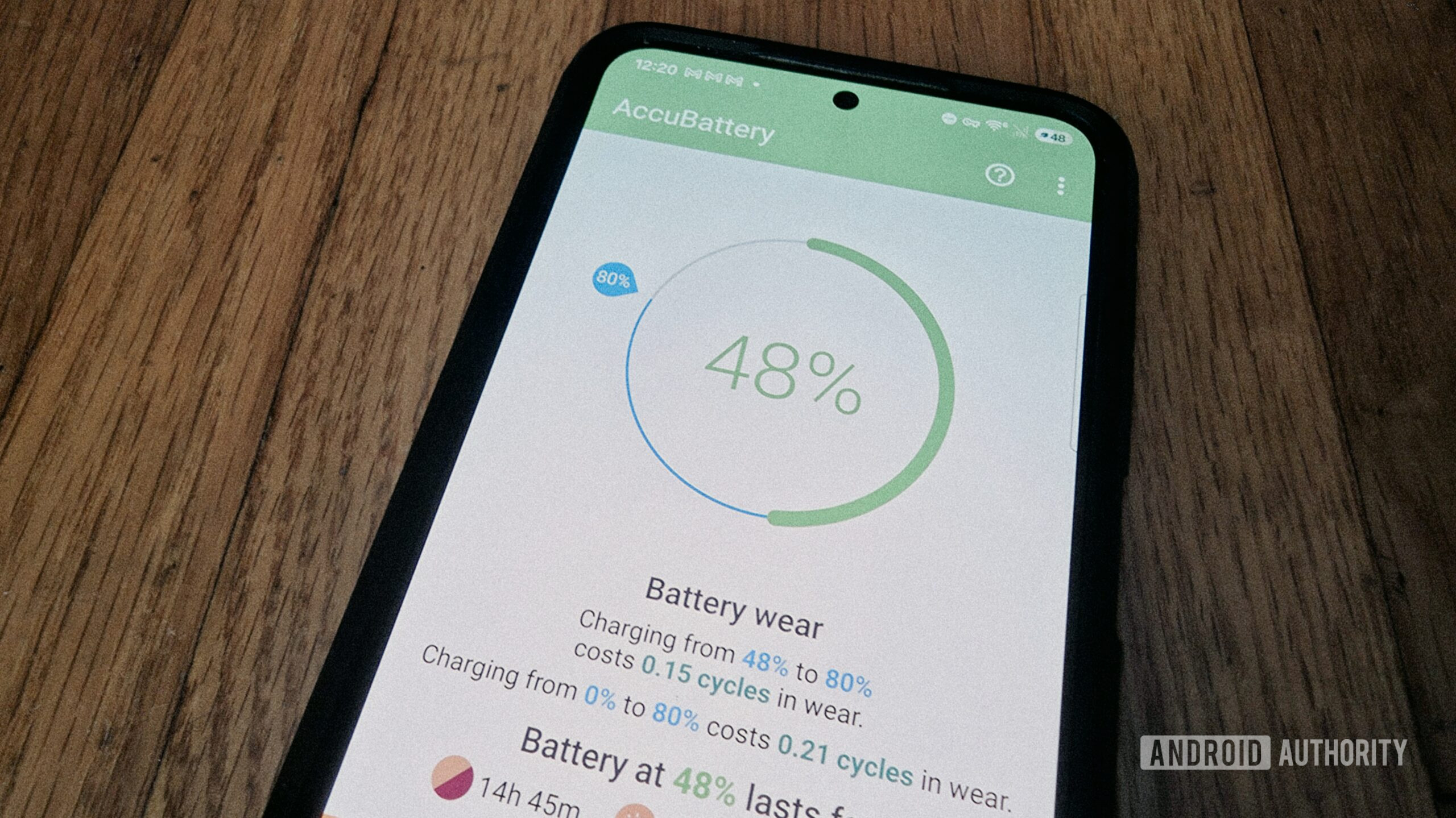
While AccuBattery’s primary strength lies in its diagnostic capabilities, it also offers a practical feature: a customizable charge alarm. The author uses this feature to set an alarm for when the battery reaches 80% charge. This is based on the widely accepted practice that charging batteries to their maximum capacity can accelerate degradation over time.
"I have it set to sound an alarm when my battery life reaches 80%, and then I can take it off the charger if I wish," the article states. This approach offers flexibility. While many phones now offer built-in "adaptive charging" or "battery protection" features that automatically stop charging at a certain percentage, AccuBattery’s alarm provides a reminder rather than a hard limit. This allows users to make an informed decision based on their daily needs. If an extra 20% is required for a long day, the user can choose to override the suggestion; otherwise, they can unplug the device, potentially extending its long-term battery lifespan.
Limitations and the Nuance of Accuracy
It is crucial to acknowledge that no battery monitoring tool is perfectly accurate. AccuBattery, like built-in Android tools, relies on approximations and pattern recognition. The article wisely points out that neither AccuBattery nor system-level tools have absolute, deep access to every component and process in a way that guarantees 100% precise readings.
"Neither has truly deep access to your full system in a way that would provide 100% accurate information, but that’s not really the point," the author emphasizes. The analogy to fitness trackers is apt: while heart rate monitors or GPS sensors may have slight inaccuracies, they are valuable for tracking trends and patterns. Similarly, AccuBattery’s value lies in its ability to help users understand their device’s battery behavior over time, identify anomalies, and diagnose potential problems.
The article concludes that AccuBattery is not necessarily "better" than built-in tools but rather offers a different dimension of insight. For users who are content with general battery monitoring, the tools integrated into their Pixel or Galaxy device might suffice. However, for those who seek a deeper understanding of their battery’s health, wish to troubleshoot specific drain issues, or appreciate granular data, AccuBattery emerges as a highly recommended and valuable utility.
Broader Implications for Android Users
The existence and effectiveness of apps like AccuBattery highlight a persistent user desire for greater control and understanding of their mobile devices. As smartphones become more complex and integrated into daily life, the ability to monitor and maintain their performance and longevity becomes increasingly important.
AccuBattery’s approach also implicitly encourages a more conscious use of technology. By providing users with clear data on power consumption, it can foster habits that lead to extended device lifespan and improved user experience. This can include identifying apps that are inefficient, understanding the impact of screen-on time versus screen-off usage, and making informed decisions about charging practices.
In essence, AccuBattery serves as a powerful educational tool, demystifying the complex interplay between software, hardware, and battery performance on Android. It empowers users to move beyond simply managing battery life to truly understanding and optimizing it, thereby enhancing their overall smartphone experience.